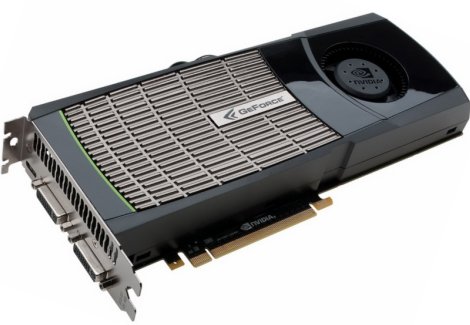
GPU Programming For Easy & Fast Image Processing

If you ever need to manipulate images really fast, or just want to make some pretty fractals, [Reuben] has just what you need. He developed a neat command line tool to send code to a graphics card and generate images using pixel shaders. Opposed to making these images with a CPU, a GPU processes every pixel in parallel, making image processing much faster.

All the GPU coding is done by writing a bit of code in GLSL. [Reuben]’s command line utility takes that code, sends it to the graphics card, and returns the image calculated by the GPU. It’s very simple for to make pretty Mandebrolt set images and sine wave interference this way, but [Reuben]’s project can do much more than that. By sending an image to the GPU and performing a few operations, [Reuben] can do very fast edge detection and other algorithmic processing on pre-existing images.

So far, [Reuben] has tested his software with a few NVIDIA graphics cards under Windows and Linux, although it should work with any graphics card with pixel shaders.

Although [Reuben] is sending code to his GPU, it’s not quite on the level of the NVIDIA CUDA parallel computing platform; [Reuben] is only working with images. Cleverly written software could get around that, though. Still, even if [Reuben]’s project is only used for image processing, it’s still much faster than any CPU-bound method.

You can grab a copy of [Reuben]’s work over on GitHub.
Heat Gun GPU Reflow Fixes Laptop

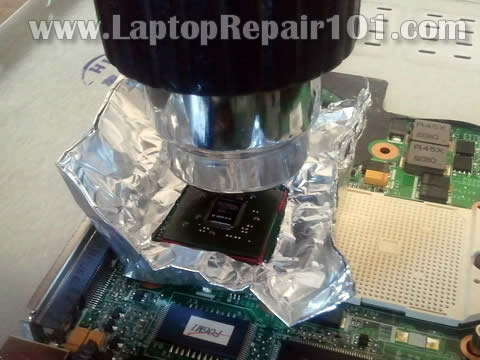
Solder connections on processors seem to be a very common failure point in modern electronics. Consider the Red Ring of Death (RRoD) on Xbox 360 or the Yellow Light of Death (YLoD) on PlayStation 3. This time around the problem is a malfunctioning Nvidia GPU on an HP Pavilion TX2000 laptop. The video is sometimes a jumbled mess and other times there’s no video at all. If the hardware is older, and the alternative to fixing it is to throw it away, you should try to reflow the solder connections on the chip.

This method uses a heat gun, which we’ve seen repair PCBs in the past. The goal here is to be much less destructive and that’s why the first step is to test out how well your heat gun will melt the solder. Place a chunk of solder on a penny, hold the heat gun one inch above it and record how long it takes the solder to flow. Once you have the timing right, mask off the motherboard (already removed from the case) so that just the chip in question is accessible. Reflow with the same spacing and timing as you did during the penny test. Hopefully once things cool down you’ll have a working laptop or gaming console again.

GPU Processing And Password Cracking

Recently, research students at Georgia Tech released a report outlining the dangers that GPUs pose to the current state of password security. There are a number of ways to crack a password, all with their different pros and cons, but when it comes down to it, the limiting factor in all of these methods is processing complexity. The more operations that need to be run, the longer it takes, and the less useful each tool is for cracking passwords. In the past, most recommendations for password security revolved around making sure your password wasn’t something predictable, such as “password” or your birthday. With today’s (and tomorrows) GPUs, this may no longer be enough.

Continue reading “GPU Processing And Password Cracking”

NVIDIA’s Problems Worse Than Expected?

According to the an article in the INQUIRER, it is very possible that all chips with the G84 and G86 architecture are faulty. The problem is said to be excessive heat cycling and when NVIDIA was questioned, they blamed their suppliers for the issue. Although NVIDIA is claiming that only a few chips that went to HP were affected, the INQUIRER points out that all the chips use the same ASIC across the board, which has not changed in the architecture’s lifetime. They also point out that Dell and ASUS are having the same issues.

The article then goes on to theorize why we have not seen more complaints. They say that failures of these type usually follow a bell curve distributed over the time domain and we are only on the initial up-slope. This is probably due to the different use patterns of the users. For example, people with laptops are turning their computers on and off more than desktop users, thus facilitating the heat cycling’s effect. They suggest the quick fix as more fanning, but eventually NVIDIA will have to do something about this.

[via Engadget]