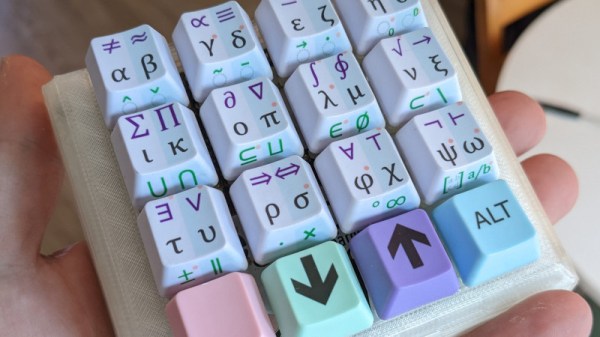
Custom Macro Pad Helps Deliver Winning Formulas

For those of us with science and engineering backgrounds, opening the character map or memorizing the Unicode shortcuts for various symbols is a tedious but familiar part of writing reports or presentations. [Magne Lauritzen] thought there had to be a better way and developed the Mathboard.

With more than 80 “of the most commonly used mathematical operators” and the entire Greek alphabet, the Mathboard could prove very useful to a wide number of disciplines. Hardware-wise, the Mathboard is a 4×4 macro pad, but the special sauce is in the key set implementation firmware. While the most straightforward approach would be to pick 16 or 32 symbols for the board, [Magne] felt that didn’t do the wide range of Unicode symbols justice. By implementing a system of columns and layers, he was able to get 6+ symbols per key, giving a much greater breadth of symbols than just 16 keys and a shift layer. The symbols with a dot next to them unlock variants of that symbol by double or triple-tapping the key. For instance, a lower or capital case of a Greek letter.

The Mathboard currently works in Microsoft Office’s equation editor and as a plain-text Unicode board. [Magne] is currently working on LaTeX support and hopes to add Open Office support in the future. This device was an honorable mention in our Odd Inputs and Peculiar Peripherals Contest. If you’d like to see another interesting math-themed board, check out the one on the MCM/70 from 1974.
Coffee With Kernighan

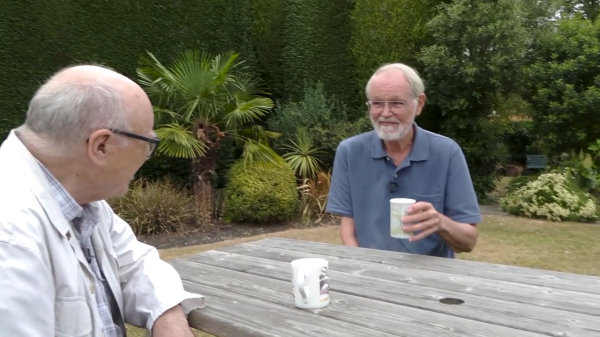
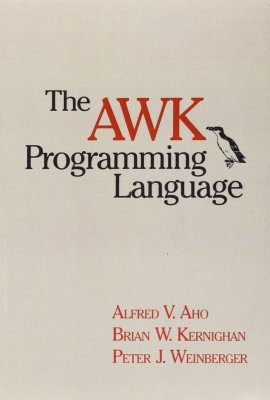
There was an interesting tidbit buried in a Computerphile video released last week (below the break), featuring professors [David Brailsford] and [Brian Kernighan] having a chat over coffee. Among other topics, they discuss the history and current state of various text processing tools. We learn that [Kernighan] has taken on a summer project of updating the AWK text processing language to handle UTF-8 text, an omission he admits is embarrassing in this day and age. He is also working on a second edition of The AWK Programming Language book, which hasn’t been updated since being first released in 1988.

[Brian Kernighan] is a legend in the world of Unix and computing, working at Bell Labs during the 70s where Unix and C were developed. Among the many accomplishments in his career, he is well-known as the co-author with [Dennis Ritchie] of The C Programming Language, first published in 1972 and still being used decades later, AWK mentioned above, and major updates to troff. More recently, he co-authored The Go Programming Language book in 2015.

If an updated UTF-8-capable AWK interests you, keep an eye on the AWK GitHub repository where [Kernighan] anticipates an update, once he wraps his head around git a little better. We’re happy to see [Brian] so active at 80 years old. If you want to learn more about those early days at Bell Labs, we reviewed [kernighan]’s very interesting UNIX: A History and a Memoir a couple of years ago. 

Continue reading “Coffee With Kernighan”

Can You Identify This Mystery Unicode Glyph?

For anyone old enough to have worked with the hell of multiple incompatible character sets, Unicode has been a liberation; a true One Character Set To Contain Them All. We have so many Unicode characters to play with that there’s a fascinating pursuit in itself in probing at the obscure corners of what can be rendered on screen as a Unicode glyph. With so many disparate character sets having been brought together to make the Unicode standard there are plenty of unusual characters to choose from, and it’s one of them that [Jonathan Chan] has examined in detail.

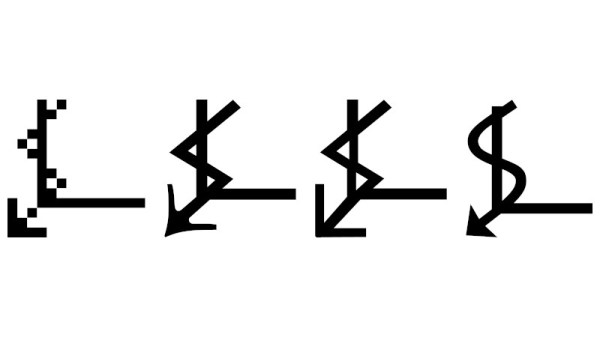
U+237C ⍼, or the right angle with downwards zigzag arrow, is a mysterious Unicode symbol with no known use and from an unknown origin. XKCD featured it as a spoof “Larry Potter”, but as [Jonathan]’s analysis shows it’s proving impossible to narrow down where it came from. Mystical cult symbol? Or perhaps fiscal growth in an economy in which time runs downwards? Either way, when its lineage has been traced into the early 1990s with no answer to the question it appears that there may be a story behind it.

Hackaday readers never cease to amaze us with the breadth of their knowledge, ingenuity, and experience, so we think it’s not impossible that among you there may be people who will turn and pull a dusty computer manual from the shelf to give us the story behind this elusive glyph. We’d love to hear in the comments below.

Meanwhile if Unicode sparks your interest, we’ve given it a close look in the past.

Thanks [Jonty] for the tip.

This Week In Security: The Battle Against Ransomware, Unicode, Discourse, And Shrootless

We talk about ransomware gangs quite a bit, but there’s another shadowy, loose collection of actors in that arena. Emsisoft sheds a bit of light on the network of researchers and law enforcement that are working behind the scenes to frustrate ransomware campaigns.

Darkside is an interesting case study. This is the group that made worldwide headlines by hitting the Colonial Pipeline, shutting it down for six days. What you might not realize is that the Darkside ransomware software had a weakness in its encryption algorithms, from mid December 2020 through January 12, 2021. Interestingly, Bitdefender released a decryptor on January 11. I haven’t found confirmation, but the timing seems to indicate that the release of the decryptor triggered Darkside to look for and fix the flaw in their encryption. (Alternatively, it’s possible that it was released in response the fix, and time zones are skewing the dates.)

Emsisoft is very careful not to tip their hand when they’ve found a vulnerability in a ransomware. Instead, they have a network of law enforcement and security professionals that they share information with. This came in handy again when the Darkside group was spun back up, under the name BlackMatter.

Not long after the campaign was started again, a similar vulnerability was reintroduced in the encryption code. The ransomware’s hidden site, used for negotiating payment for decryption, seems to have had a vulnerability that Emsisoft was able to use to keep track of victims. Since they had a working decryptor, they were able to reach out directly, and provide victims with decryption tools.

This changed when the link to BlackMatter’s portal leaked on Twitter. It seems like many people hold ransomware gangs in less-than-high regard, and took the opportunity to inform BlackMatter of this fact, using that portal. In response, BlackMatter took down that portal site, cutting off Emsisoft’s line of information. Since then, the encryption vulnerability has been fixed, Emisoft can’t listen in on BlackMatter anymore, and they released the story to encourage BlackMatter victims to contact them. They also suggest that ransomware victims always contact law enforcement to report the incident, as there may be a decryptor that isn’t public yet. Continue reading “This Week In Security: The Battle Against Ransomware, Unicode, Discourse, And Shrootless”

This Arduino Terminal Does All The Characters

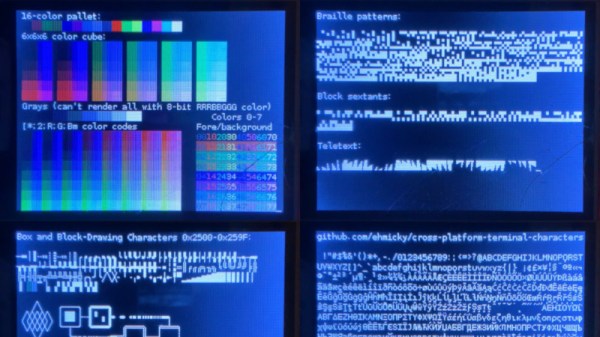
The job of a dumb terminal was originally to be a continuation of that performed by a paper teletype, to send text from its keyboard and display any it receives on its screen. But as the demands of computer systems extended beyond what mere ASCII could offer, their capabilities were extended with extra characters and graphical extensions whose descendants we see in today’s Unicode character sets and thus even in all those emojis on your mobile phone. Thus a fully-featured terminal has a host of semigraphics characters from which surprisingly non-textual output can be created. It’s something [Michael Rule] has done some work on, with his ILI9341TTY, a USB serial terminal monitor using an Arduino Uno and an ILI9341 LCD module that supports as many of the extended characters as possible.

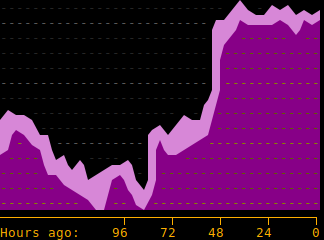
A graph, entirely in Unicode characters.

It’s fair to say that most of us who regularly use a terminal don’t go far beyond the ASCII, as it’s likely that a modern terminal will sit in a window over a desktop GUI. So even if you have little use for a hardware terminal monitor there’s still plenty of interest to be found in those rarely-seen character sets. Our favourite is probably the Symbols for Legacy Computing, an array of semigraphics characters that may be familiar to readers who have used an 8-bit home computer or two. He includes a graph example using these characters coloured with ANSI escape codes, and it’s certainly not what you expect from a terminal.

If microcontroller terminals capture your interest, this isn’t the first we’ve brought you.

Unicode: On Building The One Character Set To Rule Them All

Most readers will have at least some passing familiarity with the terms ‘Unicode’ and ‘UTF-8’, but what is really behind them? At their core they refer to character encoding schemes, also known as character sets. This is a concept which dates back to far beyond the era of electronic computers, to the dawn of the optical telegraph and its predecessors. As far back as the 18th century there was a need to transmit information rapidly across large distances, which was accomplished using so-called telegraph codes. These encoded information using optical, electrical and other means.

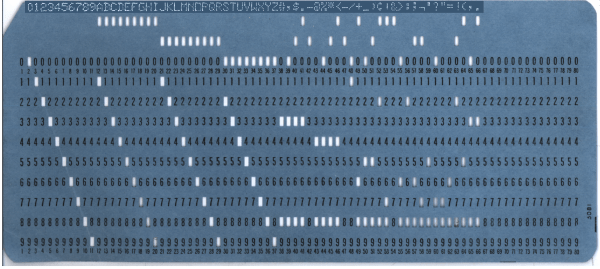
During the hundreds of years since the invention of the first telegraph code, there was no real effort to establish international standardization of such encoding schemes, with even the first decades of the era of teleprinters and home computers bringing little change there. Even as EBCDIC (IBM’s 8-bit character encoding demonstrated in the punch card above) and finally ASCII made some headway, the need to encode a growing collection of different characters without having to spend ridiculous amounts of storage on this was held back by elegant solutions.

Development of Unicode began during the late 1980s, when the increasing exchange of digital information across the world made the need for a singular encoding system more urgent than before. These days Unicode allows us to not only use a single encoding scheme for everything from basic English text to Traditional Chinese, Vietnamese, and even Mayan, but also small pictographs called ‘emoji‘, from Japanese ‘e’ (絵) and ‘moji’ (文字), literally ‘picture word’.

Continue reading “Unicode: On Building The One Character Set To Rule Them All”

This Week In Security: Unicode, Truecrypt, And NPM Vulnerabilities

Unicode, the wonderful extension to to ASCII that gives us gems like “✈”, “⌨”, and “☕”, has had some unexpected security ramifications. The most common problems with Unicode are visual security issues, like character confusion between letters. For example, the English “M” (U+004D) is indistinguishable from the Cyrillic “М” (U+041C). Can you tell the difference between IBM.com and IBМ.com?

This bug, discovered by [John Gracey] turns the common problem on its head. Properly referred to as a case mapping collision, it’s the story of different Unicode characters getting mapped to the same upper or lowercase equivalent.

'ß'.toLowerCase() === 'SS'.toLowerCase() // true
// Note the Turkish dotless i
'John@Gıthub.com'.toUpperCase() === 'John@Github.com'.toUpperCase()

GitHub stores all email addresses in their lowercase form. When a user sends a password reset, GitHub’s logic worked like this: Take the email address that requested a password reset, convert to lower case, and look up the account that uses the converted email address. That by itself wouldn’t be a problem, but the reset is then sent to the email address that was requested, not the one on file. In retrospect, this is an obvious flaw, but without the presence of Unicode and the possibility of a case mapping collision, would be a perfectly safe practice.

This flaw seems to have been fixed quite some time ago, but was only recently disclosed. It’s also a novel problem affecting Unicode that we haven’t covered. Interestingly, my research has turned up an almost identical problem at Spotify, back in 2013.
Continue reading “This Week In Security: Unicode, Truecrypt, And NPM Vulnerabilities”