Giving The C64 A WiFi Modem

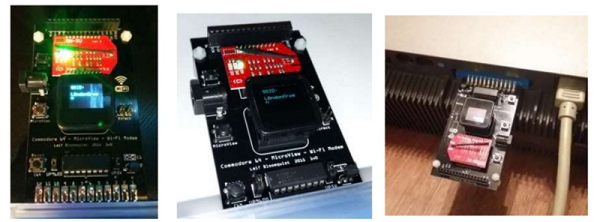
If there’s any indication of the Commodore 64’s longevity, it’s the number of peripherals and add-ons that are still being designed and built. Right now, you can add an SD card to a C64, a technology that was introduced sixteen years after the release of the Commodore 64. Thanks to [Leif Bloomquist], you can also add WiFi to the most cherished of the home computers.

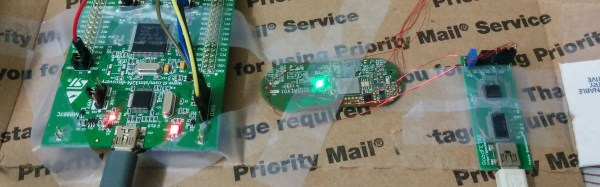
[Leif]’s WiFi modem for the C64 is made of two major components. The first is a Microview OLED display that allows the user to add SSIDs, passwords, and configure the network over USB. The second large module is the a Roving Networks ‘WiFly’ adapter. It’s a WiFi adapter that uses the familiar Xbee pinout, making this not just a WiFi adapter for the C64, but an adapter for just about every wireless networking protocol out there.

[Leif] introduced this WiFi modem for the C64 at the World of Commodore earlier this month in Toronto. There, it garnered a lot of attention from the Commodore aficionados and one was able to do a video review of the hardware. You can check out [Alterus] loading up a BBS over Wifi in the video below.
Continue reading “Giving The C64 A WiFi Modem”

Raspberry Pi $2 WiFi Through Epic SDIO Hack

These are the times that we live in: the Raspberry Pi Zero comes out — a full freaking Linux computer on a chip for $5 — and people complain that it doesn’t have this or that. Top place on the list of desiderata is probably a tie between audio out and WiFi connectivity. USB is a solution for both of these, but with one USB port it’s going to be a scarce commodity, so any help is welcome.

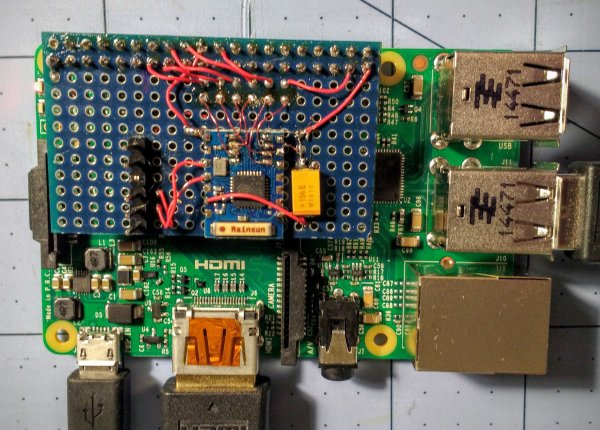
Hackaday.io hacker [ajlitt] is looking for a way out of the WiFi bind. His solution? The Raspberry Pi series of chips has a special function on a bunch of the GPIO pins that make it easier to talk to SDIO devices. SDIO is an extension of the SPI-like protocol that’s used with SD memory cards. The idea with SDIO was that you could plug a GPS or something into your PDA’s SD card slot. We don’t have PDAs anymore, but the SDIO spec remains.

[ajlitt] dug up an SDIO driver for the ESP8089 chip, and found that you can liberate the ESP8266’s SPI bus by removing a flash memory chip that’s taking up the SPI lines. Connect the SPI lines on the ESP8266 to the SDIO lines on the Raspberry Pi, and the rest is taken care of by the drivers. “The rest”, by the way, includes bringing the ESP’s processor up, dumping new firmware into it over the SPI/SDIO lines to convince it to act as an SDIO WiFi adapter, and all the rest of the hardware communication stuff that drivers do.

The result is WiFi connectivity without USB, requiring only some reasonably fine-pitch soldering, and unlike this hack you don’t have to worry about USB bus contention. So now you can add a $2 WiFi board to you $5 computer and you’ve still got the USB free. It’s not as fast as a dedicated WiFi dongle, but it gets the job done. Take that, Hackaday’s own [Rud Merriam]!

Thanks [J0z0r] for the tip!

More ESP32 Info Dribbles Out

In case you’ve been hiding under a virtual rock over the last two years, you might have missed it when Espressif turned the IoT game on its head by releasing a chip with WiFi and a decent embedded processor for under $1 in bulk, and costing not much more than that in a module.

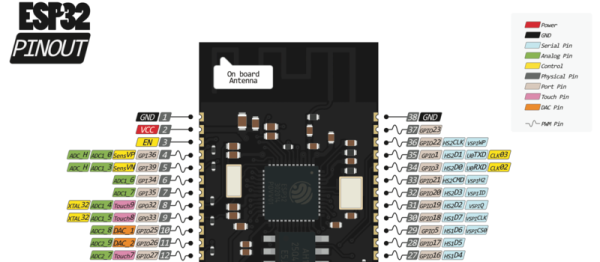
They’re looking to repeat the success of the ESP8266 with the ESP32, that should be coming out any time now. As we get closer to the release date, details start to dribble out. [Alberto], who makes very nice-looking pinout diagrams for a number of our favorite chips and modules, has already made us an ESP32 module pinout diagram.

And [Rudi] has been digging up nearly every crumb of info on the ESP32 that’s publicly available. For instance, it was through his website that we learned that the new RTOS SDK source is already up on GitHub.

There’s also a source of official information in the ESP32 forum, but there’s not much news there just yet. We expect this to change as more beta units make it out into the wild.

We covered the announcement of the forthcoming ESP32 last month, and we have to say that we’re looking forward to getting a module or two in our hands. Twin cores, BTLE support, and better DMA are tops on our list of neat features.

Amazon Dash Button Pwn3d

If you haven’t heard about the Amazon dash button yet we’re glad you quit watching cat videos and have joined us. Just to get you up to speed: the Amazon dash button is a small wireless device that lets your lazy ass order more laundry soap by pushing the “dash button” which should be affixed to something near your washing machine. The pushing of the button will set in motion the gut wrenching process that we used to know as “buying things we ran out of” but thanks to Amazon we can now just cover our entire lives with an assortment of buttons that take zero credentials to physically push. We can’t see that being a problem whatsoever.

Needless to say we as a community set out to find an actual use for these fantastic little devices. [maximus64] has done quite a nice job at enabling this hardware in a most usable way. Most of the hacks we have seen for the dash button remove the physical push button and add a sensor of some kind. Replacing the button with a sensor still uses the WiFi connection to send data from the button to the cloud. Instead of the button ordering more <<product>> from Amazon, a sensor might trigger the dash to increment a counter on your website letting you know that your dog went through the doggy door +1 more times.

[maximus64] has the dash button working in the reverse manner by porting the Broadcom IoT WICED SDK to the button. He is using the dash button as a receiver and when [maximus64] sends the “all good” signal from his laptop to the dash button his garage door opens which you can see in the video after the break. We find this extremely more useful than the dash button’s original intended use. [maximus64] has instructions in the readme.md file of the github repo so that you too can hack your dash button in this way.

Continue reading “Amazon Dash Button Pwn3d”

First Raspberry Pi Zero Hack – Piggy-Back WiFi.

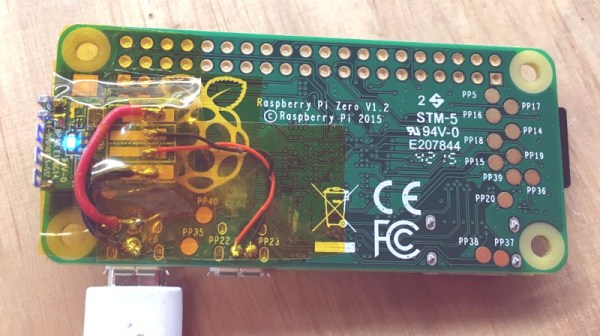
And we have the first Raspberry Pi Zero hack! In less than 72 hours from the official release announcement [Shintaro] attached an Edimax WiFi USB Adapter directly to the USB solder pads on the Pi Zero. He couldn’t bear to disturb the small dimensions of the Pi Zero by using the USB On-the-Go (OTG). The OTG is needed to convert the micro-USB connector on the board to a full USB-A connector.

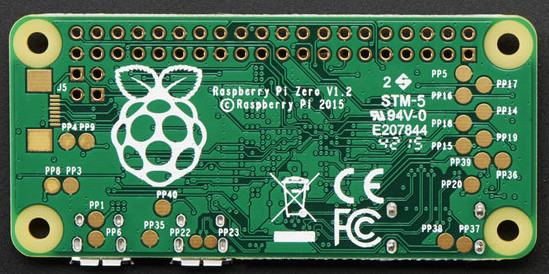
The case was removed from the Edimax and the device and Zero wrapped in Kapton to insulate the exposed solder points. Power was taken from the PP1 and PP6 points on the back of the board. These are the unregulated inputs from the USB power so should be used with caution. Some cheap USB power supplies can put out more that 5 volts when first connected and that might let the smoke out of a device.

raspberry_pi_quarter

The data wires were connected to PP22 and PP23, also on the back, and behind the USB data connector. Since USB is a differential signal these wires were carefully kept of equal length to avoid distorting the signal.

An SD card was created and edited on a Raspberry Pi B 2 to set the WiFi credentials. Inserted into the Zero it booted fine and started up the WiFi network connection.

Congratulations, [Shintaro] for the first Hackaday Raspberry Pi Zero hack. Is that a Hack-a-Zero-Day hack?

ESP8266 BASIC WiFi Thermostat Is Child’s Play

If you’ve read any of our posts in the last couple years, you’ll have noted that our community is stoked about bringing the Internet to their devices on the cheap with the ESP8266 modules. Why? This forum post that details making a WiFi thermostat really brings the point home: it’s so easy and cheap to build Internet-enabled devices that you almost can’t resist.

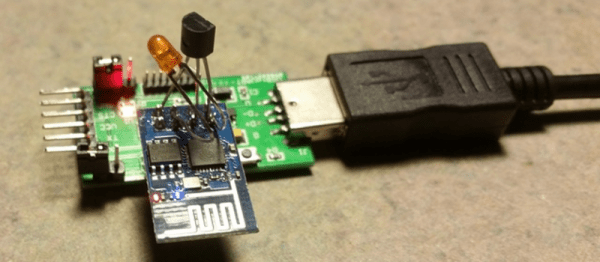
When the ESP8266 first came out, there very little documentation, much less code support. Since then Espressif’s SDK has improved, the NodeMCU project brought Lua support, and there’s even Arduino support. Most recently, BASIC has been added to the ESP stable, and that really lowers the barriers to creating a simple WiFi widget, like the thermostat example here that uses a Dallas DS18B20 temperature sensor and an LED as a stand-in for the heater element.

The hardware for this project, a re-build of this demo code from the ESP8266 BASIC docs, is nothing more than a few off-the-shelf parts soldered together. No schematic required.

What makes the project work behind the scenes is some clever code-reuse by [Rotohammer] on the ESP8266 forums. Essentially, he wrapped the Arduino’s one-wire library, giving it simple BASIC bindings. Then all that’s left for the BASIC coder is to read the value and print it out to a webpage.

There’s all sorts of details swept under the rug here, and those of you out there who are used to bare-metal programming will surely huff and puff. But there’s a time for building your own injection-molder to make DIY Lego bricks, and there’s a time to just put blocks together. This project, and the BASIC interpreter that made it possible, demonstrate how much joy someone can get from just putting the parts together.

The Internet Of Minecraft Things Is Born

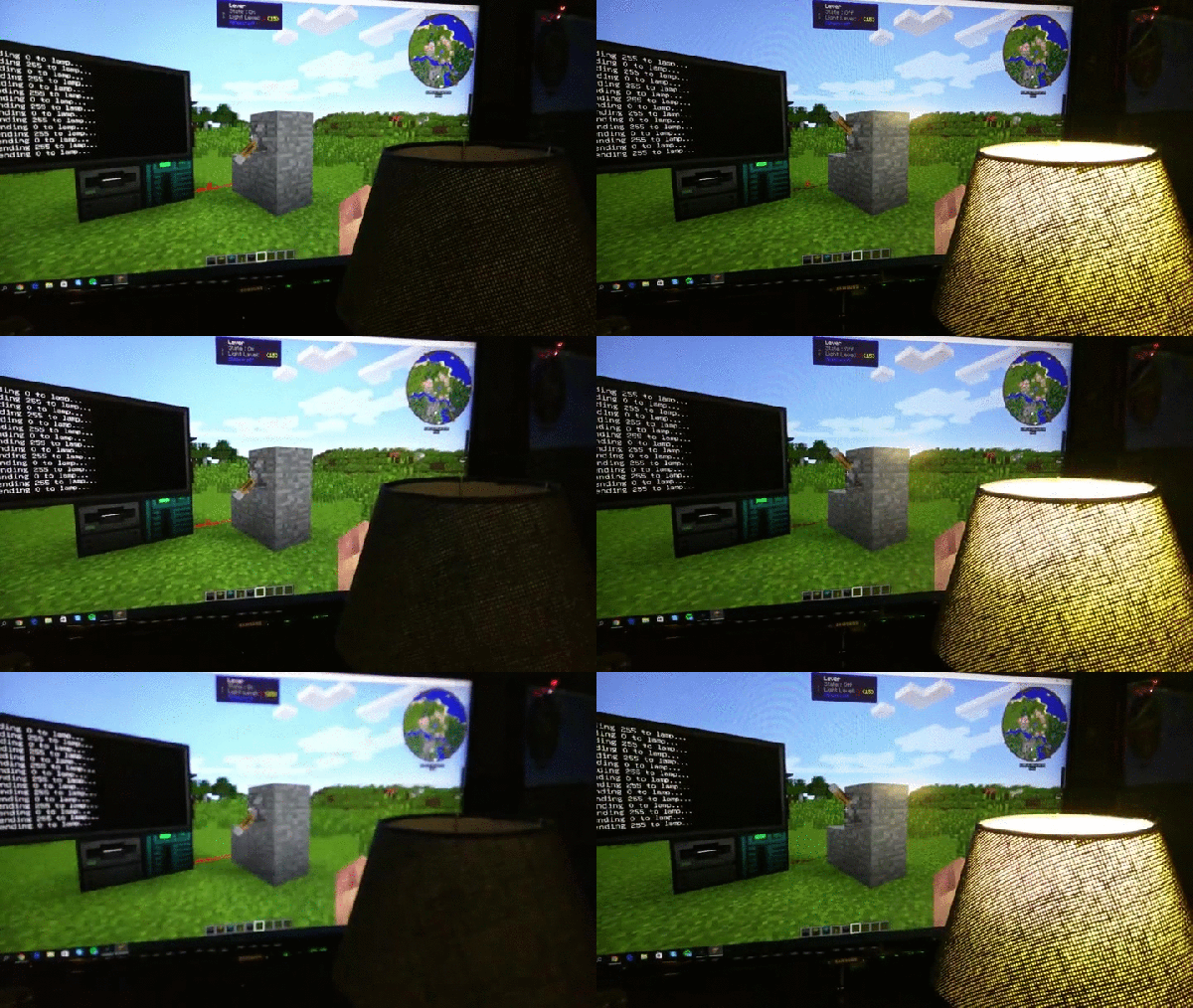
Minecraft has come a long way since [Notch] first thought up the idea that would eventually make him a billionaire. The game can be enjoyed on so many levels and become so engaging that grown adults who should know better spend far more time playing it than working on, say, their backlog of Hackaday posts. As if that weren’t bad enough, now Minecraft threatens to break out of screen with the ability to control a WiFi light bulb from within the game.

For those unfamiliar with Minecraft, it’s an open world game that allows players to interact with blocks of various materials. Players can build, destroy, explore and create landscapes and structures. An active modding community contributes everything from cosmetic texture packs to new block types with extended functionality. It was one of these mods that was leveraged to “break the fourth wall” in Minecraft. [giannoug] used the OpenComputers mod, which allows placement of programmable in-game computers with a full complement of peripherals, including an Internet connection. That allowed [giannoug] to send commands to his Brand X eBay WiFi light bulb, the protocol for which his friend [Thomas] had previously reverse engineered. Flip a switch in Minecraft and the real-world light bulb comes on instantly. Pretty cool.

We’ve seen quite a few builds where Minecraft blocks inspired real-world lamps, but this is a step beyond and might be a great way to get kids into programming using Minecraft. But it’s not the first time Minecraft has broken the fourth wall – check out this 2012 effort to build a microcontroller-based Minecraft server that can toggle pins from within the game.

[Thanks to aggvan and Stathis K for the near-simultaneous tips!]