Hacking A USB Port Onto An Old Router

Sometimes hacks don’t have to be innovative to be satisfying. We thought that [daffy]’s instructions and video (embedded below the break) for turning an old WRT54G router into an Internet radio were worth a look even if he’s following a well-traveled path and one that we’ve reported on way back when.

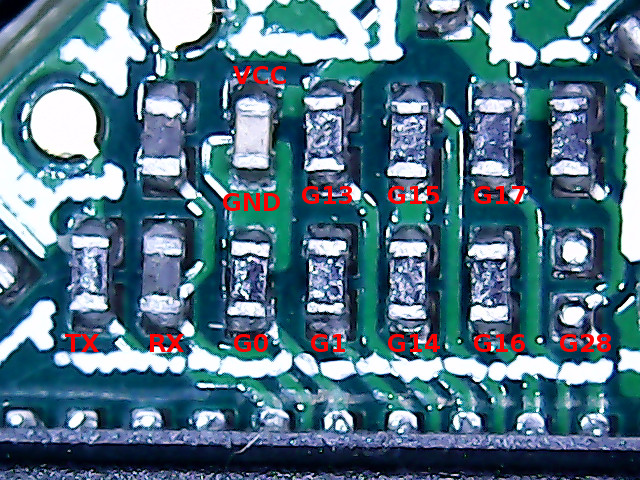
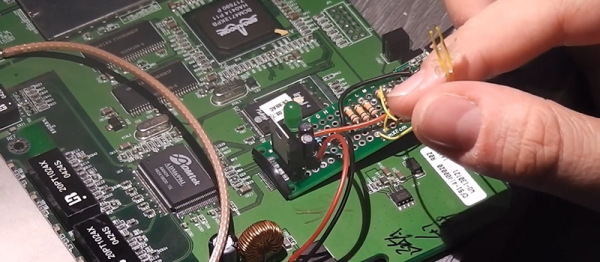
The hack itself is simple. [daffy] locates unused USB data lines, adds in a 5V voltage regulator to supply USB bus power, and then connects it all to a USB sound card. Hardware side, done! And while he doesn’t cover the software side of things in this first video, we know where he’s headed.

The WRT54G router was the first commodity Linux-based router to be extensively hacked, and have open-source firmware written for it. If you’re using OpenWRT or dd-wrt on any of your devices, you owe a debt to the early rootability of the WRT54G. Anyway, it’s a good bet that [daffy] is going to find software support for his USB sound card, but we remain in suspense to see just exactly how the details pan out.

Our favorite WRT54G hack is still an oldie: turning a WRT54G into the brains for a robot. But that was eight years ago now, so surely there’s something newer and shinier. What’s the coolest device that you’ve seen a WRT router hacked into?

Continue reading “Hacking A USB Port Onto An Old Router”

Cricket Scoreboard Is A Big Win For Novice Hackers

The game of cricket boggles most Americans in the same way our football perplexes the rest of the world. We won’t even pretend to understand what a “wicket” or an “over” is, but apparently it’s important enough to keep track of that so an English cricket club decided to build their own electronic scoreboard for their – pitch? Field? Help us out here.

This scoreboard build was undertaken by what team member [Ian] refers to as some “middle-aged blokes from Gloucestershire” with no previous electronics experience. That’s tough enough to deal with, but add to it virtually no budget, a huge physical size for the board, exposure to the elements, and a publicly visible project where failure would be embarrassingly obvious, and this was indeed an intimidating project to even consider. Yet despite the handicaps, they came up with a great rig, with a laser-cut acrylic cover for a professional look. A Raspberry Pi runs the LED segments and allows WiFi connections from a laptop or phone in the stands. They’ve even recently upgraded to solar power for the system.

And we’ll toot our own horn here, since this build was inspired at least in part by a Hackaday post. The builders have a long list of other links that inspired or instructed them, and we think that says something powerful about the hacker community that we’ve all been building – a group with no previous experience manages a major build with the guidance of seasoned hackers. That’s something to feel good about.

Web Connected Breathalyser With Phone Display

[spillsman] is working on a IoT startup and wanted to work and play while he tested their hardware. His company, WifiThing, is bundling the Texas Instruments toolchain and mesh networking with a sort of plug-and-play web interface. The board uses a MSP430 and two other TI Networking chips to make setting up, logging data, and controlling outputs simpler. The web interface looks interesting, but in our experience this sort of approach only saves time up to a point. Then it’s time to pull out the chip’s various bibles, ‘nomicons, spell manuals, and supporting religious documents to get the thing to work.

Though, there are some projects where you would like a simple way to log data from multiple sensors, if this can do that easily (and more importantly, cheaply) it might be very cool. We are interested to see if the open source software is easy to integrate without buying their hardware. Either way, after setting up a simple circuit to heat the coil in the breathalyzer, and translate the data into a signal usable for the chip, [spillsman] was able to record alcohol levels and even keep a, perhaps unwise to record, high-score from his phone.

Continue reading “Web Connected Breathalyser With Phone Display”

Inject Packets With An ESP8266

[Kripthor] sent us a link to his blog where he writes the Hello World of low-level networking. Basically he’s constructing his own packet and sending it. By itself this isn’t a bad thing. You could use this power for all sorts of networks-diagnostic good. And so, despite the ominous name of his blog post “ESP8266 Jamming”, he’s not really doing anything that bad — he’s just creating many fake WiFi beacon frames and sending them out every so often.

Which can apparently do bad things to some vulnerable routers. Who knew? Want to test yours?

Naturally we wanted to see how he was doing it, and we opened up the Arduino code in GitHub. It turns out that Espressif has written a wifi_send_pkt_freedom() function that just sends out whatever packet you’d like to the network. That was easy.

It also turns out that the ESP8266 will enter monitor mode, where it listens to all WiFi traffic regardless of the MAC address that it’s directed toward. [Pulkin] seems to have done the work for us and posted the code in his GitHub. Now things get nasty. Combining promiscuous monitor mode with some carefully constructed management frames can end up with a classic WiFi deauth denial-of-service attack on a $2 piece of hardware.

We think it’s tremendously cool that the ESP8266 packs such power, and we beg you all to use it responsibly. The last thing we want to see is the world littered with WiFi-DOS throwies. And the last thing you’d want is a visit from the FCC.

Ten Mile Raspberry Pi WiFi (with A Catch)

How would you like to have a WiFi connection that covers 10 miles? Or how about an even wider network made up of a mesh of multiple nodes? It is possible, but there is a catch: you probably need a ham radio license to do it (at least, you do in the United States).

What makes it possible is the realization that conventional WiFi channels 1-6 are inside an existing US ham band. That means (if you are a ham) you can elect to use FCC part 97 rules instead of part 15 that governs WiFi routers. That means you can use more power and–even more importantly–better antennas to get greater range.

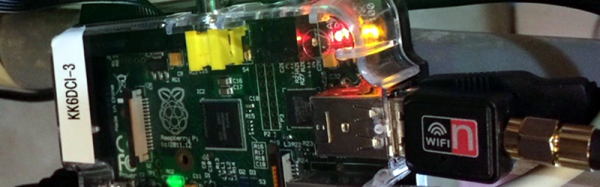
Traditionally, hams have used custom firmware for Netgear routers or Ubiquiti hardware. However, [WZ0W] recently posted his experience using Raspberry Pi boards as mesh nodes. The code (which also works with some other single board computers) is available on GitHub (with details on the project blog). [WZ0W] points out that, unlike using a consumer router, using a Pi provides a reasonably powerful computer for hosting services as well as hosting the network.

Continue reading “Ten Mile Raspberry Pi WiFi (with A Catch)”

WiFi Alliance Introduces 802.11ah

For the last decade or so, wireless networking has been entirely about short range, high speed communications. The type of networking needed by an Internet of things is fundamentally incompatible with WiFi, and the reason for this is due to the frequencies used by WiFi networking gear. 2.4 and 5 GHz are very fast, but cannot penetrate through walls as easily as lower frequencies.

This week the WiFi alliance introduced IEEE 802.11ah into the WiFi spec. It’s called WiFi HaLow (pronounced like angel’s headwear), and unlike other versions of 802.11, WiFi HaLow uses low frequencies for low bandwidth but a much larger range.

WiFi HaLow uses the 900 MHz ISM band to communicate, divided into 26 channels. The bandwidth is low – a mere 100 kbps, but the range is huge: one kilometer, or about four times the approximate range of 802.11n.

This is not the only WiFi spec aimed at the Internet of Things. In 2014, the WiFi alliance introduced 802.11af, a networking protocol operating in unused TV whitespace spectrum between 54 and 790 MHz. 802.11af has a similar range as 802.11ah – about one kilometer – but products and chips utilizing 802.11af have been rare and hard to find.

Shark With Frickin’ LED Tells People Not To Bother You

Everybody is busy these days, but sometimes it’s hard to tell. What with teleconferences being conducted over tiny Bluetooth headphones and Skype meetings where we seem to be dozing in front of the monitor, we’ve lost some of the visual cues that used to advertise our availability. So why not help your colleagues to know when to give you space with this shark themed WiFi-enabled meeting light?

Why a shark and not a mutated intemperate sea bass? Only [falldeaf] can answer that. But the particulars of the build are well-documented and pretty straightforward. A Photon runs the show, looking for an Outlook VFB file to parse. An RGB LED is used to change the color of the translucent 3D printed shark based on whether you’re in a meeting, about to step into one, or free. The case is 3D printed as well, although [falldeaf] farmed the prints out to a commercial printing outfit because of the size and intricacy of the parts. He did fabricate a nice looking wood base for the light, though.

There are plenty of ways to tell people to buzz off, but this is a pretty slick solution. For those in open floor plan workspaces, something like this IoT traffic light for you and your cube-mates might be in order.