Rasperry Pi: Now mostly open source

If you’ve been following the developments of building Android, Chromium, and other OSes for the Raspberry Pi, you’ll come across a common theme. The drivers for the Raspi’s chip are closed source and protected by Broadcom with an NDA. This limits the ability of devs to take on projects that involve messing around deep inside the CPU.

Today, this is no longer the case. The CPU on the Raspberry Pi is now the first ARM-based system with fully functional, vendor-provided drivers.

Previously, the drivers for OpenGL ES, OpenMax, and other goodies inside the ARM chip have been closed source, available only to the Raspberry Pi foundation and those willing to sign a non-disclosure agreement with Broadcom. With this release, the drivers are open source, allowing the devs behind the Android, Chromium, Haiku, *BSD, and the RISC OS to dig deep into the Broadcom drivers and get their projects working.

The new files are available in the Raspberry Pi git, just waiting for devs to take a look at it.

The Arduino Due is finally here

After a years-long wait, an ARM powered Arduino is finally due. The Arduino Due will finally be released this coming Monday.

On board the Arduino Due is an Atmel-sourced ARM Cortex M3 microcontroller running at 84 MHz. The Due has an impressive list of features including a USB 2.0 host, compatibility with the Android ADK (lest you still need an IOIO), 12 analog inputs with 12-bit resolution, 2 analog outputs running at 12 bits, a CAN interface, and more input pins than you can shake a stick at.

For a full list of features, you can grab this PDF we picked up when we saw the Due at Maker Faire NYC

This hardware update to the Arduino platform makes a lot of very cool builds very possible for even the beginner hardware hacker. Of course the Due will be used for controlling drones and UAVs, laser cutters and 3D printers, and playing WAV files from the analog outputs. The much improved hardware opens up a lot of other possible builds including making your own guitar pedals – DSP is a wonderful thing – and reading the telemetry from your car in real-time via the CAN bus.

Although it’s not available right now, you will be able to buy an Arduino Due for $49 USD this coming Monday at your favorite electronics retailers. 

Bringing Java to the world of microcontrollers

C is a beautiful language perfectly suited for development on low-power devices such as the 8-bit microcontrollers. With newer, more powerful ARM microcontrollers making their way onto the market and workbenches around the world, it was only fitting that Oracle got in on the action. They released a version of Java targeted at these newer, more powerful microcontrollers called Java ME embedded.

The new embedded version of Java has everything you would expect from a microcontroller development platform – access to GPIO pins, including SD cards and I2C devices. The new Java machine is designed for full headless operation and is capable of running on devices with as little as 130 kB of RAM and 350 kB of ROM.

As for the utility of programming a microcontroller in Java, it’s still the second most popular language, after spending the better part of a decade as the number one language programmers choose to use. The requirements of the new embedded version of Java are far too large to fit onto even the best 8-bit microcontrollers, but with a new crop of more powerful ARM devices, we’ll expect to see more and more ARM/Java projects making their way into the Hackaday tip line in the coming months.

Tip ‘o the hat to [roger] for sending this one in.

STM32 driving a PCIe video card

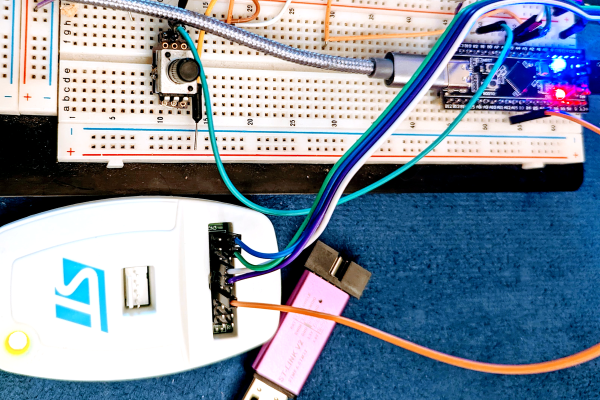
[Gpuhackr] chose his username to explain exactly how he spends his time. For instance, here he’s using an STM32 Discovery board to drive an AMD Radeon HD 2400 graphics card. The ARM microcontroller isn’t actually using the PCIe interface on the card. Instead, [Gpuhackr] has patched into the debugging interface built into the card itself. This isn’t quite as straight forward as it sounds, but if you do the wiring carefully it’s a pretty intersting way to connect an ARM to an LCD monitor.

This project would be almost impossible if it weren’t for the open source code which AMD has released. This lets him implement the card’s 3D rendering features. The demo directly programs the UVD Xtensa CPU which is on the video card. It draws a cube with color gradients on each side. The cube spins while the debug information is overlaid on the screen. In this case the ARM chip/board is really being used as a programmer to upload some custom firmware. But we think a real code-ninja could implement a communications protocol to open up a simple way to drive the card in real-time.

[Thanks uMinded]

A JavaScript interpreter for ARM ‘micros

When programming a microcontroller to do your bidding, you only have two choices. You could write your code in a proper language such as C and cross-compile your source into a piece of firmware easily understood by a micro. Alternatively, your could load an interpreter on your microcontroller and write code via a serial connection. Interpreters are a really fast and easy method to dig in to the hardware but unfortunately most microcontroller interpreters available are based on BASIC or Forth.

[Gordon] figured it’s not 1980 anymore, and interpreters for these relatively low-level languages aren’t a good fit with the microcontrollers of today. To solve this problem, he created Espruino, a JavaScript interpreter for the new batch of ARM development boards that have been cropping up.

Espruino is designed for the STM32VL Discovery board, although [Gordon] plans on porting his interpreter to the Arduino Due when he can get his hands on one. Installation is as easy as uploading any other piece of firmware, and even though [Gordon]‘s STM32VL doesn’t have a USB port for a serial terminal, it’s a snap to connect a USB to TTL converter and get this interpreter working.

Espruino isn’t open source yet, only because [Gordon] would like to clean up his code and write a bit of documentation. He’d also like to make Espruino profitable so he can work on it full-time, so if anyone has an idea on how [Gordon] can do that, leave a note in the comments.

Finally, an ARM-powered Arduino

Far removed from the legions of 3D printers featured at this year’s Maker Faire in New York was a much smaller, but far more impressive announcement: The ARM-powered Arduino DUE is going to be released later this month.

Instead of the 8-bit AVR microcontrollers usually found in Arduinos, the DUE is powered by an ATSAM3X8E microcontroller, itself based on the ARM Cortex-M3 platform. There are a few very neat features in the DUE, namely a USB On The Go port to allow makers and tinkerers to connect keyboards, mice, smartphones (hey, someone should port IOIO firmware to this thing), and maybe even standard desktop inkjet or laser printers.

The board looks strikingly similar to the already common Arduino Mega. That’s no mistake; the DUE is compatible with existing shields, so connecting a RAMPS board for your 3D printer should be a snap.

Here’s a PDF the Arduino and Atmel guys were handing out at their booth. A few DUE boards have already made it into the hands of important people in the Arduino community, including 3D printer guru [Josef Prusa]. Sadly, the folks at Arduino didn’t think media personalities needed a DUE before its release, so you’ll have to wait until we get our hands on one later this month for a review.

Hands on the Stellaris Launchpad

We just got our hands on a Stellaris Launchpad. We had placed an order when the preorder was originally announced, but the marketing folks at TI reached out an offered to send us one a bit sooner and took them up on it. We’ve embedded a quick unboxing video after the break but read on for some info that didn’t make it into that clip.

The look and feel of the board and its packaging are almost exactly the same as the MSP430 version of the Launchpad. But why not? After all it worked so well the first time. This board hosts an ARM Cortex-M4 processor. The two buttons on the bottom are user buttons, the one on the upper right is a reset button. The top of the board is the programmer, with a micro USB port for connectivity. The kit also includes about a 2′ cable for this connection. Next to that jack is a switch that selects a power source. You’ll also notice a USB port to the left, this because the processor includes USB functionality, with a free library available from TI. Power can come from the programmer/debugger USB port, or from this device USB port. There are dual pin headers to either side on the face of the board, and pin sockets on the back which break out pins of the processor. Just below the reset button is a RGB LED, and a clock crystal has also been populated just above the chip.

When plugged in via the programmer’s USB port the PWR LED lights up as does the RGB LED. The firmware that ships on the device fades through a range of colors and the user buttons scroll through a set of predefined colors. The device enumerates as: “Bus 002 Device 005: ID 1cbe:00fd Luminary Micro Inc.” on our machine. But if you connect it via the device USB jack it enumerates as: “Bus 001 Device 015: ID 04e8:689e Samsung Electronics Co., Ltd GT-S5670 [Galaxy Fit]“. Interesting.

We have no idea if there are programming tools for flashing the board using a Linux box, but we’ll be trying to figure it out. If you have some info please share it in the comments.

[Read more...]