EXPS/2 Keyboard Adapter Translates PS/2 And USB To MSX

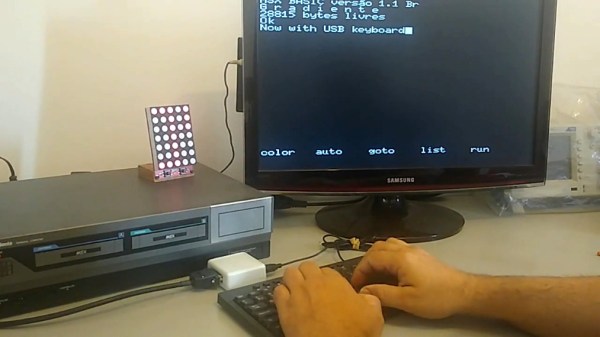
Say what you will about suitcase computers, but at least most of them still have their keyboards with them. [danjovic] has this vintage Brazilian computer from the 1980s called a Gradiente Expert. These were MSX machines with Z80 chips that ran BASIC, DOS, and CP/M, and they looked like state-of-the-art dual-deck stereo systems. You can still find them pretty easily, but sadly, most of them have lost their rad mechanical keyboard with its giant arrow keys and proprietary connector.

If you now want to get one of these awesome pieces of computing history and would like to be able to talk to it, [danjovic] has you covered with the open-source EXPS/2 keyboard adapter. It will allow you to connect either a PS/2 keyboard or a USB keyboard in fallback mode to the Expert using an ATMega328P and a bespoke DIN-13 to DB-13 cable. As it turns out, there’s a wealth of information on MSX keyboard matrices out there.

How much do you know about the USB keyboard interface? If you want a warehouse of information delivered to your brain in the most pleasant way possible, go watch [Ben Eater] break it down with pen and paper.

[riskable]'s clacky magnetic switches

Mag-Lev Switches Are The Future Of Clacking

While there’s probably a Cherry MX clone born every year or so, it’s not often that such a radically different type of switch comes along. These “Void” switches are Hall-effect magnetic levitation numbers devised by keyboard connoisseur and designer [riskable]. Can you imagine how satisfying it is to clack on switches that actuate with magnets? They have adjustable tactility and travel thanks to even more tiny magnets. But you won’t be able to get these in a group buy or anything. If you want some of these babies, [riskable] says you’ll have to print and assemble ’em yourself.
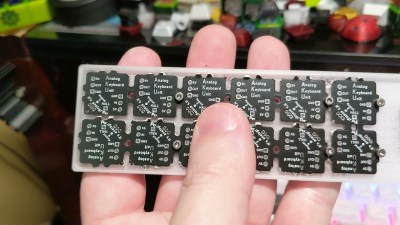
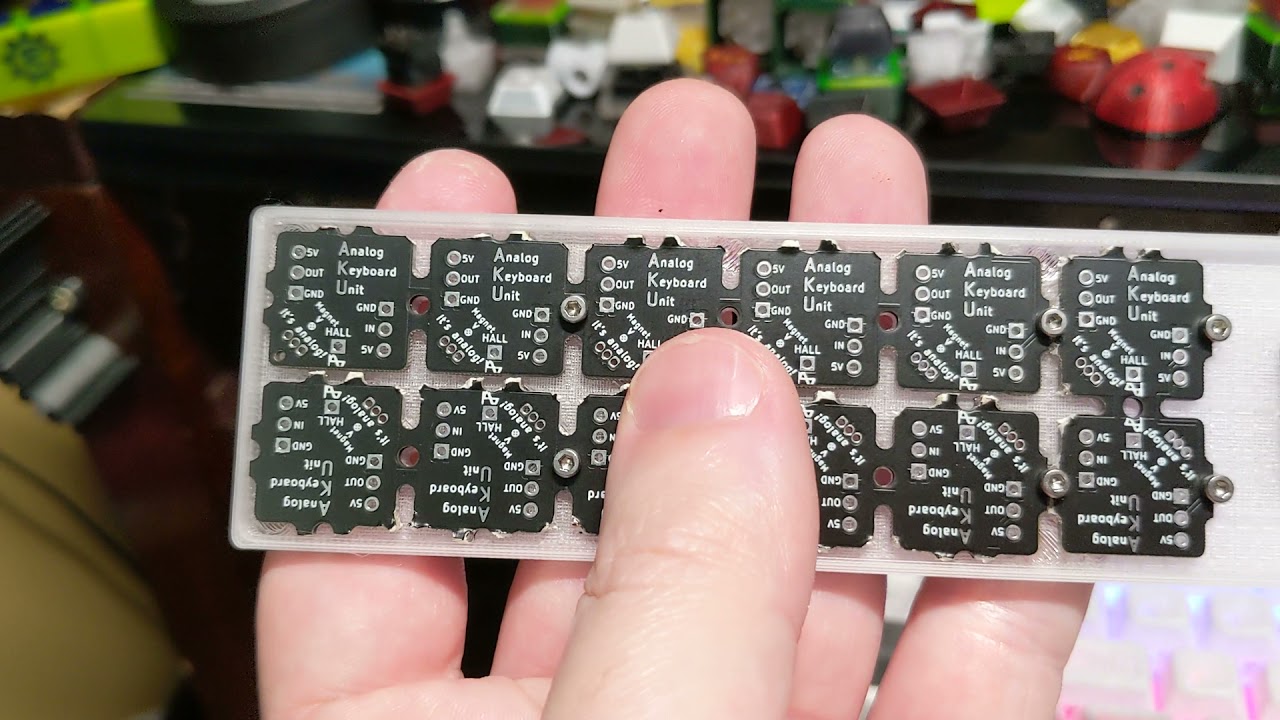
These attractive switches don’t have a Cherry MX footprint, either, so you’ll need some of [riskable]’s AKUs, or Analog Keyboard Units (YouTube) to actually use them. [riskable] predicts that unlike the switches, the AKUs will likely be available to buy at some point in the future. (Okay good, because we really would love to know what these feel like in a keyboard!)

So, how do they work? As explained in the first video embedded below, there is one magnet in the slider and another in the housing. These two are attracted to each other, so actuating the switch separates them, which is where the Hall effect comes in. A third magnet in the keycap acts as the levitator to help return the switch to open position. The tactility of these switches is determined by the thickness of the plastic between the two lovebird magnets, so you could totally dial that in to whatever you want, in addition to all the other customization that 3D printing affords.

Tour and Teardown

The inimitable [Chyrosran22] featured these mag-nificent switches in one of his teardown videos, which is embedded below. One of the things [riskable] sent was a tactility sampler that ranges from an unimaginably tactile 0.0 mm of plastic in between them to not quite 2 mm.

In case you’re wondering, the video is remarkably safe-for-work, which is surprising given the content creator’s propensity for long strings of creative and hyphenated curses. We suppose [Chyrosran22] saves that stuff for the bad keyboards, then.

Stick around after the rightfully glowing review for [riskable]’s tour of a hand-wired analog macro pad using these switches. When you have a few extra minutes, check out the video build journey of these switches on [riskable]’s YouTube channel.

So, would these switches make the clickiest keyboard ever? Maybe, but consider this striking solenoid setup.

Continue reading “Mag-Lev Switches Are The Future Of Clacking”

Living The Dream: New PCB For A Dirt-Cheap Calculator Watch

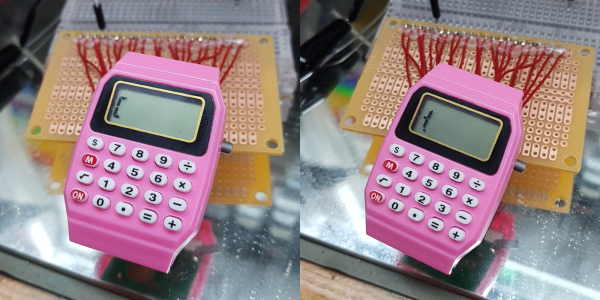
Well, this hack has us tickled pink. We love the idea of buying some really cheap piece of technology and doing something amazing with it, and this is a textbook example of that. [davedarko] found the cutest little calculator watch on Ali Express and is working on making a new PCB for it. The plan is to use an ARM processor and Arduino and add a few extras like 24-hour mode and a pink (or potentially RGB) backlight. The new brain will be an ATSAML22G18A, which has an on-board LCD controller and exactly one I/O pin to spare without charlieplexing the buttons.

One of [davedarko]’s primary goals is to keep the LCD and figure out how to talk to it. The first order of business was reverse engineering the watch’s LCD controller by sussing out the secrets from beneath the black blob of epoxy. This was an eye-opening experience as [davedarko] had never worked directly with LCDs before. A strange reading made him bust out the oscilloscope. Long-ish and informative story short, [davedarko] found out that it uses a bias of 1/2 for generating the wave necessary to multiplex the segments and keep the signal alternating. This is definitely one to watch!

We love timepieces around here and have seen all kinds of hacks, especially on Casio watches. Want dark mode? Done. Enable the hidden countdown timer? We’ve got that, too. And have you ever wondered just how water-resistant the F91W is?

Step ‘n Snack Fanny Pack Motivates With M&Ms

[Sam March] has made a lot of different kinds of things, many of which have appeared on these very pages. Nowadays he wants to get the viewers more involved in his projects, so he started doing a monthly collaboration with YT viewers. Basically, he gives a prompt, and people comment with their wild and crazy ideas on the topic. Whoever has the winning idea gets the finished build. The maiden prompt was ‘fanny pack’, and you can check out the result in the build video (embedded below).

Someone suggested a Reese’s cup-dispensing fanny pack that gives you one cup for every 10,000 steps you take. We like what [Sam] did with that idea, because it’s way more practical — M&Ms are the original travel candy, and this way, you get to eat chocolate way more often. Depending on your sweet tooth, Reese’s Pieces would be a good compromise.

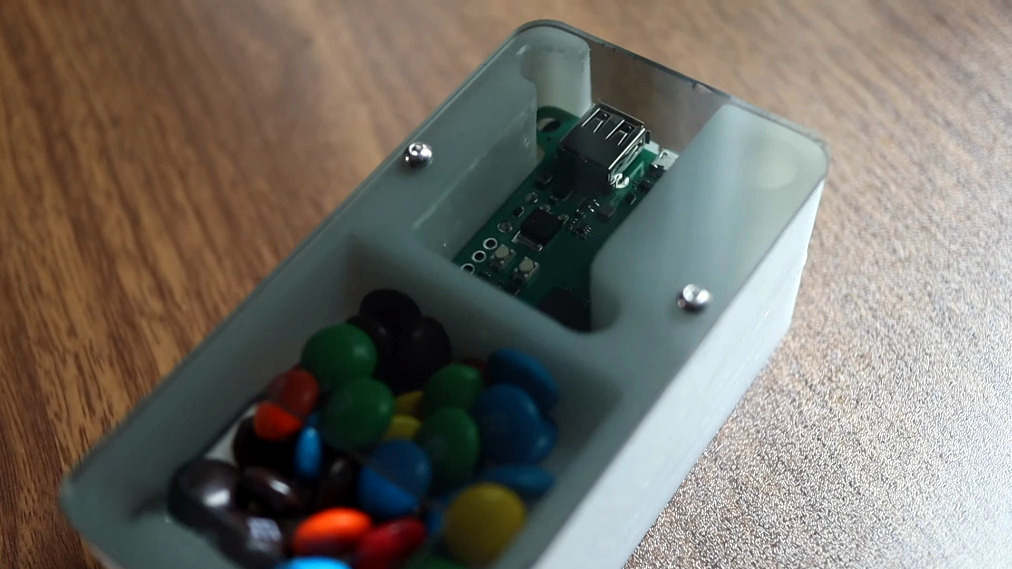
[Sam] figured out that the average human burns one calorie for every 25 steps, and that the average plain M&M is worth four calories, so he built a fanny pack with a step counter that dispenses one M&M for every 100 steps taken using a tiny auger. It’s calorie-neutrality!

You might be wondering if [Sam] made the fanny pack, too, or used something store-bought. The answer is neither: at some point in the build process, a company graciously offered to make a fanny pack with a special compartment in the bottom for the M&M dispenser. If you want to build one of these for yourself, you can get the CAD file for the milled base, the screw, the hopper, and the lid plus the code and also the gerbers on GitHub. We see a place for the sewing pattern, but as of now, the folder is empty. Be sure to check out the build and demo video after the break as [Sam] hits the town in a screaming set of neon workout wear to test the dispenser.

Most of the M&M-based projects we see around here are designed to sort by color. Here’s one that searches for the holy grail — peanut M&Ms that didn’t get a peanut. Continue reading “Step ‘n Snack Fanny Pack Motivates With M&Ms”

Bright Bike Light Might Make Them Back Off

[Tegwyn☠Twmffat] recently got a job as a part-time bike courier and has come to realize just how dangerous it can be to mix leg-powered transportation with various sizes of engine-driven machinery. Some people would be content with a light, but why use a measly little bulb or two when you can have a giant, illuminated sign with a clear call to action? Because is there really any ceiling when it comes to safety precautions?

We think that 180 LEDs in a familiar formation oughta do it. An ultrasonic sensor detects cars behind the bike with the help of an Adafruit Feather. All those LEDs are controlled by a pair of L293 motor driver chips and a slide potentiometer for some dimming action. After all, they need to get enough juice to be visible in broad daylight, but also be dimmable so as not to blind people at night.

[Tegwyn☠Twmffat] calls this a simple project that is suitable for beginners. We think that is great, because bespoke safety measures should be accessible for everyone. So go get those Gerbers and make one for yourself! You can check it out in action on the back of a tricycle after the break.

Want a more relaxing ride? Recumbent is the reclined way to go.

Continue reading “Bright Bike Light Might Make Them Back Off”

New Video Series: Raspberry Pi Pico And RP2040 Deep Dive With Uri Shaked

In case you’ve been living under a rock that doesn’t have internet access, the Raspberry Pi Foundation got into the silicon sales and microcontroller game all at once this year with the Raspberry Pi Pico. It’s small, it’s capable, and it costs a measly $4. Surely you have one or two of them by now, right? But how much do you know about what it can do?

Or maybe you don’t have one yet, but it’s on your list. In either case, you can get started learning about them right away because [Uri Shaked]’s Raspberry Pi Pico and RP2040 Deep Dive course has recently been freed from the hallowed halls of HackadayU. He even built an emulator to go with it. [Uri] is a great instructor, and we’re sure that goes double if you ever need a salsa dance teacher, which he has also mastered.

This class was held for five weeks beginning in May 2021, with each session being roughly an hour long. The only prerequisite is a basic understanding of bitwise math, but there are resources for that on the class IO page linked above.

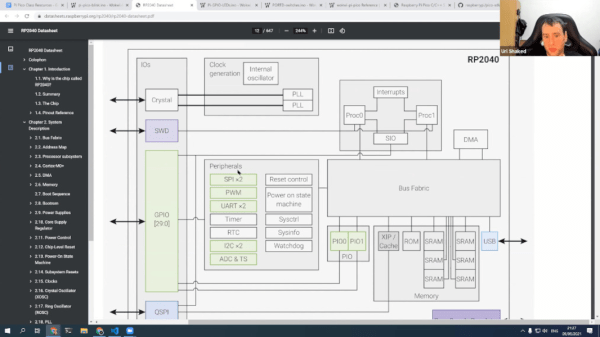
Each class is incredibly well-organized and informative. In the first class, [Uri] begins building a living document that includes the class agenda, links to all resources used and mentioned, code examples, and assembly instructions where applicable. It’s basically a syllabus plus a whole lot more. [Uri] also spends a lot of time in the incredibly thorough 649-page data sheet for the RP2040, and a little bit of time in the much shorter Getting Started guide. If you think the data sheet is inaccessible, you’ll likely change your tune by the end of the first class after you’ve seen [Uri] use and peruse it.

Continue reading “New Video Series: Raspberry Pi Pico And RP2040 Deep Dive With Uri Shaked”

Illustrated Kristina with an IBM Model M keyboard floating between her hands.

Keebin’ With Kristina: The One With The Mad Model M

Hand-Wired Hell Help

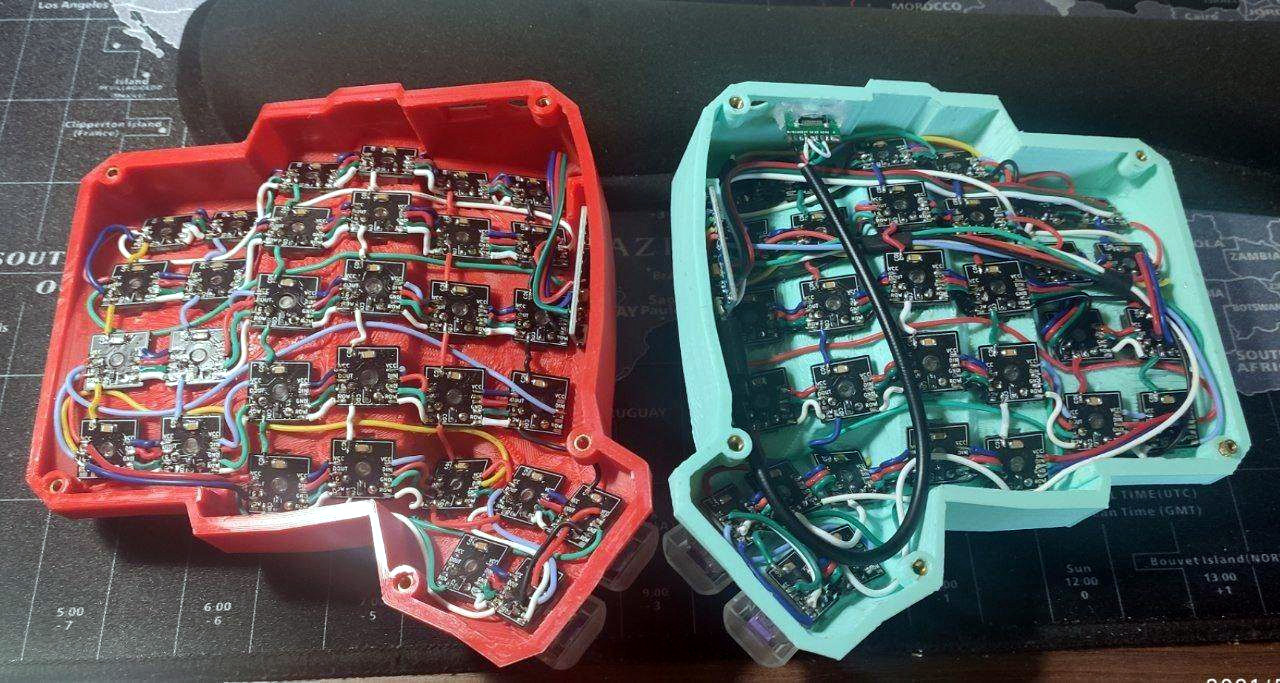
Do you dream of building a curvy ergonomic keyboard or macro pad, even though the idea of hand wiring gives you nightmares? You can make it a bit less troublesome with a tiny PCB for each key switch, as long as you have a reflow oven or you’re okay with a bit of surface-mount soldering for the diode, LED, and capacitor.

As a bonus, these should make switches a bit more secure against movement, and you could probably even get away with using hot swap sockets if you wanted. [Pedro Barbero] has the Gerber files available if you want to get some fabbed. We sort of wish we had used these on our dactyl, though the case is awfully tight and they might not fit.

Ultra-Mechanical Keyboard Angles with Lifter Motors

Lots of people prefer an angled keyboard, but plenty of new keebs, especially mechanical ones, just don’t offer that at all. Well, the wait for an adjustable 75% is over, at least. Okay, that’s not exactly true. The wait for a group buy to begin for an adjustable 75% is almost over.

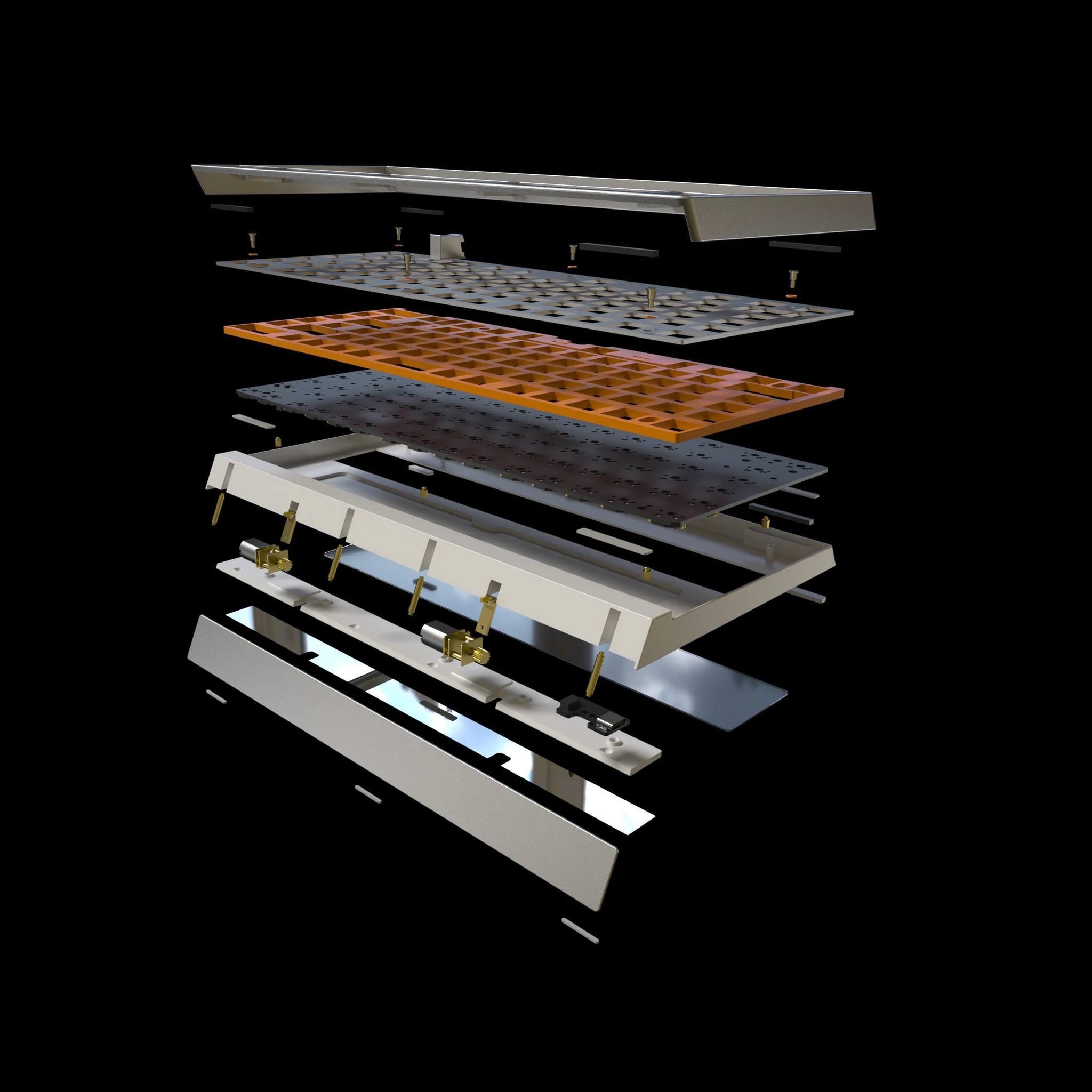
Nestled in between the arrow cluster and the menu key of the Besides Studios M-One is a rocker switch that angles the keyboard from 3° to 7° slowly but surely, like an adjustable bed. This is going to be a bare-bones group buy, meaning that it won’t come with any switches, stabs, or keycaps, but that doesn’t mean it will be cheap at $299. [BadSeed Tech] got an early prototype and built it out with Gateron Ink Black V2 switches in the video below in order to give it a proper spin.

Continue reading “Keebin’ With Kristina: The One With The Mad Model M”