Working LEGO Space Computers Are A Chip Off The Old Block

We all have our favorite classic LEGO bricks, and wouldn’t be surprised if one or more of the various space computers showed up on pretty much everyone’s list. [dyoramic] loves them so much that they built two different working versions that do different things.

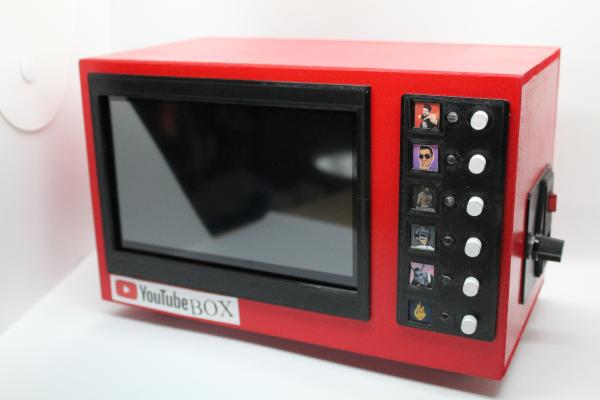
The first one is about six times the size of the original brick. Inside the 3D printed case is an ESP32 and a 1.5″ OLED display. [dyoramic] wired up the top six buttons as inputs and the rest are just for looks. The screen defaults to the classic white cross on green that just sits there looking legit. But start pushing buttons and you’ll find other modes — the cross becomes a radar screen in one, the computer spits out space facts in another, there’s a falling bricks game, and finally, a time and date screen.

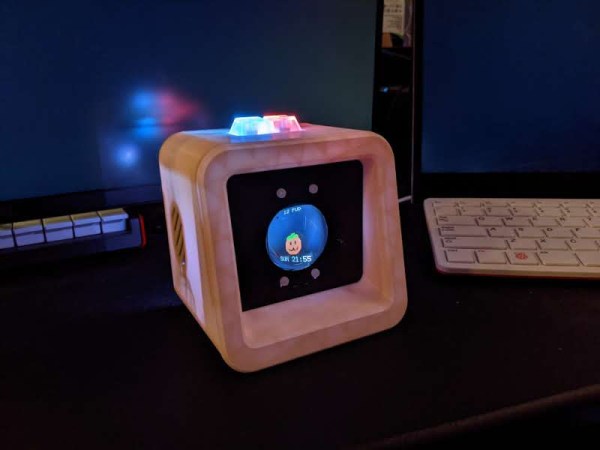
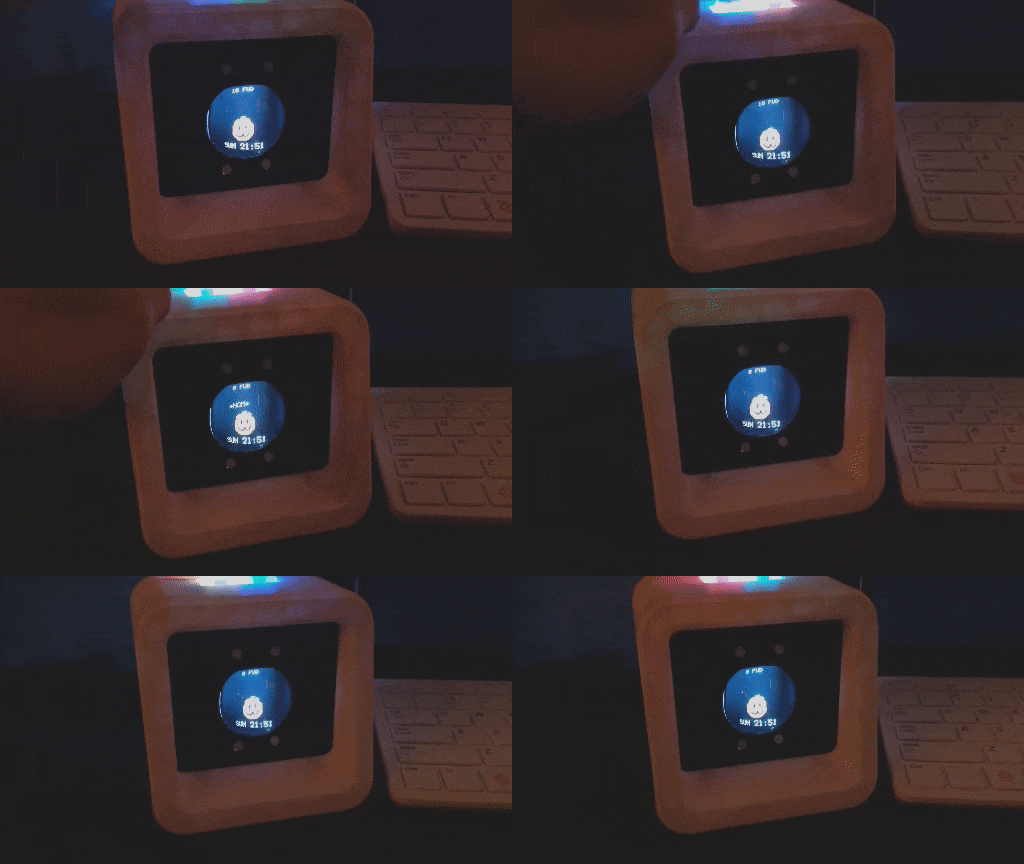
The second LEGO space computer build is even bigger — both were designed around the size of their screens. It has a Raspi 4 and shows a dashboard with the weather, time, date, latest xkcd, and a few cryptocurrency prices. [dyoramic] has an even bigger version in the works that will use a 720 x 720 screen and a handful of brown key switches as inputs. We can’t wait to see that one! For now, check out the build and demo of the first two after the break.

What can’t you do with LEGO? It feels like we’ve seen it all, from cameras to microscopes to continuously variable transmissions. Wouldn’t you love to drive one of those around the block?

Continue reading “Working LEGO Space Computers Are A Chip Off The Old Block”

Inputs Of Interest: SafeType™ Vertical Keyboard With Mirrors Puts Pain In The Rear-View

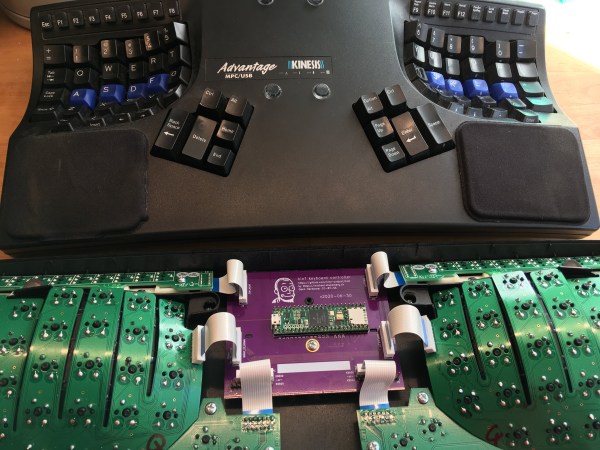
Yep, this keyboard is another ebay special. I can’t stay away! This is a SafeType™ V801 from probably the early 2000s, although there is no date on it anywhere. I’m basing my guess on the fact that there are so many media buttons. I’ve been eyeing these weirdo mirrored keebs for a while, and when I saw how cheaply this one was going for, I had to have it. That’s just how it goes. I was really excited to clack on it and I’m only marginally disappointed by it. But I can tell you that if my Kinesis were to suddenly die, I would probably reach for this keyboard until the new one showed up.

Yes, mirrors on a keyboard are weird. But if you can’t touch-type the numerals and F keys, they’re absolutely necessary.

So, why does it look like this? There are varying levels of ergonomics when it comes to keyboards. This one fights strongly against wrist pronation and forces you into a position that helps the shoulders and neck as well. You’d think it would be weird to hold your arms aloft at right angles, but it’s actually not that strange in practice because you’re pressing inward to type, kind of like playing an accordion or something.

The weird part is looking in the rear-view mirrors to accurately hit the numerals and F keys, though I’ll be honest: in my test drives, I found myself using the mirrors mostly to make sure my hands were on the home row. And that’s with three homing protrusions apiece on F and J! More about that later.

So yes, some of the keycap legends are backwards so you can read them in the mirror. If you don’t like using the numeral row, there’s a num pad in the center, along with the Home/End cluster, a quartet of comically large arrow keys, and a boatload of dedicated media and program launch buttons. All the buttons in the middle are fairly awkward to reach because you must either pull your hand down and around the bottom, or else go over the top. Continue reading “Inputs Of Interest: SafeType™ Vertical Keyboard With Mirrors Puts Pain In The Rear-View”

Wooden Keyboard With Scrabble Tiles Goes The Extra Mile

[Steve M. Potter] loves and respects a good, solid keyboard as much as we do and wanted to build an heirloom-level battleship to grace their home office. Well, you couldn’t ask for a better donor keeb. [Steve] used a Unicomp, the modern Model M. The cases on them are nowhere near as nice as a real model M, but hey, where else are you going to find a keyboard with new buckling spring switches? You’re not. (If anyone has a line on new buckling spring switches by themselves, please let us know.)

Although it has those wonderful buckling spring switches, this body is made of solid cherry. After dialing in the general shape of the case, [Steve] carefully routed out all the key cluster holes using a plunge router. This appears to have been the easy part, because making the keycaps looks terribly tedious.

The alphas a number row are all made from 3/4″ maple dowel rod cut down into cylinder nuggets and topped with Scrabble tiles. The F keys and modifiers are cut out of square poplar rod with bird’s eye maple veneer for a unique look. We particularly like the colored F keys — they look like candy or whisky stones, and just happen to be in resistor color code order. But our favorite part has to be the Caps Lock light. We’ll never understand why in situ lock lights went out of fashion.

Like the look of this keyboard but don’t have this much time to invest? Macropads look good in wood, too.

Reminder: Bring-A-Hack Is This Thursday August 5th

Hey you! What have you been working on lately? No, wait, don’t tell us just yet! Save the juicy details for the summer edition of Bring-A-Hack. It’s going down in just two days — that’s Thursday, August 5th at 1:00 PM Pacific Daylight time (4pm EDT | 9pm BST/CET). Go register right now!

Historically, Hackaday has attended (or hosted) Bring-a-Hack events as a social activity along with live conference. You grab something off your bench and it gives you a thing to talk about as you see friends old and new. This virtual Bring-a-Hack walks in those footprints — anyone who wants to present their to the group can just type ‘I would like to present’ in the Crowdcast chat once the event gets under way. We also plan to have breakout rooms for more interaction.

If you were too shy to show off one of your projects at the last one of these back in April, now is your chance! Are you building something for the Hackaday Prize? What have you done to make working from home more tolerable? Whatever you’re into, we want to see it, so come and show it off to the hacker elite from around the world. And just because they’re elite, it doesn’t mean they’re elitist: it doesn’t matter what level your project is on. What matters is that you’re passionate about it, and that you probably learned something along the way — something you can share with the community that will bring you many virtual pats on the back.

So go and get registered, shine up those hacks, and we’ll see you there!

EXPS/2 Keyboard Adapter Translates PS/2 And USB To MSX

Say what you will about suitcase computers, but at least most of them still have their keyboards with them. [danjovic] has this vintage Brazilian computer from the 1980s called a Gradiente Expert. These were MSX machines with Z80 chips that ran BASIC, DOS, and CP/M, and they looked like state-of-the-art dual-deck stereo systems. You can still find them pretty easily, but sadly, most of them have lost their rad mechanical keyboard with its giant arrow keys and proprietary connector.

If you now want to get one of these awesome pieces of computing history and would like to be able to talk to it, [danjovic] has you covered with the open-source EXPS/2 keyboard adapter. It will allow you to connect either a PS/2 keyboard or a USB keyboard in fallback mode to the Expert using an ATMega328P and a bespoke DIN-13 to DB-13 cable. As it turns out, there’s a wealth of information on MSX keyboard matrices out there.

How much do you know about the USB keyboard interface? If you want a warehouse of information delivered to your brain in the most pleasant way possible, go watch [Ben Eater] break it down with pen and paper.

[riskable]'s clacky magnetic switches

Mag-Lev Switches Are The Future Of Clacking

While there’s probably a Cherry MX clone born every year or so, it’s not often that such a radically different type of switch comes along. These “Void” switches are Hall-effect magnetic levitation numbers devised by keyboard connoisseur and designer [riskable]. Can you imagine how satisfying it is to clack on switches that actuate with magnets? They have adjustable tactility and travel thanks to even more tiny magnets. But you won’t be able to get these in a group buy or anything. If you want some of these babies, [riskable] says you’ll have to print and assemble ’em yourself.

These attractive switches don’t have a Cherry MX footprint, either, so you’ll need some of [riskable]’s AKUs, or Analog Keyboard Units (YouTube) to actually use them. [riskable] predicts that unlike the switches, the AKUs will likely be available to buy at some point in the future. (Okay good, because we really would love to know what these feel like in a keyboard!)

So, how do they work? As explained in the first video embedded below, there is one magnet in the slider and another in the housing. These two are attracted to each other, so actuating the switch separates them, which is where the Hall effect comes in. A third magnet in the keycap acts as the levitator to help return the switch to open position. The tactility of these switches is determined by the thickness of the plastic between the two lovebird magnets, so you could totally dial that in to whatever you want, in addition to all the other customization that 3D printing affords.

Tour and Teardown

The inimitable [Chyrosran22] featured these mag-nificent switches in one of his teardown videos, which is embedded below. One of the things [riskable] sent was a tactility sampler that ranges from an unimaginably tactile 0.0 mm of plastic in between them to not quite 2 mm.

In case you’re wondering, the video is remarkably safe-for-work, which is surprising given the content creator’s propensity for long strings of creative and hyphenated curses. We suppose [Chyrosran22] saves that stuff for the bad keyboards, then.

Stick around after the rightfully glowing review for [riskable]’s tour of a hand-wired analog macro pad using these switches. When you have a few extra minutes, check out the video build journey of these switches on [riskable]’s YouTube channel.

So, would these switches make the clickiest keyboard ever? Maybe, but consider this striking solenoid setup.

Continue reading “Mag-Lev Switches Are The Future Of Clacking”

Living The Dream: New PCB For A Dirt-Cheap Calculator Watch

Well, this hack has us tickled pink. We love the idea of buying some really cheap piece of technology and doing something amazing with it, and this is a textbook example of that. [davedarko] found the cutest little calculator watch on Ali Express and is working on making a new PCB for it. The plan is to use an ARM processor and Arduino and add a few extras like 24-hour mode and a pink (or potentially RGB) backlight. The new brain will be an ATSAML22G18A, which has an on-board LCD controller and exactly one I/O pin to spare without charlieplexing the buttons.

One of [davedarko]’s primary goals is to keep the LCD and figure out how to talk to it. The first order of business was reverse engineering the watch’s LCD controller by sussing out the secrets from beneath the black blob of epoxy. This was an eye-opening experience as [davedarko] had never worked directly with LCDs before. A strange reading made him bust out the oscilloscope. Long-ish and informative story short, [davedarko] found out that it uses a bias of 1/2 for generating the wave necessary to multiplex the segments and keep the signal alternating. This is definitely one to watch!

We love timepieces around here and have seen all kinds of hacks, especially on Casio watches. Want dark mode? Done. Enable the hidden countdown timer? We’ve got that, too. And have you ever wondered just how water-resistant the F91W is?