Illustrated Kristina with an IBM Model M keyboard floating between her hands.

Keebin’ With Kristina: The One With The Index Typewriters

You may have noticed that I neglected to write an introductory paragraph for the last one of these — I was just too excited to get into the keyboards and keyboard accessories, I guess. I can’t promise that I’ll always have something to say up here, but this week I definitely do: thank you for all the tips I’ve received so far! The readers are what make Hackaday great, and this little keyboard roundup column is no exception. Fabulous fodder, folks!

Kamina Chameleon

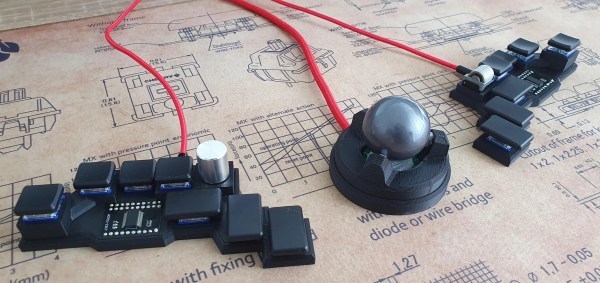
[deshipu]'s DIY keyboard with various center modules
This is [deʃhipu]’s daily driver. Vroom!
Like any keyboard enthusiast worth their soldering iron, [deʃhipu] keeps trying for the ultimate keyboard — ideally, one that runs CircuitPython and makes a great daily driver for high-speed typing.

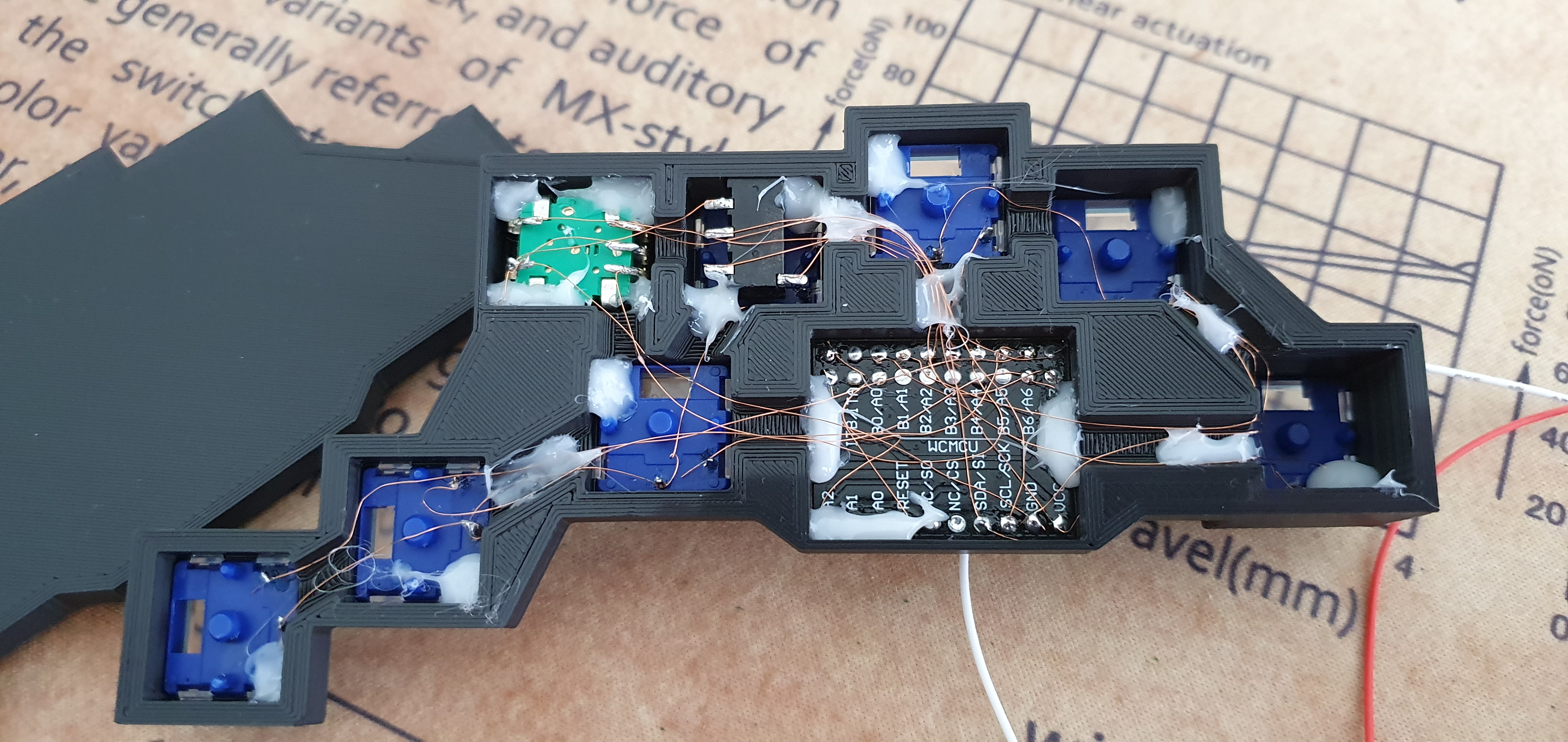
The latest version is the Kamina, a one-piece split with a SAMD21 brain that is slim and narrow without being cramped. [deʃhipu] started by splitting the Planck layout, spreading it, adding a number row, and eventually, an extra column of Kailh Chocs on the right hand. One-piece splits are great as long as the split suits your shoulders, because everything stays in place. When you do move it around, both halves move as one and you don’t have to mess with the positioning nearly as much as with a two-piece. And of course, since he designed it himself, it fits.

The really cool thing here is the center module concept. It’s functional, it looks nice, and as long as it doesn’t get in the way of typing, seems ideal. So far, [deʃhipu] has made a couple different versions with joysticks, encoders, and buttons, and is currently working on one with a Home button made for cell phones to take advantage of their built-in optical trackpads.

Esrille NISSE Looks Nice

This is the Esrille NISSE keyboard and it comes in two sizes! Okay, the two sizes don’t look that different, but the key spacing specs say otherwise. To me, this looks like an Alice with a better and ortholinear layout. These bat-wing beauties are new to me, but they’ve been around for a few years now and are probably difficult to stumble upon outside of Japan. Although Esrille doesn’t seem to make any other keyboards, they do make a portable PC built on the Raspberry Pi compute module.

The Esrille NISSE keyboard
Image via Esrille.

I love me a one-piece split when its done properly, and this one seems to be pretty darn close to perfect. How do I know? You can print out a paper-craft version to try out either of the two sizes. I didn’t take it quite that far, but you can bet that I opened the smaller size’s image in a new tab and put my hands all over the screen to test the layout.

I especially like the thumb clusters and the inside keys on this thing, but I think the innermost thumb keys would be too painful to use, and I would probably just use my index finger. I would totally buy one of these, but they’re a little too expensive, especially since the smaller one costs more. (What’s up with that?) The great news is that the firmware is open-source. Between that and the paper-craft models, a person could probably build their own. Check out [xahlee]’s site for a review and a lot more pictures of the NISSE and similar keebs.

Continue reading “Keebin’ With Kristina: The One With The Index Typewriters”

Sparkpad Sparks Joy For Streamers

The best streamers keep their audience constantly engaged. They might be making quips and doing the funny voices that everyone expects them to do, but they’re also busy reading chat messages aloud and responding, managing different scenes and transitions, and so on. Many streamers use a type of macro keyboard called a stream deck to greatly improve the experience of juggling all those broadcasting balls.

Sure, there are dedicated commercial versions, but they’re kind of expensive. And what’s the fun in that, anyway? A stream deck is a great candidate for DIY because you can highly personalize the one you make yourself. Give it clicky switches, if that’s what your ears and fingers want. Or don’t. It’s your macro keyboard, after all.

[Patrick Thomas] and [James Wood] teamed up to build the perfect stream deck for [James]’ Twitch channel. We like the way they went about it, which was to start by assessing a macro pad kit and use what they learned from building and testing it to design their ideal stream deck. The current version supports both the Arduino Pro Micro and the ESP32. It has twelve key switches, a rotary encoder, an LED bar graph, and an OLED screen for choosing between the eight different color schemes.

If you’d rather have dynamic screens instead of cool keycaps, you can do it cheaper by making non-touch screens actuate momentaries.

ESP8266 weather widget with touchscreen display

Nothing Should Cloud The Build Of This Wieldy Weather Widget

Weather is one of those things that seems to be endlessly interesting to hackers. We may decry the notion that weather can be accurately predicted two days out, much less seven, but if there’s an extended forecast available, by gosh we’re gonna take a gander at it.

So why pick up your phone or open a browser tab every time you want to check the temperature? If you’re so into it, you should build a desktop weather widget. [opengreenenergy] has written a great guide to a tidy build of this classic and oh-so-useful project that covers everything from the soldering to obtaining an API key. Inside is an ESP8266 and a 2.8″ touch screen display that shows localized conditions via Open Weather Map. The main screen shows the time, date, current weather, 7-day forecast, and the moon phase for each day, and subsequent screens go into further detail. It’s informative without being busy.

We love the streamlined look of the snap-fit enclosure. This may be a fairly simple project, but the build as designed is challenging due to the space constraints inside. Check out the video after the break, which features the venerable Stickvise.

What? You’ve never heard of the Stickvise? You must be new around here. Allow me to introduce you two.

Continue reading “Nothing Should Cloud The Build Of This Wieldy Weather Widget”

Etch-a-sketch made with LEDs

RGB LED Matrix Helps Etch-a-Sketch Scratch Out A 21st Century Existence

We never did crack open our Etch-a-Sketch, but we did scrape out a window large enough to really check out the mechanism inside. [MrLangford] is bringing the Etch-a-Sketch into the 21st century while at the same time, bringing an even bigger air of mystery, at least for the normies.

Instead of scraping aluminum powder off of plastic by driving a stylus on an x-y gantry with a pair of knobs, this bad boy uses rotary encoders to move the cursor around and put down squares of colored light. The familiar movements are there — the left knob moves the cursor left and right, and the right knob moves it up and down. But this wouldn’t be a 21st century toy without newfangled features. Push the left encoder down and it cycles through eight color choices, or push the right one down to go through them backwards. We hope one of the colors is setting it back to darkness in case you screw up. And while we’re dreaming up improvements, it would be awesome to add an accelerometer so you could shake it clear like a standard Etch-a-Sketch.

Inside the requisite red enclosure with white knobs are an Arduino Nano and a 16×16 RGB LED matrix. The enclosure is four sheets of 6mm MDF glued together, and we like the use of protoboard to distribute GND and 5 V in the name of keeping the thing slim.

If you’re not much of an artist, here’s a TV-sized Etch-a-Sketch build that can draw by itself.

Tiny ball magnets implanted in muscles could provide much better control over prosthetics.

Magnets Could Give Prosthetic Control A Leg Up

Today, prostheses and exoskeletons are controlled using electromyography. In other words, by recording the electrical activity in muscles as they contract. It’s neither intuitive nor human-like, and it really only shows the brain’s intent, not the reality of what the muscle is doing.

Researchers at MIT’s Media Lab have figured out a way to use magnets for much more precise control, and they’re calling it magnetomicrometry (MM). By implanting pairs of tiny ball magnets and tracking their movement with magnetic sensors, each muscle can be measured individually and far more accurately than with electromyography.

After embedding pairs of 3mm diameter ball magnets into the calves of turkeys, the researchers were able to detect muscle movement in three milliseconds, and to the precision of thirty-seven microns, which is about the width of a human hair. They hope to try MM on humans within the next couple of years. It would be a great solution overall if it works out, because compared with the electromyography method, MM is cheaper, less invasive, and potentially permanent. Couple MM with a new type of amputation surgery called AMI that provides a fuller range of motion, less pain overall, and finer control of prosthetics, and the future of prostheses and rehabilitation looks really exciting. Be sure to check out the video after the break.

There’s more than one way to control prostheses, such as deep learning and somatosensory stimulation.

Continue reading “Magnets Could Give Prosthetic Control A Leg Up”

Dedicated box to play new videos from a handful of content creators.

Dedicated Box Makes YouTube More TV-Like

[Exposed Wire] is a huge fan of YouTube and consumes a lot of content. If that sounds familiar, maybe you should build a dedicated YouTube box, too. You get to push buttons, there’s LEDs, and you can take a break from other screens to look at this one for a while. [Exposed Wire] wanted to make it easier to watch the latest videos from their favorite creators, but we would argue that this is more fun, too.

The Rasberry Pi 4 inside checks every five minutes for new videos by keeping track of the creator’s total number of videos in a text file and doing a comparison. If one of the channels has a new video, then the corresponding LED lights up and the new video’s URL is linked to the button. Press the button and the Raspi opens the browser, goes the the URL, maximizes the video, turns off the LED, and updates the video count in the text file.

We like the construction job here. The 1/4″ MDF walls are connected by 3D-printed L-brackets in PETG. At first, [Exposed Wire] mounted the LEDs and buttons to a PCB, but that was really fiddly so they printed panels instead. Combined with the bracket around the screen, the finished build looks good. Check out the build montage after the break.

Regular old YouTube videos not doing it for you anymore? Try watching them at low resolution on an LED matrix.

Continue reading “Dedicated Box Makes YouTube More TV-Like”

Tree Of Life Branches Out With A Twist

In the middle of 2020, [charlie] challenged himself to conceive of and finish one project every month for the next twelve. Here we are a year later with [charlie]’s last project of the challenge: a tree of life with a bit of a twist to it.

The idea was to build a tree with lights that would represent the leaves and change as the tree went through the seasons. After a lot of searching, he found a really elaborate model meant for CNC carving, but the model maker converted it to an STL. [charlie]’s original plan was to poke the LEDs through the print. After consulting a wise woman, he decided to take the two-color approach and make the background translucent so that the 16 RGB LEDs can shine through.

So, what’s the twist? Well, over time, the tree will develop dementia. One by one, the leaves will lose awareness and go through the seasons backward, or slow down their cycle, or speed up. Eventually, the entire tree recedes into a rainbow of confusion. Sadly beautiful, isn’t it?

No printer? No problem. Trees of life come in all forms, including free-form.