K40 Laser Cutter, Meet Raspberry Pi

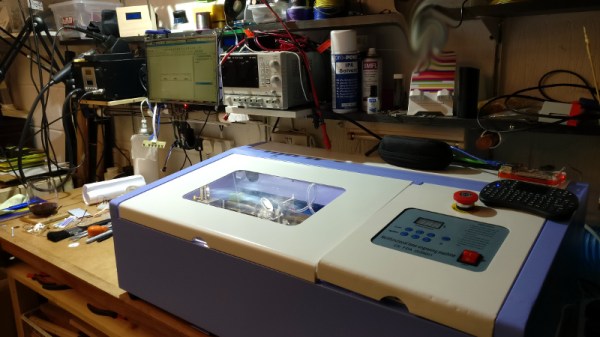
The inexpensive Chinese K40 laser cutter has become the staple of many a small workshop within our community, providing a not-very-large and not-very-powerful cutter for a not-very-high price. As shipped it’s a machine that’s not without its flaws, and there is a whole community of people who have contributed fixes and upgrades to make these cutters into something a lot more useful.

[Alex Eames] bought a K40, and since he’s the person behind the Raspi.tv Raspberry Pi business, when he switched from the supplied Corel-based software to the popular open-source K40 Whisperer his obvious choice was to run it on a Raspberry Pi. Since K40 Whisperer is written in Python he reasoned that the Pi’s ARM platform would not prevent its use, so he set to work and documented the process and his workflow.

It’s a straightforward enough process, and his K40 now has a Pi into which he can SFTP his files rather than the inevitable old laptop that accompanies most K40s. With so many K40 improvements created by its community, we find it surprising that some enterprising Chinese manufacturer hasn’t seen the opportunity to make a quick buck or two extra and incorporate some of them into their products at the factory, including one of the many single board computers that could perform this task.

We’ve covered a lot of K40 stories over the years, if you are new to this machine you might like to take a look at this story of bringing one to life.
Wah-Wah-Won’t, To Wah-Wah-Will

This is the tale of [Chris], who discovered he was no [Jimi Hendrix] in his youth, and shelved his trusty wah-wah pedal as a result. Many years later as a bassist with more modest aims he brought it out of retirement and built a blend pedal kit to allow him to bring in a bit of wah to the mix when he wanted it, but as more of a Voodoo Grown-Up than the full Voodoo Chile.

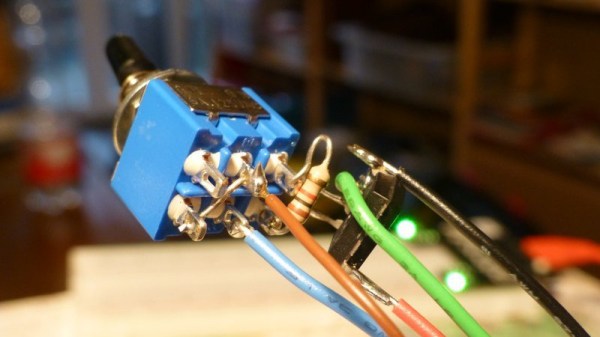
The kit worked and he should have been happy with it, but for one thing. As he increased the mix on the loop box instead of getting more wah he simply got less volume. A bit of detective work reached the conclusion that the old pedal was inverting everything, and that he needed to put in a circuit to correct that when needed. A single op-amp and a switch, with the op-amp circuit dead-bug-style on the back of the switch, completed the modification.

Wah pedals seem to be a recurring feature here. We’ve brought you one made of Lego among many others, as well as one repurposed as a synth controller.

Creality CR10-S Upgrade Shows The Effect Of Bad Power

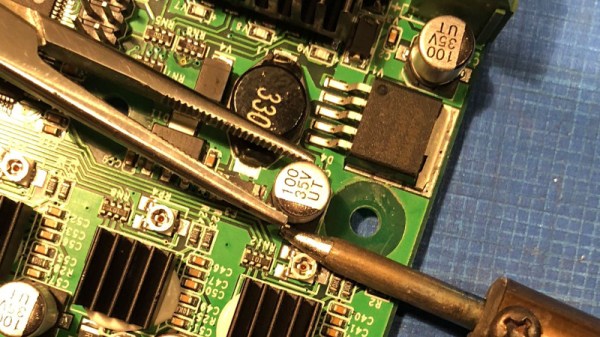
The Creality CR10-S is a printer that has become quite popular, and is not an uncommon sight in a hackspace or makerspace. Some models have a slight defect, a smoothing capacitor is of insufficient size, resulting in reduced print quality. [Jozerworx] has replaced the capacitor, and posted a full guide as to how the task can be performed.

Hackaday readers will have among their number many for whom replacing a surface mount electrolytic is no bother at all, indeed we’d expect most 3D printer owners to be able to perform the task. Maybe that the post has such an extensive FAQ and seems to be aimed at newbies to soldering points to 3D printing having moved to a wider market. But it has to be remembered that the value in this piece is not in the work, but in the characterisation. At the end he posts graphs showing the effect of the modification on the temperature of the extruder, and on the temperature noise brought about by the poor capacitor choice. A reduction from a +/- 3 Celcius variation to one of around +- 0.1 Celcius may not seem like much, but it seems it has a significant effect on the reliability of the printer.

So this isn’t the most elite of hacks, on a printer heading for a wider marketplace. But it serves to illustrate that bad quality power regulation can have some surprising effects. It seems every new printer comes with a list of community-developed mods to make it usable, perhaps one day we’ll find a printer that’s at peak performance out-of-the-box.

Who Ate All The Pi?

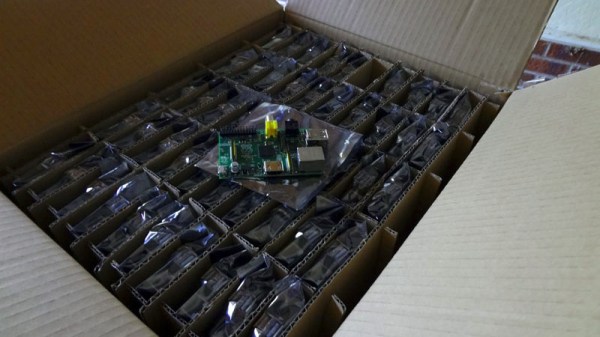
Wednesday was the last day of February, and leap year questions aside that date marks the anniversary of the Raspberry Pi launch. The oldest commercially available Pi is now 6 years old, and to mark the occasion the Raspberry Pi people have put up a retrospective of all their different models.

There is a primordial prototype from [Eben Upton]’s bench that involves an Atmel processor, but the first board dangled in front of the public was a Broadcom one, the BCM2763 ‘micro DB’. This was a form factor like one of those Android TV sticks, and while it was not a Raspberry Pi internal design or indeed sporting the SoC to be used by the Pi itself, it was sufficient to capture the imagination of what would become the Raspberry Pi community.

If you got out of bed early (British time) on the 29th of February 2012 and tried to order one of the first commercially available boards, you were most likely to be out of luck. The relatively small first batch from China was oversubscribed massively, both the RS and Farnell websites went down completely for most of the day. We received our model at some point in May. It’s an over-used phrase, “And the rest is history”, but it seems entirely appropriate here. The Pi has passed through several iterations and increased in both computing power and memory, it has spawned a whole industry of peripherals, a huge community, and a host of competitors. We have quite a few of the boards in the blog post, but some of the more exotic ones have evaded us.

It’s not the best or most powerful board out there, many of its competitors can beat it on performance, but it remains the one to beat in small and cheap Linux-capable single board computers. Why is this the case? It has probably the best-supported Linux distro of all of them, and that community has already answered many of the queries you might find with your board.

So there’s the story, a successful product line, community, and foundation. The Pi blog piece is very much their PR, but it doesn’t need to gild the lily. However, that will not stop competitors from taking aim at its crown, and the field remains open for one of them to topple it. Which of course makes for fascinating stories for us here at Hackaday, so we’d encourage anybody with an electronics factory in China, a bright team, and some good ideas to give it a try. Meanwhile, we’ll be looking towards Cambridge for whatever new products will sport the fruity logo.

Images As Excel FIles Are Gloriously Nasty

Almost every person of a technical persuasion who has worked in an office will have some tale of wildly inappropriate use of office technology for a task that could have been accomplished far more simply with an appropriate tool. There are jokes about people photocopying a blank sheet of paper when they need a few sheets themselves, but some of the real stories are very bit as surreal.

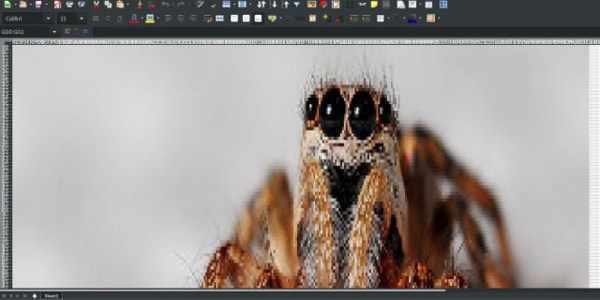
[Bjonnh]’s patience for such things was exceeded when he received a screenshot embedded in a Microsoft Word file. His response is both pointless and elegant, a Python script that takes a JPEG image and encodes it into an Excel file. It’s simply an array of cells whose background colours represent the pixels, and he warns us that the output files may take a while to load. We just had to subject it to a test, but are sorry to report that LibreOffice doesn’t seem to want to play ball.

So yes, this is a small departure from our usual fare of hardware, and it serves no use other than to be a fantastically awful misuse of office technology. If you’ve ever been emailed a PowerPoint invitation to the office party though, then maybe you’ll have cracked a smile.

If pushing your corporate spreadsheet to the limit is your thing, perhaps you’d also like to see it running a 3D engine.

Bye Bye, Maplin

Well, that was quick. Four days ago we mentioned that the British electronics retail chain Maplin was being offered for sale, and today it has been announced that no buyer has been found and the company is going into administration.

We dealt with all the nostalgia for what was roughly a British equivalent to Radio Shack in our previous post. Perhaps now it’s time to look beyond the jumpers-for-goalposts reminiscences about spaceships on the catalogues for a moment, and consider what this means for us in 2018.

It’s fairly obvious that a retail model for selling either electronic tat or components is no longer viable in an age of online ordering and availability of almost anything at knock-down prices for anyone prepared to wait for a packet from China. This applies on both sides of the Atlantic, but for British retailers, the killer combination of very high rents and local business taxes makes it particularly difficult. Maplin were extremely convenient when you needed a part immediately, but the universal reaction from Hackaday readers was that they were overpriced. It’s the same story that has cleared away numerous chains in other sectors, and the toxic view that retail property is still the goldmine it might have been in decades past is largely responsible.

Despite all that, there must still be some demand for electronic components at a retail level even if the economics no longer support a showroom model. Perhaps a trade counter operation might have better luck, it will be interesting to see whether suppliers such as RS Components or CPC expand their networks to try to capture that business. Whatever happens, we’ll keep you posted.

Microgamer Is A Micro:Bit Handheld Console

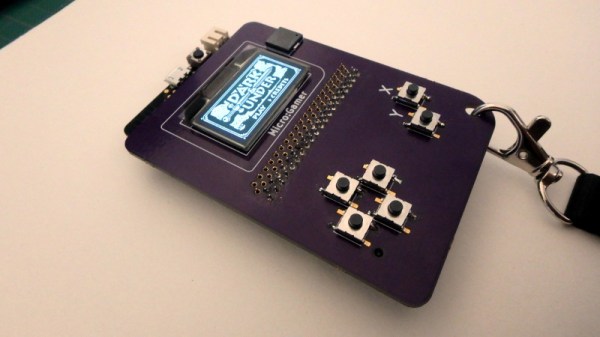
The BBC micro:bit single board ARM computer aimed at education does not feature as often as many of its competitors  in these pages. It’s not the cheapest of boards, and interfacing to it in all but the most basic of ways calls for a slightly esoteric edge connector. We’re then very pleased to see that edge connector turned from a liability into a feature by [Fabien Chouteau] with his handheld console, he uses micro:bits preprogrammed with different games in the manner of game cartridges in commercial consoles.

The micro:bit sits in its edge connector on the underside of a handheld PCB above a pair of AAA batteries, while on the other side are an OLED display and the usual set of pushbuttons. It’s a particularly simple board as the micro:bit contains all the circuitry required to support its peripherals.

He’s coded the games using the Arduino IDE with a modified version of the Arduboy2 library that allows him to easily port Arduboy games written for Arduino hardware. It’s a work in progress as there are a few more features to incorporate, but the idea of using micro:bits as cartridges is rather special. There is a video of the console in action, which we’ve placed below the break.

Continue reading “Microgamer Is A Micro:Bit Handheld Console”