Limiting Battery Risk On Repurposed Smartphones With PostmarketOS

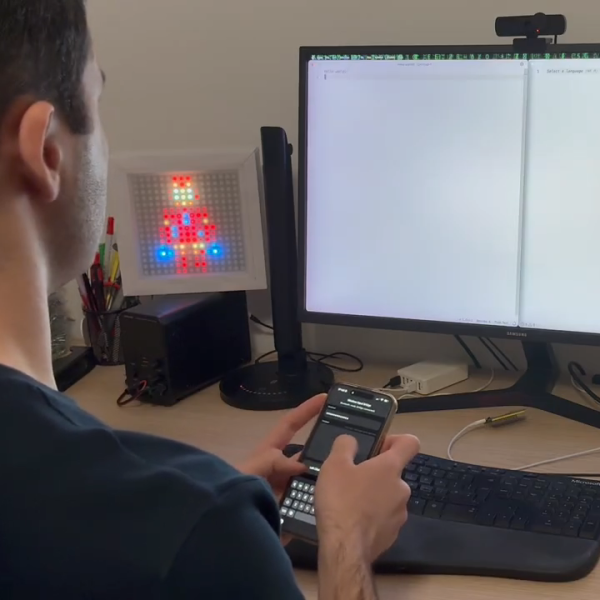
PostmarketOS is a Linux distribution specifically designed for those who wish to repurpose old smartphones as general-use computers, to a degree. This can be a great way to reuse old hardware. However, for [Bry50], it was somewhat discomforting leaving the phone’s aging lithium battery perpetually on charge. A bit of code was thus whipped up to provide a greater measure of safety.

The concept is simple enough—lithium batteries are at lower risk of surprise combustion events if they’re held at a lower state of charge. To this end, [Bry50] modified the device tree in PostmarketOS to change the maximum charge level. Apparently, maximum charge was set at a lofty 4.4V (100%), but this was reconfigured to a lower level of 3.8V, corresponding to a roughly 40-50% state of charge. The idea is that this is a much healthier way to maintain a battery hooked up to power for long periods of time. There’s one small hitch—the system will get confused if the battery voltage is higher than the 3.8 V setpoint when switching over. It’s thus important to let the device discharge to a lower level if you choose to make this change.

It’s a neat mod that both increases safety, but keeps the battery on hand to let the system ride through minor power outages. If you’re new to the world of repurposing old smartphones, fear not. [Bryan] also has a tutorial on getting started with PostmarketOS for the unfamiliar. If you’re working on your own projects in this space, we’d love to hear about them—so get on over to the tipsline!

Motorized Faders Make An Awesome Volume Mixer For Your PC

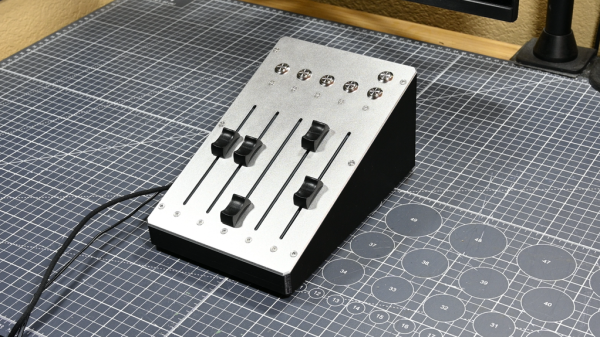
These days, Windows has a moderately robust method for managing the volume across several applications. The only problem is that the controls for this are usually buried away. [CHWTT] found a way to make life easier by creating a physical mixer to handle volume levels instead.

The build relies on a piece of software called MIDI Mixer. It’s designed to control the volume levels of any application or audio device on a Windows system, and responds to MIDI commands. To suit this setup, [CHWTT] built a physical device to send the requisite MIDI commands to vary volume levels as desired. The build runs on an Arduino Micro. It’s set up to work with five motorized faders which are sold as replacements for the Behringer X32 mixer, which makes them very cheap to source. The motorized faders are driven by L293D motor controllers. There are also six additional push-buttons hooked up as well. The Micro reads the faders and sends the requisite MIDI commands to the attached PC over USB, and also moves the faders to different presets when commanded by the buttons.

If you’re a streamer, or just someone that often has multiple audio sources open at once, you might find a build like this remarkably useful. The use of motorized faders is a nice touch, too, easily allowing various presets to be recalled for different use cases.

We love seeing a build that goes to the effort to include motorized faders, there’s just something elegant and responsive about them. Continue reading “Motorized Faders Make An Awesome Volume Mixer For Your PC”

Cheap Smart Ring Becomes MIDI Controller

The Colmi R02 is one of the cheapest smart rings on the market. It costs about $20, and is remarkably easy to hack. [Floyd Steinberg] took advantage of this to turn it into a rather unique MIDI controller.

What makes the Colmi R02 somewhat unique is that the manufacturer did not try to lock out users from uploading their own firmware. You don’t even really need to “hack” it, since there is no code signing or encryption. You can just whip up your own firmware to make it do whatever you want.

To that end, [Floyd] set up the ring to act as a device for musical expression. When connected to a computer over Bluetooth, data from the ring’s accelerometer is converted into MIDI CC commands via a simple web app. The app allows the MIDI messages to be configured so they can control whatever parameter is desired. [Floyd] demonstrates the ring by using it to control filter cutoff frequencies on an outboard synthesizer, with great effect.

You could theoretically just strap an accelerometer to your hand with a microcontroller and achieve similar operation. However, the magic of this is that it costs only $20 and it’s already in a form factor that’s optimized for wearing on your finger. It’s hard to beat that.

Files are on GitHub for those eager to experiment. We’ve previously featured some hacks of this particular smart ring, too, with [Aaron Christophel’s] efforts directly inspiring this work.

Continue reading “Cheap Smart Ring Becomes MIDI Controller”

Playing YouTube From The Command Line

Generally, one opens a web browser or an app to use YouTube. However, if you’re looking to just listen to the audio, you can actually do that right from the terminal. You just need Shellbeats from [lalo-space].

Shellbeats is primarily intended for playing music from YouTube, and is well equipped for this task. It allows searching YouTube directly from the terminal, as well as streaming tracks or entire playlists from the command line interface. You can also make and edit playlists from within the tool, and even download the whole lot as MP3s if so desired. It’s all keyboard-operated and nicely lightweight. The overall experience isn’t dissimilar from operating a simple LCD-based MP3 player from 20 years ago.

There’s plenty of other fun stuff you can do in the terminal, too, as we’ve explored previously. If you’re working on your own media player hacks, be sure to notify us on the tipsline!

Ordering Pizza On Your Sega Dreamcast Is Very Clunky Indeed

If you’re ordering pizza these days, you’re probably using a smartphone app or perhaps still making a regular old phone call. If you’re creative and a little bit tricky, though, you can order pizza right from your Sega Dreamcast. You just need to jump through a few hoops, as demonstrated by [Delux] and [The Dreamcast Junkyard] in the recent past.

You used to be able to order pizza on the Dreamcast natively, all the way back in 1999. However, the modern Domino’s website doesn’t really work on the ancient Dreamcast browser anymore. The simple fact is that web technology has advanced a long way in the last couple of decades, and Sega didn’t exactly spend a lot of time maintaining a browser on a console that died mere months after its rivals hit the market.

Thus, to place a pizza order on the Dreamcast these days, you need to work within its limitations. [Delux] uses the Dreamcast with the Broadband Adapter to access a PC on the local network via the XDP web browser. That PC is hosting Web Rendering Proxy, a tool which converts complicated modern websites into something a simpler machine can parse. From there, it’s a matter of connecting to the Domino’s website, and slowly clicking through the online ordering pages. Between the proxy delay, the Dreamcast’s glacial processing speed, and the clunky Domino’s ordering interface, it takes ages. Never before has adding coupons felt like such a hassle. Still, after 15 minutes of fuss, the order is completed… and a short time later, a hot fresh pizza arrives.

It’s a fun hack, but really it’s the PC running the proxy that’s doing the heavy lifting. In 2026, it’s far more elegant to order a pizza from your Nintendo Wii.

Continue reading “Ordering Pizza On Your Sega Dreamcast Is Very Clunky Indeed”

Whipping Up A Quick Adapter To Hack The Xbox 360

[Androxilogin] had a problem. An Xbox 360 Slim had shown up in the post, but failed to give much more than a beep when turned on. Disassembly revealed some missing components, but replacing them failed to breathe life into the beleaguered console. Deeper repair was needed, and that would require a special adapter which [Androxilogin] was able to whip up from scratch.

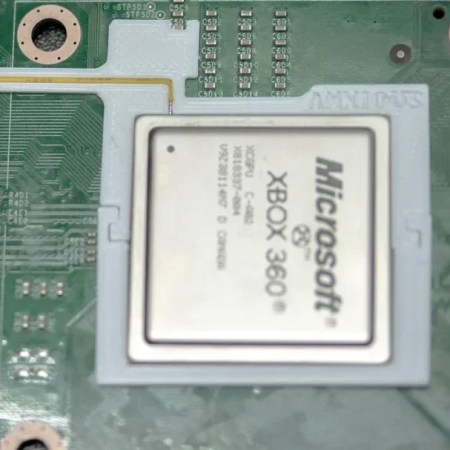
When it comes to the Corona models of the Xbox 360, it’s often necessary to use something called a “post-fix adapter” to do certain diagnostic and repair tasks. These adapters consist of a bracket which wraps around the CPU, and probes the solder ball for the POST_OUT signal which is otherwise difficult to access on the motherboard itself. Adapters are readily available online, and are usually manufactured as a PCB with a protruding contact to make a connection.

For [Androxilogin], though, time was short. Rather than wait for adapters to ship, it was quicker to whip up a custom piece to do the same job. This was achieved with a 3D print which was able to clamp around the CPU, while snugly holding a piece of tinned 30 AWG wire to poke the critical point beneath the chip. After a couple of attempts to get the sizing just right, [Androxilogin] was able to make the necessary connection which enabled installing Xell Loader on to the machine to bring it back to life.

If you’re eager to make your own post-fix adapter, files are available on Printables, with more details over on Reddit to boot. While the Xbox 360 is starting to suffer some awkward symptoms of age. we nevertheless still see a steady stream of hacks come in for this vintage machine. If you’re tackling your own retro console mods, be sure to notify the tipsline.

Building Natural Seawalls To Fight Off The Rising Tide

These days, the conversation around climate change so often focuses on matters of soaring temperatures and extreme weather events. While they no longer dominate the discourse, rising sea levels will nonetheless still be a major issue to face as global average temperatures continue to rise.

This poses unique challenges in coastal areas. Municipalities must figure out how to defend their shorelines, or decide which areas they’re willing to lose. The City of Palo Alto is facing just this challenge, and is building a natural kind of seawall to keep the rising tides at bay.

Continue reading “Building Natural Seawalls To Fight Off The Rising Tide”