POV Bauble Uses DIY Accelerometer To Sync The Image

So we saw this tip come in and thought–oh, another POV device. We watched the video (embedded after the break), took a sip of coffee, then almost sprayed the beverage all over the computer when we realized that this uses a diy sensor to synchronize the POV image.

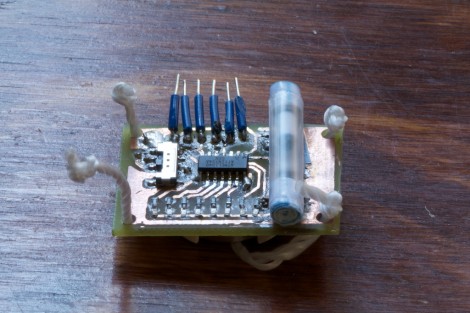
[Ch00f] came up with the idea for the sensor after seeing a similar implementation on a commercial POV toy. Instead of using a proper accelerometer to sense the motion, the toy uses a plastic bead in a channel. When you move the body of the toy the bead rolls to one end or the other, covering or exposing a reflective sensor.

A similar sensor is used here. A drinking straw servers as the channel, with a paper-covered nylon screw as the bead. [Ch00f] cut a window in the bottom of the straw for his reflective sensor, then sealed each end with a wad of paper.

This method works, but not as well as he had hoped. It seems the refresh rate and timing of the particular sensor he’s using is rather poor. If it were replaced with one that is simply and IR LED and phototransistor (like the sensors from [Jack’s] last video) he thinks it would work a lot better.

via Buildlounge.

Continue reading “POV Bauble Uses DIY Accelerometer To Sync The Image”
I Am Root! — Kindle Fire Edition

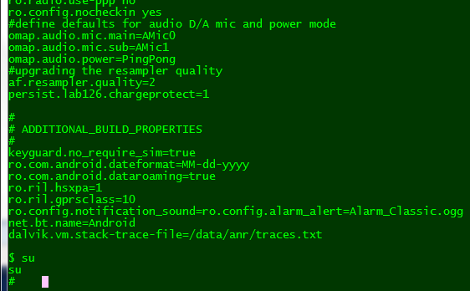
Amazon’s new tablet reader, the Kindle Fire has been rooted. Early this morning [Death2All110] posted the steps he took to gain root access to his device (which is so fresh out of the box it still smells new). The heavy lifting is done by a package called SuperOneClick which aims to root all manner of phones and devices running Android.

There’s a bit more than the one click necessary, but not by much. Using the Android Developer Bridge in conjunction with the SDK you need to put in a value that will be recognized as the VID. From there, turn on the ability to install apps from unknown developers, re-enumerate the device on your PC and run the one-click package.

What can you do with this? Well, it completely opens up the Android OS so that you can bend it to your will. We haven’t seen any demonstrations yet, but it should be even better than what we saw done with the Sony PRS-T1.

[Addictive Tips via Reddit]

A Technique To Avoid Warping On Large 3D Prints

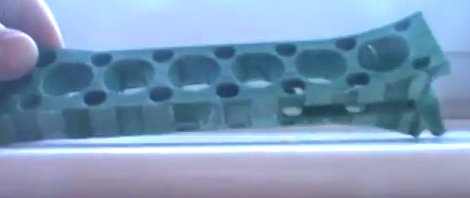
[Jamie Mantzel] figured out his own way of 3D printing large objects without fear of warping. First a bit of background information. When using a 3D extrusion printer like the RepRap or Makerbot, prints that span a large area tend to warp. That’s because these printers lay down one thin layer of plastic at a time. If the first layer cools too much, it will shrink a bit before the next layer is laid down. As that second layer cools it pulls the part toward the center, eventually bowing the part which causes it to hit the extruder head.

After having several prints encounter this issue [Jamie] decided to alter his design so that it wouldn’t cause these stresses. The first thing that he did was to add alternating voids to a layer between the raft and the actual part. You can see these as notches on the bottom the piece pictured above. This takes care of the initial stresses from the first layer. Next, he adds holes wherever he can in the main body of the part. This is especially important on the edges of the piece where the warping forces will be the greatest.

He also moved the starting position of the bed closer to the extruder head. His hope is that this will help the raft bond better, and resist pulling away from the bed during printing.

See his video explanation of his adventure after the break.

Continue reading “A Technique To Avoid Warping On Large 3D Prints”

Snake-bot Gives Us The Mechanical Heevy-jeevies

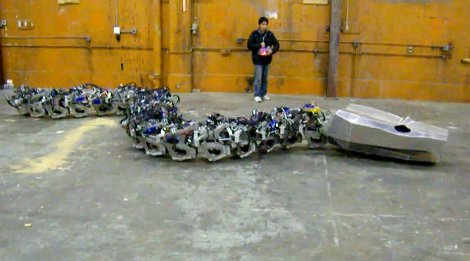
Basilisk? Nope, just your run-of-the-mill giant serpentine robot build. This build aims to recreate Titanoboa, a prehistoric snake which measured more than fifty feet long and weighted over a ton. They’re well on their way to completing the goal, as what you see above is fully operational, lacking only cosmetic niceties which would only serve to make the beast less horrifying.

The video after the shows the snake getting round an open space, presumably at the eatArt headquarters in Vancouver. You may remember the team from one of their other builds also featured in that clip, the Mondo Spider. Eventually, the snake will have a rider just like the spider does, sitting in a saddle mounted just behind the head. There’s few details about the hardware, but we know it’s hydraulic, and that they raised $10k to make the build possible.

For some reason seeing these bots interact gives us flashbacks to childhood cartoons. Is it possible the eatArt crew has been watching too many old G.I. Joe cartoons and the like?

Continue reading “Snake-bot Gives Us The Mechanical Heevy-jeevies”

Stylophone 5 – Modernizing The Best Of The 1968 Hardware

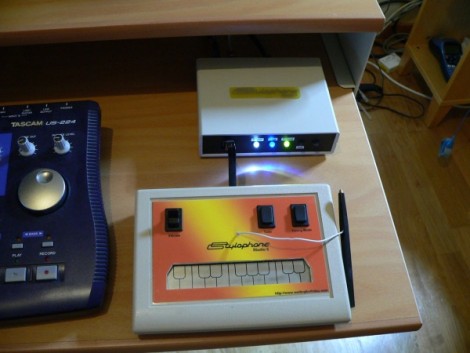
We love looking in on [Simon Inns’] projects, and this must be one of his very best. This is the fifth version of his MIDI-capable stylophone. The gist of the control system is that a conductive keyboard (made of a tinned PCB) is played by making a connection with the tip of a wired stylus — hence the name. The idea comes from the original 1968 Dubreq Stylophone hardware, but [Simon’s] not just using the idea. He has his own working original and used it to reverse engineer the circuit design.

When it first came out, the Stylophone had three flavors for Bass, Standard, and Treble audio ranges. They differed only in the choices of passive components used in the circuit. [Simon] built the variations into his design so that they are selectable on one unit. This most recent version connects via USB, allowing you to control MIDI software. But unlike his first four iterations, this also offers MIDI-In capabilities. This makes it possible to control tuning, vibrato, and to drive the Stylophone circuitry from the computer interface. Get a good look at that, and a nostalgic Portal moment, by watching the clip after the break.

If you’re looking for an easier build, you might try this analog standalone version of the Stylophone.

Continue reading “Stylophone 5 – Modernizing The Best Of The 1968 Hardware”

Audio Output Selection Courtesy Of The Internet

[Peter] was tired of crawling behind his desktop computer to switch between headphones and speakers. We feel his pain, as the headphone port on our computer speakers has its own demonic hum rendering the jack useless to us. His solution was to build this output selector board, then control it via the network.

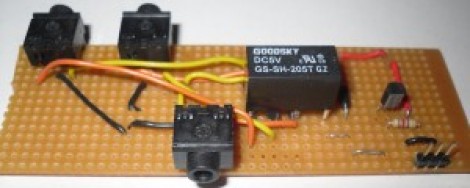
A relay is responsible for routing the single input to one of two outputs. One output is wired to the normally closed pin on the relay, the other to the normally open pin. The important thing here is to make sure you have a separate audio ground so as not to pick up noise from the rest of the hardware.

What you see above is only the switching circuitry. This is where [Peter] went a little overboard, using an Arduino along with an Ethernet shield to drive the relay via a transistor. For this particular application there must be an easier way. But if you’re working on home automation from your smart phone, this might be just the thing to make your audio setup browser-controlled.

[via Build Lounge]

Build Your Own Stereolithographic 3D Printer

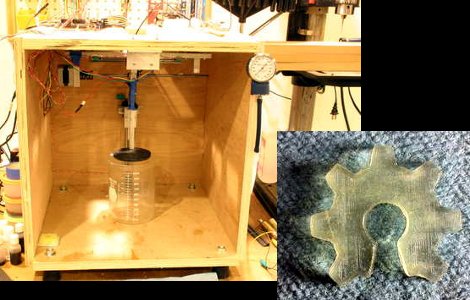
[Andy’s] 3D printer build uses lasers to create objects from goo. The Stereolithographic process uses resin that is cured by UV light to create the finished product. A single laser mounted to a CNC gantry is able to precisely target a point on the surface of the resin to begin the printing process. As the layers are built up, the stage, which is mounted on the Z axis, slowly sinks into the resin vat. So basically you’re printing from the bottom up but the laser never moves up or down. There’s a time-compressed video of an object being printed embedded after the break. It illustrates the process better than we can describe it.

We think [Andy] really went all out with his write-up of the build process. The quality he achieves in his prints is quite excellent, but you must consider the cost versus an extrusion-based 3D printer. One liter of the UV resin he prints from can cost over $200.

If this sounds familiar it’s because we got a sneak peek at it back when we looked in on his Delta robot work.

Continue reading “Build Your Own Stereolithographic 3D Printer”