NESBot Video Game Automation

nesbot

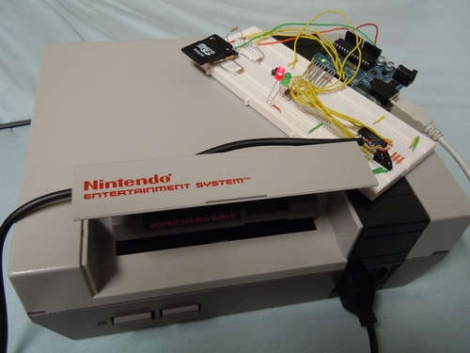
If you happen to enjoy video games, but don’t actually like playing them, boy do we have the hack for you! [pjgat09] shows us how, armed with an Arduino, you can force a Nintendo to play games by itself, not unlike an old-time player piano. The hack involves programming an Arduino to accept commands mapped out in “movies”, which are actually scripted sets of button presses that one would perform while playing a game. These sorts of scripts are available from TASVideo, a community specializing in “tool assisted” speed runs of video games. These movies are typically used with emulators, so there are some adjustments that need to be made in order to make them work with a console, since the button presses are mapped to each frame that is drawn on the screen. While we are not sure quite how useful this hack is, it is a pretty novel concept. You can see video of the 5-minute SMB speed run after the jump.
Continue reading “NESBot Video Game Automation”

Launchpad Serial Morse Code Transmitter

LaunchPad-Serial-Morse-Transmitter

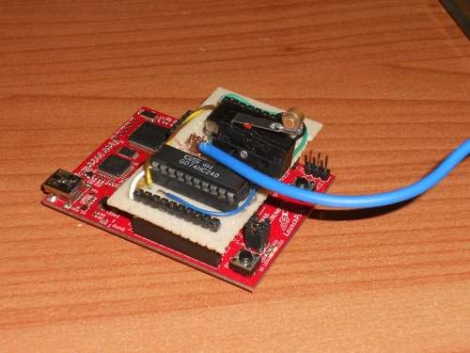
LaunchPad dev boards from Texas Instruments are cheap and easy to program, making them a great Arduino alternative if you can do without some of the bells and whistles. [ech0s] put his to good use by constructing a Morse code transmitter with dual operating modes. The transmitter can not only encode and transmit messages entered in a terminal client, it also allows the user to send messages by manually operating the key switch. Inspired by the high altitude balloon transmitter we featured last summer, this project uses similar components for signal amplification and transmission. Text can be entered in a Putty terminal window, which then is encoded into Morse by the MCU before transmission. At the moment, the speed of the radio transmission is about 15 WPM, which is reasonably quick. Even though his system performs quite well [ech0s] has some improvements planned, including having a proper PCB built as well as some software tweaks to improve buffering and bandwidth. Be sure to check out his video of the transmitter in action after the jump.

Continue reading “Launchpad Serial Morse Code Transmitter”

Canon T1i/500d External Microphone Hack

canon_t1i_external_mic

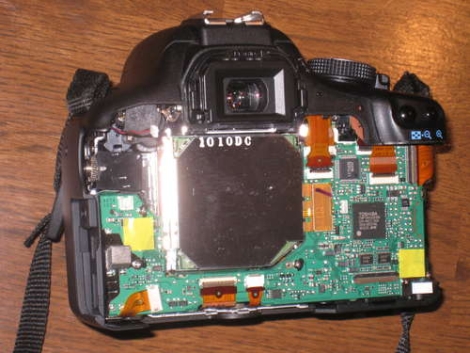
Like most other DSLR cameras that feature video recording, the Canon T1i has a small built-in microphone with limited sound reproduction capabilities. [Robb] wanted better audio performance while taking video, but found the camera’s inability to use an external microphone to be a frustrating limitation. He decided to take matters into his own hands, and disassembled his camera in order to add an external microphone jack. The process is not overly complicated, as it requires little more than the installation of a switching microphone jack. You will however need to get your hands a bit dirty since it involves opening the camera, a bit of drilling, and some epoxy. Doing such things to your camera clearly voids the warranty, and with a $600 camera at stake, this hack is definitely not for the faint of heart. That said, if you desperately want to get better quality audio from your Canon T1i or 500d DSLR, be sure to check out his tutorial.

Rechargeable Battery Capacity Tester

Rechargeable-Battery-Capacity-Tester

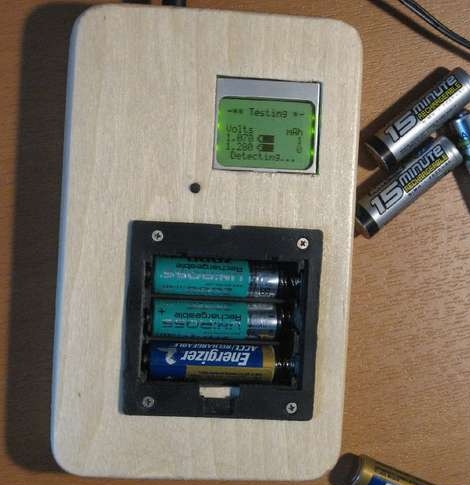
If you are like most people, you likely have a mixed pile of rechargeable batteries sitting around with no idea as to what kind of charge they can hold. You could watch a voltmeter for a few hours while you drain each and every battery, noting when it drops below its stated voltage – but then again, you have a life.  Instead of wasting away in front of his multimeter, [BrianH] decided he would build an automated battery capacity tester to do the job for him.

He created a simple circuit that drains any AA battery, NiMh or NiCd, and records its useful capacity in milliamp hours.  Since the ATMega168 microcontroller used has 6 analog/digital converters on board, he figured that he might as well design his tester to measure the capacity of three batteries simultaneously.  [BrianH] wired the meter up to an old Nokia LCD, then moved his project to a perfboarded ATMega, freeing up his Arduino for other tasks. Once he had things reassembled, he packed it all into a handsome wooden box.

His writeup is chock full of details and source code, so be sure to check it out.  We have video of the charger in action after the jump.

Continue reading “Rechargeable Battery Capacity Tester”

Low-cost Video Chat Robot

remote_control_chat_robot

[Johnny Chung Lee], having recently moved from Seattle to Mountain View, wanted a way to keep in touch with his fiancé who would not be relocating for several more months. While most of us would likely consider purchasing a pair of web cams to keep in touch, he decided to do things his own way.  Using an iRobot Create and a netbook, both about $250 apiece, he constructed a remote-controlled video chat robot that he can steer around his former abode from 1,000 miles away. While $500 might seem expensive at first, [Johnny] reminds us that commercial versions likely run into the thousands of dollars.

The whole setup is controlled using custom software to manage the movement of the robot, which can be used in conjunction with freely available videoconferencing applications, such as Skype. He also modified the iRobot’s charging station to charge both the robot and the netbook simultaneously – a process he explains, but precedes with several disclaimers.  Like some of his previous projects we have covered, he has made the C# source used in this project available for download on his site, along with documentation for both the control software and dock modifications.

Check out video of the robot in action after the jump.

Continue reading “Low-cost Video Chat Robot”

Wireless Arduino Message Board

arduino_message_board

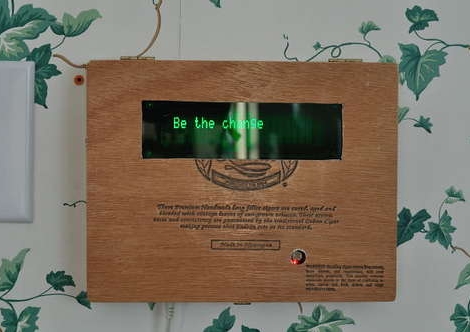
[uhclem] was looking for a novel yet easy way to remind his kids to do their chores, and instead of using a series of post-it notes, he constructed a nice wireless Arduino-powered message board.  The message board is powered by an Arduino Pro, and communicates with his computer via a pair of series 1 Xbee radios which relay a series of canned messages to an attached VFD.  He installed all of the components in an old cigar box, and mounted it on the wall, making for a nice overall presentation.

Programming of the messages does not require any special software as the user interface is handled by the Arduino and accessed via a standard terminal session. [uhclem] mentions that the his code consumes nearly all of the device’s RAM when running, so he keeps a handful of canned messages stored in the Arduino’s flash memory, recalling them when needed.  The optional EEPROM is used to allow for streaming messages to the device as well.

555 Timer Circuit Simulation Software

ltspiceiv_demo

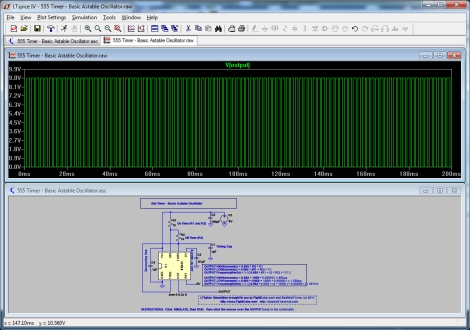
[FightCube] wrote in recommending a very helpful piece of circuit simulation software for those of you still constructing entries for the 555 design contest.   LTSpiceIV, available from Linear Technology, allows you to construct moderately complex 555 driven circuits including common components such as capacitors, resistors, diodes, FETs, and more.  Once you have constructed your circuit, you can view the results in an easy to use visualization window, without ever having to touch your soldering iron or a breadboard.  According to [FightCube], the software is fairly easy to use, and best of all, it’s free.

He has shared one basic circuit he built as a demonstration of the software’s capabilities, and promises to share more in order to motivate others to enter the contest.