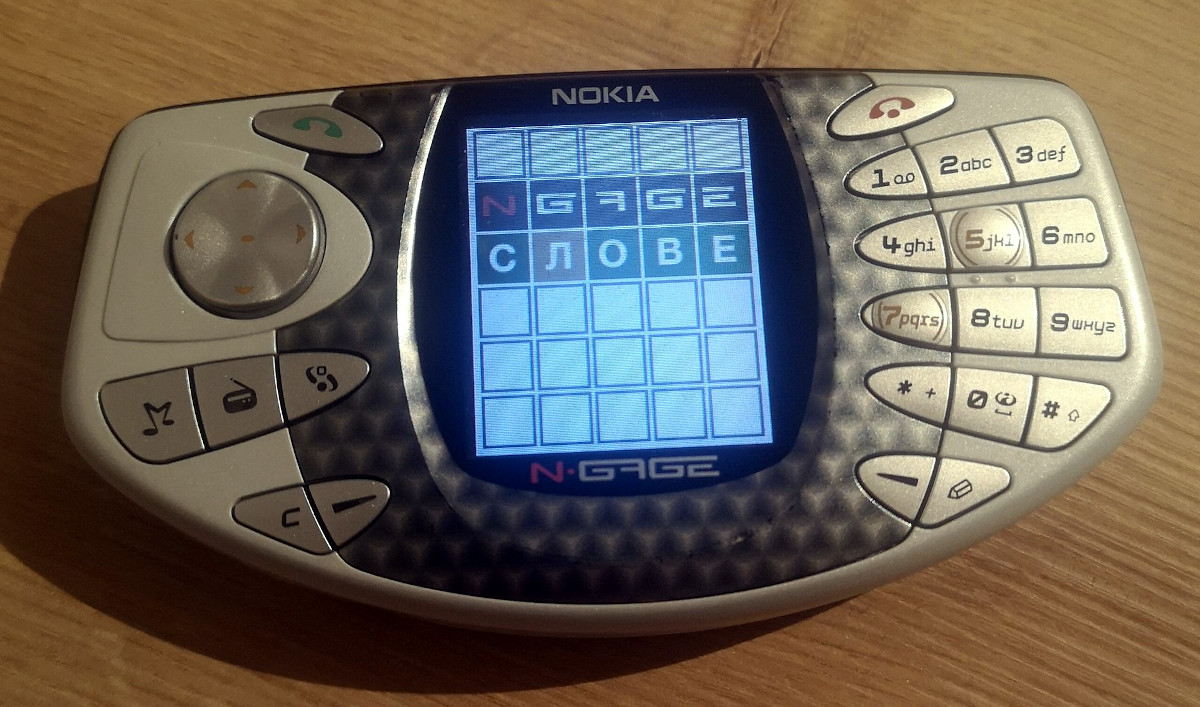
You probably never imagined you’d be reading about new software getting developed for Nokia’s infamous N-Gage handheld game system in 2022, and we certainly never thought we’d be writing about it. But here we are. Of course, we aren’t talking about a commercial title — this is an unofficial port of Wordle by “taco phone” superfan [Michael Fitzmayer].
[Michael] tells us that this first version is pretty simplistic, and currently uses a single word list with all 2,309 terms in the New York Times version. Translations to Finnish, Russian, and German are in the works, though interestingly it looks like the effort is currently stymied by the fact that the code doesn’t support words with hyphens in them; meaning it’s possible to find yourself in an unwinnable situation if you’re playing in Russian. We’re sure that’s just a coincidence and not meant as any kind of political commentary, but still…you can’t make this stuff up.
In Soviet Russia, N-Gage plays you!
So how does one go about developing a new game for a failed console from the early 2000s? The answer is by using the modern N-Gage SDK that’s is currently in development, which lets you write code for the system using popular tools and libraries like Visual Studio 2022, CMake, and SDL. But [Michael] isn’t just a user of this new SDK, he’s also the brains behind the operation.
The hope is this new development platform will lead to something of a renaissance for the maligned device, and he’s even started a Discord server to discuss the past, future, and present of sidetalkin’. If you’re surprised to find yourself looking up what a used N-Gage goes for on eBay these days, join the club.
Thanks to the relatively recent rise of affordable board production services, many of the people reading Hackaday are just now learning the ropes of PCB design. For those still producing the FR4 equivalent of “Hello World”, it’s accomplishment enough that all the traces go where they’re supposed to. But eventually your designs will become more ambitious, and with this added complexity will naturally come new design considerations. For example, how do you keep a PCB from cooking itself in high current applications?
It’s this exact question that Mike Jouppi hoped to help answer when he hosted last week’s Hack Chat. It’s a topic he takes very seriously, enough that he actually started a company called Thermal Management LLC dedicated to helping engineers cope with PCB thermal design issues. He also chaired the development of IPC-2152, a standard for properly sizing board traces based on how much current they’ll need to carry. It isn’t the first standard that’s touched on the issue, but it’s certainly the most modern and comprehensive.
It’s common for many designers, who can be referencing data that in some cases dates back to the 1950s, to simply oversize their traces out of caution. Often this is based on concepts that Mike says his research has found to be inaccurate, such as the assumption that the inner traces of a PCB tend to run hotter than those on the outside. The new standard is designed to help designers avoid these potential pitfalls, though he notes that it’s still an imperfect analog for the real-world; additional data such as mounting configuration needs to be taken into consideration to get a better idea of a board’s thermal properties.
Even with such a complex topic, there’s some tips that are widely applicable enough to keep in mind. Mike says the thermal properties of the substrate are always going to be poor compared to copper, so using internal copper planes can help conduct heat through the board. When dealing with SMD parts that produce a lot of heat, large copper plated vias can be used to create a parallel thermal path.
Towards the end of the Chat, Thomas Shaddack chimes in with an interesting idea: since the resistance of a trace will increase as it gets hotter, could this be used to determine the temperature of internal PCB traces that would otherwise be difficult to measure? Mike says the concept is sound, though if you wanted to get an accurate read, you’d need to know the nominal resistance of the trace to calibrate against. Certainly something to keep in mind for the future, especially if you don’t have a thermal camera that would let you peer into a PCB’s inner layers.
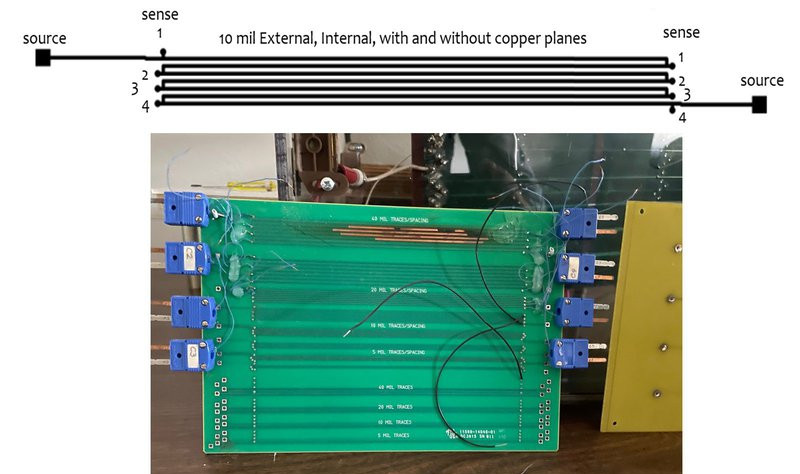
A rig used to test thermal properties of different trace configurations.
While the Hack Chats are often rather informal, we noticed some fairly pointed questions this time around. Clearly there were folks out there with very specific issues that needed some assistance. It can be difficult to address all the nuances of a complex problem in a public chat, so in a few cases we know Mike directly reached out to attendees so he could talk them through the issues one-on-one.
While we can’t always promise you’ll get that kind of personalized service, we think it’s a testament to the unique networking opportunities available to those who take part in the Hack Chat, and thank Mike for going that extra mile to make sure everyone’s questions were answered to the best of his ability.
The Hack Chat is a weekly online chat session hosted by leading experts from all corners of the hardware hacking universe. It’s a great way for hackers connect in a fun and informal way, but if you can’t make it live, these overview posts as well as the transcripts posted to Hackaday.io make sure you don’t miss out.
It’s not much of a stretch to assume that the majority of Hackaday readers are at least familiar with I2C. In fact, there’s an excellent chance that anyone who’s ever done more with an Arduino than blink the onboard LED has at one time or another used the serial communication protocol to talk to a sensor, display, or other external gadget. Of course, just because most of us have used it in a few projects doesn’t mean we truly understand it.
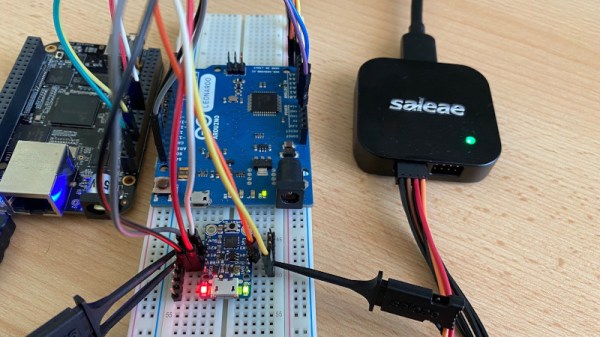
If you’re looking to brush up on your I2C knowledge, you could do worse than to follow the guide [András Tevesz] recently wrote up. With a title like Hardware Hacking 101: E01 I2C Sniffing, How to Listen to Your Arduino’s I2C Bus, you know you’re in for a good time. While the document is arguably geared more towards security researchers than electronic hobbyists, the concepts presented can be useful even if you’re just trying to debug your own projects. Continue reading “A Gaggle Of Boards Makes For An I2C Playground”→
Regular readers of Hackaday will know that the projects we feature are generally of the high-tech variety. Microcontrollers, 3D printed parts, embedded Linux, lots of wires, that sort of thing. But that’s not to say we don’t appreciate the somewhat more visceral builds out there; after all, hacking is about creative problem solving and thinking outside the box, and none of that is limited to how complex the fix actually is.
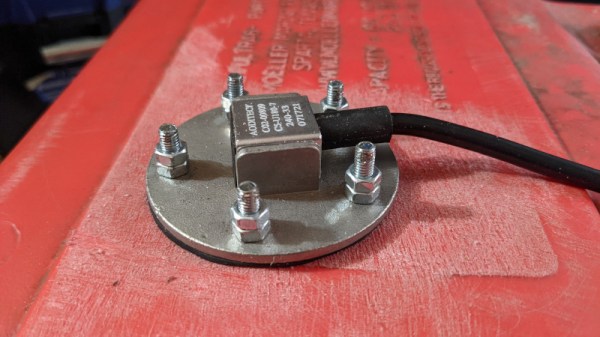
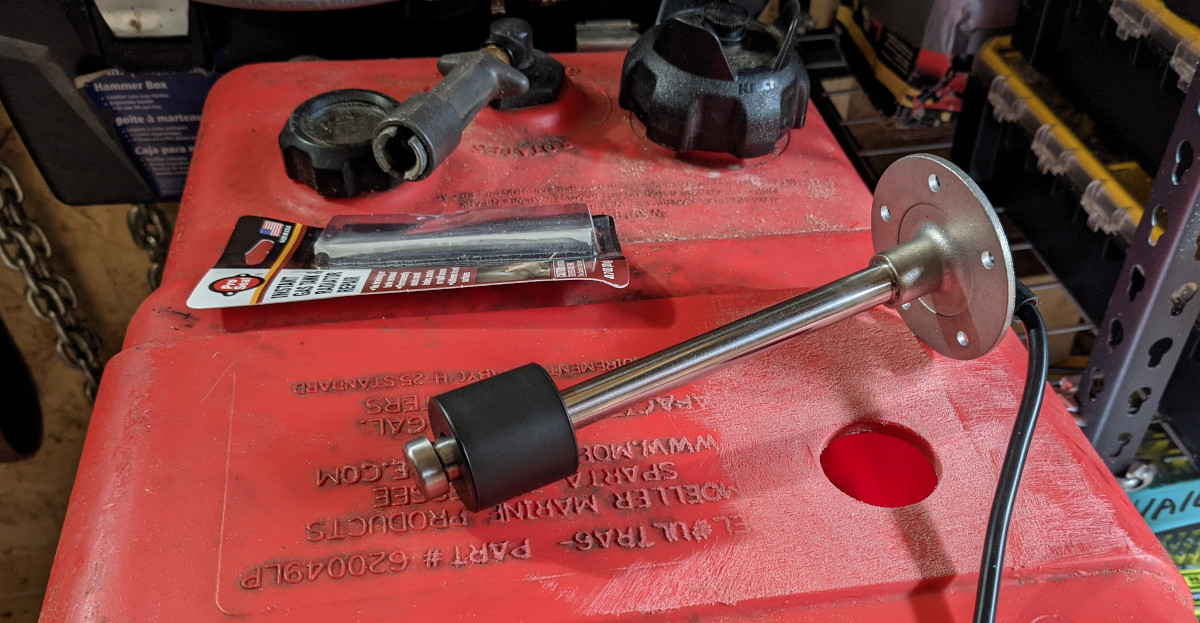
Take for example this quick hack that [R. Preston McAfee] recently sent our way. Looking for a way to check how much fuel was left in his outboard motor’s small portable gas tank without crawling back to look at it, he decided to rig it up with a sending unit. While they’re technically designed for larger tanks which are permanently installed into a boat’s hull, he reasoned there was nothing about the float sensor that would keep it from working in his case so long as it could be safely mounted.
To that end, [Preston] started by cutting a 38 mm (1.5″) hole in the thickest part of the tank, and sanded the area around the opening to smooth things out. He then measured the depth of the tank at that point, and ordered an appropriately sized float sensor. He drilled out the holes for the five mounting bolts, and inserted them through the larger whole so their heads would be inside the tank. By holding the exposed threads with a pair of vice grips he was able to crank the nuts down on each bolt to form a tight seal to the gasket, though it should be noted that the resulting damage to the threads will likely make it difficult to remove the nuts in the future.
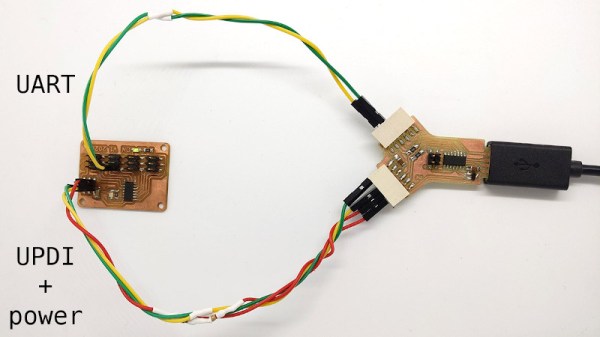
While the average computer user likely hasn’t given much thought to the lowly serial port in decades, the same can’t be said for the hardware hacker. Cheap serial-to-USB adapters are invaluable for snooping debug ports or programming chips, and if you ask us, you can never have too many laying around the bench. [Quentin Bolsée] loves them so much that he’s even figured out how to build a dual-port adapter with a SAMD11C14 microcontroller.
As [Quentin] explains in the write-up, this isn’t just some kind of Y-cable. When connected to the host computer, the adapter shows up as two distinct serial ports, each with independent settings for things like baud rate and parity. This handy little gadget will let you tap into the serial ports of two devices simultaneously if you’re looking to do some Hollywood-style hacking, but more practically, it allows you to establish a debug and programming interface to the same board using just one USB connection.
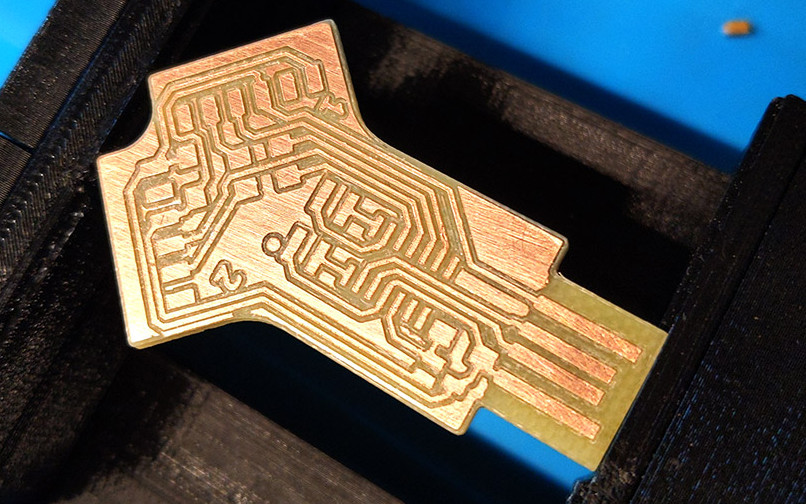
[Quentin] milled a custom PCB for his adapter, which we have to say looks phenomenal, but those with more limited equipment at home should be able to send the MIT licensed board files off for production. He’s also provided the source code for the SAMD11C14’s firmware, so you’ve got everything you need to spin up your own version of this neat tool.
Two ports not enough for your parallel hacking needs? Believe it or not, we’ve also seen a quad USB-to-serial adapter that you can put together, though it’s a considerably more complex circuit.
We know, we know. A lot of you don’t like projects that consist of gutting a vintage computer (or anything else, for that matter) and replacing its internals with modern electronics. But can you really look at the clunky Compaq LTE 286 laptop that [Dmitry Brant] hacked a Raspberry Pi into and honestly say it’s a machine worthy of historical preservation? The 30+ year old laptop had all the design cues of a saltine cracker, and the performance to match. At least now with a Pi under the hood, you can play some newer games on the thing.
Besides, [Dmitry] says the machine was damaged beyond the point of economical repair anyway. The only stock hardware that’s left beyond the case itself is the keyboard, which he was able to get talking USB thanks to a Teensy microcontroller. It’s not immediately clear if any attempt has been made to get the switches above the keyboard working, but we imagine it wouldn’t be too hard to tie them into some spare GPIO pins on the MCU for a bit of added authenticity.
The bottom half of the machine was cleared out to the point of it literally being a husk of its former self, which gave him plenty of room to hold the Pi 3B and the HDMI driver board that controls the new 9-inch TFT display. Speaking of which, the new panel was a close enough match to the original’s aspect ratio that only minor bezel modifications were required to get it to fit. The modern LCD makes for a massive improvement over the original, without looking too conspicuous.
While there’s still plenty of available space inside the Compaq, [Dmitry] has opted not to include an onboard battery at this time. Instead, power is provided to the Pi and associated hardware through a bulkhead mount USB connector on the side of the machine. It looks like it wouldn’t be too much trouble to add support for an off-the-shelf USB battery bank, as we recently saw with a particularly well engineered retro-futuristic folding cyberdeck, but far from us to tell a hacker what they should do with their bespoke computer.
Join Hackaday Editor-in-Chief Elliot Williams and Managing Editor Tom Nardi for your weekly review of the best projects, hacks, and bits of news that we can cram into 45 minutes or so. We’ll look at the latest developments in DIY air-powered engines, discuss the whimsical combination of GitHub’s API and a cheap thermal printer, and marvel at impressive pieces of homebrew biology equipment. We’ve also got an exceptionally polished folding cyberdeck, a bevy of high-tech cloud chambers, and some soda bottles that are more than meets the eye. Finally we’ll go over the pros and cons of today’s super-smart cameras, and speculate wildly about what a new EU law means for our battery powered gadgets.
Take a look at the links below if you want to follow along, and as always, tell us what you think about this episode in the comments!