Steampunk Copper PC Is As Cool As It Runs

Copper! The only thing it does better than conduct heat is conduct a great steampunk vibe. [Billet Labs]’ latest video is an artfully done wall PC that makes full use of both of those properties.

The parts are what you’d expect in a high-end workstation PC: a Ryzen 9 and an 3090Ti with oodles of RAM. It’s the cooling loop where all the magic happens: from the copper block on the CPU, to the plumbing fixtures that give the whole thing a beautiful brewery-chiq shine when polished up. Hopefully the water-block in the GPU is equally cupriferous too, but given the attention to detail in the rest of the build, we cannot imagine [Billet Labs] making such a rookie mistake as to invite Mr. Galvanic Corrosion to the party.

There’s almost no visible plastic or paint; the GPU and PSU are hidden by a brass plates, and even the back panel everything mounts to is shiny metal. Even the fans on the radiator are metal, and customized to look like a quad throttle body or four-barreled carburetor on an old race car. (Though they sound more like a jet takeoff.)

The analog gauges are a particular treat, which push this build firmly into “steampunk” territory. Unfortunately the temperature gauge glued onto the GPU only measures the external temperature of the GPU, not the temperature at the die or even the water-block. On the other hand, given how well this cooling setup seems to work later in the video, GPU temps are likely to stay pretty stable. The other gauges do exactly what you’d expect, measuring the pressure and temperature of the water in the coolant loop and voltage on the twelve volt rail.

Honestly, once it gets mounted on the wall, this build looks more like an art piece than any kind of computer— only the power and I/O cables do anything to give the game away. Now that he has the case, perhaps some artful peripherals are in order?

Continue reading “Steampunk Copper PC Is As Cool As It Runs”

PCB Business Card Plays Pong, Attracts Employer

Facing the horrifying realization that he’s going to graduate soon, EE student [Colin Jackson] AKA [Electronics Guy] needed a business card. Not just any business card: a PCB business card. Not just any PCB business card: a PCB business card that can play pong.

[Colin] was heavily inspired by the card [Ben Eater] was handing out at OpenSauce last year, and openly admits to copying the button holder from it. We can’t blame him: the routed-out fingers to hold a lithium button cell were a great idea. The original idea, a 3D persistence-of-vision display, was a little too ambitious to fit on a business card, so [Colin] repurposed the 64 LED matrix and STM32 processor to play Pong. Aside from the LEDs and the microprocessor, it looks like the board has a shift register to handle all those outputs and a pair of surface-mount buttons.

Of course you can’t get two players on a business card, so the microprocessor is serving as the opponent. With only 64 LEDs, there’s no room for score-keeping — but apparently even the first, nonworking prototype was good enough to get [Colin] a job, so not only can we not complain, we offer our congratulations.

The video is a bit short on detail, but [Colin] promises a PCB-business card tutorial at a later date. If you can’t wait for that, or just want to see other hackers take on the same idea, take a gander at some of the entries to last year’s Business Card Challenge. Continue reading “PCB Business Card Plays Pong, Attracts Employer”

Ore Formation: Introduction And Magmatic Processes

Hackaday has a long-running series on Mining and Refining, that tracks elements of interest on the human-made road from rocks to riches. What author Dan Maloney doesn’t address in that series is the natural history that comes before the mine. You can’t just plunk down a copper mine or start squeezing oil from any old stone, after all: first, you need ore. Ore has to come from somewhere. In this series, we’re going to get down and dirty into the geology of ore-forming processes to find out from wither come the rocks that hold our elements of interest.

What’s In an Ore?

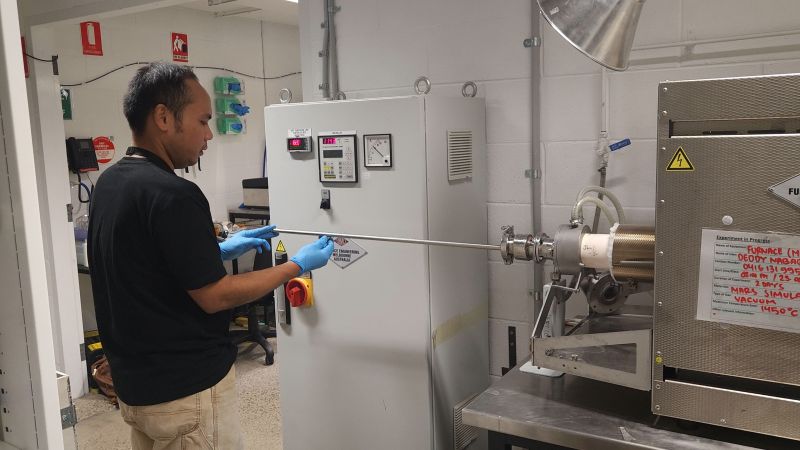
Though we’re going to be talking about Planetary Science in this series, we should recognize the irony that “ore” is a word without any real scientific meaning. What distinguishes ore from other rock is its utility to human industry: it has elements or compounds, like gems, that we want, and that we think we can get out economically. That changes over time, and one generation’s “rock” can be another generation’s “ore deposits”. For example, these days prospectors are chasing copper in porphyry deposits at concentrations as low as 1000 ppm (0.1%) that simply were not economic in previous decades. The difference? Improvements in mining and refining, as well as a rise in the price of copper. Continue reading “Ore Formation: Introduction And Magmatic Processes”

Don’t Say This DIY Diskette Was A Flop

Sometimes, you build a thing because you need a thing. Sometimes, you do it just to see if you can. This project is in category two: [polymatt] didn’t need to create a floppy disk from scratch-– plenty of old disks still exist– but we’re glad he made the attempt because it makes for a fascinating video that’s embedded below.

Some of you are going to quibble with the terminology [polymatt] uses in this video: first of all, he didn’t begin by creating the universe, so is he really starting “from scratch”? Secondly, the “floppy” format he’s attempting to copy is a 3½” diskette, which does not flop at all.

Choosing newer stiff-walled medium does allow him to practice his CNC skills and make the coolest-looking floppy enclosure we’ve ever seen. (It turns out brushed aluminum is even cooler-looking than the translucent neon ones.) On the other hand, we can’t help but wonder if a lower-density format 5¼” disk might have been an easier hurdle to jump. The diskette that was built does magnetize, but it can’t read or write actual files. We wonder if the older format might have been more forgiving of grain size and composition of his ferrite coating. Even more forgiving still would be to use these techniques to make magnetic tape  which is a perfectly viable way to store data.

Instead of storing data, you could make your own cleaning floppy. It’s not like data storage was really the point here, anyway– its not the destination, but the journey. So whatever you call this DIY diskette, please don’t call it a flop.

Thanks to [Anonymous] for the great tip!

Continue reading “Don’t Say This DIY Diskette Was A Flop”

Amiga Programming In 2025 With AmiBlitz

Having owned an Amiga microcomputer is apparently a little bit like having shaken hands with Shoggoth: no one can escape unchanged from the experience. Thirty-two years on, [Neil] at The Retro Collective remains haunted by the memories — specifically, the memory of BlitzBasic 2, an Amiga-specific programming language he never found the time to use. What better time to make a game for the Amiga than the year 2025 of the common era?

[Neil] takes us on a long journey, with more than a little reminiscing along the way. BlitzBasic may not have been the main programming language for the Amiga, but it was by no means the least, with a good pedigree that included the best-selling 1993 game Skidmarks. Obviously BlitzBasic was not a slow, interpreted language as one might think hearing “BASIC”. Not only is it a compiled language, it was fast enough to be billed as the next best thing to C for the Amiga, according to [Neil].

[Neil] wasn’t the only one whose dreams have been haunted by the rugose touch of the Amiga and its scquomose BlitzBasic language– you’ll find a version on GitHub called AmiBlitz3 that is maintained by [Sven] aka [honitas] to this day, complete with an improved IDE. The video includes a history lesson on the open-source AmiBlitz, and enough information to get you started.

For the vibe-coders amongst you, [Neil] has an excellent tip that you can use LLMs like ChatGPT to help you learn niche languages like this not by asking for code (which isn’t likely to give you anything useful, unless you’ve given it special training) but by requesting techniques and psudocode you can then implement to make your game. The LLM also proved a useful assistent for [Neil]’s excel-based pixel art workflow.

If you’re wondering why bother, well, why not? As [Neil] says, writing Amiga games is his version of a crossword puzzle. It may also be the only way to keep the dreams at bay. Others have taken to writing new operating systems  or reproducing PCBs to keep vintage Amiga hardware alive. If some gather under the light of the full moon to chant “Ia! Ia! Commodore f’thagan”– well, perhaps we can thank them for Commodore for rising from the sunless depths of bankruptcy once again.

Continue reading “Amiga Programming In 2025 With AmiBlitz”

Desk Top Peltier-Powered Cloud Chamber Uses Desktop Parts

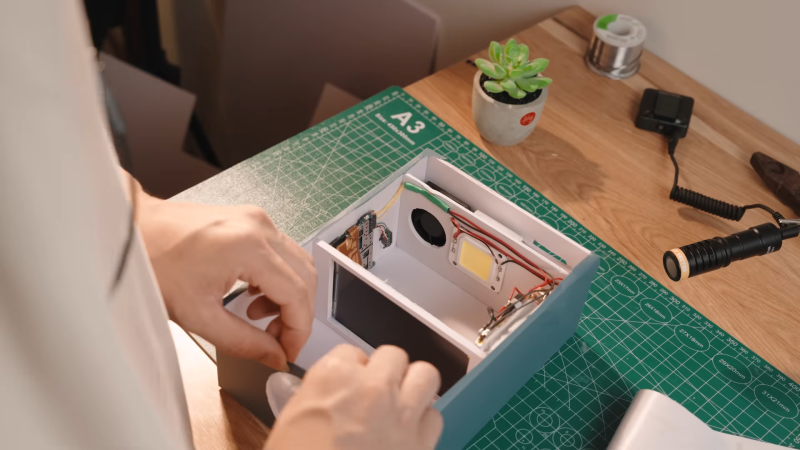
There was a time when making a cloud chamber with dry ice and alcohol was one of those ‘rite of passage’ type science projects every nerdy child did. That time may or may not be passed, but we doubt many children are making cloud chambers quite like [Curious Scientist]’s 20 cm x 20 cm Peltier-powered desktop unit.

The dimensions were dictated by the size of the off-the-shelf display case which serves as the chamber, but conveniently enough also allows emplacement of four TEC2-19006 Peltier cooling modules. These are actually “stacked” modules, containing two thermoelectric elements in series — a good thing, since the heat delta required to make a cloud chamber is too great for a single element. Using a single-piece two stage module simplifies the build considerably compared to stacking elements manually.

To carry away all that heat, [Curious Scientist] first tried heatpipe-based CPU coolers, but moved on to CPU water blocks for a quieter, more efficient solution. Using desktop coolers means almost every part here is off the shelf, and it all combines to work as well as we remember the dry-ice version. Like that childhood experiment, there doesn’t seem to be any provision for recycling the condensed alcohol, so eventually the machine will peter out after enough vapor is condensed.

This style of detector isn’t terribly sensitive and so needs to be “seeded” with spicy rocks to see anything interesting, unless an external electric field is applied to encourage nucleation around weaker ion trails. Right now [Curious Scientist] is doing that by rubbing the glass with microfiber to add some static electricity, but if there’s another version, it will have a more hands-off solution.

We’ve seen Peltier-Powered cloud chambers before (albeit without PC parts), but the “dry ice and alcohol” hack is still a going concern. If even that’s too much effort, you could just go make a cup of tea, and watch very, very carefully.

Continue reading “Desk Top Peltier-Powered Cloud Chamber Uses Desktop Parts”

Clock Of Clocks Expands, Goes Digital

Some people just want to have their cake and eat it too, but very few of us ever get to pull it off. [Erich Styger] has, though with V5 of his “MetaMetaClock”— a clock made of clocks, that uses the orientation of the hands to create digits.

We’ve seen previous versions of this clock. As before, the build is exquisitely detailed and all relevant files are on GitHub. This version keeps the acrylic light-pipe hands of version 4, but adds more of them: 60 clocks vs 24. Larger PCBs are used, grouping the dual-shaft steppers into groups of four, instead of the individual PCBs used before. Each PCB has an NXP LPC845 (a Cortex M0 microcontroller) that communicates on an RS-485 bus. Placing four steppers per microcontroller reduces parts count somewhat compared to previous versions (which had each ‘clock’ on its own modular PCB) albeit at the cost of some flexibility.

While the last version used veneers on its face, this version is cut by CNC by from a large slab of oak. It’s certainly the most attractive version yet, and while bigger isn’t always better, more clock faces means more potential effects. Date? Time? Block letters? Arbitrary text? Kaleidoscopic colours from the RGB LEDs? It’s all there, and since it’s open source, anyone who builds one can add more options. A BLE interface makes it quick and easy to wirelessly switch between them or set the time.

It’s nice sometimes to watch projects like this improve incrementally over time. [Erich] mentions that he plans to add Wifi and a web-based user interface for the next version. We look forward to it, and are grateful to  [jicasi] for the tip. Just as it is always clock time at Hackaday, so you can always toss a tip of your own into the box.

Continue reading “Clock Of Clocks Expands, Goes Digital”