For the last few years, the must-have feature that companies are competing to show off on their filament deposition 3D printers is multi-material printing. Be it tool swapping or a material-changing system, everyone wants to show they can give you the capability to make multicoloured plastic tchotchkes. So far, that hasn’t really been the case in the world of at-home resin printing — until now. A company called Polysynth, headed by a fellow named [Eric], hopes you’ll pay a premium for the ability to make multimaterial resin prints, and they show some interesting use cases in the video below.
The technique is simple: instead of one resin tank underneath the dipping build plate, [Eric]’s Polysynth printer has a carousel of up to eight small circular tanks. To avoid cross-contamination from uncured resin, the print needs to be cleansed between alternating dips in the different resin vats. Rather than add a wash vat and slow the process down that way, [Eric] and his team decided to use centrifugal force: they just spin the print really, really fast to fling all the uncured resin to the sides of the vat. Yes, really.
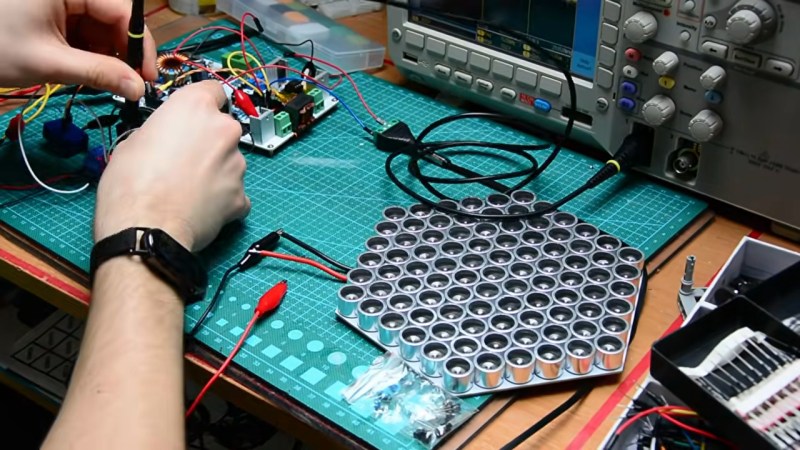
This project is perhaps the single most passive-aggressive thing we’ve ever seen on this site: rather than tell someone directly to ‘shut up’, [Blytical]’s speech jammer lets you hack their brain from across the room to stop them from speaking. It’s also a bit of an object lesson in why you shouldn’t just copy reference implementations without careful study — by his own implementation, [Blytical] was forced to learn a lot more than he intended going into this project.
The brain hack behind it is called ‘delayed auditory feedback’: by feeding their speech back to the target with a short delay — only 50 to 200 ms — it creates a confounding effect that is apparently very difficult to speak through. The array of ultrasound transducers is used to accurately aim the audio by serving as an inaudible, low-spread carrier wave, as we saw in another project this year. A shotgun mike picks up the audio from the speaker you wish to harass, and an array of audio processing circuitry takes care of the rest.
That’s where problems happen, as [Blytical] admits he just tossed some reference implementations onto a PCB without bothering to think too hard about what he was doing. It’s the datasheet version of vibe coding, and it usually goes about as well — sometimes perfectly, but rarely without a lot of troubleshooting. That troubleshooting is really, really hard when you don’t quite understand why things were laid out the way they were on the datasheet. We don’t blame [Blytical], you can learn a lot when you bite off more than you can chew. The fact that he risked this failure mode rather than do the whole thing in software with a Pi says good things about how he’s conducting his education.
If you’ve been thinking of getting into self-hosting generative AI, but don’t have a big budget for hardware, you might want to check out [Hardware Haven]’s latest video on an unusually cheap GPU option — but you’ll have to do so quickly, before the market realizes the chance for arbitrage and prices rise accordingly.
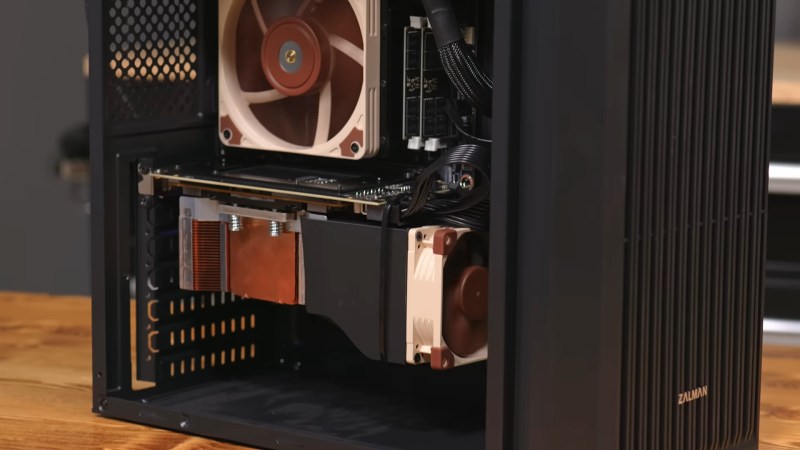
He’s gotten a hold of a 16 GB NVidia V100 card for only about a hundred bucks, mostly because it’s not easy to plug in, being on an SXM2 socket rather than the PCIe bus. SXM is a server architecture, and not something you’re likely to get on your motherboard. Another hundred got him an adapter board to fit this enterprise GPU on a consumer motherboard. That’s still a lot less than the PCIe version of the same card, which will likely set you back a thousand or more unless you get very lucky on eBay.
It’s not the newest card, dating back from 2017, but that doesn’t mean it can’t run the latest open models. After 3D printing a fan shroud for the thing so it didn’t cook itself, adding very slightly to the build cost, [Hardware Haven] set to work seeing what it could do. Going head-to-head against an RTX 3060 12 GB, the older V100 delivered more tokens per second at a slightly higher efficiency — but much higher idle power.
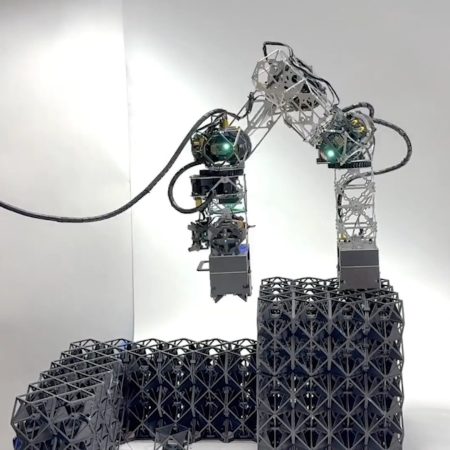
Well, it depends when you’re going to be househunting– if it’s anytime soon, Betteridge’s law applies, but if your time horizon is a ways further out, [Miana Smith] at MIT wants to make it happen. She’s got a paper out with an open-source inchworm robot designed to assemble structures from voxels– and what is a voxel but a giant, LEGO-esque brick?
There’s a demo video below, and it’s easier to understand the motion of this thing when you see it in action. The 5 degree-of-freedom MILAbot has actuators on both ends, and no traditional base– that’s the inchworm part. It grabs a brick while anchored to one part of the structure, then stays anchored to the new brick to keep building from that locale, so on and so on.
Note that we’re not talking about concrete bricks here, though conceivably you could use an inchworm-style actuator to assemble those. The ‘voxels’ in the study are engineered space-frame blocks which come together very easily, though admittedly would make for a very drafty home– you’d want to fill them with spray foam as a finishing step. So it’s more of a framing technique than a one-and-done thing. Still it is a technique that has something to recommend it compared to the 3D-printed concrete houses that get so much hype— and are already being torn down.
For instance, the researchers find that weather the voxels are plywood, PLA, or metal, the resulting structure has less embodied energy than any concrete structure, with 3D printed concrete being worst option by that metric– though the balloon-frame stick-build we in North America consider “conventional” is still the lowest of all. On the other hand, that balloon-frame building takes a crew to put together, and labour is expensive compared to robots. At the moment, however, the study admits balloon-framing wins on price, but that doesn’t mean it always will, and it’s a fun hack regardless.
So while your next house might not be made of LEGO by a robot inchworm, we’re still grateful to [Miana] for the tip.
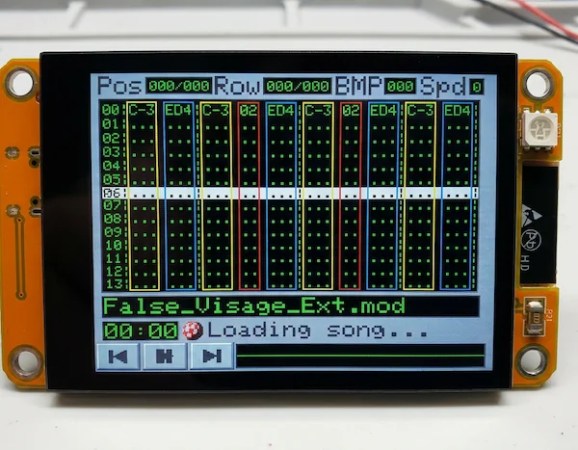
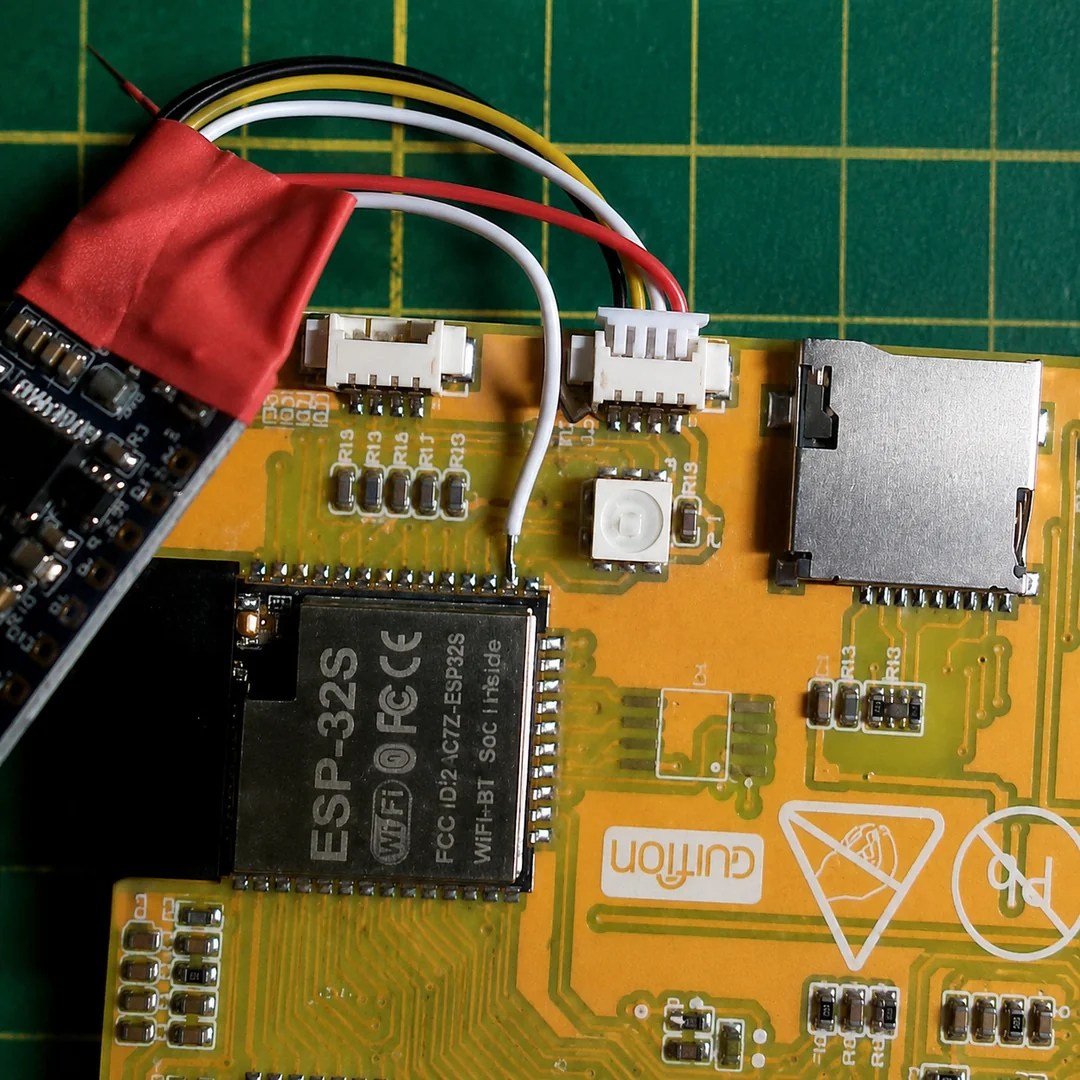
The Cheap Yellow Display is a great little module to start a project with, but it wouldn’t necessarily be our first choice for an audio device. That’s because the PWM on the ESP32 isn’t exactly going to put out hi-fi, and the I2C pins needed for the I2S audio protocol aren’t broken out on the CYD board. That didn’t stop [ivans805] AKA [Ill-Town-5623]– he wanted a mod tracker, he had a CYD board, and necessity is the mother of invention.
It isn’t exactly a ground-breaking hack: he’s just tossed a bodge wire to the pin he needs on the ESP32, and run it to the I2S sound module. Still, in this era of endless modules it’s nice to see someone hacking what they have rather than running to AliExpress or somewhere else for a part that has everything the project needs built in.
The bodge wire is how you know it’s a hack.
What really caught our eye when we saw this project on the ESP32 subreddit was the aesthetics. It might be called “Win95-Tracker-CYD” but that interface just screams “Amiga” to us– look at that Boing Ball! Given where MOD files come from, that’s perfect. The UI was made with Lopaka.app, which we haven’t seen before but appears to be a sort of WYSIWYG editor for embedded device interfaces.
The age of steam is long gone, but there are few railfans who don’t have a soft spot for the old rolling kettles. So you’d best believe when [AeroKoi] talks about 3D printed train whistles, that’s steam whistles. Generally speaking, Diesels have horns.
You would not expect printed plastic to hold up to live steam– but that’s why [AeroKoi] uses compressed air. Besides, it’s a lot easier to both justify and maintain an air compressor than a boiler in the shop. At least some hobbyists say it doesn’t make a huge difference with brass whistles, so it should be good enough for plastic. What’s interesting is that even with 120 PSI blasting through them, these multi-part prints held together and sounded amazing.
[AeroKoi] does demonstrate there was a learning curve to climb before he had a good whistle design, and shows you what features worked best. He shared two successes on Thingiverse: A 6-Chime whistle from the Sante Fe Railroad, and a Northern Pacific 5-chime whistle, both 4″ in diameter and printed in vertically sectioned parts. The Northern Pacific is not to be confused with the totally different Union Pacific Railroad, whose famous “Big Boy” also had a whistle feature in the video — though evidently he’s not as happy with it, since he did not share the design.
Those are all North American designs, but there’s no reason this technique wouldn’t work to replicate a more European sound; one of his early experiments was kind of going in that direction already. Of course if you want a perfect replica, the old ways are the best ways: cast brass and live steam. We’ve had a few articles about train whistles in the past, one of which was a doorbell.
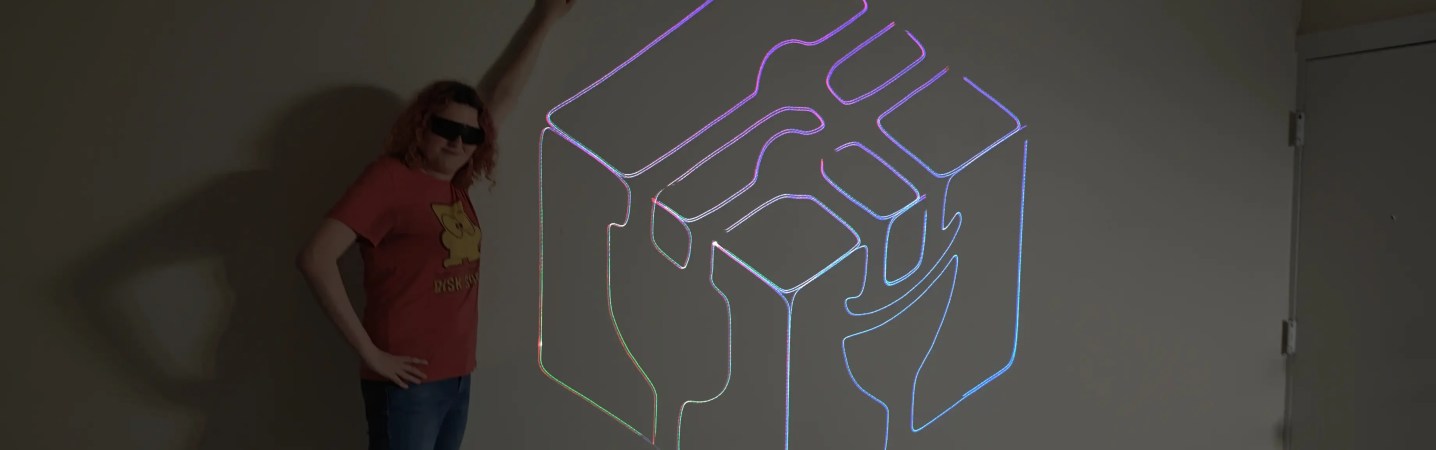
Have you thought about building a galvonometer-based laser projector, but don’t know where to start? There are a lot of resources out there, but you could do worse than to check out [Breq] and [Mia]’s laser vector project, which provides a very well-documented and low-cost starting point. They boast that the most expensive part of the project was the ANSI-certified safety glasses, which shows a dedication to safety we wish more people would show when playing with coherent light.
The rest of the parts — from the galvos to the RGB lasers module with dichoric mirrors to keep everything on the same beamline, to the ESP32 module driving everything — was ordered from AliExpress, and not from the most expensive vendors, either. Considering that, it works remarkably well.
If you’re not playing Asteroids on your vector display, why even bother?
Like all DIY laser projectors, this one does vector graphics, sweeping the beam fast enough that the human eye registers crisp, clean lines. Galvonometers, or galvos for short, take analog input, so a DAC is needed — fortunately the ESP32-S2 comes with a pair built in. The custom PCB of course has audio-in for the usual Lissajous lightshow or oscilloscope music, but with an ESP32 as the brains, you can do a lot just inside the projector.
Like what? Well, play Asteroids, for instance, using Wiimote controllers. Project a lovely clock. Render text input in various single-stroke fonts. More to the point, since this is a projector, take arbitrary SVG data and project literally any image you’d like — as long as it doesn’t have too many lines, at least. The galvos in this project are rated at 20,000 points per second, which is not exceedingly fast: they were chosen to meet the budget, not the greatest-possible speed.
More to the point is that this is one of the better-documented projects of this type we’ve seen. [Breq] doesn’t just tell us how to build the projector, but why they designed it that way. We really encourage you to give it a read if you’ve been thinking of getting into this sort of display.