Merry Christmas! Rip And Tear!

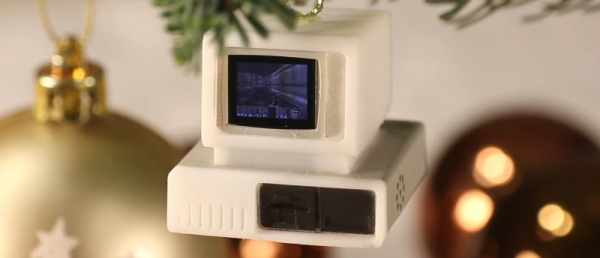
If you want a little mayhem on your Christmas tree, you can check out [Sprite_tm]’s tiny PC Christmas ornament. With 3D printing, that isn’t such a tall order, but [Sprite]’s does have a unique ability: it plays DOOM, as you can see in the video below.

The device uses an ESP32, and while [Sprite] had ported the iconic shooter to the microcontroller before, he decided to use a Game Boy port that is more lightweight instead. There were a few reasons for the choice, including the ability to do Bluetooth so you could connect controllers so you can play the game. The only catch was he had to pull off the flash memory and replace it with a larger one (see the second video below).

Granted, the screen is tiny, so it is sort of a novelty. But if you want to have a go, the files are all there. As you might expect, there is a tiny battery and the circuitry required to recharge it, as well. We’d probably make an adapter to let it charge from the Christmas lights, but that can wait for version 2.

The input device handling is a bit strange. Bluetooth BLE devices will automatically grab an input device that is in pairing mode. There is no provision for connecting using the “normal” Bluetooth mechanism. A fun project and you could use the case for some other tiny projects, too. A larger flash on an ESP32 has lots of possibilities, as well.

If you need a primer on the ESP32, we got it. If you want to play DOOM on something truly strange, try seven-segment displays.
Continue reading “Merry Christmas! Rip And Tear!”

PSA: Watch Out For White Filament

We all know that using 3D printing filament with exotic filament that has metal or carbon fibers in it will tend to wear standard nozzles. That’s why many people who work with filaments like that use something other than conventional brass nozzles like hardened steel. There are even nozzles that have a ruby or diamond surfaces to prevent wear. However, [Slant 3D] asserts something we didn’t know: white filament may be wearing your nozzle, too. You can see his argument in the video below.

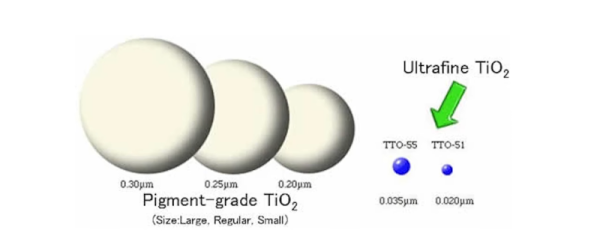
The reason? According to Slant 3D, the problem is the colorant added to make it white: titanium dioxide. Unlike some colorants, the titanium dioxide colorant has a large grain size. The video claims that the hard titanium material has a particle size of about 200 nm, which is much larger than, say, carbon black, which is about 20 times smaller.

Continue reading “PSA: Watch Out For White Filament”

The World’s Brightest Laser Pointer?

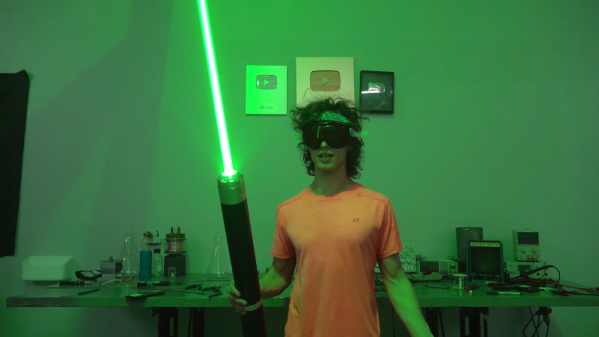
The videos from [styropyro] are always amusing and informative. However, ironically for him, he is alarmed that many green laser pointers are more powerful than they are supposed to be. Sure, you often want a powerful laser, but if you think a laser is safe and it isn’t, you could… well… put an eye out. See the video below to see what [styropyro] claims is the brightest laser pointer in the world.

The key is a possibly gray market very large green laser array. It appears to have at least 24 lasers and some pretty serious lenses. He tested the array first with a power supply and it looked like something out of a bad science fiction movie, even at reduced power.

Continue reading “The World’s Brightest Laser Pointer?”

Gift Idea From 1969: A Kitchen Computer

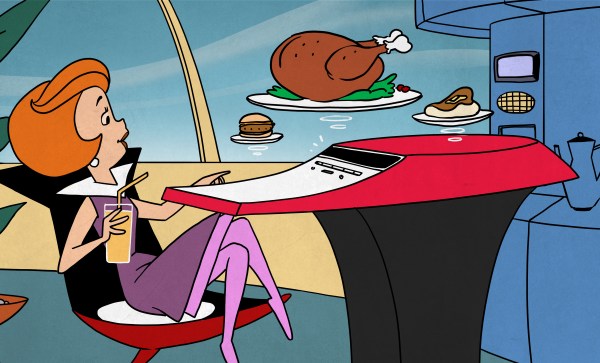
The end of the year is often a time for people to exchange presents and — of course — the rich want to buy each other the best presents. The Neiman Marcus company was famous for having a catalog of gift ideas. Many were what you’d consider normal gifts, but there were usually extreme ones, like a tank trunk filled with 100,000 gallons of cologne. One year, the strange gift was an authentic Chinese junk complete with sails and teak decks. They apparently sold three at $11,500 (in 1962 money, no less). Over the top? In 1969, they featured a kitchen computer.

Wait a minute! In 1969, computers were the purview of big companies, universities, and NASA, right? Well, not really. By that time, some industrial minicomputers were not millions of dollars but were still many thousands of dollars. The price in the catalog for the kitchen computer was $10,600. That’s about $86,000 in today’s money. The actual machine was a Honeywell 316, based on one of the computers that helped run the early Internet.

Continue reading “Gift Idea From 1969: A Kitchen Computer”

Homebrew 3D Printer Goop Promises Better Bed Adhesion

Back when 3D printers were pretty new, most of us had glass beds with or without painter’s tape. To make plastic stick, you’d either use a glue stick or hair spray. Many people have moved on to various other build surfaces that don’t require help, but some people still use something to make the bed sticky and there are quite a few products on the market that claim to be better than normal glue or hairspray. [Jonas] wanted to try it, but instead of buying a commercial product, he found a recipe online for “3D printer goop” and made it himself.

You need four ingredients: distilled water and isopropyl alcohol are easy to find. The other two chemicals: PVP and PVA powder, are not too hard to source and aren’t terribly dangerous to handle. The recipe was actually from [MakerBogans] who documents this recipe as “Super Goop” and has another formula for “Normal Goop.” You’ll probably have to buy the chemicals in huge quantities compared to the tiny amounts you really need.

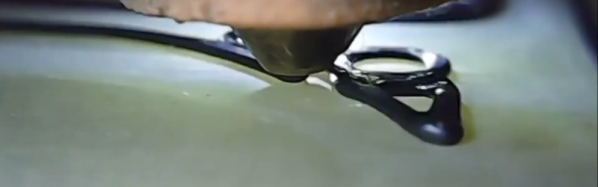
We assume the shots of the 3D printer printing its first layer is showing how effective the glue is. This looks like a very simple thing to mix up and keep in a sprayer. If you have some friends,  you could probably do a group buy of the chemicals and it would cost nearly nothing for the small amounts of chemicals you need.

If you don’t want to order exotic chemicals, you might not need them. We used to make “goop” by dissolving ABS in acetone, but hairspray usually did the trick.

Continue reading “Homebrew 3D Printer Goop Promises Better Bed Adhesion”

Designing To Remove Supports

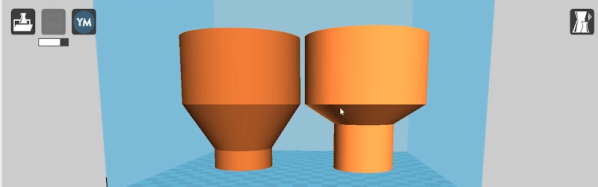
If you want to 3D print arbitrary shapes with an FDM printer, you often find you need supports. If you have dissolvable support material, that might not be a big issue, but if you use the same material for support as you print in, removing it can be difficult, depending on the location of the support and your slicer. At the very least, it is going to require more time and filament to print and at least some post-processing. [Slant 3D] asserts that you can always redesign the part using chamfers and fillets to avoid needing support to start with. Watch the video, below.

Of course, sometimes you just need to flip the part around. For example, the part in question — which is just an example — could just be rotated to avoid support, but that isn’t the point, of course. A fillet, however, still might need support, so you wind up having to do a double fillet to really avoid support.

Continue reading “Designing To Remove Supports”

Dirty TRS-80 Has A Surprise Hack

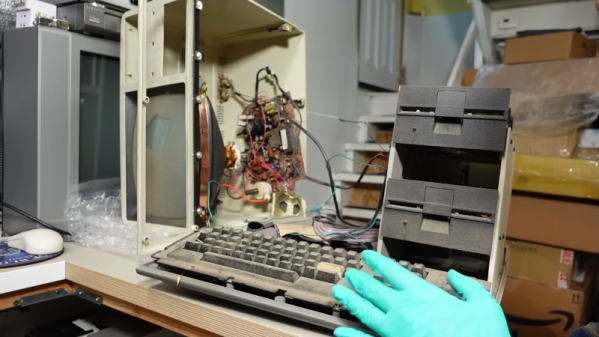
[Adrian] had a TRS-80 model IV that looks like it was stored in a mulch pile. However, it seemed to have some surprises. The first hint that something was up was that the keyboard looks like a model III and there are two mystery knobs in the back.

So what’s going on? You” have to watch [Adrian’s] video below to find out. At about the six-minute mark, you’ll find that things are not at all what you might think.

Continue reading “Dirty TRS-80 Has A Surprise Hack”