When [Carl] Says Jump, PCBs Say “How High?”

We’ve noticed that [Carl Bugeja] likes flexible PCBs. His latest exploit is to make PCB-based springs that combine with some magnets to create little devices that jump. We aren’t sure what practical use these might have, but they are undeniably novel and you can see them — um — jumping around, in the video, below.

[Carl] did many experiments with the spring construction and design. You can see several of the iterations in the video, not all of which worked out well. A PCB coil in the base becomes magnetized when current flows and this repels or attracts the magnets at the other end of the spring. What can you do with a PCB spring? We aren’t sure. Maybe this is how your next microrobot could climb stairs?

Adding stiffeners produced springs too stiff for the electromagnet to attract. We wondered if a different coil design at the base might be more effective. For that matter, you might not have to use a flat PCB coil in that position if you were really wanting to optimize the jumping behavior.

Usually, when we are checking in with [Carl] he is making PCB-based motors. Or, sometimes, he’s making PCB heaters for reflow soldering. We’ve seen jumping robots, before, of course. we will say the magnets seem less intense than using compressed air.

Continue reading “When [Carl] Says Jump, PCBs Say “How High?””

Testing Antennas With WSPR

There are many ways to test HF antennas ranging from simulation to various antenna analyzers and bridges. However, nothing can replace simply using the antenna to see how it works. Just as — supposedly — the bumblebee can’t fly, but it does so anyway, it is possible to load up some bed springs and make contacts. But it used to be difficult — although fun — to gather a lot of empirical data about antenna performance. Now you can do it all with WSPR and [TechMinds] suggests a moderately-priced dedicated WSPR transmitter to do the job. You can see a video about the results of this technique below.

While WSPR is often cited as taking the fun out of ham radio, it is perfect for this application. Connect the transmitter and a few hours later, visit a web page and find out where you’ve been heard by an objective observer. If you had a few of these, you could even examine several antennas at similar times and conditions.

Continue reading “Testing Antennas With WSPR”

Calculus Made Easy In The Car

If you had the traditional engineering education, you’ve made your peace with calculus. If you haven’t, you may have learned it on your own, but for many people, calculus has a reputation for being super difficult. While some of the details can be very tricky, the core concepts are actually simple and [Mathologer] has a very simple explanation along with some good graphics that can help you get started on calculus mastery if you’ve been putting it off. Using a car on the highway as the prototypical example, he covers quite a bit of ground in the 30 minute video that you can see below.

Of course, this isn’t a unique idea that calculus is actually simple. The video credits the great book “Calculus Made Easy” that we’ve talked about before. That 100-year-old (and then some) book has a similar approach to the topic.

Continue reading “Calculus Made Easy In The Car”

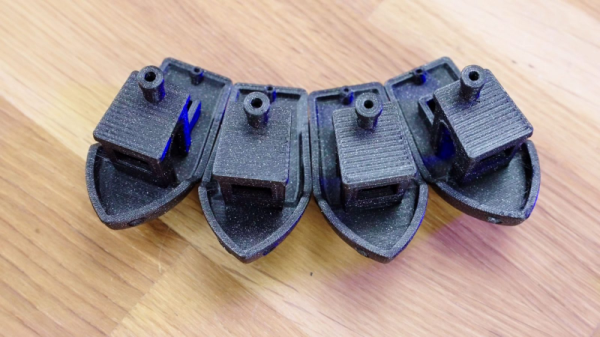
Go Big Or Go Home: 0.6 Mm Nozzles Are The Future

Most desktop fused deposition modeling (FDM) 3D printers these days use a 0.4 mm nozzle. While many people have tried smaller nozzles to get finer detail and much larger nozzles to get faster printing speed, most people stick with the stock value as a good trade-off between the two. That’s the conventional wisdom, anyway. However, [Thomas Sanladerer] asserts that with modern slicers, the 0.4 mm nozzle isn’t the best choice and recommends you move up to 0.6 mm.

If you know [Thomas], you know he wouldn’t make a claim like that without doing his homework. He backs it up with testing, and you can see his thoughts on the subject and the test results in the video below. The entire thing hinges on the Ultimaker-developed Arachne perimeter generator that’s currently available in the alpha version of PrusaSlicer.

We’ve experimented with nozzles as small as 0.1 mm and, honestly, it still looks like an FDM 3D print and printing takes forever at that size. But these days, if we really care about the detail we are probably going to print with resin, anyway.

There are a few slicer settings to consider and you can see the whole setup in the video. The part where an SLA test part is printed with both nozzles is particularly telling. This is something that probably shouldn’t print well with an FDM at all. Both nozzles had problems but in different areas.

Continue reading “Go Big Or Go Home: 0.6 Mm Nozzles Are The Future”

Inca Knots Inspire Quantum Computer

We think of data storage as a modern problem, but even ancient civilizations kept records. While much of the world used stone tablets or other media that didn’t survive the centuries, the Incas used something called quipu which encoded numeric data in strings using knots. Now the ancient system of recording numbers has inspired a new way to encode qubits in a quantum computer.

With quipu, knots in a string represent a number. By analogy, a conventional qubit would be as if you used a string to form a 0 or 1 shape on a tabletop. A breeze or other “noise” would easily disturb your equation. But knots stay tied even if you pick the strings up and move them around. The new qubits are the same, encoding data in the topology of the material.

Continue reading “Inca Knots Inspire Quantum Computer”

Your Own Engineering Workstation, With Mame

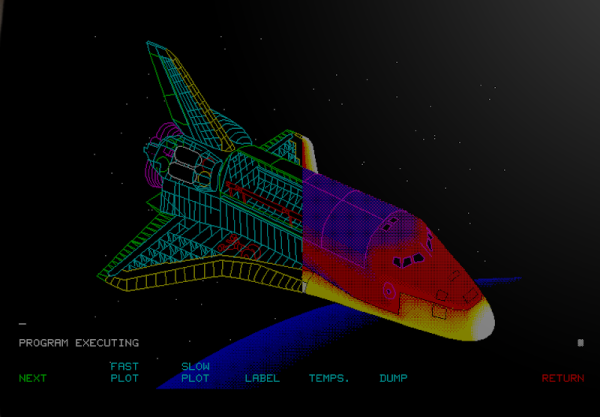
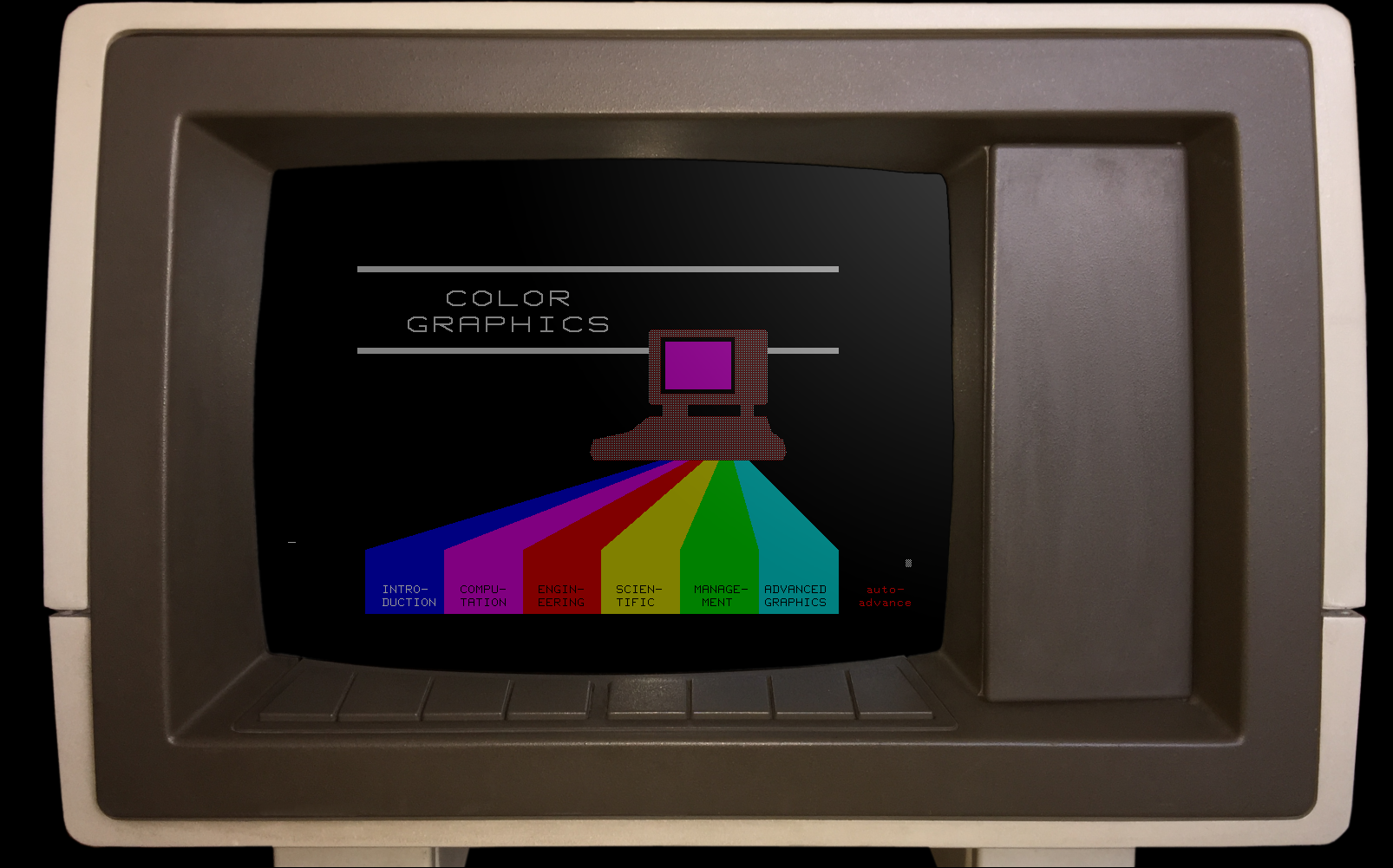
There are some things that leave indelible impressions in your memory. One of those things, for me, was a technical presentation in 1980 I attended — by calling in a lot of favors — a presentation by HP at what is now the Stennis Space Center. I was a student and it took a few phone calls to wrangle an invite but I wound up in a state-of-the-art conference room with a bunch of NASA engineers watching HP tell us about all their latest and greatest. Not that I could afford any of it, mind you. What really caught my imagination that day was the HP9845C, a color graphics computer with a roughly $40,000 price tag. That was twice the average US salary for 1980. Now, of course, you have a much better computer — or, rather, you probably have several much better computers including your phone. But if you want to relive those days, you can actually recreate the HP9845C’s 1980-vintage graphics glory using, of all things, a game emulator.

The Machine

The HP9845C with a Colorful Soft Key Display

Keep in mind that the IBM PC was nearly two years away at this point and, even then, wouldn’t hold a candle to the HP9845C. Like many machines of its era, it ran BASIC natively — in fact, it used special microcode to run BASIC programs relatively quickly on its 16-bit 5.7 MHz CPU. The 560 x 455 pixel graphics system had its own CPU and you could max it out with a decadent 1.5 MB of RAM. (But not, alas, for $40,000 which got you — I think –128K or so.)

The widespread use of the computer mouse was still in the future, so the HP had that wonderful light pen. Mass storage was also no problem — there was a 217 kB tape drive and while earlier models had a second drive and a thermal printer optional, these were included in the color “C” model. Like HP calculators, you could slot in different ROMs for different purposes. There were other options such as a digitizer and even floppy discs.

Continue reading “Your Own Engineering Workstation, With Mame”

Google Quantum, Virtually

Want to try a big quantum computer but don’t have the cash? Google wants to up your simulation game with their “Quantum Virtual Machine” that you can use for free.

On the face of it, it sounds like marketing-speak for just another quantum simulator. But if you read the post, it sounds like it attempts to model effects from a real Sycamore processor including qubit decay and dephasing along with gate and readout errors. This forms what Google calls “processor-like” output, meaning it is as imperfect as a real quantum computer.

If you need more qubits than Google is willing to support, there are ways to add more computing using external compute nodes. Even if you have access to a real machine of sufficient size, this is handy because you don’t have to wait in a queue for time on a machine. You can work out a lot of issues before going to the real computer.

This couldn’t help but remind us of the old days when you had to bring your cards to the central computer location and wait your turn only to find out you’d made a stupid spelling mistake that cost you an hour of wait time. In those days, we’d “desk check” a program carefully before submitting it. This system would allow a similar process where you test your basic logic flow on a virtual machine before suffering the wait time for a real computer to run it.

Of course, if you really need a quantum computer, the simulation is probably too slow to be practical. But at least this might help you work out the kinks on smaller problems before tackling the whole enchilada. What will you do with a quantum computer? Tell us in the comments.

Google, of course, likes its own language, Cirq. If you want a leg up on general concepts with a friendly simulator, try our series.