Dial-Up Is Still, Just Barely, A Thing

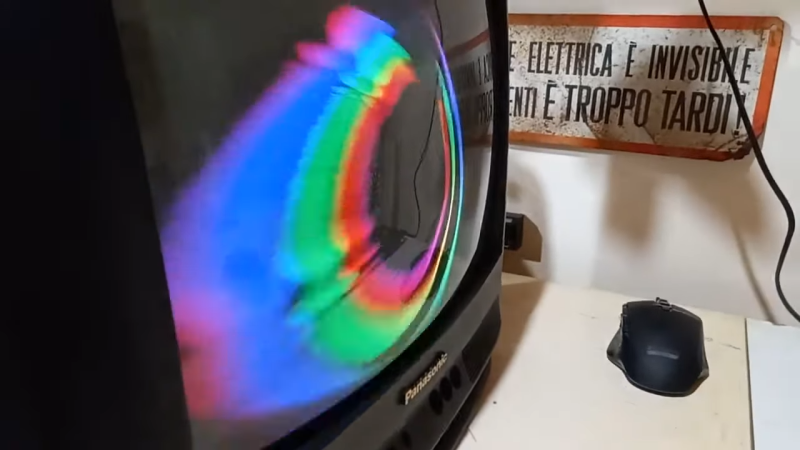
In an era dominated by broadband and wireless cellular networks, it might come as a surprise to many that dial-up internet services still exist in the United States. This persistence is not a mere relic of nostalgia — but a testament to the diverse and uneven nature of internet infrastructure across the country.

Yes, dial-up internet, with those screechy, crackly tones, remains a useful tool in areas where modern, high-speed internet services are either unaffordable or unavailable. Subscriber numbers are tiny, but some plough on and access the Internet by the old ways, not the new.

Continue reading “Dial-Up Is Still, Just Barely, A Thing”

Automated System Keeps Camper Van Air Fresh And Warm

Air quality has become a hot topic in recent years. [Ryan Stout] was interested in improving it in his camper van, and set about doing something about it. His solution was an automated system that provided cleaner air and better comfort to boot.

The concept was simple. [Ryan]’s system is based on an Arduino clone, and uses a SparkFun SCD40 as a CO2 sensor, and an MCP9808 for temperature. When the system detects excess carbon dioxide levels, it opens the MaxxAir fan in the camper by triggering it with an infrared signal. Similarly, when it detects excessively low temperatures inside the van, it kicks on a diesel furnace for heating. In a neat addition, to avoid the fan sucking in exhaust fumes, it also closes the fan in order to avoid exhaust fumes entering the camper unnecessarily. All the hardware was then  wrapped up in a simple 3D printed enclosure.

With this setup, [Ryan] has managed to cut the buildup of CO2 in his camper at night, and he credits this with reducing morning headaches when he’s out in the camper. We’d call that a win, to say nothing of the additional comfort created by the automatically-controlled heater! If you’re interested in something similar for your home HVAC system, we’ve got you covered.

Large Language Model Can Help You Develop For The Amiga

Developing for the Amiga used to involve reading dense programming manuals and trial and error. In contrast, developing these days can be as simple as barking orders at ChatGPT to spit you out some Python code. However, that technique doesn’t work so well for Amiga languages, as ChatGPT hasn’t read much about the now-ancient platform. However, as covered by AmigaNews, there is now a ChatGPT model trained specifically on Amiga development. Enter Amiga Guru.

The work of [Cameron Armstrong], Amiga Guru was built after his early experiments with ChatGPT spat out non-functional gibberish when Amiga-compatible code was requested. The model has been trained on a corpus of official Amiga programming manuals, third-party books, and even the documentation for AmigaOS 3.2 and 4.1.

Using the model yourself requires a subscription to ChatGPT Plus, which prevents this writer from testing it directly. However, it makes sense that having been directly trained on Amiga manuals, it would be more capable at answering Amiga programming queries than conventional ChatGPT 4.

It’s easy to see the value of such a system. Learning to program for older platforms can be hard, with less resources available for new learners. Having an AI to help could be useful for some eager to develop for the 68K-based machine.

If you’d like to try Amiga Guru, you can access it via this link. Be sure to let us know how you go, and whether you think it has any value for speeding up your own Amiga development. Otherwise, if you’ve been doing anything else nifty with the platform that Commodore bought and paid for, don’t hesitate to let us know!

[Thanks to Stephen Waters for the tip!]

A Simple Hack For Running Low-Power Gear From A USB Battery Pack

We’ve all been there. You’ve cooked up some little microcontroller project, but you need to unhook it from your dev PC and go mobile. There’s just one problem — you haven’t worked up a battery solution yet. “No problem!” you exclaim. “I’ll just use a USB battery pack!” But the current draw is too low, and the pack won’t stay on. “Blast!” you exclaim, because you’ve been watching too much Family Guy or something.

[PatH] had this very problem recently, when trying to work with Meshtastic running on a RAKwireless WisBlock Base Board. You’re supposed to hook up your own rechargeable LiPo battery, but [PatH] was in a hurry. Instead, a USB battery pack was pressed into service, but it kept shutting down. The simple trick was to just add a 100-ohm resistor across the device’s battery terminals. That took the current draw from just 15 mA up to 53 mA, which was enough to keep portable USB power banks interested in staying switched on.

It’s an easy hack for an oddball problem, and it just might get you out of a bind one day. If you’ve got any nifty tricks like this up your sleeve, don’t hesitate to let us know!

Optical Guitar Pickup Works With Nylon Strings

Electric guitar pickups rely on steel strings interfering with a magnetic field, the changes in which are picked up with coils of wire. That doesn’t work with nylon strings, because they don’t tend to perturb magnetic fields nearly as much, beyond some infinitesimal level that some quantum physicist could explain. So what do you do? You follow [Simon]’s example, and build an optical pickup instead.

The concept is simple. You place an LED and a phototransistor in a U-shaped channel, and place it so that the string runs through it. You repeat this for each string. Thus, as a string vibrates, it interrupts the light travelling from the LED to the phototransistor. This generates a voltage that varies with the frequency of the string’s vibration. Funnily enough, this type of pickup will work just fine on both nylon and steel strings, if you were so inclined to try it.

[Simon] designed a nifty PCB with six LED-phototransistor pairs (using off-the-shelf interruptor sensors) for use with a nylon-stringed guitar. He reports that sound from the strings comes through clearly, but that there is some noise that is evident in the pickup’s output, too. Listening to the demo, it seems to capture the sound of the nylon strings well, it’s just a shame that the noise floor is so high.

If you prefer your guitar pickups to be the regular magnetic kind, you can always wind your own from scrap. Demo after the break.

Continue reading “Optical Guitar Pickup Works With Nylon Strings”

Pager Lives Again Thanks To Python And Mastodon

Pagers were a big deal for a while there, even if they never quite made it into the pantheon of excellent sitcom plot devices like answering machines did. Anyway, [Finnley Dolfin] had some pagers and gave them a refresh for the modern era, using them to receive message alerts from Mastodon.

The project is laced together with a bunch of Python code. It uses the Mastodon library for interacting with the social media website. When it detects an incoming direct message, it hooks into DAPNET – the Decentralized Amateur Paging Network.  Via this network, a message is sent out over the airwaves to [Finnley’s] pager, serving as a notification that someone’s reached out to chat on Mastodon.

It’s neat that the amateur radio world is keeping pagers alive, using distributed base stations to share messages. Unfortunately, given the existence of smartphones, we don’t quite see pagers catching on again any time soon. And yet, [Finnley’s] setup has a certain level of old-school cool that no modern phone could match.

We’ve seen only a handful of pager hacks over the years, but they’re still pretty neat. If you’ve got your own cooking up in the workshop, drop us a line, yeah?

Cheap Microscope Can Take Amazing Images With Some Simple Upgrades

[Birdbrain] is trying to make their own microfluidic devices. To aid in this quest, they need a quality microscope to see what they’re doing. Instead of buying one outright, they purchased a cheap microscope and upgraded it to do the job instead.

Usability and performance is greatly improved over the stock unit, which was really only fit for learning purposes.

The cheap education-grade microscope cost around $50 USD, had few features, and wasn’t much chop out of the box. The worst part was the sample stage — which was poorly adjustable in the up-and-down axis and could only track about two centimeters up and down. There was no X or Y axis panning either, and it lacked a proper condensor iris, too. Oh, and the included camera module had a resolution of just 240p.

To fix these problems, the microscope was first outfitted with a fully redesigned X-Y-Z stage built out of old components from a salvaged DVD drive and an additional NEMA stepper motor. Camera-wise, it was hooked up with a 2K Raspberry Pi Camera Module 3 running at 10 to 15 frames per second, which broadcasts video over a local network for easy viewing on an external monitor. It also gained an epi-illumination setup for doing reflected light microscopy.

If you’re eager to build a quality microscope with all the controls you personally dream of, this could be a relevant project for you to study. We’ve featured some other builds along these lines before, too. Video after the break.

Continue reading “Cheap Microscope Can Take Amazing Images With Some Simple Upgrades”