RF Sniffing On-the-go

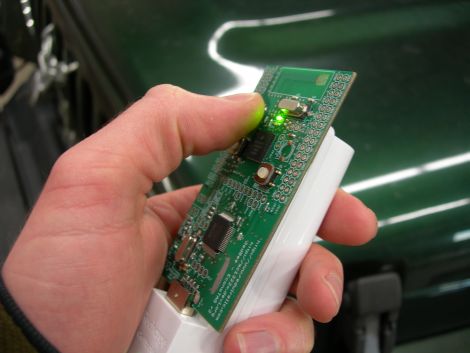
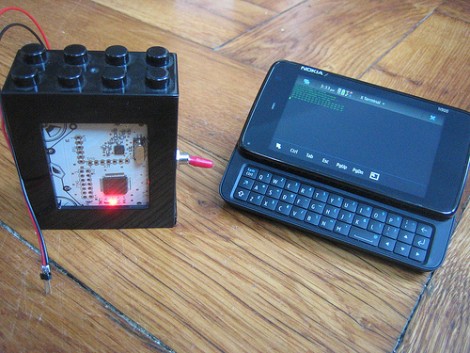
It’s been a while since we checked in on [Travis Goodspeed]. His latest post makes RF sniffing with the Next HOPE badge more portable by ditching the need to display data on a computer. He’s built on the work he did at the beginning of the year, replacing the FTDI chip on the badge with a Bluetooth module. Now he can use his Nokia N900 as a GoodFET terminal to not only display the packets pulled from the air, but the control the badge as well.

Previously, the client running on the computer was communicating with the badge via a serial connection. To get it working on the N900 [Travis] transitioned from using py-serial over to using py-bluez. All of the code changes are available from the GoodFET repository.

He’s got a few other tricks planned for this concept. He put in a parts order to add Bluetooth to the Girltech IM-ME. The pretty pink pager has the same radio chip on board, so adding Bluetooth connectivity will allow it to be used in the same way. There are also plans in the works to add a couple other packet sniffing protocols to the bag of tricks, including ZigBee.
Robot Vacuum Makes Cleaning Into A Game

This is not a Roomba hack, but a ground-up vacuum cleaner robot build. It’s the result of a class project from six students at the Royal Institute of Technology in Sweden. There’s a slew of information available in their paper, but fair warning that it’s an 8.6 MB PDF file that we couldn’t get Google to translate. We were able to skim the PDF and cut and paste to translate the interesting bits we found.

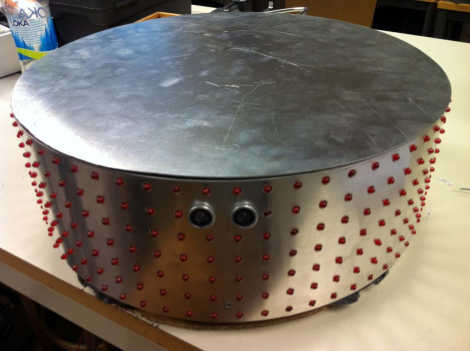
Unlike a Roomba, which just uses a little sweeper to pick up debris, this robot actually includes a vacuum. The image above shows that the cylindrical body is wrapped in an LED matrix, with an ultrasonic sensor on the front for obstacle avoidance. The robot uses a CAN bus to control the various modules inside. We don’t think there’s any autonomous function, but that’s made up for by the remote control. It communicates via a ZigBee module, and includes a d-pad, touch screen, and accelerometer.We’re a little bit hazy on how the games are played, but there are at least two interactive version: one called ball, and another modeled after the classic game of missile command.

You can check out the source code for the project in their repository, or join us after the break for two demo videos.

Continue reading “Robot Vacuum Makes Cleaning Into A Game”

Blox That Play Back

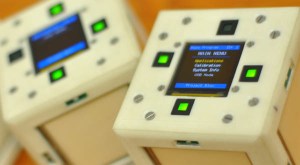
I’m sure most of us remember playing with blocks when we were kids, well now this age old children’s toy has been crammed full of electrical goodness by a team of Electrical Engineers from the University of Texas. The Blox, which are about the size of a standard Rubiks Cube each contain 16 IR sensors, 4 touch panels, a 3-axis accelerometer, a ZigBee Wireless Module, a 2″ OLED display and a battery, all controlled using an ARM Cortex processor.

The Blox show their full potential when used together as an interactive distributed computing system. Blox is an open source project so all of the build details, schematics and code can be found on the website. For an overview and demonstration of the Blox check out the video after the break.

Continue reading “Blox That Play Back”

Hackaday Links: Monday, May 30th

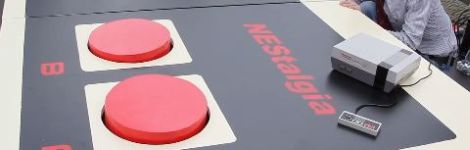
Huge, fully functional NES game pad replica

huge_nes_pad

Students at Dutch TU Delft university recently built a huge replica of the original NES controller (Google Translation), which is fully functional and can be used to play games on a large display screen they also installed. How big is it, you ask? It’s about 6 meters wide – over 30 times the size of the original NES game pad and requires participants to jump on the buttons to play.


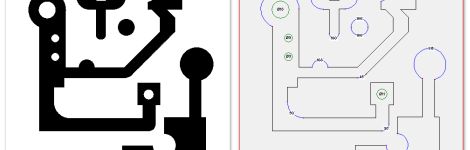
Convert any image to G-code

bitmap_to_gcode

Members of [Forskningsavdelningen], a Swedish hackerspace, are working on software that will allow users to vectorize bitmap images in order to convert them to G-code files for CNC milling. A good portion of the project is complete, but there is still a bit of work to do, so you won’t see it in action for a while. When it’s ready, we’ll be sure to let you know.


Convert your lame Dead Space plasma cutter into a bonafide laser weapon

dead_space_laser

If you forked out big bucks for the special edition of Dead Space 2, you know how lame the included plasma cutter replica is. Check out this video, that shows you how to convert your LED toy to a dual laser, fire starting, laser pistol. The process is pretty simple, so what are you waiting for?


Synchronized, LED-lit juggling balls

led_balls

[Jonathan] wrote in to share a project he and some friends have just finished. He’s not sharing a ton of details at the moment, but he has put up a video showing off their wireless LED juggling balls. All we know is that they use bright RGB LEDS, Zigbees for communication, and that they are awesome. We can’t wait to hear more about them!


Water cooled PS3 Laptop

watercooled_ps3

[Pirate] recently unveiled his latest work, a water-cooled Playstation 3 laptop. It looks pretty sharp, and can undoubtedly rival some of Ben Heck’s work, even if it does have an external PSU. Obviously having a separate power component isn’t necessarily ideal, but when you are cramming all of that water cooling goodness into such a small package, something has to give!

IP-based Engine Remote Enable Switch

remote_enable_switch

[Mariano] owns a late 90’s Jeep Wrangler, and had no idea just how easy it was to steal. Unfortunately for him, the guy who made off with his Jeep was well aware of the car’s vulnerabilities. The problem lies in the ignition – it can be broken out with a screwdriver, after which, the car can be started with a single finger. How’s that for security?

[Mariano] decided that he would take matters into his own hands and add a remote-controlled switch to his car in order to encourage the next would-be thief to move on to an easier target. He describes his creation as a “remote kill” switch, though it’s more of a “remote enable” switch, enabling the engine when he wants to start the car rather than killing it on command.

The switch system is made up of two pieces – a server inside the car’s engine bay, and a remote key fob. The server and the fob speak to one another using IPv6 over 802.15.4 (the same standard used by ZigBee modules). Once the server receives a GET request from the key fob, it authenticates the user with a 128-bit AES challenge/response session, allowing the car to be started.

It is not the simplest way of adding a remote-kill switch to a car, but we like it. Unless the next potential car thief digs under the hood for a while, we’re pretty sure [Mariano’s] car will be safe for quite some time.

Ball Bot Constructed From Power Tools And Pet Toys

ballbot

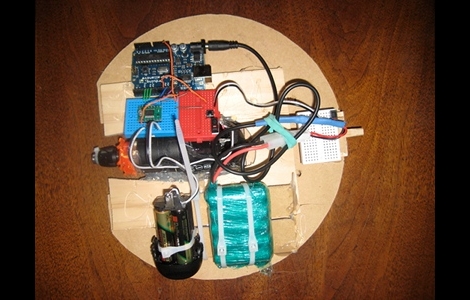
Hackaday forum member [machinelou] says he’s been fascinated with remote controlled hamster balls for quite some time. Inspired by a ball bot he saw on a BBC show, he finally picked up a 12″ plastic ball and got to work.

He used a small drill to provide the power required to roll the ball, and an Arduino is used as the brains of the device. This is his first major project outside of simple I/O and servo control, so he’s taking things slowly. While all this is a bit new to him, he already has things up and running to a degree as you can see in the video below. In its current state, the ball is programmed to roll forward and backwards for a few seconds before going back to sleep.

His future plans include adding a servo-controlled weight to allow him to steer the ball as well as using a pair of Zigbee modules in order to control the ball remotely.

It’s a neat little project, and definitely one that would be a fan favorite among kids. Stick around to see a quick video of his bot’s progress thus far.

Continue reading “Ball Bot Constructed From Power Tools And Pet Toys”

On Air Light Parses Webpage Data Wirelessly Without A Computer

[Matt Richardson] built this on-air light to indicate whether a Make streaming show is currently in progress. Despite the obvious cord leaving the bottom of the base (it’s a power cord) his creation is pulling data from the Internet wirelessly. He’s using an Xbee module along with an Arduino to pull this off.

In addition to the light itself there’s a base station that we haven’t seen before. The hardware is a Digi ConnectPort Zigbee-to-Internet Gateway. That’s a mouthful but it’s just a box that acts as an Xbee node and facilitates communication between its own Ethernet port and other Xbee devices in the network. So no, you don’t need a computer but you do need an Ethernet connection somewhere for the base station. [Matt] is running an open source software package on the ConnectPort call Xbee Internet Gateway (xig). Watch the video after the break to see the configuration for this package. It’s a snap, and if you’ve never used an Xbee module before this gives you a good idea of how easy it really is.

Continue reading “On Air Light Parses Webpage Data Wirelessly Without A Computer”