Have You Heard Of MCGA?

In the world of PC graphics, the early standards followed the various video cards of the day. There was MDA, familiar through the original text-based DOS prompt, CGA, then EGA, and the non-IBM Hercules along the way. Finally in 1987 IBM produced the VGA, or Video Graphics Array standard for their PS/2 line of computers, which became the bedrock on which all subsequent PC graphics cards, even those with digital outputs, have been built. It’s interesting then to read an account from [Dave Farquhar] of the other now-forgotten video standard that made its debut with the PS/2, MCGA, or Multicolor Graphics Array. This was intended as an entry-level graphics system to compete with the more multimedia-oriented home computers of the day such as the Commodore Amiga and Atari ST.

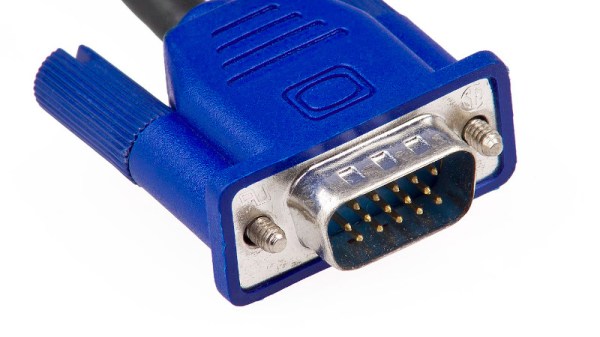
Offering 320×200 graphics at 256 colors but only two colors at 640×480 it’s difficult to see how it could have been a viable competitor to the Amiga’s 4096-color HAM mode, but it did offer the ability to drive an RGB monitor through its VGA-like socket. The story goes that IBM intended it to provide an upgrade incentive for PS/2 customers to buy a more powerful model with VGA, but in the event a host of third-party VGA-compatible cards emerged and allowed more traditional ISA computers from third parties to retain a competitive edge and eventually sideline the PS/2 line entirely.

We called time on VGA back in 2016, and it’s fair to say that it’s disappeared from PC hardware since then even if much of its technologies still lurk within. It’s pleasing to see though that it remains a stalwart of hacked-together display interfaces, with efforts such as this 7400-based VGA card continuing to impress us.


Kindle, EPUB, And Amazon’s Love Of Reinventing Wheels

Last last month, a post from the relatively obscure Good e-Reader claimed that Amazon would finally allow the Kindle to read EPUB files. The story was picked up by all the major tech sites, and for a time, there was much rejoicing. After all, it was a feature that owners have been asking for since the Kindle was first released in 2007. But rather than supporting the open eBook format, Amazon had always insisted in coming up with their own proprietary formats to use on their readers. Accordingly, many users have turned to third party programs which can reliably convert their personal libraries over to whatever Amazon format their particular Kindle is most compatible with.

Native support for EPUB would make using the Kindle a lot less of a hassle for many folks, but alas, it was not to be. It wasn’t long before the original post was updated to clarify that Amazon had simply added support for EPUB to their Send to Kindle service. Granted this is still an improvement, as it represents a relatively low-effort way to get the open format files on your personal device; but in sending the files through the service they would be converted to Amazon’s KF8/AZW3 format, the result of which may not always be what you expected. At the same time the Send to Kindle documentation noted that support for AZW and MOBI files would be removed later on this year, as the older formats weren’t compatible with all the features of the latest Kindle models.

If you think this is a lot of unnecessary confusion just to get plain-text files to display on the world’s most popular ereader, you aren’t alone. Users shouldn’t have to wade through an alphabet soup of oddball file formats when there’s already an accepted industry standard in EPUB. But given that it’s the reality when using one of Amazon’s readers, this seems a good a time as any for a brief rundown of the different ebook formats, and a look at how we got into this mess in the first place.

Continue reading “Kindle, EPUB, And Amazon’s Love Of Reinventing Wheels”

A Minimal Motoring Manifesto

A couple of years ago, Hackaday published an article, “Electric Vehicles Continue the Same Wasteful Mistakes That Limit Longevity“, in which we took a look at the way the car industry, instead of taking the move to electric traction as an opportunity to simplify their products, was instead making their electric offerings far more complex. It touched a nerve and received a very large comment volume, such that now it is our 19th most commented story of all time.

It’s something brought back to the fore by seeing a The Drive piece bemoaning the evolution of the automobile as a software receptacle governed by end-user licenses rather than a machine under the control of its owner. In turn that’s posed the question: Just what do you really need for a car, and what is superfluous? Time to provide an answer to that question, so here it is: a minimal motoring manifesto. Continue reading “A Minimal Motoring Manifesto”

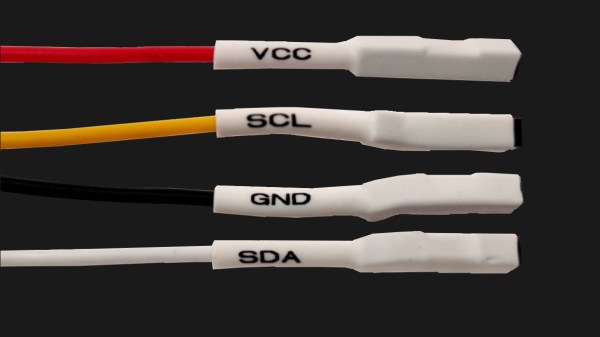
Four jumper wires with white heatshrink on them, labelled VCC, SCL, SDA and GND

The Connector Zoo: I2C Ecosystems

I2C is a wonderful interface. With four wires and only two GPIOs, you can connect a whole lot of sensors and devices – in parallel, at that! You will see I2C used basically everywhere, in every phone, laptop, desktop, and any device with more than a few ICs inside of it – and most microcontrollers have I2C support baked into their hardware. As a result, there’s a myriad of interesting and useful devices you can use I2C with. Occasionally, maker-facing companies create plug-and-play interfaces for the I2C device breakouts they produce, with standardized pinouts and connectors.

Following a standard pinout is way better than inventing your own, and your experience with inconsistent pin header pinouts on generic I2C modules from China will surely reflect that. Wouldn’t it be wonderful if you could just plug a single I2C-carrying connector into an MPU9050, MLX90614 or HMC5883L breakout you bought for a few dollars, as opposed to the usual hurdle of looking at the module’s silkscreen, soldering pin headers onto it and carefully arranging female headers onto the correct pins?

As with any standard, when it comes to I2C-on-a-connector conventions, you would correctly guess that there’s more than one, and they all have their pros and cons. There aren’t quite fifteen, but there’s definitely six-and-a-half! They’re mostly inter-compatible, and making use of them means that you can access some pretty powerful peripherals easily. Let’s start with the two ecosystems that only have minor differences, and that you’ll encounter the most! Continue reading “The Connector Zoo: I2C Ecosystems”

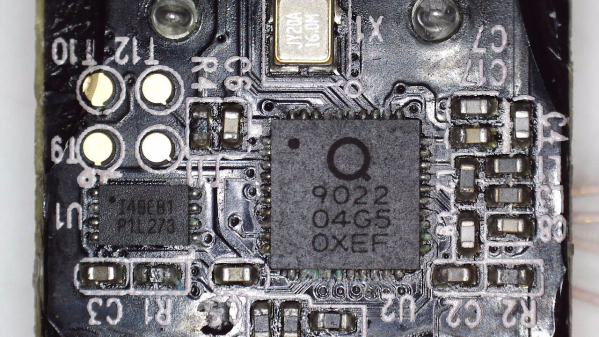
The microcontroller described in the article, on the PCB taken out of the kettle

Dumping Encrypted-At-Rest Firmware Of Xiaomi Smart Kettle

[aleaksah] got himself a Mi Smart Kettle Pro, a kettle with Bluetooth connectivity, and a smartphone app to go with it. Despite all the smarts, it couldn’t be turned on remotely. Energized with his vision of an ideal smart home where he can turn the kettle on in the morning right as he wakes up, he set out to right this injustice. (Russian, translated) First, he tore the kettle down, intending to dump the firmware, modify it, and flash it back. Sounds simple enough — where’s the catch?

This kettle is built around the QN9022 controller, from the fairly open QN902X family of chips. QN9022 requires an external SPI flash chip for code, as opposed to its siblings QN9020 and QN9021 which have internal flash akin to ESP8285. You’d think dumping the firmware would just be a matter of reading that flash, but the firmware is encrypted at rest, with a key unique to each MCU and stored internally. As microcontroller reads the flash chip contents, they’re decrypted transparently before being executed. So, some other way had to be found, involving the MCU itself as the only entity with access to the decryption key.

Continue reading “Dumping Encrypted-At-Rest Firmware Of Xiaomi Smart Kettle”

The Sinclair ZX Spectrum Turns 40

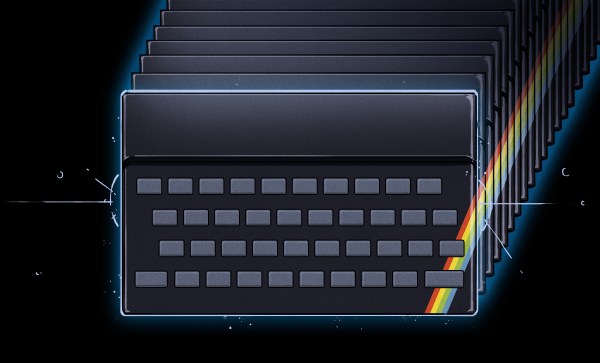
It’s an auspicious moment for retrocomputing fans, as it’s now four decades since the launch of the Sinclair ZX Spectrum. This budget British microcomputer was never the best of the bunch, but its runaway success and consequent huge software library made it the home computer to own in the UK. Here in 2022 it may live on only in 1980s nostalgia, but its legacy extends far beyond that as it provided an entire generation of tech-inclined youngsters with an affordable tool that would get them started on a lifetime of computing.

What Was 1982 Really Like?

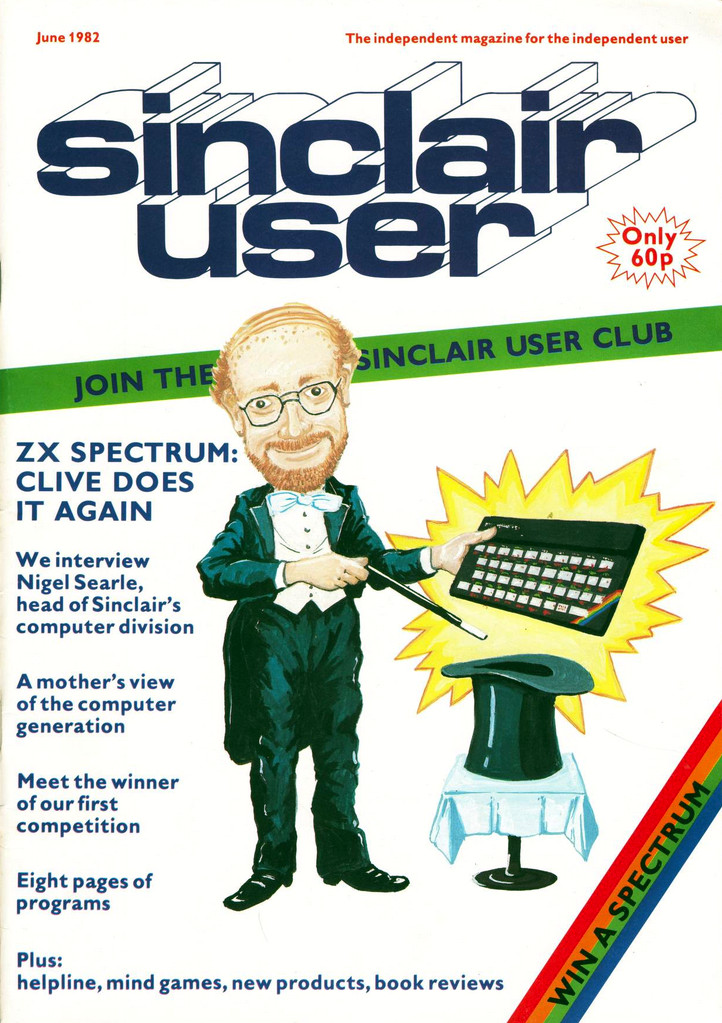
Cover of Sincalir User, Sir Clive Sinclair as a magician
Sinclair User issue 3 captures the excitement surrounding the Spectrum launch.

There’s a popular meme among retro enthusiasts that the 1980s was a riot of colour, pixel artwork, synth music, and kitschy design. The reality was of growing up amid the shabby remnants of the 1970s with occasional glimpses of an exciting ’80s future. This was especially true for a tech-inclined early teen, as at the start of 1982 the home computer market had not yet reached its full mass-market potential. There were plenty of machines on offer but the exciting ones were the sole preserve of adults or kids with rich parents. Budget machines such as Sinclair’s ZX81 could give a taste of what was possible, but their technical limitations would soon become obvious to the experimenter.

1982 was going to change all that, with great excitement surrounding three machines. Here in the UK, the Acorn BBC Micro had been launched in December ’81, the Commodore 64 at the start of ’82, and here was Sinclair coming along with their answer in the form of first the rumour of a ZX82, and then the reality in the form of the Spectrum.

This new breed of machines all had a respectable quantity of memory, high-res (for the time!) colour graphics, and most importantly, sound. The BBC Micro was destined to be the school computer of choice and the 64 was the one everybody wanted, but the Spectrum was the machine you could reasonably expect to get if you managed to persuade your parents how educational it was going to be, because it was the cheapest at £125 (£470 in today’s money, or about $615). Continue reading “The Sinclair ZX Spectrum Turns 40”

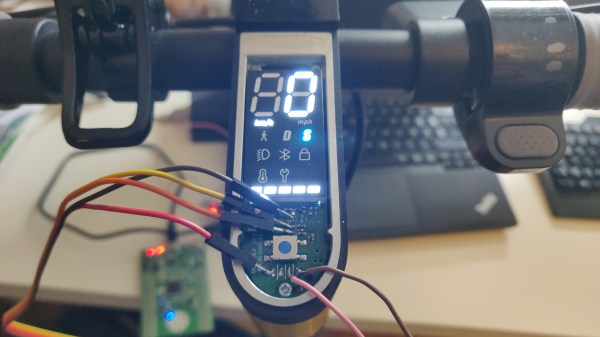
The dash of Xiaomi Mi 1S scooter, with the top panel taken off and an USB-UART adapter connected to the dashboard, sniffing the firmware update process

Xiaomi Cryptographically Signs Scooter Firmware – What’s Next?

[Daljeet Nandha] from [RoboCoffee] writes to us, sharing his research on cryptographic signature-based firmware authenticity checks recently added to the Xiaomi Mi scooter firmware. Those scooters use an OTA firmware update mechanism over BLE, so you can update your scooter using nothing but a smartphone app – great because you can easily get all the good new features, but suboptimal because you can easily get all the bad new features. As an owner of a Mi 1S scooter but a hacker first and foremost, [Daljeet] set up a HTTPS proxy and captured the firmware files that the app downloaded from Xiaomi servers, dug into them, and summarized what he found.

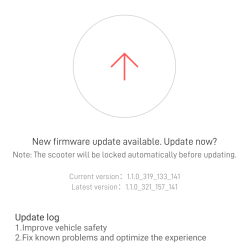
Scooter app firmware update dialog, saying "New firmware update available. Update now?"
Confirming this update will indefinitely lock you out of any third-party OTA updates

Unlike many of the security measures we’ve seen lacking-by-design, this one secures the OTA firmware updates with what we would consider the industry standard – SHA256 hash with elliptic cryptography-backed signing. As soon as the first firmware version implementing signature checks is flashed into your scooter, it won’t accept anything except further firmware binaries that come with Xiaomi’s digital signature. Unless a flaw is found in the signature checking implementation, the “flash a custom firmware with a smartphone app” route no longer seems to be a viable pathway for modding your scooter in ways Xiaomi doesn’t approve of.

Having disassembled the code currently available, [Daljeet] tells us about all of this – and more. In his extensive writeup, he shares scripts he used on his exploration journey, so that any sufficiently motivated hacker can follow in his footsteps, and we highly recommend you take a look at everything he’s shared. He also gives further insights, explaining some constraints of the OTA update process and pointing out a few security-related assumptions made by Xiaomi, worth checking for bypassing the security implemented. Then, he points out the firmware filenames hinting that, in the future, the ESC (Electronic Speed Control, responsible for driving the motors) board firmware might be encrypted with the same kind of elliptic curve cryptography, and finds a few update hooks in the decompiled code that could enable exactly that in future firmware releases.

One could argue that these scooters are typically modified to remove speed limits, installed there because of legal limitations in a variety of countries. However, the legal speed limits are more nuanced than a hard upper boundary, and if the hardware is capable of doing 35km/h, you shouldn’t be at mercy of Xiaomi to be able to use your scooter to its full extent where considerate. It would be fair to assert, however, that Xiaomi did this because they don’t want to have their reputation be anywhere near “maker of scooters that people can modify to break laws with”, and therefore we can’t expect them to be forthcoming.

Furthermore, of course, this heavily limits reuse and meaningful modification of the hardware we own. If you want to bring a retired pay-to-ride scooter back to usefulness, add Bluetooth, or even rebuild the scooter from the ground up, you should be able to do that. So, how do we go around such restrictions? Taking the lid off and figuring out a way to reflash the firmware through SWD using something like a Pi Pico, perhaps? We can’t wait to see what hackers figure out.