The Arduino Operating System

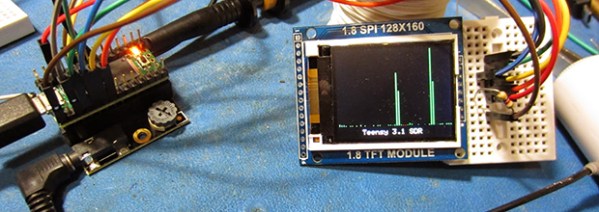
WGPIOhile Arduino and its libraries are the quickest way to interface with a sensor and blink an LED, sometimes you shouldn’t have to write and compile code to do something exceptionally simple. [Oliver] realized most of the overly simple functions of a microcontroller could be done from a command line running on that microcontroller and came up with the MiniPirate, the Arduino command line tool.

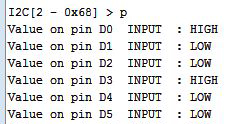
The MiniPirate is just a sketch compiled on the Arduino that allows pins to be set high or low, set a PWM value, or reading and writing I2C bytes. It’s basically an extremely slimmed down version of the Bus Pirate meant for extremely simple modifications of circuits and peripherals.

[Oliver] demos his MiniPirate by taking a DS1307 real-time clock, wiring up the I2C bus, and writing values to set the time. It’s a very simple implementation meaning he needs to write everything in hex, but it’s still easy enough to find a use in many other projects.

Sci-Fi Contest Roundup: Thinking 4th Dimensionally

Notwithstanding [John Titor] and his time travelling ’67 Corvette convertible, the coolest time machine on wheels has to be the DeLorean from Back to the Future. BTTF is apparently a very popular theme for our sci-fi contest, with a lot of great entries.

You mean to tell me  you made a time machine? Out of a Hyundai Accent?

fluxAfter a careful bit of research, it appears the Hyundai Accent (GLS) has both a higher top speed and faster 0-60 time than a DeLorean, and that’s before the installation of time circuits, a flux capacitor, and plutonium reactor. [docbrownjr] and [Jennifer] decided their Accent was the perfect vehicle for a time machine conversion and decided to add a Mr. Fusion  to the mix.

Like the on-screen version, this version of a Mr. Fusion is made from a kitchen appliance. With the original Krups coffee grinder out of production, the team settled on an iced tea machine. There will, however, be copious amounts of dry ice involved,  as will half-empty beer cans and banana peels.

WiFi-enabled Flux Capacitor
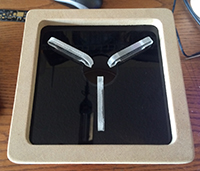
ledAfter knocking his head on a toilet, [Beamsjr] came up with a great idea – a networked flux capacitor, able to display the Teamcity build progress.

This build is going all out with custom PCBs – one for the controller board, and three for the shift registered LEDs underneath the acrylic knobbies in the flux capacitor. WiFi is provided by the TI CC3000 module, with the main microcontroller being an ATmega 328p,

Time circuits on
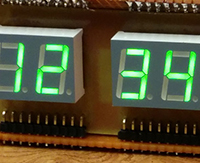
segmentsHonestly, we’d be a bit disappointed if this contest didn’t have a BTTF time circuit build entry. Luckily for us, [atheros] and [bwa] are on top of things with their time circuit clock, complete with an alarm and FM radio receiver (FM isn’t going to work in 1955, guys).

Unlike a few other time circuit builds we’ve seen over the years, the guys are doing this one up right, with 14-segment LEDs for the month display. They’re etching their own boards for this one, and it’s looking like it’ll be a very cool project when it’s complete.

A H-Bridge Motor Controller Tutorial Makes It Simple To Understand

hbridge tutorial

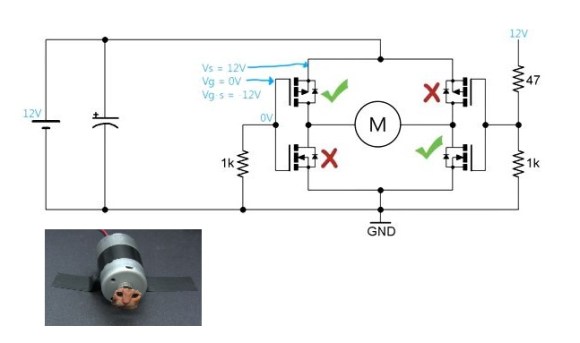
[Afroninja] is back with another great tutorial on basic electronics. This time around he’s explaining H-Bridge motor controllers and how they work!

Even if you don’t have much (or any) experience with basic electrical circuits, [Afroninja] explains the concept of an H-Bridge motor controller in a clear, concise and easy way to understand. So what’s an H-Bridge anyway? For any project using DC motors, if you want to be able to spin up the motor in either direction, you’re going to need a method to power the motor in two different configurations, i.e. you’re going to have to swap the polarity some how.

The easiest way of doing this is with an H-Bridge. It’s called an H-Bridge… because it’s shaped like an H, with the motor in the very middle. It allows both polarities to control the motor — however if you do it with just plain old switches or relays, you could short the circuit if you try going in both directions at once! To solve this, [Afroninja] explains how to poka-yoke (Japanese term for Idiot-Proof) the circuit, by using transistors which will sink the voltage if you try to abuse the circuit.

It’s a 5 minute video and well worth the watch — stick around after the break to learn more!

Continue reading “A H-Bridge Motor Controller Tutorial Makes It Simple To Understand”

NES Cartridge Hack Makes Great Novelty Gift

NES cartridge with arduino

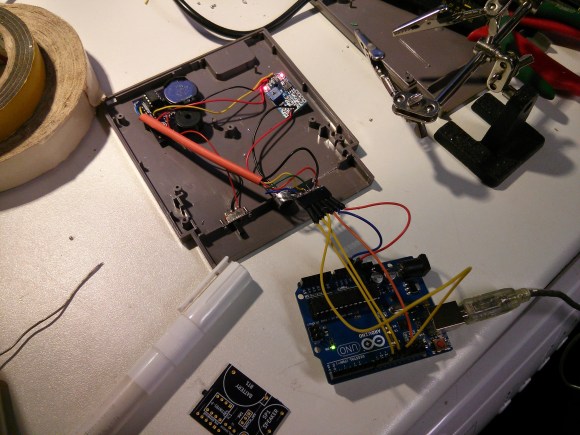
Most all of us recall the Blinking Screen of Death on original NES systems. This was caused by a bad connection between the cartridge and the NES cartridge connector. For whatever reason, it became a very popular idea to give a quick blow down the cartridge, even though this didn’t really help. [Dale] decided to play on this annoying problem by making the NES Blow Cart!

Inspired by a previous cartridge hack, [Dale] mounted a custom made circuit sporting the ever popular ATtiny85 in a Super Mario / Duck Hunt cartridge. A small microphone sits where the original cartridge connector was, along with the on/off switch and program header. A quick blow triggers the ATtiny85 to play a song.

The most difficult part for [Dale] was to figure out how to get the ATtiny to play “music”. This was solved with the discovery of a library called Rtttl. This allowed him to take old Nokia Super Mario and Zelda ringtones and get them on the Attiny85. All files, including the rtttl library are available on his github. Be sure to stick around after the break for a video of the project in action.

Continue reading “NES Cartridge Hack Makes Great Novelty Gift”

Interactive LED Beer Pong Table Has More Features Than You Can Shake A Stick At

LED Beer Pong

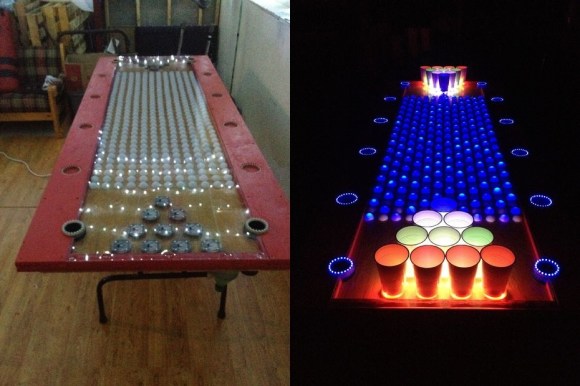
Holy cow. The amount of detail and functionality that went into this Interactive LED Beer Pong Table is absolutely incredible.

The table features 384 individually controlled RGB LEDs, covered with a 2′ x 8′ Lexan sheet to protect them from spills. Each cup holder (pod) contains an additional 4 RGB LEDs and an IR sensor that can detect whether or not the cup is in place — if it is removed, the IR sensor triggers an animation on either the 32 x 12 LED grid across the middle of the table or the other pods.

The rings of LEDs on the outside edge act as VU meters and pulse to the music in different animation patterns. What is really impressive is that [Jeff] also included a ping pong ball washer — A water reservoir connects under the table between the two LED rings at either end. When you put the ball into one, it gets sucked underneath and pops out the other side clean!

You seriously have to see the video of this thing in action.

Continue reading “Interactive LED Beer Pong Table Has More Features Than You Can Shake A Stick At”

Overengineering A USB Hub

hub

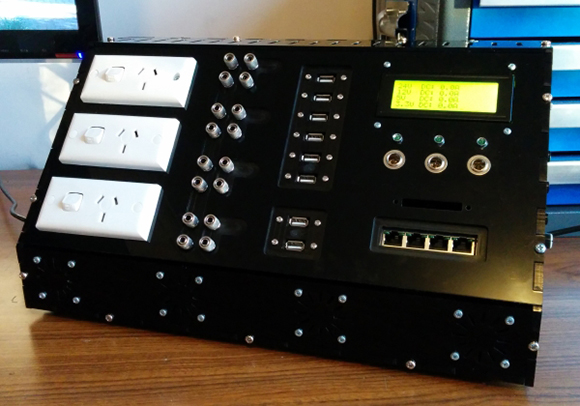
Like many of us, I’m sure, [Nick] doesn’t like digging around behind his computer case for a spare USB port and ended up buying a small USB hub for his desk. The hub worked perfectly, but then [Nick] realized an Ethernet port would be a nice addition. And a DC power supply. Then feature creep set in.

What [Nick] ended up building is a monstrosity of a desk hub with two 24V,  5V, 3.3V 50 Watt DC outputs on banana plugs, a five-port USB hub, four-port Ethernet switch, three mains sockets, 32 digital I/Os, UART, SPI, and I2C ports, a 24×4 LCD or displaying DC current usage and serial input, cooling fans, and a buzzer just or kicks.

The case is constructed out of 6mm laser cut acrylic, and the electronics are admittedly a bit messy. That said, this box does seem very useful and even plays the theme from Mario Brothers, as seen in  the video below.

Continue reading “Overengineering A USB Hub”

Building A Software Defined Radio With A Teensy

[Rich, VE3MKC] has been wanting to get into Software Defined Radio for a while now, but didn’t want to go the usual PC route. He initially thought the Raspberry Pi would be the best platform for a small, embedded device that could manipulate audio, but after discovering the ARM-powered Teensy 3.0, had an entirely different project in mind.

[Rich] is using a SoftRock SDR to take RF from an antenna and downconvert it into the audio range. Doing DSP for SDR is fairly computationally intensive, but he found a Teensy 3.0 with the audio adapter board was more than up to the task.

So far, [Rich] is running the audio from the SoftRock to the Teensy where the audio is digitized and multiplied with a VFO, sent through a filter and then sent to the output of the headphone jack to a speaker. The volume pot on the audio adapter board is used to tune the VFO, something [Rich] be replacing with a proper encoder sometime in the future.

In the videos below, you can see [Rich] listening in on a contest with a tiny TFT display showing everybody on the air. It’s a very cool build, and even though it’s still very early in development, there’s still a whole lot of CPU cycles for the Teensy to do some very cool stuff.

Continue reading “Building A Software Defined Radio With A Teensy”