Vintage Computer Festival East Was A Retro Madhouse

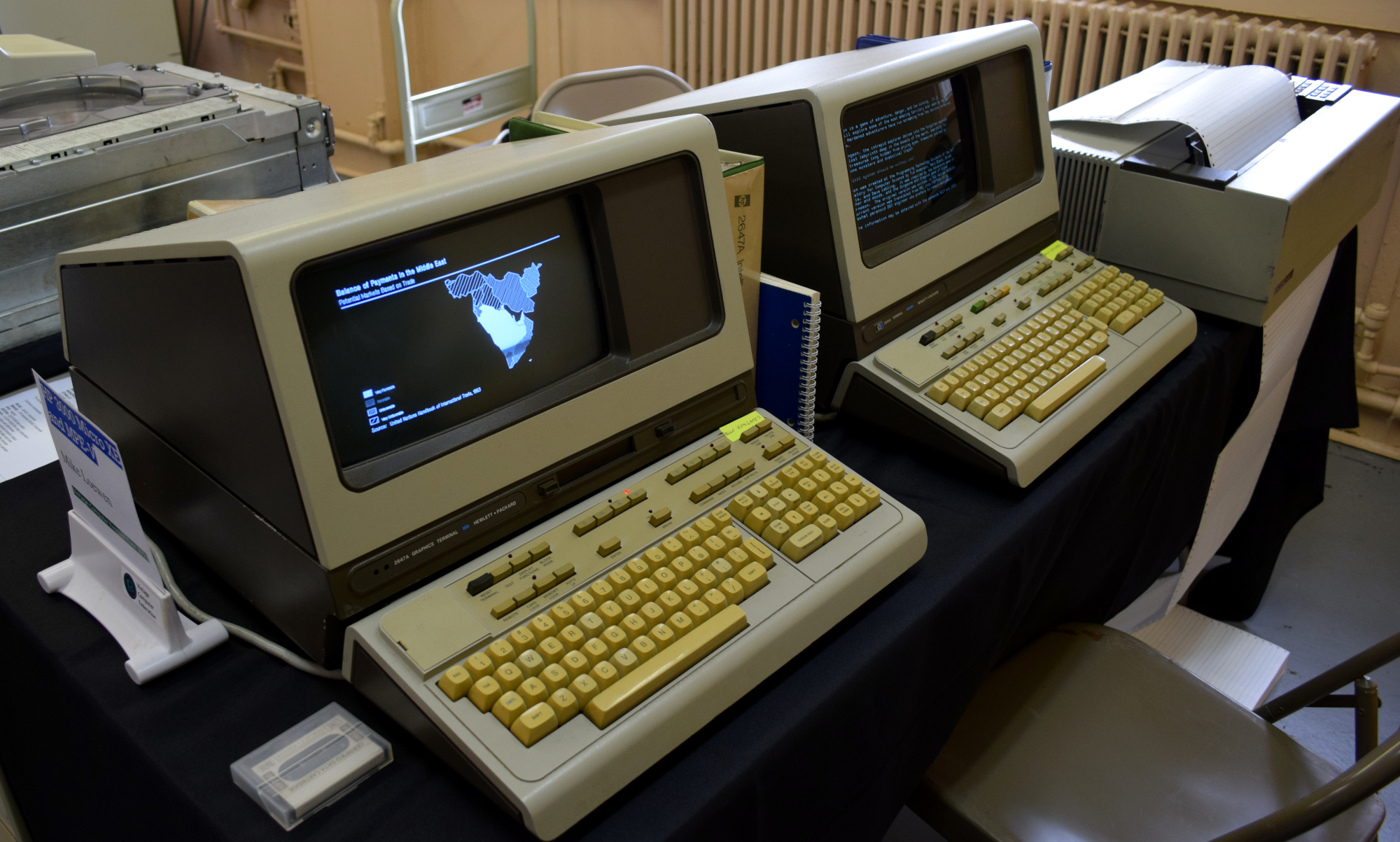
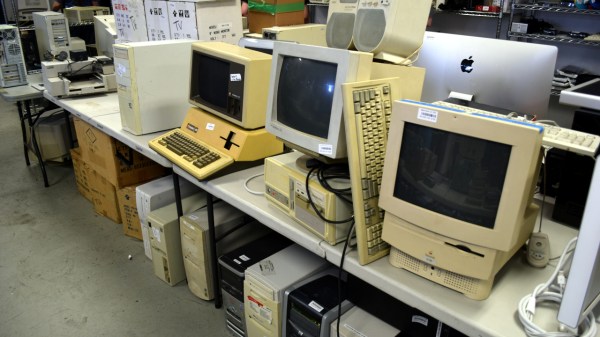
The Vintage Computer Festival East took place last weekend at the InfoAge Science and History Museum in New Jersey, and by any metric you care to use, it was a phenomenal success. Everyone you spoke with, from the the exhibitors and attendees, to the veteran volunteers who put this incredible show together, all said the same thing: they’d never seen a turnout like this before.

Of course, such success is not without cost. The exhibit rooms were so packed that moving through them was a challenge, the line to get food or browse the consignment area occasionally stretched outside the building, and at one point the event’s electronic payment system buckled under the pressure.

Some things are worth the wait.

Yet even the folks who waited the better part of an hour to rummage through boxes of dusty treasures, only to find themselves left standing with armfuls of heavy gear they couldn’t pay for until the technical issues were resolved couldn’t really complain. I should know, I was one of them. It would be like going to a concert and getting upset that the music was too loud — the event was advertised as a festival, and that’s exactly what it was.

No matter where you went, you’d find throngs of excited people who were eager to chat about the golden age of computing. So even if you were stuck in a long line, or had to step outside of the exhibit area to get some fresh air, you were always in excellent company. Seeing such a large and diverse number of people come out for what’s ultimately a niche event was exceptionally gratifying. At the end of the day, if the price we have to pay for this kind of community response is a few long lines and tight squeezes, it’s well worth it.

Each time I cover an event like this for Hackaday, I do so with the caveat that there’s really no substitute for being there in person. No matter how many articles you read and YouTube recaps you watch, you’ll never be able to see all the things you would have had you been able to walk the show floor yourself. It’s a bit like exploring the Moon or Mars: remotely controlled robots are capable of capturing terabytes of data and beaming it back to Earth, but even still, there’s the potential to learn so much more by putting boots on the ground.

The same is true of VCF East 2023 — what I bring you here is just the tip of the iceberg in terms of what was on display at this year’s event. On the other hand, you have the advantage of being able to peruse these images without having to stand in line. Is it worth the trade? Only you can be the judge of that. But for my money, I’ll gladly get back in line when VCF East 2024 rolls around.

Continue reading “Vintage Computer Festival East Was A Retro Madhouse”
[CuriousMarc] Repairs A Floppy

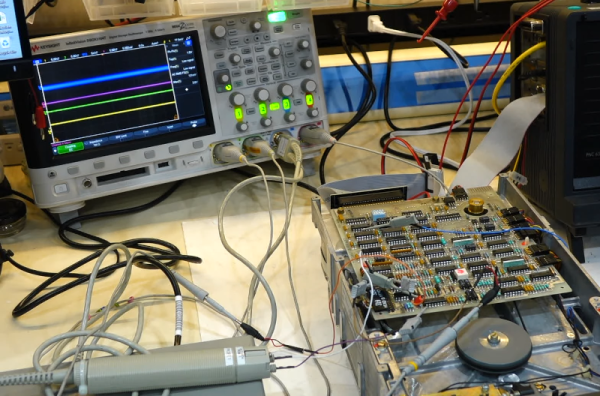
[CuriousMarc] has a pile of 8-inch drives, all marked bad. You can’t just pop over to the computer store and buy a new one these days, so it was off to the repair bench. Although the target drive would do a quick seek,  once it was in use, it just kind of shut down. So [Marc] started sending low-level commands to the device to see if he could isolate the fault. You can watch the whole adventure in the video below.

Using a breakout board, he was able to monitor and exercise all the pins going into the floppy. A quick study of the schematics, and connection to the scope were all [Marc] needed to build some theories of what was happening.

One of the theories was that the head amplifier was disabled, but it turned out to be fine. After several other dead ends, he finally found a broken spring and came up with a creative repair for it. But there was still no clear reason why the drive wouldn’t work. By process of elimination, he started to suspect an array of diodes used for switching, but again, it was another dead end.

Luckily, he had one working drive, so he could compare things between them. He found a strange voltage difference. Turns out the old advice of checking power first might have paid off here. One of the voltage regulator ICs was dead. In all fairness, there are two 12V power supplies and he had checked one of them but had missed the second supply.  This supply is only used for head bias which switches the diodes he had suspected earlier. There had also been a loose pin that might have been a contributor.

With a new power supply IC, the drive worked but needed an alignment. You may never need to repair an 8-inch floppy drive, but the logic in chasing down a problem like this will serve you well on any diagnostic task.

If you think the big drives won’t work with a modern PC, they will. On the other hand, if you need to read some badly enough, you could just use an oscilloscope.

Continue reading “[CuriousMarc] Repairs A Floppy”

Real Radar Scope CRT Shows Flights Using ADS-B

Real-time flight data used to be something that was only available to air traffic controllers, hunched over radar scopes in darkened rooms watching the comings and goings of flights as glowing phosphor traces on their screens. But that was then; now, flight tracking is as simple as pulling up a web page. But where’s the fun in that?

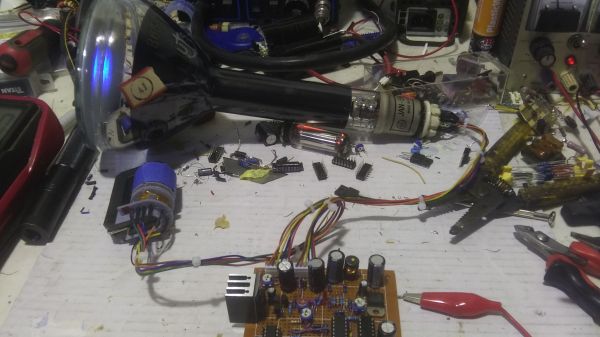
To bring some of that old-school feel to his flight tracking, [redacted] has been working on this ADS-B scope that uses a real radar CRT. As you can imagine, this project is pretty complex, starting with driving the 5FP7 CRT, a 5″ round-face tube with a long-persistence P7-type phosphor. The tube needs about 7 kV for the anode, which is delivered via a homebrew power supply complete with a custom flyback transformer. There’s also a lot going on with the X-Y deflection amps and beam intensity control.

The software side has a lot going on as well. ADS-B data comes from an SDR dongle using dump1090 running on a Raspberry Pi 3B. The latitude and longitude of each plane within range — about 5 nautical miles — is translated to vector coordinates, and as the “radar” sweeps past the location, a pip lights up on the scope. And no, you’re not seeing things if you see two colors in the video below; as [TubeTime] helpfully explains, P7 is a cascade phosphor that initially emits a bright-blue light with some UV in it, which then charges up a long-persistence green phosphor.

Even though multicolored icons and satellite imagery may be more useful for flight tracking, we really like the simple retro look [redacted] has managed to pull off here, not to mention the hackery needed to do it.

Continue reading “Real Radar Scope CRT Shows Flights Using ADS-B”

Relive The Glory Days Of Sun Workstations

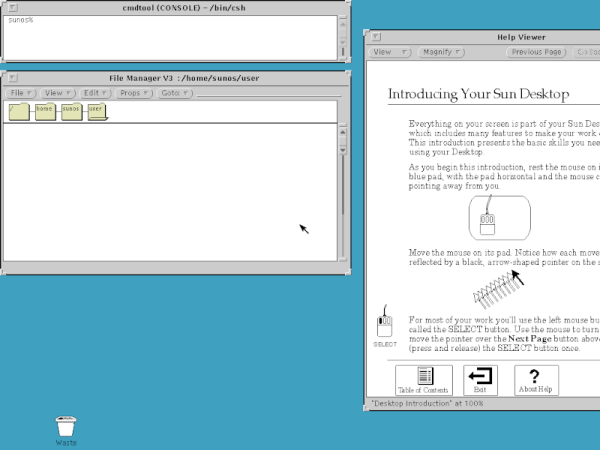
When the IBM PC first came out, it was little more than a toy. The serious people had Sun or Apollo workstations. These ran Unix, and had nice (for the day) displays and network connections. They were also expensive, especially considering what you got. But now, QEMU can let you relive the glory days of the old Sun workstations by booting SunOS 4 (AKA Solaris 1.1.2) on your PC today. [John Millikin] shows you how in step-by-step detail.

There’s little doubt your PC has enough power to pull it off. The SUN-3 introduced in 1985 might have 8MB or 16MB of RAM and a 16.67 MHz CPU. In 1985, an 3/75 (which, admittedly, had a Motorola CPU and not a SPARC CPU) with 4MB of RAM and a monochrome monitor cost almost $16,000, and that didn’t include software or the network adapter. You’d need that network adapter to boot off the network, too, unless you sprung another $6,000 for a 71 MB disk.  The SPARCstation 1 showed up around 1989 and ran from $9,000 to $20,000, depending on what you needed.

Continue reading “Relive The Glory Days Of Sun Workstations”

Vintage Computer Festival East Returns This Weekend

Spring has sprung at the Jersey Shore, and for retrocomputer aficionados that can only mean one thing — the Vintage Computer Festival East is imminent. The East Coast’s premier event for classic computers and associated electronics kicks off tomorrow at the InfoAge Science and History Museum in Wall, NJ, and continues until Sunday. If you’re in the Northeast United States, and frankly, even if you aren’t, you’d be hard-pressed to find a better opportunity to experience the unique charms of early computer technology.

VCF East is three days of talks, workshops, and exhibits focusing on computers of a bygone area. For the uninitiated, that might seem like an odd thing to fixate on. But those who’ve visited a VCF event in the past know just how fascinating the technology of this era can be. You’ll see first-hand not only the unique machines that never quite caught on with the mainstream but the pioneering software and hardware engineering that laid the groundwork for our modern way of life. Plus, a little bit of everything in between. Just take a look at this year’s schedule; even the most experienced of graybeards would have a hard time walking away from VCF East without knowing a bit more than when they came in.

Part of what makes the Vintage Computer Festival so great is right in the name — it’s very literally a festival. This isn’t some sterile museum environment where you’re forced to look at a dusty piece of hardware through a half-inch of bulletproof glass. It’s a celebration, and everyone’s invited. Many of the exhibits will give you an opportunity to go hands-on with rare pieces of original hardware, and every presenter you talk to will be more than happy to explain what they’ve come to show off and answer any questions you might have.

In addition to the more educational aspects of VCF, there are also the vendor and consignment areas, which offer a myriad of opportunities to convert your money into devices that whir and blink. From classic gaming systems to unusual components that perhaps only a handful of people in the world could still identify at a glance, the only things you won’t find are the jacked-up prices and shipping costs you’d get from eBay.

Of course, the organizers realize that not everyone can get to the tropical paradise that is New Jersey in April. As such, VCF East will offer an online component that includes an official Discord server and three different live streams for the talks held on Friday, Saturday, and Sunday. That said, there won’t be any streaming video from the show floor itself, so unfortunately, you won’t be able to see any of the exhibits or workshops. That said, you can always count on there being several VCF wrap-up videos posted to YouTube by the usual retrocomputing suspects, to say nothing of the coverage you’ll be seeing on these pages.

Whether you’re there in person or experiencing it vicariously through the videos and articles posted by others, the Vintage Computer Festival East is a can’t-miss event for anyone who has a passion for computers and would like to learn more about how they became what they are today. Hackaday will be there — join us, won’t you?

Continue reading “Vintage Computer Festival East Returns This Weekend”

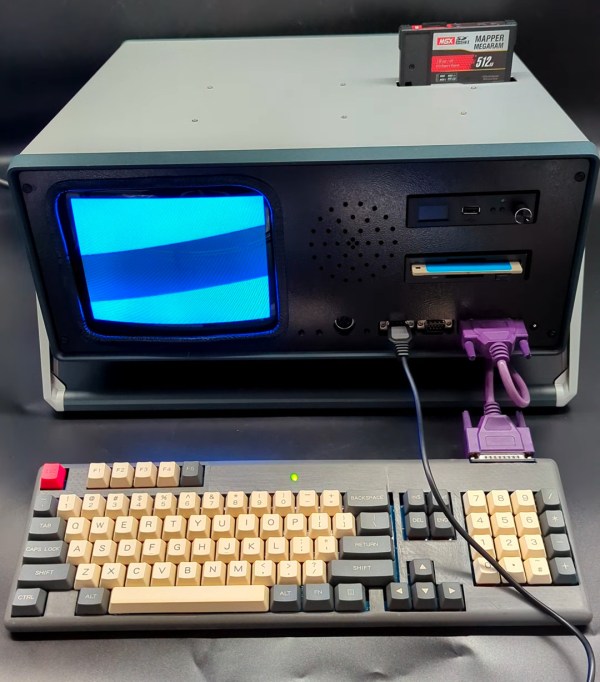
A "portable" computer in a grey enclosure. There is a small CRT on the left hand side of the face of the enclosure and a disk drive and a couple ports exposed on the right hand side. The keyboard is attached with a purple cable. A black cartridge with a grey and red label sticks out of the top of the enclosure.

Portable MSX2 Brings The Fun On The Go

Something of a rarity in the US, the MSX computer standard was rather popular in other parts of the world but mostly existed in the computer-in-a-keyboard format popular in the 80s. [Aron Hoekstra aka “nullvalue”] wanted to build an MSX2 of their own, but decided to build it in a period-appropriate luggable form factor.

This build really tries to make the computer as plausibly vintage as possible including an actual CRT for the display instead of using an easier to obtain and package LCD. Computing is accomplished with an Omega Home Computer MSX2 SBC by [Sergey Kiselev] which uses components that could have been found when the MSX computers were in production. While 3D printing wasn’t widespread in the 80s, we can assume any of the plastic parts like the internal mounts would have been injection molded instead.

An impressive number of different techniques were used to bring this computer to life including PCB design, 3D printing, CNC, and plenty of soldering. After some troubleshooting on the 50 pin cartridge connector and all the assembly, [Hoekstra]’s Mega Omega MSX2 Portable Computer makes for a very impressive reimagining of the MSX platform that feels like a product that might have actually existed at the time.

If you want more MSX hacks, checkout how to add a Wii Nunchuck or PS2 or USB keyboards to your MSX.

Continue reading “Portable MSX2 Brings The Fun On The Go”

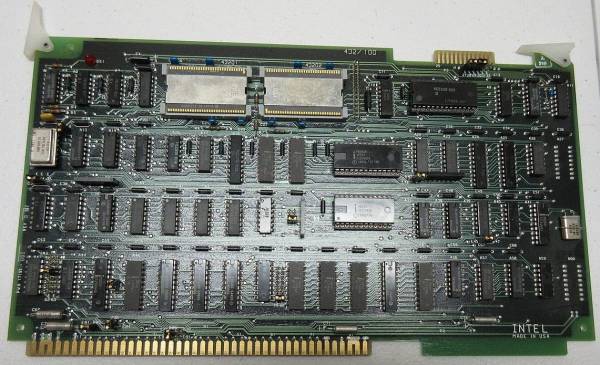
iAPX432 Board brouhaha_, CC BY-SA 2.0 https://creativecommons.org/licenses/by-sa/2.0 via Wikimedia Commons

Intel’s IAPX 432: Gordon Moore’s Gamble And Intel’s Failed 32-bit CISC

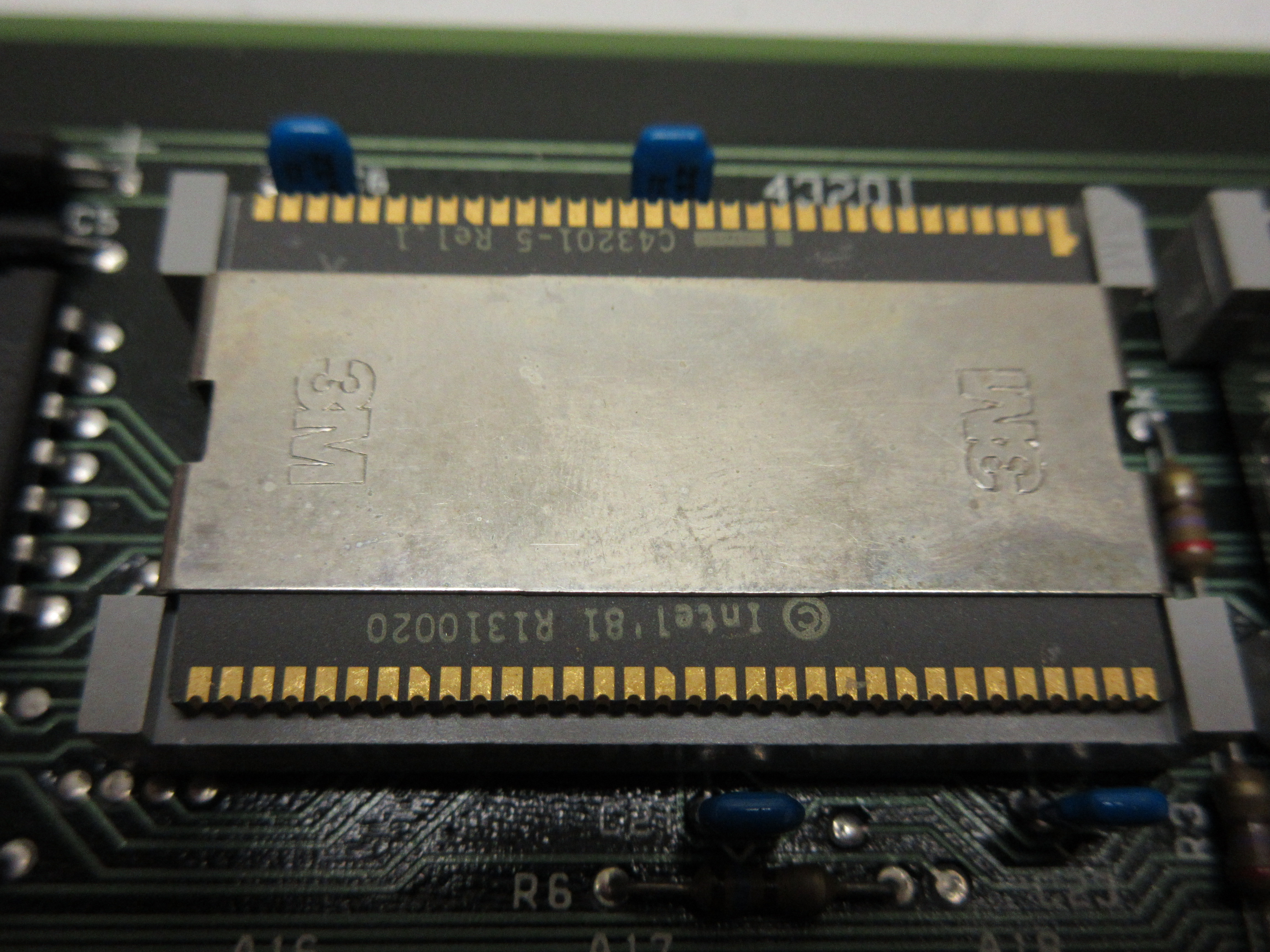
Intel C43201-5 Release 1 chip: Instruction Decoder and Microinstruction Sequencer of iAPX 432 General Data Processor (GDP). The chip is in a 64-contact leadless ceramic QUad Inline Package (QUIP), partially obscured by metal retention clip of the 3M socket.

In a recent article on The Chip Letter [Babbage] looks at the Intel iAPX 432 computer architecture. This was an ambitious, hyper-CISC architecture that was Intel’s first 32-bit architecture. As a stack-based architecture, it exposed no registers to the software developer, while providing high-levels pertaining to object-oriented programming, multitasking and garbage collection in hardware.

At the time that the iAPX 432 (originally the 8800) project was proposed, Gordon Moore was CEO of Intel, and thus ultimately signed off on it. Intended as an indirect successor to the successful 8080 (which was followed up by the equally successful 8086), this new architecture was a ‘micro-mainframe’ that would target high-end users that could run Ada and similar modern languages of the early 1980s.

Unfortunately, upon its release in 1981, the iAPX 432 turned out to be excruciatingly slow and poorly optimized, including the provided Ada compiler. The immense complexity of this new architecture meant that the processor itself was split across two ASICs, with the instruction decoding itself being hugely complex, as [Babbage] describes in the article. Features in the architecture that made it very flexible also meant that a lot of transistors were required to implement these, making for an exceedingly bloated design, not unlike the Intel Itanium (IA-64) disaster a few decades later.

Although the iAPX 432 was a bridge too far by most metrics, it did mean that Intel performed a lot of R&D on advanced features that would later be used in its i960 and x86 processors. With Intel being hardly a struggling company in 1985 when the iAPX 432 architecture was retired, this meant that despite it being a commercial failure, it still provided an interesting glimpse into an alternate reality where the iAPX 432 would have taken the computer world by storm, rather than x86.