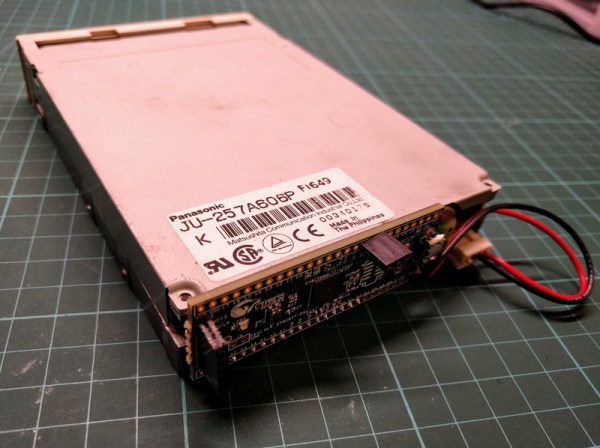
Flux Engine Reads Floppies

It is a bit of a paradox that we are storing more and more information digitally, yet every year more and more of it is becoming harder to access. Data on a variety of tapes and disks that were once common, is now trapped on media due to lack of hardware to read it. Do you have a ZIP drive? Do you have a computer that it will work with? Floppies are problem too. You might think you beat the system just by having a USB floppy drive. While these do exist, they typically won’t read oddball formats. That is, except for Flux Engine, an open source USB floppy drive.

The device uses a $15 Cypress development board and just some wiring (along with a 3.5 or 5.25 floppy drive, of course). Currently, the firmware only supports read only access to IBM standard disks and Acorn DFS/ADFS disks. It can also read and write Brother word processor disks. However, being open source, it could do more. The author, [David Given], is looking for Commodore 1541 and Apple CLV disks to borrow so he can get those working. He’s also offered to entertain other formats if you are willing to loan him a disk.

The software uses libusb and is known to work on Linux and Windows with Cygwin. It should also work with OSX. However, you will need a Windows box of some sort to build the Cypress firmware because the Cypress tools won’t work anywhere else. [David] wants to change processors because of this, but if he does, he’ll miss the PSoC function blocks, we are guessing.

The design is actually rather simple. The firmware only measures the time between flux transitions and sends them to the attached PC. All the heavy lifting occurs on the PC, which means it should be pretty easy to analyze and decode new formats. While writing is possible, it appears there is more work that needs to happen to make it reliable. [David] comments that you really need a real drive to test your writing with so you don’t write things only you can read back. Makes sense.

This certainly is more user-friendly than the last method we looked at. We had to wonder if [David] has thought about 8-inch floppies.
The Rotary Joystick Can Take A Beating

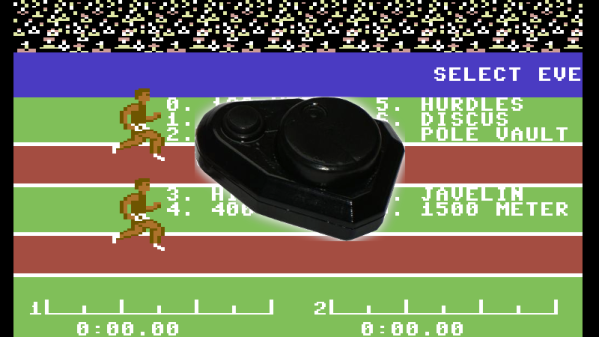
It’s a well-known fact amongst the older set that games used to be harder. Back in the 1980s, most home computers had awful keyboards, barely adequate joysticks, and the games had to be difficult to have any longevity, because there’s only so much you can fit into a single sided disk. Some of these games became known as joystick killers, due to the repetitive thrashing movements required to win. [Jan] was tired of letting Decathlon and its ilk get the better of him and his controllers, so built a joystick that was up to the task.

The basic concept of [Jan]’s rotary joystick is that many games required a fast and repetitive left-right motion to be executed by the player, but weren’t too concerned if a few up or down movements were in the mix. Thus, instead of a traditional shaft-based joystick, instead a rotary mechanism was employed. The player rotates the joystick’s wheel, which has a magnet fitted. This triggers a series of four reed switches, for up, down, left and right. By rotating the wheel quickly, it simulates the rapid left-right motion well enough to beat most of the vintage C64 games that were giving [Jan] trouble, and it makes an ideal controller for the 2018 release, Crank Crank Revolution.

We like the spirit behind any build that uses hardware to overcome intractable gaming problems. We’ve seen similar approaches used to beat Guitar Hero. Remember Guitar Hero? That was a thing. Video after the break.

Continue reading “The Rotary Joystick Can Take A Beating”

A Network Card For The Trash-80

Around these parts, [Peter] is well-known for abusing the TRS-80 to do things it should never do. You can read Wikipedia on the TRS-80, you can look at Google Images, and you can browse the web. As with any retrocomputer, there are limitations for what you can do. To browse Wikipedia, [Peter] had to set up an AWS instance which translated everything and used serial to IP converters. It can be done, but it’s hard.

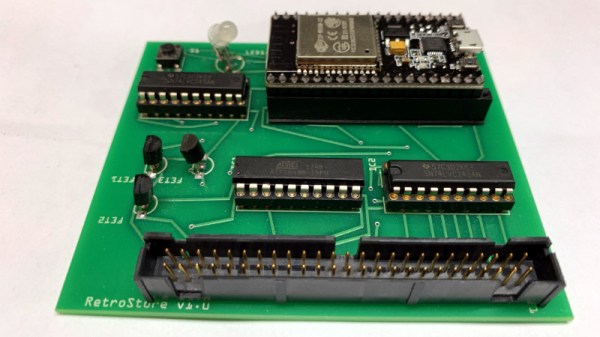
Now, after seeing a few interesting projects built around the ESP32, [Peter] built a network card for the TRS-80. It’s called the trsnic, and it’s a working network card for almost all the TRS-80s out there, with the eventual goal of supporting the TRS-80 Model I / II / III / 4 / 12 / 16 / 16B and 6000.

The idea for the trsnic comes from [Arno Puder]’s RetroStoreCard, a device that plugs into the TRS-80 Model III and connects it to a ‘personal cloud’ of sorts that hosts and runs applications without the need for cassettes or floppys. It does this with an ESP32 wired up to the I/O bus in the Model III, and it’s all completely Open Source.

[Peter] took this idea and ran with it. Thanks to the power found in the ESP32, real encrypted Internet communication can happen, and that means HTTPS and TLS.

Right now, documentation for the trsnic is limited, but the project does exist and building it is as easy as stuffing some headers and DIP sockets in a PCB and soldering them on. There’s a bit of work to do on the ESP32 code, but if you’re looking for a network card for your Trash-80, this is the one that works now.

In Soviet Russia, Computer Programs You

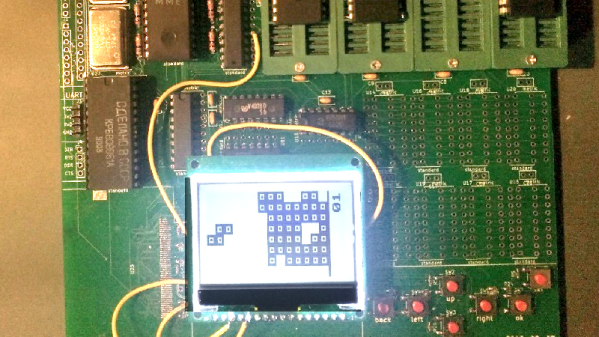
We admire [Alex Studer’s] approach to schoolwork. His final assignment in his history class was to do an open-ended research project on any topic and — this is key — using any medium. He’d recently watched a video about how Tetris came from the former Soviet Union, and adding in a little eBay research set out to build a period-accurate Soviet computer replica. The post covers the technical details, but if you want to read the historical aspects the school paper is also online.

The first decision was what CPU to use and [Alex] picked the U880 which is a Soviet Z80. All the usual parts you would use with a Z80 have U880 equivalents, so that fleshed out the rest of the design. There were a few concessions made. Instead of a bulky analog monitor, the replica uses an LCD display. Instead of an audio cassette recorder, the new machine uses a CompactFlash socket. We don’t think those are bad decisions. He also replaced the Soviet EPROMs with modern parts. Although the original parts appeared to program correctly, they were unreliable in operation. [Alex] theorizes that his programmer did not generate enough programming voltage to fully program the cells, so they would pass at the low speeds used by the programmer, but not work in the actual circuit.

Continue reading “In Soviet Russia, Computer Programs You”

The TRS80 Model 100 Gets A Brain Transplant

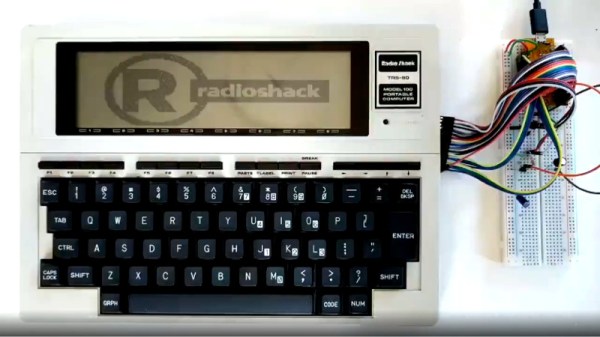
We’ll forgive you if you were busy in the ’80s, and missed the TRS80 Model 100. It was a portable version of the original, ran on four AA batteries, and even had an integrated acoustic coupler which proved handy for workers on the go. However, time is rarely kind, and [Trammell] had come across a non-functional example for just $20. It was time to bring this relic screaming into the modern age.

The motherboard was toast, so [Trammell] decided to wire up a Teensy++ directly to the Hitachi HD44102 display driver chips. Being an older LCD, the display needed a negative bias voltage, so a few diodes, capacitors and a PWM line stepped in to create a charge pump. There was no character generator on board, so the heavy lifting is all handled by the Teensy itself. The keyboard was a simple enough matrix design, so that was wired straight up.

[Trammell]’s work with this iteration got as far as acting as a USB serial terminal, and there was some work done on VT100 emulation. However, according to Twitter, the next stage involves an iCE40 FPGA and some music with which we’re altogether too familiar.

[Trammell] owns a working Model 100, too – employed in some modem experiments, no less.

Resurrecting An Amiga 500+

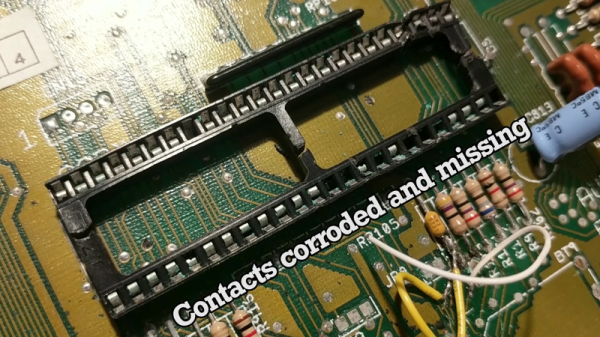
Recently, I was lucky enough to receive a big haul of retro computer gear from a friend who was emptying out his garage. Even better, the haul was almost entirely old Amiga gear — my favorite computing platform of all time. Upon returning home, I gleefully sorted through the boxes, powering things up one by one. Amazingly, everything worked… except for one lonely Amiga 500+. I was greeted by a dull grey screen. This wouldn’t do, so naturally, I got to work.

It seemed like a shame to be opening the machine, as after almost 30 years of life, this one still had its warranty seal intact. Regardless, nothing ventured, nothing gained – the Torx bits were at hand and the screws were coming out.

Continue reading “Resurrecting An Amiga 500+”

The Xerox Star On A Desktop Near You

It is 1980-something and you see someone typing on a keyboard. The display is graphical, and they use a mouse to finish a document, send it over the network to another similar computer, where another user edits it a bit and prints it on a laser printer. Given the time-frame you might think the computer is a Mac, but you’d be wrong. The Xerox Star had all the features Apple “invented” about three years before the Macintosh arrived. If you never heard of the Star, that’s not surprising. At $16,500 each, there were only about 25,000 sold. Your chances of finding a working one now are slim, but thanks to emulation created by [Josh Dersch] you can try the Star out on your hardware today. If you want a preview, have a look at the 1982 video, below.

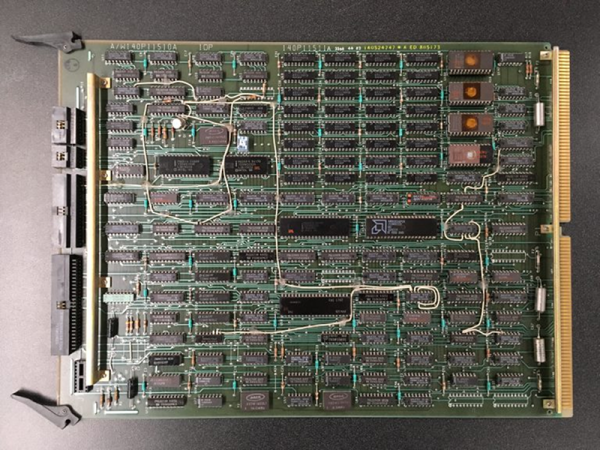
The machine had a surprisingly complex architecture. The main CPU was a microcoded computer with multiple registers that would run a sort of microcode program to execute different instruction sets depending on what was running. In addition, there was an intel 8085 that loaded the right microcode and serviced the keyboard, the mouse, the floppy, and the serial ports.

Continue reading “The Xerox Star On A Desktop Near You”