Brand-New PCB Makes Replica TRS-80 Possible

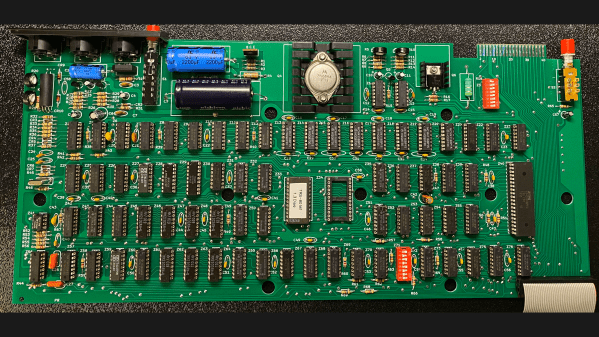
If like us, you missed out on the TRS-80 Model I back when it first came out, relax .With this brand-new PCB that’s a trace-for-trace replica of the original and a bunch of vintage parts, you can build your own from scratch.

Now, obviously, there are easier ways to enjoy the retro goodness that is the 46-year-old machine that in many ways brought the 8-bit hobby computing revolution to the general public’s attention. Sadly, though, original TRS-80s are getting hard to come by, and those that are in decent enough shape to do anything interesting are commanding top dollar. [RetroStack]’s obvious labor of love project provides the foundation upon which to build a brand new TRS-80 as close as possible to the original.

The PCB is revision G and recreates the original in every detail — component layout, connectors, silkscreen, and even trace routing. [RetroStack] even replicated obvious mistakes in the original board, like through-holes that were originally used to fixture the boards for stuffing, and some weird unused vias. There are even wrong components, or at least ones that appear on production assemblies that don’t show up in the schematics. And if you’re going to go through with a build, you’ll want to check out the collection of 3D printable parts that are otherwise unobtainium, such as the bracket for rear panel connectors and miscellaneous keyboard parts.

While we love the devotion to accuracy that [RetroStack] shows with this project, we know that not everyone is of a similar bent. Luckily there are emulators and clones you can build instead. And if you’re wondering why anyone would devote so much effort to half-century-old technology — well, when you know, you know.

Thanks to [Stephen Walters] for the tip.

Feature image: Dave Jones, CC BY-SA 4.0, via Wikimedia Commons
 

Putting The C In C64

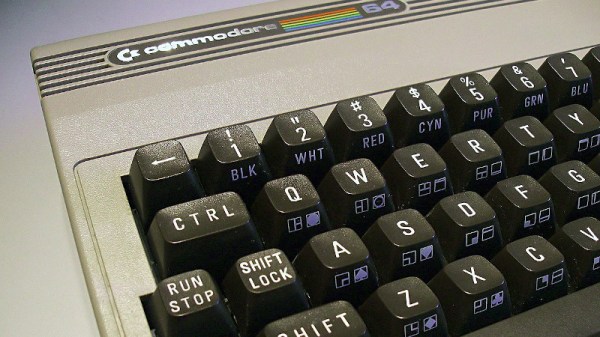
Older CPUs and some fairly modern microcontrollers are not made to readily support C compilers. Among those are the 1802, some 8-bit PICs, and the 6502 at the heart of the Commodore 64. That’s not to say you can’t make a C compiler for any of them, but the tricks required to handle the odd word sizes, lack of stack manipulation, or whatever other reason C isn’t a good fit tends to make compiled code bloated and possibly slower. [Dr. Mortal Wombat] took a different approach. The oscar64 compiler takes C source code and compiles it to a virtual machine code or native machine code for cases where performance might be important.

Turns out, the penalty for using native code isn’t as much as predicted, at least in some cases, The performance penalty for using the interpreter, however, can be significant in many common cases. The 6502 has a small stack that is hard to address, and indexing into a user-maintained stack is slow. The word size problem also produces lots of code as you have to break 16-bit operations into multiple 8-bit ones. The compiler aims to be C99-compliant, including floating point, recursion, multiple dimensions for arrays, and pointers to structures.

There are a few things left to hammer out. The linker doesn’t support external libraries, and the floating point code doesn’t understand NaN. On the other hand, many C++ features are available, like namespaces, reference types, templates, and more. The compiler can target several Commodore machines from the C128 to the PET. It also works with some Nintendo and Atari systems and can create various cartridge formats.

If you are writing code for any kind of 6502, it is probably worth checking out. Compiling C for the 6502 is no small feat, but then, so it is targeting PowerPoint. Don’t have a C64? Build one.

Image: [MOS6502], CC-BY-SA 3.0

Bringing A Chain Printer Back To Life: The Power Supply

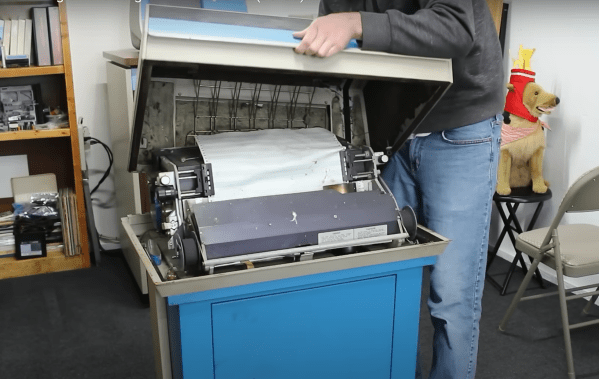
[Usagi Electric] has his Centurion minicomputer (and a few others) running like a top.  One feature that’s missing, though, is the ability to produce a hard copy. Now, a serious machine like the Centurion demands a serious printer. The answer to that is an ODEC-manufactured printer dressed in proper Centurion blue. This is no ordinary desktop printer, though. It’s a roughly 175lb (80 Kg) beast capable of printing 100 lines per minute. Each line is 132 characters wide, printed on the tractor-feed green bar paper we all associate with old computer systems.

This sort of printer was commonly known as a chain printer, as the letters are on a chain that rides over a series of 66 hammers. Logic on this printer is 74 series logic chips – no custom silicon or LSI (Large Scale Integration) parts on this 47-year-old monster.

Continue reading “Bringing A Chain Printer Back To Life: The Power Supply”

Recreating The Jupiter ACE

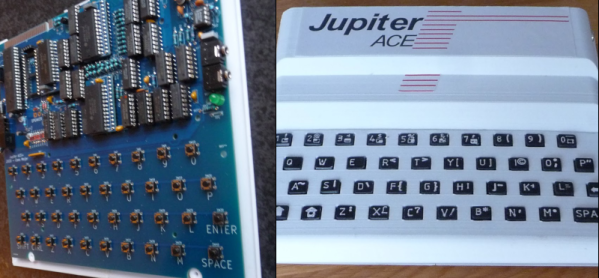
What looks like a Sinclair ZX81 but runs Forth? If you said a Jupiter ACE, you get a gold star. These are rare because ordinary people in 1982 didn’t want Forth, so only about 5,000 of the devices were sold. [Cees Meijer] assumes they are unaffordable, so he built a replica and shows you how you can, too. [Scott Baker] built one recently; you can see his video below.

The resemblance to the Sinclair computer wasn’t just a coincidence. Richard Altwasser and Steven Vickers were behind the computer, and both had worked for Sinclair previously. In addition to being famous for using Forth, the machine initially had a badly manufactured case and an unreliable keyboard. A later version tried to correct these issues, but there were fewer than 1,000 made. [Cees’] replica used a design from [Grant Searle] with some modifications.

We liked the realistic look of the 3D printed keyboard. The keyboard uses white plastic with raised letters. A quick black spray paint followed by sanding gives the appearance of black keys with white printed text.

Overall, this is a good-looking build of a computer you probably won’t see in person. We wish Forth had caught on in the early PC world, but it didn’t. [Grant] was prolific with replica computers, and [Cees] isn’t the only one who used that work as a starting point for their own projects. If you want real old-school Forth, you have to go back a few more years.

Continue reading “Recreating The Jupiter ACE”

Video And Audio Playback On Low-End MS-DOS Machines

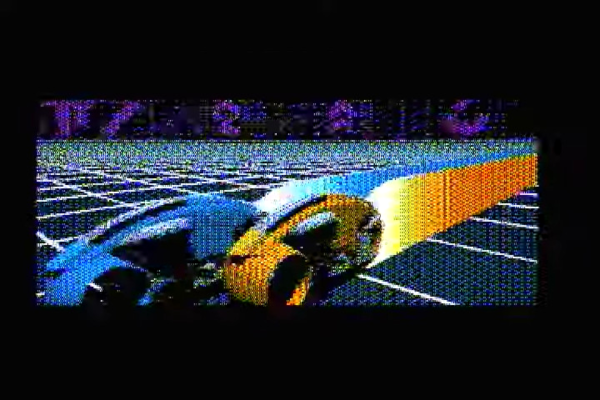
For most people the phrases ‘MS-DOS’ and ‘video playback’ probably aren’t commonly associated, yet it was quite normal as those of us who were watching full-motion video with games like Command & Conquer can attest to. These audiovisual experiences did however require somewhat more capable hardware than something like an original, 4.77 MHz IBM PC. More recently, however, the removal of these limitations has been turned into a challenge that has been gleefully accepted by hackers, including [Scali] whose recent tinkering with getting not only real-time video but also audio working on these old beasts has been documented on their blog.

Unlike existing early video formats like FLIC from the 1990s, the XDC format developed over the past years enables real-time, 60 FPS video and audio playback on an 8088 IBM PC that has a SoundBlaster 2 and CGA card installed. As [Scali] notes, the SB2 card is convenient, because it enables DMA transports for the audio data, which saves a lot of precious CPU cycles. Unlike the original SB card, it also fixes some teething issues, but an SB2 is hardly ‘low-end’ for an early 1980s PC, so it has to go.

Continue reading “Video And Audio Playback On Low-End MS-DOS Machines”

Your Home Mainframe

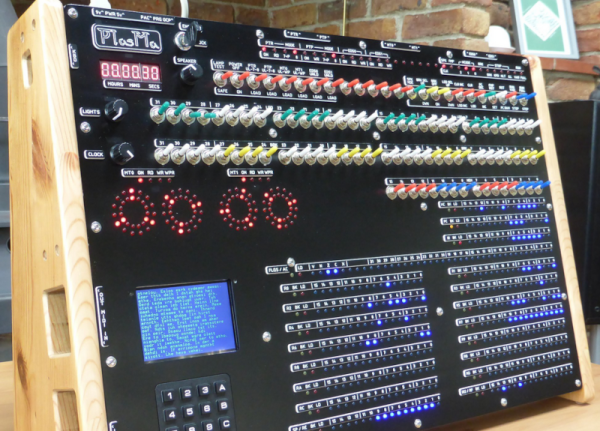
We miss the days when computers looked like computers. You know, blinking lights, rows of switches, and cryptic displays. [Phil Tipping] must miss those days too since he built PlasMa, a “mini-mainframe simulator.”

The device would look at home on the set of any old science fiction movie. Externally, it has 540 LEDs, 100 switches, and a number of other I/O devices, including a keypad and an LCD screen. Internally, it can support three different instruction sets. Everything is run by an ATmega2560, and it has simulated paper tape, magnetic tape, and disks (all via SD cards). The magnetic tapes also have LED simulated reels to show the tape position and other status information (the round displays just above the LCD display).

Continue reading “Your Home Mainframe”

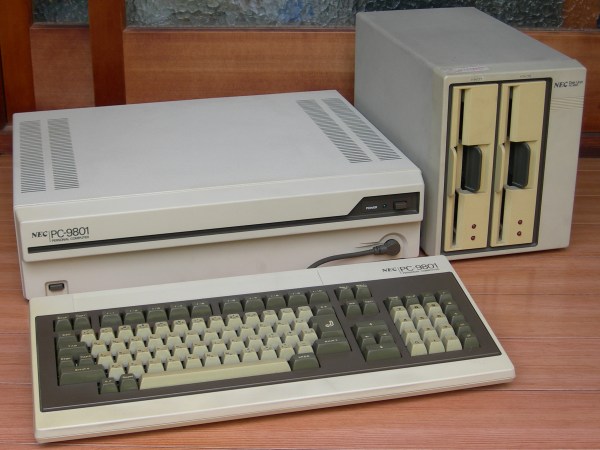
PC-9801 system. (Credit: MH0301 - Own work, CC BY-SA 4.0)

The Strange World Of Japan’s PC-98 Computer Ecosystem

Despite the popularity of the IBM PC in the West during the 1980s, it had shortcomings that prevented it from flourishing in the Japanese market, most of all support for the Japanese language. This led to a sort of parallel universe in which NEC’s PC-9800 series (‘PC-98’) was the dominant personal computer, including its NEC µPD7220 display controller with its 4096-color palette. These computer systems led to a graphics style that persists to today, along with a whole ecosystem of games and applications that never left the PC-98. In an article by [Biz Davis] this software ecosystem, its art style and their lasting impact is explored.

Screenshots from X-Girl, a PC-98 game from 1994.

Although the NEC PC-9800 series of computers was primarily focused on Japanese businesses with its release in the early 1980s, it found itself adopted for educational and hobby purposes as well. During the 1980s and early 1990s they faced little opposition from IBM PCs and clones, despite them all being x86-based systems running DOS. It wasn’t until the early 1990s that mostly US companies began to explicitly design computers to work for the Japanese market, leading to a gradual decline of the PC-9800 series PCs in the market.

Despite the last PC-98 system having been released in 2000 – with the last systems running some flavor of Windows – these systems and the software for them isn’t just a unique time capsule of this part of Japan’s history, but continues to see new software releases to this day. If you wish to experience this software for yourself, a number of open source PC-9800 emulators are available, including the nyan-tastic Neko Project II.

Top image: PC-9801 system. (Credit: MH0301 – Own work, CC BY-SA 4.0)