Procedurally Generated Trees

As the leaves fall from the trees here in the Northern Hemisphere, we are greeted with a clear view of the branches and limbs that make up the skeleton of the tree. [Nicolas McDonald] made a simple observation while looking at trees, that the sum of the cross-sectional area is conserved when a branch splits. This observation was also made by Leonardo Da Vinci (according to Pamela Taylor’s Da Vinci’s Notebooks). Inspired by the observation, [Nicolas] decided to model a tree growing for his own curiosity.

The simulation tries to approximate how trees spread nutrients. The nutrients travel from the roots to the limbs, splitting proportionally to the area. [Nicolas’] model only allows for binary splits but some plants split three ways rather than just two ways. The decision on where to split is somewhat arbitrary as [Nicolas] hasn’t found any sort of rule or method that nature uses. It ended up just being a hardcoded value that’s multiplied by an exponential decay based on the depth of the branch. The direction of the split is determined by the density of the leaves, the size of the branch, and the direction of the parent branch. To top it off, a particle cloud was attached at the end of each branch past a certain depth.

By tweaking different parameters, the model can generate different species like evergreens and bonsai-like trees. The code is hosted on GitHub and we’re impressed by how small the actual tree model code is (about 250 lines of C++). The power of making an observation and incorporating it into a project is clear here and the results are just beautiful. If you’re looking for a bit more procedurally generation in your life, check out this medieval city generator.
Turning GitHub Into A URL Shortening Service

URL shortening services like TinyURL or Bitly have long become an essential part of the modern web, and are popular enough that even Google killed off their own already. Creating your own shortener is also a fun exercise, and in its core doesn’t require much more than a nifty domain name, some form of database to map the URLs, and a bit of web technology to glue it all together. [Nelsontky] figured you don’t even have to build most of it yourself, but you could just (ab)use GitHub for it.

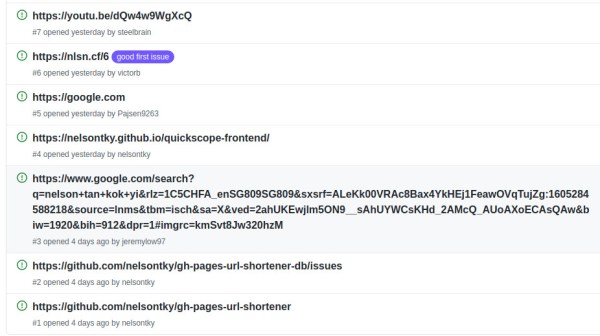
Using GitHub Pages to host the URL shortening website itself, [nelsontky] actually repurposes GitHub’s issue tracking system to map the shortened identifier to the original URL. Each redirection is simply a new issue, with the issue number serving as the shortening identifier, and the issue’s title text storing the original URL. To map the request, a bit of JavaScript extracts the issue number from the request, looks it up via GitHub API, and if a valid one was found (and API rate limits weren’t exceeded), redirects the caller accordingly. What’s especially clever about this is that GitHub Pages usually just serves static files stored in a repository, so the entire redirection logic is actually placed in the 404 error handling page, allowing requests to any arbitrary paths.

While this may not be as neat as placing your entire website content straight into the URL itself, it could be nicely combined with this rotary phone to simply dial the issue number and access your bookmarks — perfect in case you always wanted your own website phone book. And if you don’t like the thought of interacting with the GitHub UI every time you want to add a new URL, give the command line tools a try.

Custom Firmware For Cheap Bluetooth Thermometers

The Xiaomi LYWSD03MMC temperature and humidity sensor is ridiculously cheap. If you’re buying a few at a time, you can expect to pay as little as $5 USD a pop for these handy Bluetooth Low Energy environmental sensors. Unfortunately, that low price tag comes with a bit of a catch: you can only read the data with the official Xiaomi smartphone application or by linking it to one of the company’s smart home hubs. Or at least, that used to be the case.

Over the past year, [Aaron Christophel] has been working on a replacement firmware for these Xiomi sensors that unlocks the data so you can use it however you see fit. In addition, it allows the user to tweak various features and settings that were previously unavailable. For example, you can disable the little ASCII-art smiley face that usually shows on the LCD to indicate the relative comfort level of the room.

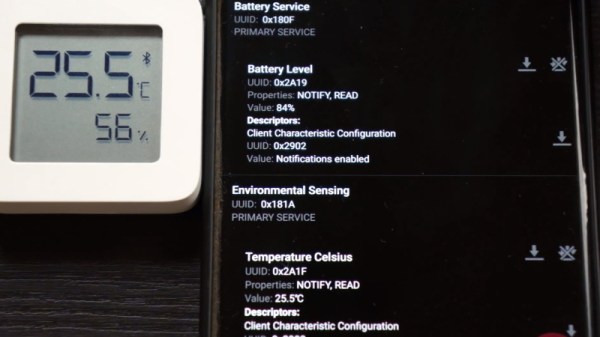
The new firmware publishes the temperature, humidity, and battery level every minute through a BLE advertisement broadcast. In other words, that means client devices can read data from the sensor without having to be paired. Scraping this data is quite simple, and the GitHub page includes a breakdown of what each byte in the broadcast message means. Avoiding direct connections not only makes it easier to quickly read the values from multiple thermometers, but should keep the device’s CR2032 battery going for longer.

But perhaps the most impressive part of this project is how you get the custom firmware installed. You don’t need to crack the case or solder up a programmer. Just load the flasher page on a computer and browser combo that supports Web Bluetooth (a smartphone is probably the best bet), point it to the MAC address of the thermometer you want to flash, and hit the button. [Aaron] is no stranger to developing user-friendly OTA installers for his firmware projects, but even for him, it’s quite impressive.

Continue reading “Custom Firmware For Cheap Bluetooth Thermometers”

FreeCAD Debugging

Powerful software programs often have macro programming languages that you can use, and if you know how to program, you probably appreciate them. However, sometimes the program’s built-in debugging facilities are lacking or even nonexistent If it were just the language, that wouldn’t be such a problem, but you can’t just grab a, for example, VBA macro from Microsoft Word and run it in a normal Basic interpreter. Your program will depend on all sorts of facilities provided by Word and its supporting libraries. [CrazyRobMiles] was frustrated with trying to debug Python running inside FreeCAD, so he decided to do something about it.

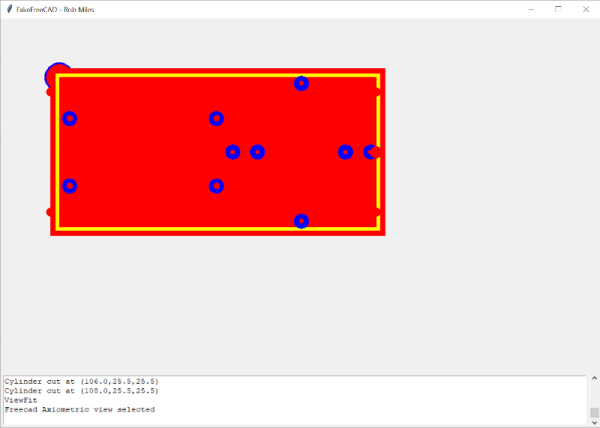
[Rob’s] simple library, FakeFreeCad, gives enough support that you can run a FreeCAD script in your normal Python development environment. It only provides a rude view of what you are drawing, but it lets you explore the flow of the macro, examine variables, and more.

Continue reading “FreeCAD Debugging”

Escalating Privileges In Ubuntu 20.04 From User Account

Ubuntu 20.04 is an incredibly popular operating system, perhaps the most popular among the Linux distributions due to its ease-of-use. In general, it’s a fairly trustworthy operating system too, especially since its source code is open. However, an update with the 20.04 revision has led to security researcher [Kevin Backhouse] finding a surprisingly easy way to escalate privileges on this OS, which we would like to note is not great.

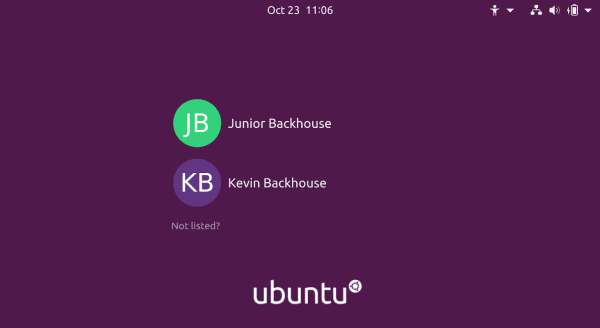
The exploit involves two bugs, one in accountservice daemon which handles user accounts on the computer, and another in the GNOME Display Manager which handles the login screen. Ubuntu 20.04 added some code to the daemon which looks at a specific file on the computer, and with a simple symlink, it can be tricked into reading a different file which locks the process into an infinite loop. The daemon also drops its privileges at one point in this process, a normal security precaution, but this allows the user to crash the daemon.

The second bug for this exploit involves how the GNOME Display Manager (gdm3) handles privileges. Normally it would not have administrator privileges, but if the accountservice daemon isn’t running it escalates itself to administrator, where any changes made have administrator privileges. This provides an attacker with an opportunity to create a new user account with administrator privileges.

Of course, this being Ubuntu, we can assume that this vulnerability will be immediately patched. It’s also a good time to point out that the reason that open-source software is inherently more secure is that when anyone can see the source code, anyone can find and report issues like this which allow the software maintainer (or even the user themselves) to make effective changes more quickly.

TTL Simulator In JavaScript

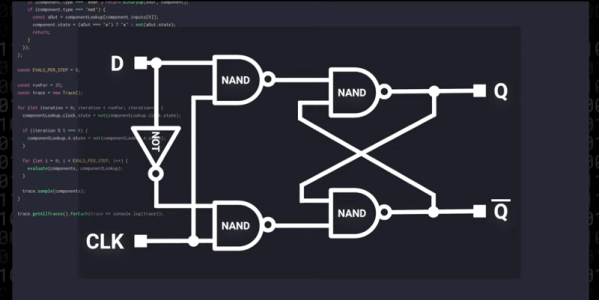
How do you celebrate your YouTube channel passing the 7400 subscriber mark? If you are [Low Level JavaScript], the answer is obvious: You create a 7400 TTL logic simulator in JavaScript. The gate simulations progress from simple gates up to flipflops and registers. You could probably build a 7400-based computer virtually with this code.

In addition to just being fun and interesting, there were a lot of links of interest in the video (see below) and its comments. For one, someone watching the channel took the code and made a Verilog-like IDE that is impressive.

Continue reading “TTL Simulator In JavaScript”

Raspberry PI 4 Now Supported By Risc OS In Latest Update

Students of ARM history will know that the origins of the wildly popular processor architecture lie in the British computer manufacturer Acorn (the original “A” in “ARM”). The first mass-market ARM-based products were their Archimedes line of desktop computers. A RISC-based computer in a school or home was significantly ahead of the curve in the mid 1980s and there was no off-the-shelf software, so alongside the new chips came a new operating system that would eventually bear the name Risc OS.

It’s since become one of those unexpected pieces of retrocomputing history that refuses to die, and remains in active development with a new version 5.28 of its open-source variant just released. Best of all, after supporting the Raspberry Pi since the earliest boards, it now runs on a Raspberry Pi 4. The original ARM operating system has very much kept up with the times, and can now benefit from the extra power of the latest hardware from Cambridge. The new release deals with a host of bugs, as well as bringing speed increases, security fixes, and other improvements. For those whose first experience of a GUI came via the Archimedes in British schools, the news that the built-in Paint package has received a thorough update will bring a smile.

The attraction of Risc OS aside from its history and speed lies in its being understandable in operation for those wishing to learn about how an OS works under the hood. It’s likely that for most of us it won’t replace our desktops any time soon, but it remains an interesting diversion to download and explore. If you’d like to read more about early ARM history then we’d like to point you at our piece on Sophie Wilson, the originator of the ARM architecture.