Your Guide To Building A Homebrew 6502 Computer

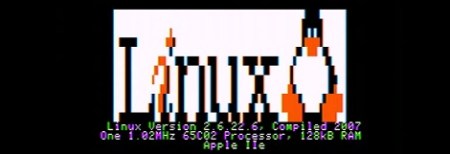
If you’ve ever thought about getting down to bare metal and building a homebrew computer from scratch [Garth Wilson] put up a great primer to the 6502, the same CPU found in Apple ][ computers, BBC Micros, Vic-20s, and the venerable Commodore 64 (a 6510 in the C64, but it’s close enough).

In his guide to building a 6502 computer, [Garth] goes over all the basics – what you want the computer to do, how to decode addresses, and other important technical requirements for getting a homebrew project running.

If that’s not enough, [Garth] directs his readers to the fabulous 6502.org forums  where just about every topic is discussed. The guys on the forum have a standardized I2C pinout for the 6502, allowing noobs to easily connect pre-designed keyboards, displays, and storage devices to their projects. There are a ton of tutorials on the 6502.org site, more than enough to get a homebrew project off the ground.

If you’d like to see what you can do with a homebrew 6502, check out the homebrew projects page featuring a 6502 Nixie clock and CLPD-based 65816 single board computer. There’s a treasure trove of information here, just waiting to be pulled from the vine.

Hackaday Links May 9th 2012

Homecut – CNC Cutting Directory

homecut

So you have a CNC machine that you use as a hobby, but would like to do some actual work on the side? Or maybe you have an idea you’d like made. Homecut is a map directory where you can maybe hook up with the right person.

The Curta Mechanical Calculator

curta calculator

As [leehart] mentioned in our comments section, the Curta mechanical calculator is a truly ingenious piece of engineering. A quick Google search should find all kinds of information on it, but this article could be a good place to start for some mechanical hacking inspiration!

Luxman Amplifier DAC Upgrade

nand-dac

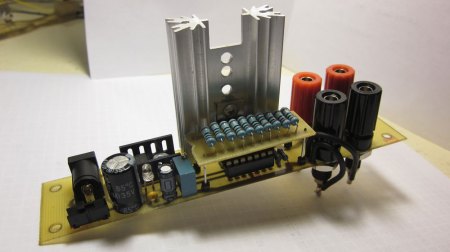
[R. Barrios] wasn’t happy with using the sound card for his HTPC setup, so decided to add a DAC module onto his reciever. The resulting audio quality was very good, and the build came out quite clean.  Check it out if you’re thinking of a hack-upgrade to your stereo equipment.

3D Printable Tilt-Shift Adapter

tilt-shift-lens

A tilt-shift lens a neat piece of equipment that is used to make a large scene look like they were miniatures. It’s a cool effect, but professional lenses to do this can cost thousands of dollars. This Instructable tells you how to go about printing your own. For more info on the technique itself, check out this Wikipedia article.

New 3D Printer on the Block

3d-printer

If you would like to take the plunge into 3D printing, but are looking for somewhere to get a parts kit, the [ORD Bot Hadron 3D Printer] may be worth a look.  The build quality looks great, and the price for the mechanical components is quite reasonable at $399. You’ll need to provide the electronics and extruder. Thanks [comptechgeek]!

Tilt Sensor Toy Is Simple And Mesmerizing

[Eiki] found himself in need of a project for his “simple machines” class. Another project had brought him in contact with some relatively cheap MEMS accelerometers and gyroscopes.  He had the idea to create a simple tilt sensor based circuit that would light whatever LED was at the bottom.

He’s using an Analog Devices ADXL202E accelerometer chip to sense tilt and an  LM3914 bar-graph driver to light the displays. He’s taking the voltage-proportional-to-accelleration output of the accelerometer, filtering it through a capacitor, then feeding it to the bar-graph driver. It may not be the most technically difficult project, but the result is mesmerizing and elegant.

An Excellent Introduction To Transmission Lines

[Bertho] sent in a great tutorial on terminating transmission lines. If you’ve ever tried to send a high frequency signal a long way down a wire, you know the problems that can crop up due to electronic strangeness. Luckily [Bertho]’s tutorial explains just about everything, from where and when to terminate a cable and why signals get screwed up in long wires.

[Bertho] begins his lesson by taking two oscilloscopes and 20 m of CAT5 cable with the twisted pairs wired in series to make an 80 meter long transmission line. A ~100kHz square wave was sent down the cable after being displayed on the first oscilloscope, and picked up on the other end by the second oscilloscope. It’s a great way to show the changes in a signal over a long cable run, and how small changes in the circuit (just adding a simple resistor) can affect the signal coming out of a cable.

It’s a great post that demystifies the strange electrical gremlins that pop up when you’re running a length of wire. Great job, [Bertho].

Replicating The Fancy Touch Sensor That Uses Anything

[Sprite_tm], a name many of you will recognize from these pages, has wasted no time in replicating the latest cool thing in a much simpler fashion. En Garde is a touch sensor that can detect up to 32 different points of contact on… whatever you use as the surface.  He couldn’t sit idly by and let the Disney funded one from yesterday keep the spot light. As you can see in the video, it works pretty well. If he didn’t tell you that his can only detect up to 32 points as opposed to the 200 of the other, you probably wouldn’t even notice the difference.  Of course, [Sprite_tm] also shares how you could easily beef his up to be even more precise. You can also download his source code an schematics from his site and give it a try yourself.

Continue reading “Replicating The Fancy Touch Sensor That Uses Anything”

Pinball Stomp: Part 2

This is the 2nd and final part of this project. If you haven’t seen part 1 yet, jump back and check it out.

Now that we have the controller box made and ready to go, we just have to build some simple stomp sensors. As I said before, I doubt this will hold anyones attention longer than a night or two. With that in mind, I wanted to make this as cheaply and simply as possible.

To make these, you need the following:

  • Foam board or thick cardboard
  • aluminum tape
  • wire
  • duct tape

That’s it… no really, that’s it. Check out the video after the break to see how it all went, and what the kids thought of it.

Continue reading “Pinball Stomp: Part 2”

Build An 8-bit TTL Computer

Very rarely do we see an Instructable so complete, and so informative, that it’s a paragon of tutorials that all Instructables should aspire to. [8 Bit Spaghetti]’s How to Build an 8-bit computer is one of those tutorials.

[8 Bit Spaghetti]’s build began on his blog. He originally planned to build a 4-bit computer but decided a computer that could only count to 15 would be too limiting. The build continued by programming an NVRAM as the ROM on a breadboard and finally testing his bundle of wires.

What really makes [8 Bit Spaghetti]’s special is the Instructable – he covers just about all the background information like the definition of a Turing machine, a brief introduction to electronics and logic chips, and binary numbers. Even though he’s doing some fairly complicated work, [8 Bit Spaghetti]’s tutorial makes everything very clear.

The computer isn’t quite done yet – there’s still a few nixie tubes to add – but we couldn’t imagine a better project for the budding electronic hacker.