[Bunnie]’s Open Source Laptop Is Ready For Production

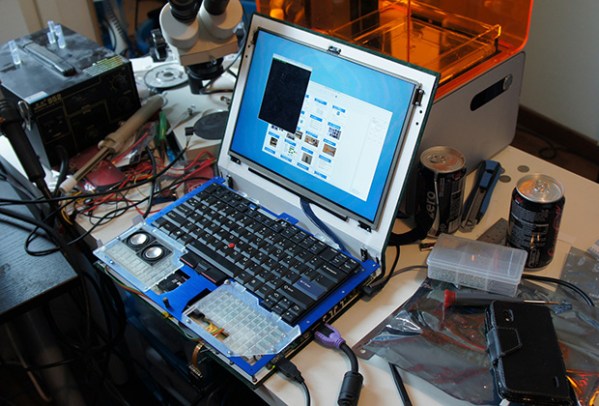
Just over a year ago, [Bunnie Huang] announced he was working on a very ambitious personal project: a completely open source laptop. Now, with help from his hardware hacker compatriot [xobs], this laptop named Novena is nearly complete.

Before setting out on this project, [Bunnie] had some must-have requirements for the design. Most importantly, all the components should be free of NDA encumbrances. This isn’t an easy task; an SoC vendor with documentation sitting around on their servers is rare as hen’s teeth, and Freescale was the only vendor that fit the bill. Secondly, the entire laptop should be entirely open source. [Bunnie] wasn’t able to find an open source GPU, so using hardware video decoding on his laptop requires a binary blob. Software decoding works just fine, though.

Furthermore, this laptop is designed for both security and hardware hacking. Two Ethernet ports (one 1Gbit and the second 100Mbit), a USB OTG port, and a Spartan 6 FPGA put this laptop in a class all by itself. The main board includes 8x analog inputs, 8x digital I/O ports, 8 PWM pins, and a Raspberry Pi-compatible header for some real hardware hackery.

As for the specs of the laptop, they’re respectable for a high-end tablet.  The CPU is a Freescale iMX6, a quad-core ARM Cortex-A9 running at 1.2 GHz. The RAM is upgradeable to 4GB, an internal SATA-II port will easily accommodate a huge SSD, the ability to use an LCD adapter board to run the 13-inch 2560×1700 LED panel [Bunnie] is using. The power system is intended to be modular, with batteries provided by run-of-the-mill RC Lipo packs. For complete specs, check out the wiki.

Despite the high price and relatively low performance (compared to i7 laptop) of [Bunnie]’s laptop, there has been a lot of interest in spinning a few thousand boards and sending them off to be pick and placed. There’s going to be a crowd funding campaign for Novena sometime in late February or March based around an “all-in-one PC with a battery” form factor. There’s no exact figure on what the price of a Novena will be, but it goes without saying a lot will be sold regardless.

If you want the latest updates, the best place to go would be the official Novena twitter: @novenakosagi
Rex, The ARM-Powered Robot Board

REX

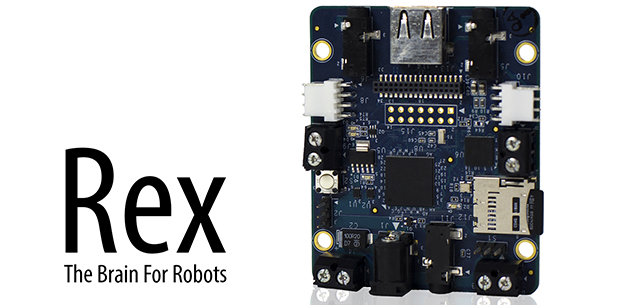
There are a million tutorials out there for building a robot with an Arduino or Raspberry Pi, but they all suffer from the same problem: neither the ‘duino nor the Raspi are fully integrated solutions that put all the hardware – battery connectors, I/O ports, and everything else on the same board. That’s the problem Rex, an ARM-powered robot controller, solves.

The specs for Rex include a 1GHz ARM Cortex-A8 with a Video SoC and DSP core, 512 MB of RAM, USB host port, support for a camera module, and 3.5mm jacks for stereo in and out. On top of that, there’s I2C expansion ports for a servo adapter and an input and output for a 6-12 V battery. Basically, the Rex is something akin to the Beaglebone Black with the hardware optimized for a robotic control system.

Because shipping an ARM board without any software would be rather dull, the guys behind Rex came up with Alphalem OS, a Linux distro that includes scripts, sample programs, and an API for interaction with I2C devices. Of course Rex will also run other robotics operating systems and the usual Debian/Ubuntu/Whathaveu distros.

It’s an impressive bit of hardware, capable of speech recognition, and machine vision tasks with OpenCV. Combine this with a whole bunch of servos, and Rex can easily become the brains of a nightmarish hexapod robot that responds to your voice and follows you around the room.

You can pick up a Rex over on the Kickstarter with delivery due sometime this summer.

Testing The Limits Of Home PCB Etching

[Quinn Dunki]’s Veronica, a homebrew computer based on the 6502 CPU, is coming along quite nicely. She’s just finished the input board that gives Veronica inputs for a keyboard and two old Nintendo gamepads. [Quinn] is building this computer all by her lonesome, including etching all the PCBs. She’s gotten very, very good at etching her own boards, but this input board did inspire a few facepalming moments.

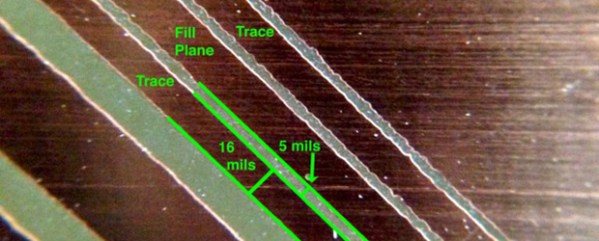
In an earlier post, [Quinn] went over her PCB etching capabilities. As demonstrated by the pic above, she’s able to print 16 mil traces with 5 mil separation. This is just about as good as you can get with homebrew PCBs, but it’s not without its problems.

[Quinn] is using a photographic process for her boards where two copies of a mask is printed on an acetate sheet, doubled up, and laid down on a pre-sensitized copper board. The requirement for two layers of toner was found by experience – with only one layer of toner blocking UV light, [Quinn] got some terrible pitting on her traces and ground planes.

Two photographic masks means the masks must be precisely aligned. This example shows what happens when the acetate sheets are ever so slightly misaligned. With a 5 mil gap between traces, [Quinn] needs to align the masks to within ±2.5 mils; difficult to do by eye, and very hard once you factor in flexing and clamping them down to the copper board.

Even when this process goes perfectly, [Quinn] is pushing the limits of a laser printer. When printing at 600 dpi, the pixels of the print are about 1.5 mils. While GIMP, printer drivers, and the printer itself have some fancy software to help with the interpolation, [Quinn] is still seeing ‘bumps’ on the edges of perfectly aligned parts. This is one of those things that really makes you step back and realize how amazing fabbing PCBs at home actually is.

With most of the hardware for Veronica out of the way, it’s just about time for [Quinn] to start programming her baby. We’re not expecting a full-blown operating system and compiler, but those NES gamepads are probably crying out for some use.

Interfacing With The HTC Desire Display And Its Touch Panel

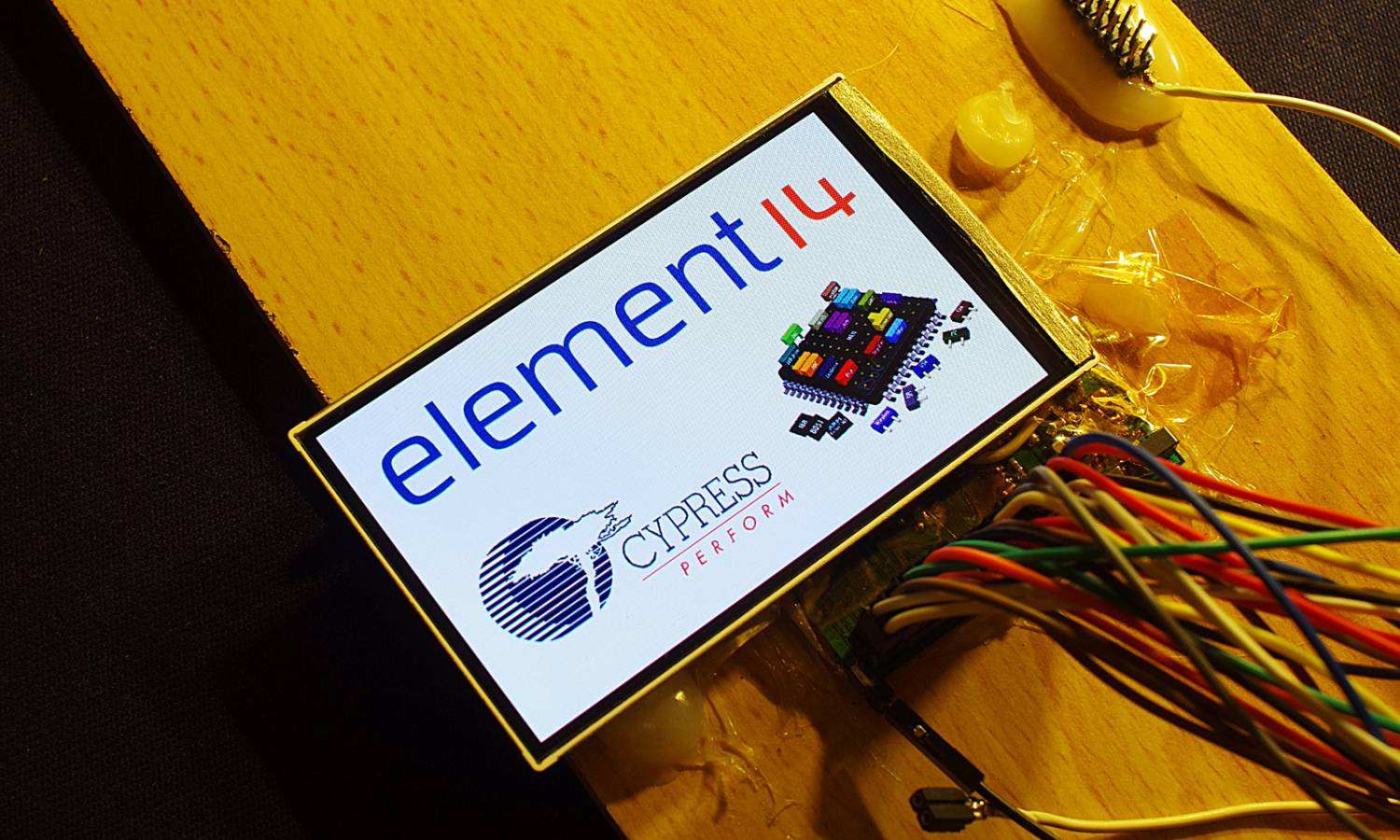
Part of [Linas]’ submission to last year’s Cypress Smarter Life Challenge involved using the HTC Desire display and its touch screen. This particular phone includes a full-color active-matrix OLED (AMOLED) display that has a 3.7″ diagonal and a 480×800 resolution, resulting in a 252ppi pixel density. Using a MSO2024B oscilloscope, [Linas] originally started his adventure with the touchscreen by sniffing the I2C signals. As some math was required to extract the data, he later found the HTC Desire source code and included it on his STM32F429 (so much for reverse engineering!).

After spending many hours searching for the AMOLED display and controller datasheets, [Linas] resorted to pay a company to get the resources he needed. He produced a custom-made PCB to provide the display with the required voltages, as well as offering a 0.1″ connector to interface with it. A RGB565 interface is used to communicate with the screen so only 65k out of the 16 million colors are used. You may download all the program files and datasheets in [Linas] write-up.

A Low Cost Dual Discriminator Module For The Easy-phi Project

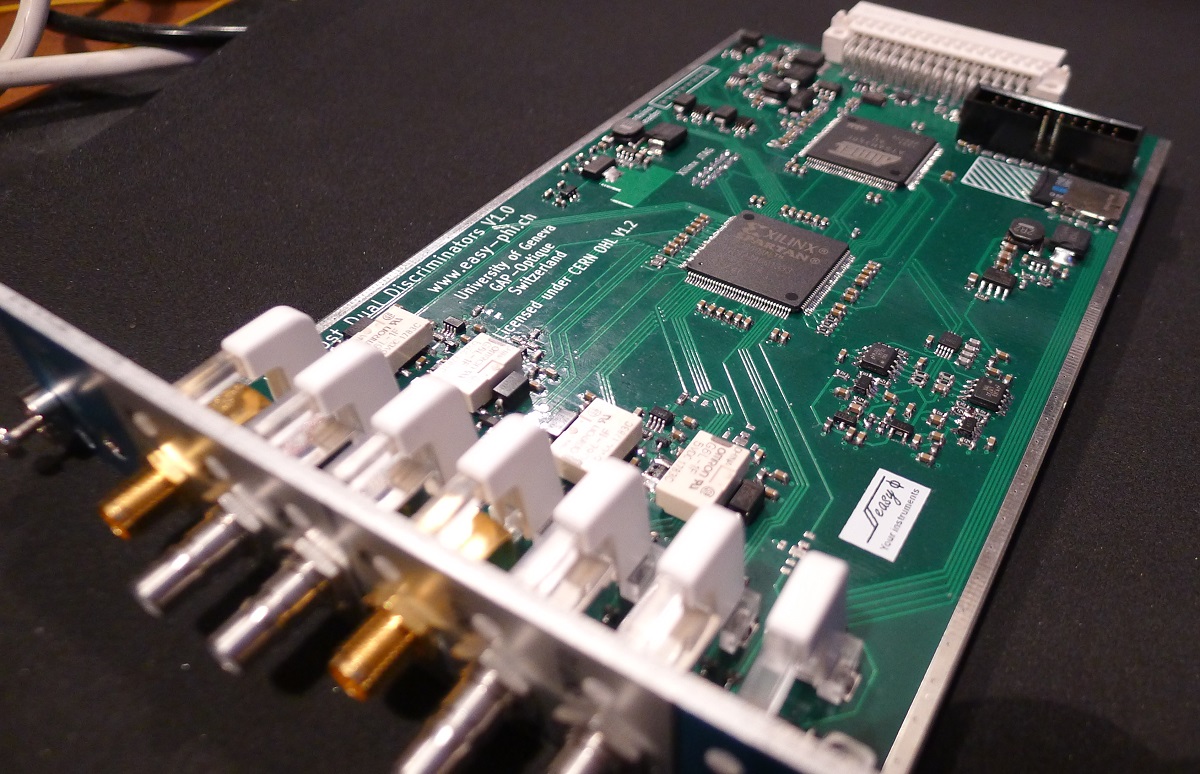
A few months ago I presented you the Easy-phi project, which aims at building a simple, cheap but intelligent rack-based open hardware/software platform for hobbyists. With easy-phi, you simply have a rack to which you add cards (like the one shown above) that perform the functions you want.

Recently my team finished testing our FPGA-based discriminator or “universal input” if you prefer. As easy-phi cards use a well-defined electrical signal to communicate with each other, we needed to make a card that would translate the different kinds of electrical signals from the outside, as well as perform plenty of other functions. It was therefore designed to have a 100MHz input bandwidth with an AC/DC coupled 50 ohm/high impedance input stage (x2) and 4 easy-phi outputs. For this module, we picked the (old) spartan3-an FPGA to perform the different logic functions that may be needed by the final users (high speed counter, OR/XOR/AND, pulse creation,…). Using the cortex-m3 microcontroller present on the board, it may be easily reconfigured at will. All design resources may be found on our Github, and you can always have a look at our official website.

Easy Multi-Touch Table

Screen Shot 2013-12-31 at 1.53.13 PM

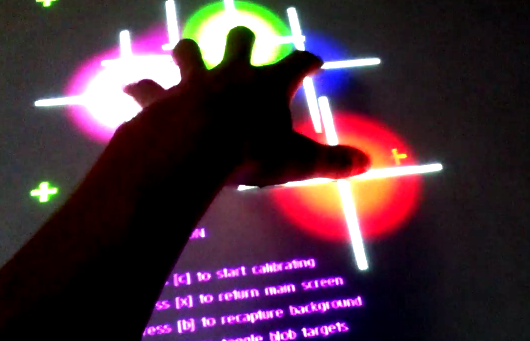
[2bigbros] put up an Instructable on his multi-touch table build. It’s a nice setup, using the typical frustrated total internal reflection method for touch sensing. Tinkerman’s Method was used for the screen itself, which involves rolling silicon onto vellum with a paint roller to improve the bond. [2bigbros] then built a nice aluminum and wooden frame for the whole thing. He’s light on some details, but most people with a basic understanding and Google will be able to figure it out.

This is a very accessible project for most builders. If you’re interested in getting into it, there are plenty of projects to reference. We previously covered the basics, as well as a more involved build. We’ve even seen an interactive tower defense game using multi-touch. If you decide to build one of your own, don’t forget the excellent resource at TUIO for finding frameworks and example implementations.

Continue reading “Easy Multi-Touch Table”

USBPass – A Mooltipass-like Project

In our Developed on Hackaday series some readers may recall a sentence we wrote: “if one’s idea is not yet in the market, it’s either completely stupid or people are already working on it”. Well, [Josh] casually mentioned that he was also working on an offline password keeper after having recently subscribed to our google group. Similarly to the Hackaday-developed platform, the USBPass is connected to a computer via USB and is detected as an HID keyboard. As you can see in the picture shown above, it uses very few components: an ATMega32U2, a USB connector, three buttons and a few passives chips.

A total of 20 passwords can be stored in the microcontroller’s memory, which can be ‘typed’ by the platform using the push buttons. The USBPass firmware is based around the LUFA USB stack, to which [Josh] added HID report functionality to allow data transfer from his desktop application. The latter uses the Linux/Windows/OS X HID API library so bringing his software to other operating systems can be done in no time. All the project resources can be found on GitHub, while [Josh] is currently working on a B revision which will include an OLED screen.