Walking Motion Analysis Using Wii Remotes

WiiGait is not a political scandal, it’s a project that records motion data while walking. [Bilal Chishti] and [Zassa Kavuma] are strapping a Wii remote onto each leg and recording the sensor data while making video of the walker at the same time. The two are using an Ubuntu box to pull the sensor data from the Bluetooth-enabled devices and utilizing its built-in webcam for the video. They graph the data for each axis and we’re sure that syncing up data anomalies with the video is just a matter of matching timestamps.

So what good is this? The creators are keeping us in the dark about an end-goal for collected data; this may just be for the experience of using the hardware. But we could see it having uses in making distance runners more efficient, or teaching that bipedal robot how to balance.

Continue reading “Walking Motion Analysis Using Wii Remotes”

RF Control From Just About Any Device

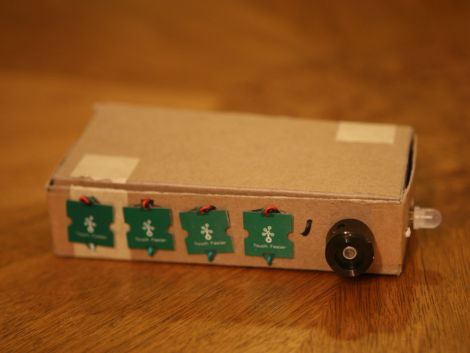
[Mirko] is working on a library that will allow you to add RF control to just about any device. The only requirement is that the device be capable of running a Linux kernel, and that it have a few GPIO pins available. One example is fairly straight forward, a Netgear router. Many, if not most routers run a Linux kernel natively and most have solder points on the board for unused IO pins so patching into the hardware is very straight forward. Less obvious and much more impressive is the hack seen in the image above. [Mirko] built an SD card adapter cable and uses the contacts in the card reader to bit bang four-wire SPI to communicate with that RF module.

Inexpensive Robot Platform Combines Mass-produced Parts

Meet Bilibot, a modular robot that aims to lower the cost of entry for robotic tinkerers. It combines the Kinect, the iRobot Create, and an Ubuntu box running ROS using some laser cut mounting brackets. These are relatively inexpensive components but the most exciting thing is that there’s already a slew of example out there that use this hardware. For instance, we looked in on ROS body tracking in January that can be directly plucked and used with this hardware. You’ll recognize the base as the iRobot create which was used in video chat robot from last week. The brains of the operation come in a choice of three Linux boxes – two headless and one laptop – which have ROS pre-installed. Watch the open-source autonomy as it tools around the office in the video after the break.

Continue reading “Inexpensive Robot Platform Combines Mass-produced Parts”

STK200 Pocket Change Programmer

A common complaints of beginners to microcontroller programming is the availability of DIY tools that do not require a parallel port.  Using not much more than a couple of 74xx series chips and some protoboard, [Rue] was able to create an AVR programmer for less than the cost of some chips it can program – giving parallel programmers a run for thier money. [Rue] used Linux treat the ubiquitous PATA/IDE port as a parallel port. By having avrdude treat the programmer as an Atmel STK200, [Rue] was able to upload a blinky program to his AVR microcontroller through ISP. If anybody can think of an even lower cost unconventional solution give us a shout.

Have A Face For Radio?

The help of fellow members of the Austrian technology collective/hackerspace [Otelo] allowed [Georg] to develop a networked audio streaming board, with less than $20 worth of components. Dubbed the OggStreamer for obvious reason, it’s designed to relay audio from a mixing board to an Icecast server (an open source implementation of SHOUTcast) in real-time. The board is based on the STM8 Discovery kit and the Xport Pro. It features stereo input, an onboard OGG Vorbis encoder, and (to top it off) is running uClinux. We think it’s very well thought out – but don’t take our word for it… the OggStreamer won second place last year in the Lantronix XPort Pro Design Contest, and [Georg] has documented it extensively (pdf).

Rotary Dial Authenticates Sudo Commands

[W1ndman] won’t win any security awards for this build, but it’s an interesting idea. On many Linux-based systems commands can be run with administrator privileges by prefacing them with the keyword ‘sudo’. Normally you’d be asked for a password but [W1ndman] used the Pluggable Authentication Modules (PAM) to authenticate via his own shell script. That script checks a code from this rotary dial for authentication. An Arduino takes care of listening for each digit that is entered and then sends the code via USB for comparison with a stored file. We’re not sure if that stored code is in a plain file or is otherwise protected, but at the very least this prevents you from using ‘sudo’ willy-nilly.

Network Packet Sniffing With Linux

Here’s a chance to learn a little bit about network security. This article walks us through some of the core concepts of network manipulation and packet sniffing using Linux tools. [Joey Bernard] discusses the uses for packages like tcpdump, p0f, and dsniff. They are capable of recording all network traffic coming through your computer’s connection, seeking out machines installed on the network, and listening to traffic for a specific machine. This isn’t going to give you a step-by-step for cracking modern networks. It will provide some insight on what is going on with your network and you should be able to purpose these tools to check that you’ve got adequate security measures in place.