NIST Helps You With Cryptography

Getting cryptography right isn’t easy, and it’s a lot worse on constrained devices like microcontrollers. RAM is usually the bottleneck — you will smash your stack computing a SHA-2 hash on an AVR — but other resources like computing power and flash code storage space are also at a premium. Trimming down a standard algorithm to work within these constraints opens up the Pandora’s box of implementation-specific flaws.

NIST stepped up to the plate, starting a lightweight cryptography project in 2013 which has now come out with a first report, and here it is as a PDF. The project is ongoing, so don’t expect a how-to guide. Indeed, most of the report is a description of the problems with crypto on small devices. Given the state of IoT security, just defining the problem is a huge contribution.

Still, there are some concrete recommendations. Here are some spoilers. For encryption, they recommend a trimmed-down version of AES-128, which is a well-tested block cipher on the big machines. For message authentication, they’re happy with Galois/Counter Mode and AES-128.

I was most interested in hashing, and came away disappointed; the conclusion is that the SHA-2 and SHA-3 families simply require too much state (and RAM) and they make no recommendation, leaving you to pick among less-known functions: check out PHOTON or SPONGENT, and they’re still being actively researched.

If you think small-device security is easy, read through the 22-question checklist that starts on page twelve. And if you’re looking for a good starting point to read up on the state of the art, the bibliography is extensive.

Your tax dollars at work. Thanks, NIST!

And thanks [acs] for the tip!
Wireless Terminal Over ESP8266

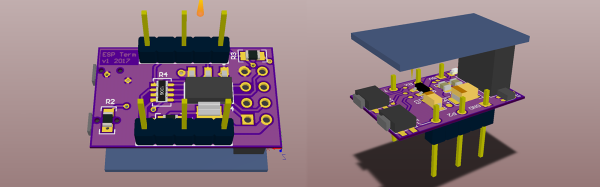
From debug messages to the fundamental ‘hello world’, serial communication does it all over three little wires. Now imagine being able to cut the cord to your next microcontroller project and use your phone as a VT100 terminal. This was the premise of [Ondřej Hruška]’s Wireless Terminal Project where he took an ESP8266  and added an in-browser terminal emulator which can be accessed over WiFi. The final hardware uses an ESP-01 module mounted atop a breadboard adapter with a 3.3V LDO, protection circuitry for the pins and under-voltage disable.

The firmware is based on [SpriteTM]’s libesphttpd code which was modified to include the VT100 escape sequence parser. The parser, in turn, was coded as a state machine and compiled using Ragel which simplifies such projects greatly. When you access the tiny web server, the loaded webpage starts to communicate over web sockets to the ESP-01. Key-presses from the terminal are sent to the buffer and onto the parser and control logic. The characters are then passed to the hardware UART lines at 115200bps and if an escape sequence is detected, the corresponding action is executed instead.

[Ondřej Hruška] shares the code as well as a user manual in PDF for anyone who would like to try it out and help improve the project. With a little inspiration on learning about state machines, you could extend the project to your own use case as well.

Thanks for the tip [Marco Saarloos]

Microcontroller Load Meter Tells You How Hard It’s Currently Working

Writing code for embedded applications can be difficult. There are all sorts of problems you can run into – race conditions, conflicting peripherals, unexpected program flow – any of these can cause havoc with your project. One thing that can really mess things up is if your microcontroller is getting stuck on a routine – without the right debugging hardware and software, this can be a tricky one to spot. [Terry] developed a microcontroller load meter just for this purpose.

It’s a simple setup – a routine named loadmeter-task on the microcontroller sends a train of pulses to a mechanical ammeter. The ammeter is then adjusted with a trimpot to read “0” when the chip is unloaded. As other tasks steal CPU time, there’s less time for loadmeter-task to send its pulses, so the meter falls to the left.

Overall it’s a quick and easy bit of code you could add to any project with a spare GPIO pin, that might help you debug. Plus it’s cool to know how hard your project is pushing the silicon.

If you’d like to know more about what your chip is doing, check out this post about the usefulness of in-circuit debugging, or read about Bil Herd’s experiments with ICE and OBD-II.

OBDII to Speed Pulse: Atmel ICE

Building An OBD Speed Pulse: Behold The ICE

I am a crappy software coder when it comes down to it. I didn’t pay attention when everything went object oriented and my roots were always assembly language and Real Time Operating Systems (RTOS) anyways.

So it only natural that I would reach for a true In-Circuit-Emulator (ICE) to finish of my little OBDII bus to speed pulse generator widget. ICE is a hardware device used to debug embedded systems. It communicates with the microcontroller on your board, allowing you to view what is going on by pausing execution and inspecting or changing values in the hardware registers. If you want to be great at embedded development you need to be great at using in-circuit emulation.

Not only do I get to watch my mistakes in near real time, I get to make a video about it.

Getting Data Out of a Vehicle

I’ve been working on a small board which will plug into my car and give direct access to speed reported on the Controller Area Network (CAN bus).

To back up a bit, my last video post was about my inane desire to make a small assembly that could plug into the OBDII port on my truck and create a series of pulses representing the speed of the vehicle for my GPS to function much more accurately. While there was a wire buried deep in the multiple bundles of wires connected to the vehicle’s Engine Control Module, I have decided for numerous reasons to create my own signal source.

At the heart of my project is the need to convert the OBDII port and the underlying CAN protocol to a simple variable representing the speed, and to then covert that value to a pulse stream where the frequency varied based on speed. The OBDII/CAN Protocol is handled by the STN1110 chip and converted to ASCII, and I am using an ATmega328 like found on a multitude of Arduino’ish boards for the ASCII to pulse conversion. I’m using hardware interrupts to control the signal output for rock-solid, jitter-free timing.

Walk through the process of using an In-Circuit Emulator in the video below, and join me after the break for a few more details on the process.

Continue reading “Building An OBD Speed Pulse: Behold The ICE”

Using Modern C++ Techniques With Arduino

C++ has been quickly modernizing itself over the last few years. Starting with the introduction of C++11, the language has made a huge step forward and things have changed under the hood. To the average Arduino user, some of this is irrelevant, maybe most of it, but the language still gives us some nice features that we can take advantage of as we program our microcontrollers.

Modern C++ allows us to write cleaner, more concise code, and make the code we write more reusable. The following are some techniques using new features of C++ that don’t add memory overhead, reduce speed, or increase size because they’re all handled by the compiler. Using these features of the language you no longer have to worry about specifying a 16-bit variable, calling the wrong function with NULL, or peppering your constructors with initializations. The old ways are still available and you can still use them, but at the very least, after reading this you’ll be more aware of the newer features as we start to see them roll out in Arduino code.
Continue reading “Using Modern C++ Techniques With Arduino”

Hands-On The Hot New WeMos ESP-32 Breakout

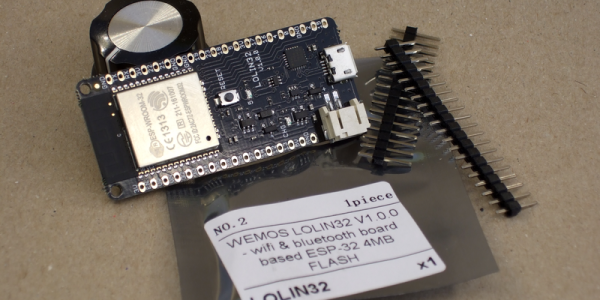
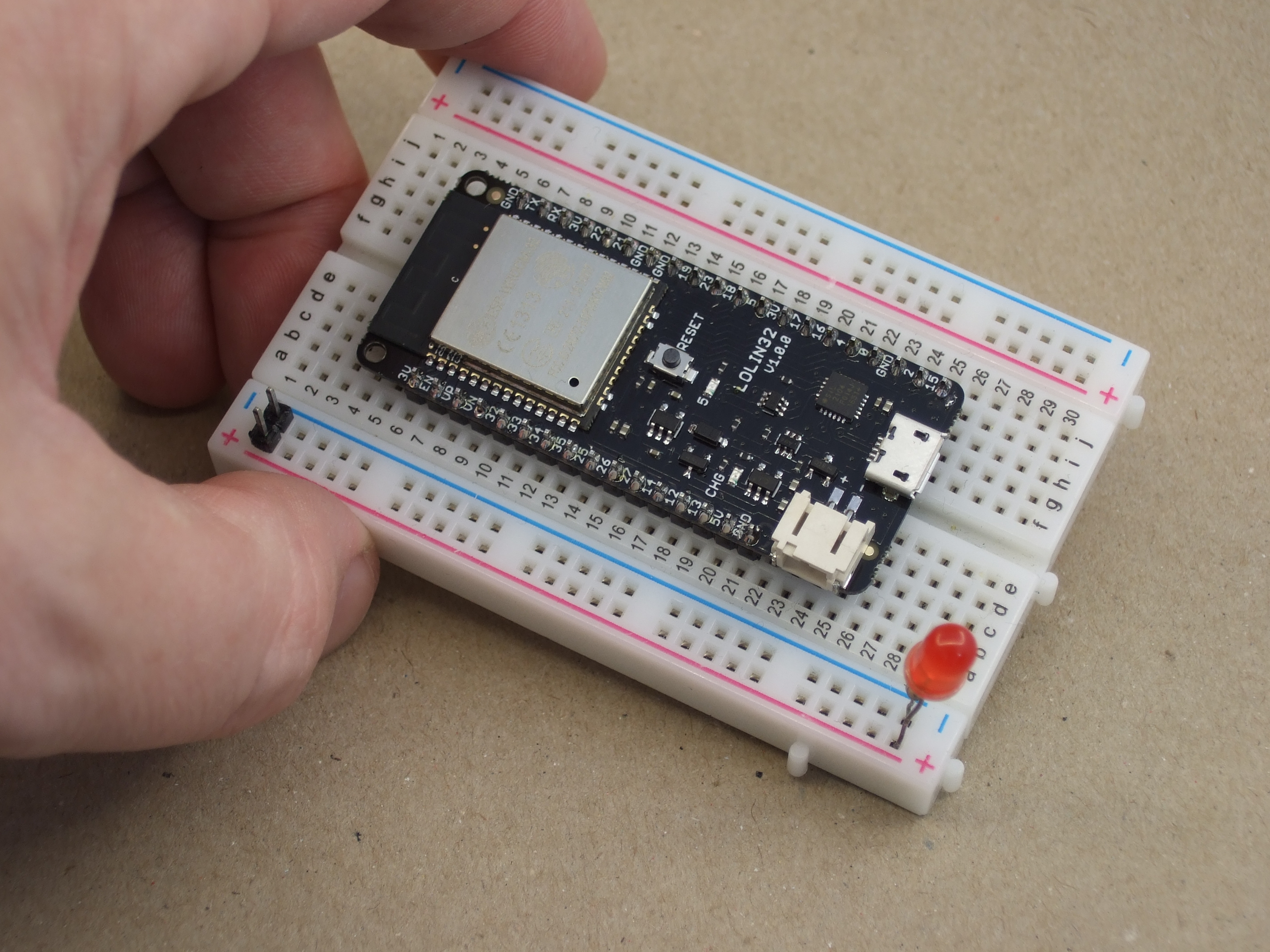
Just two weeks ago our favorite supplier of cheap ESP8266 boards, WeMos, released the long-awaited LOLIN32 ESP-32 board, and it’s almost a killer. Hackaday regular [deshipu] tipped us off, and we placed an order within minutes; if WeMos is making a dirt-cheap ESP32 development board, we’re on board! It came in the mail yesterday. (They’re out of stock now, more expected soon.)

If you’ve been following the chip’s development, you’ll know that the first spin of ESP-32s had some silicon bugs (PDF) that might matter to you if you’re working with deep sleep modes, switching between particular clock frequencies, or using the brown-out-reset function. Do the snazzy new, $8, development boards include silicon version 0 or 1? Read on to find out!

Continue reading “Hands-On The Hot New WeMos ESP-32 Breakout”

Friday Hack Chat: Chip Gracey From Parallax

Learn the ins and outs of multi-core microcontrollers as Chip Gracey leads this week’s Hack Chat on Friday 5/5 at noon PDT. Chip founded Parallax and has now been working for more than a decade on the Propeller 2 design, a microcontroller which has 8 and 16 core options.

When it comes to embedded development, most people think of a single process running. Doing more than one task at a time is an illusion provided by interrupts that stop one part of your program to spend a few cycles on another part before returning. The Propeller 2 has true parallel processing; each core can run its own part of the program. From the embedded engineer’s perspective that makes multiple real-time operations possible. Where things get really interesting is how those cores work together.

Here’s your chance to hear about multi-core embedded first hand, from both the silicon design side and the firmware developer side. Join us for a Parallax Hack Chat this Friday at noon PDT.

Here’s How To Take Part:

join-hack-chatOur Hack Chats are live community events on the Hackaday.io Hack Chat group messaging.

Log into Hackaday.io, visit that page, and look for the ‘Join this Project’ Button. Once you’re part of the project, the button will change to ‘Team Messaging’, which takes you directly to the Hack Chat.

You don’t have to wait until Friday; join whenever you want and you can see what the community is talking about.