

Gun issues aside, [Justin]’s been CNC milling his own gun parts for quite a while. We’ve been a fan of his work simply because of the technical challenge that this sort of milling presents. Even if you’re anti-gun, you should check out the work he’s been turning out. Pictured is one of his early projects: a 92fs Beretta frame in the process of being milled from a solid block of aluminum. Our friend the gun nut is insanely jealous of his AR45 lower project.
Misc Hacks4161 Articles
DIY Ballistic Gel

Earlier today, we looked at DIY ballistic glass, so we decided to look into DIY ballistic gel as well. Anyone who watches Mythbusters is probably already well familiar with their extensive use of this wonderful gel. Turns out the stuff is beyond easy to create at home. With some gelatin molds (and firepower) you could have a lot of fun with it.
To get started, pick up a box of gelatin powder from your local supermarket. Using 8 oz. of the powder and 2 quarts of cold water, stir together until the consistency is thick and all powder moist. Then, place the mixture in the fridge to chill for two hours. You will then need to heat the mixture until melted; be sure the liquid does not exceed 130 degrees. Finally, apply a layer of nonstick spray to your favorite mold or tupperware, and pour the mixture in. Allow to set in the fridge for 36 hours before use.
If you want even more DIY ballistics, check out this nice guide to creating your own chronograph, for measuring bullet velocity. After the break are videos on making and, of course, shooting the final product.
DIY Ballistic Glass
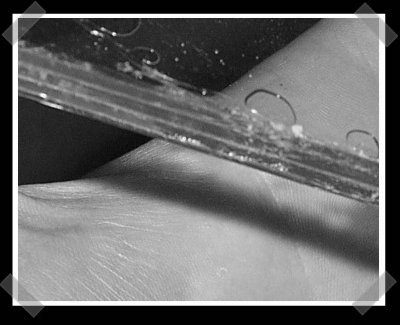
[Glenn] hasn’t put up action shots, but he did write up how he made his own “Bulletproof” glass. The idea is simple: make a composite sandwich of Acrylic and Polycarbonate plastic. Automotive grade uses a combination of glass and Polycarbonate. Great, now we’ve got one more thing on my list of stuff to shoot.
Silicon Hacking

Wired recently posted an article and video detailing our friend [Chris Tarnovsky]’s process for hacking smart cards. In the video, [Chris] shows how he strips away physical components of the chips inside the smartcards using various gadgets and chemicals.
The first step is to remove the chip from its plastic frame. After soaking it in acid for about 10 minutes, the epoxy is removed and the chip is exposed. After that the outer layer is loosened by soaking the chip in two solutions of acetone, the second being the “clean” one. Then the chip is placed on a hotplate where a drop of fuming nitric acid is applied with a dropper; the chip is washed again in an ultrasonic cleaner, removing any residue left.
[Chris] then returns the chip to the card. He will apply nail polish to act as a masking material. He scratches a hole through the polish with a needle held by a micro positioner in the area of interest. The hole is treated with hydrofluoric acid and then etched in short intervals until the desired layer of silicon is exposed. At this point, the card is fully prepped.
Now by powering the chip with the needle resting on the bus, [Chris] can read the code on the chip by sending it various commands and watching how it reacts. To see more of [Chris]’s reverse engineering work, check out Flylogic Engineering’s Analytical Blog. It’s a enjoyable read even if you’re new to silicon hacking.
Digidash: Digital Dashboard For Megasquirt
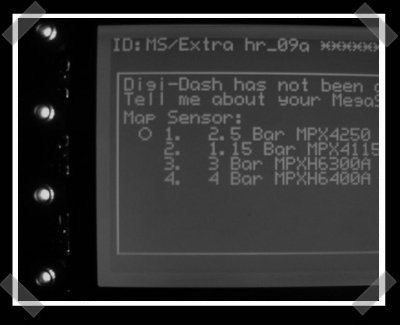
The Digidash project is an open source digital dashboard designed just for the megasquirt EFI system we mentioned in our diy EFI motorcycle post. Unfortunately, the site doesn’t link the hardware design. From the description, I’m assuming that it’s essentially a graphic LCD driven by an Atmel microcontroller that talks to the Megasquirt to get the display info.
XY Fabric Interface
[Maurin Donneaud], the giant fabric keyboard builder, has also been working on the XYinteraction tactile interface. XYinteraction is made of two sheets of fabric stretched across a square frame with the conductive threads of each sheet running in opposite directions. When the user touches one of the sheets, it makes contact with the other sheet, relaying x-y coordinates to a computer via a LilyPad Arduino. More details after the break.
LED Ambient Light Strips
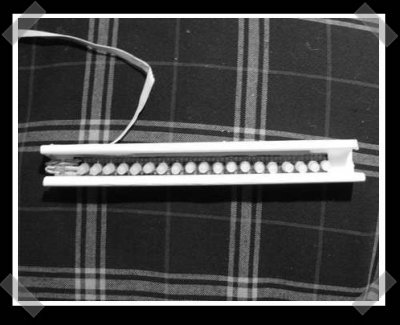
[Shadow] sent in his ambient LED strip project. He picked up a ton of RGB (Red/Green/Blue) LEDs off of eBay and built several LED strips. To get up and running, he used an LED-wiz controller. With the off the shelf controller, this is a pretty easy project, and the ambient lighting effect looks great. Check out the video after the break or on the project page.
In 2006, we posted about [rafkep]’s similar ambient lighting project.









