JawnCon Returns This Weekend

For those local to the Philadelphia area, a “jawn” can be nearly anything or anyone — and at least for this weekend, it can even be a hacker con building up steam as it enters its third year. Kicking off this Friday at Arcadia University, JawnCon0x2 promises to be another can’t-miss event for anyone with a curious mind that lives within a reasonable distance of the Liberty Bell.

The slate of talks leans slightly towards the infosec crowd, but there’s really something for everyone on the schedule. Presentations such as Nothing is Safe: An Introduction to Hardware (In)Security and Making the GameTank – A New, Real 8-Bit Game Machine will certainly appeal to those of us who keep a hot soldering iron within arm’s reach, while Rolling Recon & Tire Prints: Perimeter Intrusion Detection and Remote Shenanigans via Rogue Tire Stem RF and Get More Radio Frequency Curious will certainly appeal to the radio enthusiasts.

Continue reading “JawnCon Returns This Weekend”

A New Cartridge For An Old Computer

Although largely recognizable to anyone who had a video game console in the 80s or 90s, cartridges have long since disappeared from the computing world. These squares of plastic with a few ROM modules were a major route to get software for a time, not only for consoles but for PCs as well. Perhaps most famously, the Commodore VIC-20 and Commodore 64 had cartridge slots for both gaming and other software packages. As part of the Chip Hall of Fame created by IEEE Spectrum, [James] found himself building a Commodore cartridge more than three decades after last working in front of one of these computers.

[James] points out that even by the standards of the early 80s the Commodore cartridges were pretty low on specs. They’re limited to 16 kB, which means programming in assembly and doing things like interacting with video hardware directly. Luckily there’s a treasure trove of documentation about the C64 nowadays as well as a number of modern programming tools for them, in contrast to the 80s when tools and documentation were scarce or nonexistent. Hardware these days is cheap as well; the cartridge PCB and other hardware cost only a few dollars, and the case for it can easily be 3D printed.

Burning the software to the $3 ROM chip was straightforward as well with a TL866 programmer, although [James] left a piece of memory management code in the first pass which caused the C64 to lock up. Removing this code and flashing the chip again got the demo up and running though, and it’ll be on display at their travelling “Chips that Changed the World” exhibit. If you find yourself in the opposite situation, though, we’ve also seen projects that cleverly pull the data off of ancient C64 ROM chips for preservation.

Google Confirms Non-ADB APK Installs Will Require Developer Registration

After the news cycle recently exploded with the announcement that Google would require every single Android app to be from a registered and verified developer, while killing third-party app stores and sideloading in the process, Google has now tried to put out some of the fires with a new Q&A blog post and a video discussion (also embedded below).

When we first covered the news, all that was known for certain was the schedule, with the first trials beginning in October of 2025 before a larger rollout the next year. One of the main questions pertained to installing apps from sources that are not the Google Play Store. The answer here is that the only way to install an app without requiring one to go through the developer verification process is by installing the app with the Android Debug Bridge, or adb for short.

The upcoming major release of Android 16 will feature a new process called the Android Developer Verifier, which will maintain a local cache of popular verified apps. The remaining ones will require a call back to the Google mothership where the full database will be maintained. In order to be a verified Android developer you must have a Google Play account, pay the $25 fee and send Google a scan of your government-provided ID. This doesn’t mean that you cannot also distribute your app also via F-Droid, it does however mean that you need to be a registered Play Store developer, negating many of the benefits of those third-party app stores.

Although Google states that they will also introduce a ‘free developer account type’, this will only allow your app to be installed on a limited number of devices, without providing an exact number so far. Effectively this would leave having users install unsigned APKs via the adb tool as the sole way to circumvent the new system once it is fully rolled out by 2027. On an unrelated note, Google’s blog post also is soliciting feedback from the public on these changes.

Continue reading “Google Confirms Non-ADB APK Installs Will Require Developer Registration”

Building A Ham Radio Data Transceiver On The Cheap

Once upon a time, ham radio was all about CW and voice transmissions and little else. These days, the hobby is altogether richer, with a wide range of fancy digital data modes to play with. [KM6LYW Radio] has been tinkering in this space, and whipped up a compact ham radio data rig that you can build for well under $100.

Radio-wise, the build starts with the Baofeng UV-5R handheld radio. It’s a compact VHF/UHF transceiver with 5W output and can be had for under $25 USD if you know where to look. It’s paired with a Raspberry Pi Zero 2W, which is the brains of the operation. The Pi is hooked up to the All-In-One-Cable which is basically a soundcard-like interface that plugs into USB and hooks up to the mic and speaker outputs of the Baofeng handheld. The final pieces of the puzzle are a USB PD battery pack and a small OLED screen to display status information.

What does that kit get you? The capability to transmit on all sorts of digital modes with the aid of the DigiPi software package. You can send emails, jump on APRS, or even chat on the web. You can configure all of this through a web interface running on the Raspberry Pi.

We’ve looked at some interesting digital ham projects before, too. Video after the break.

Continue reading “Building A Ham Radio Data Transceiver On The Cheap”

2025 Hackaday Speakers, Round One! And Spoilers

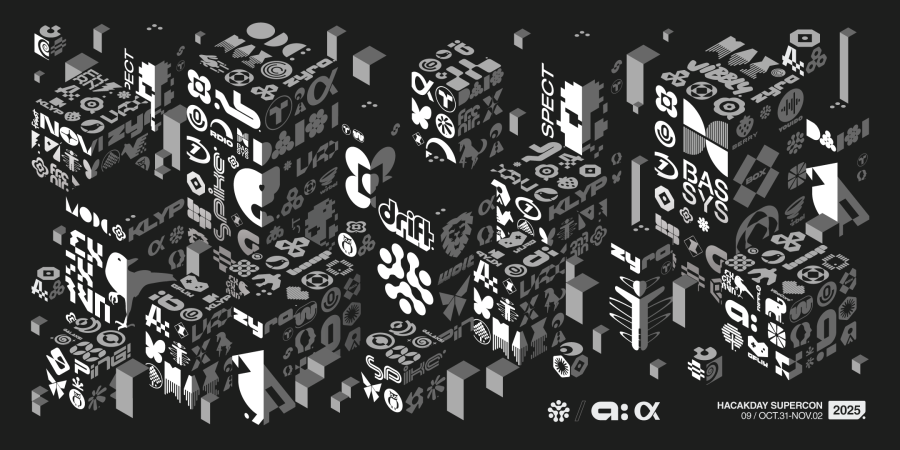
Supercon is the Ultimate Hardware Conference and you need to be there! Just check out this roster of talks that will be going down. We’ve got something for everyone out there in the Hackday universe, from poking at pins, to making things beautiful, to robots, radios, and FPGAs. And this isn’t even half of the list yet.

We’ve got a great mix of old favorites and new faces this year, and as good as they are, honestly the talks are only half of the fun. The badge hacking, the food, the brainstorming, and just the socializing with the geekiest of the geeky, make it an event you won’t want to miss. If you don’t have tickets yet, you can still get them here.

Plus, this year, because Friday night is Halloween, we’ll be hosting a Sci-Fi-themed costume party for those who want to show off their best props or most elaborate spacesuits. And if that is the sort of thing that you’re into, you will absolutely want to stay tuned to our Keynote Speaker(s) announcement in a little while. (Spoiler number one.) Continue reading “2025 Hackaday Speakers, Round One! And Spoilers”

Creating Python GUIs With GIMP

GUI design can be a tedious job, requiring the use of specialist design tools and finding a suitable library that fits your use case. If you’re looking for a lightweight solution, though, you might consider just using a simple image editor with a nifty Python library that [Manish Kathuria] whipped up.

[Manish’s] intention was to create a better-looking user interface solution for Python apps that was also accessible. He’d previously considered other Python GUI options to be unimpressive, requiring a lot of code and delivering undesirable results. His solution enables the use of just about any graphic you can think of as a UI object, creating all kinds of visually-appealing possibilities. He also was eager to make sure his solution would work with irregular-shaped buttons, sliders, and other controls—a limitation popular libraries like Tkinter never quite got around.

The system simply works by using layered image files to create interactive interfaces, with a minimum of code required to define the parameters and performance of the interface. You’re not strictly limited to using the GIMP image editor, either; some of the examples use MS Paint instead. Files are on Github for those eager to try the library for themselves.

We’ve featured some neat GUI tools before, too, like this library for embedded environments. Video after the break.

Continue reading “Creating Python GUIs With GIMP”

Two hands working a TekaSketch

TekaSketch: Where Etch A Sketch Meets Graph Theory

The Etch A Sketch was never supposed to meet a Raspberry Pi, a camera, or a mathematical algorithm, but here we are. [Tekavou]’s Teka-Cam and TekaSketch are a two-part hack that transforms real photos into quite stunning, line-drawn Etch A Sketch art. Where turning the knobs only results in wobbly doodles, this machine plots out every curve and contour better than your fingertips ever could.

Essentially, this is a software hack mixed with hardware: an RPi Zero W 2, a camera module, Inkplate 6, and rotary encoders. Snap a picture, and the image is conveyed to a Mac Mini M4 Pro, where Python takes over. It’s stripped to black and white, and the software creates a skeleton of all black areas. It identifies corner bridges, and unleashes a modified Chinese Postman Algorithm to stitch everything into one continuous SVG path. That file then drives the encoders, producing a drawing that looks like a human with infinite patience and zero caffeine jitters. Originally, the RPi did all the work, but it was getting too slow so the Mac was brought in.

It’s graph theory turned to art, playful and serious at the same time, and it delivers quite unique pieces. [Tekavou] is planning on improving with video support. A bit of love for his efforts might accellerate his endeavours. Let us know in the comments below!

Continue reading “TekaSketch: Where Etch A Sketch Meets Graph Theory”