Exploring The World Of Nintendo 3DS Homebrew

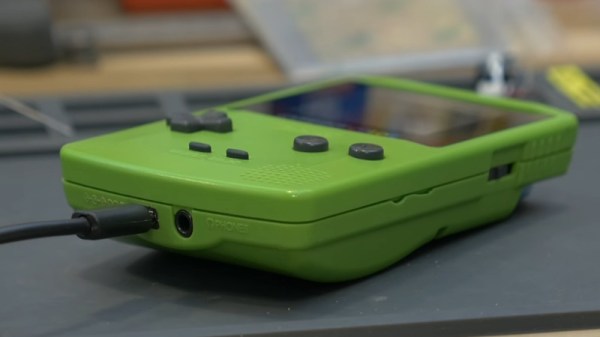
When Nintendo officially ended production of the 3DS in September 2020, it wasn’t exactly a surprise. For one thing, some variation of the handheld system had been on the market since 2011. Which is not to say the product line had become stagnant: the system received a considerable mid-generation refresh, and there was even a more affordable variant introduced that dropped the eponymous stereoscopic 3D effect, but nearly a decade is still a fairly long life in the gaming industry. Of course Nintendo’s focus on the Switch, a hybrid device that blurs the line between console and handheld games, undoubtedly played a part in the decision to retire what could effectively be seen as a competing product.

While putting the 3DS out to pasture might have been the logical business move, a quick check on eBay seems to tell a different story. Whether it’s COVID keeping people indoors and increasing the demand for at-home entertainment, or the incredible library of classic and modern games the system has access to, the fact is that a used 3DS in good condition is worth more today than it was when it was brand new on the shelf this time last year.

I’ve certainly made more expensive mistakes.

In short, this was the worst possible time for me to decide that I finally wanted to buy a 3DS. Then one day I noticed the average price for a Japanese model was far lower than that of its American counterpart. I knew the hardware was identical, but could the firmware be changed?

An evening’s worth of research told me the swap was indeed possible, but inadvisable due to the difficulty and potential for unexpected behavior. Of course, that’s never stopped me before.

So after waiting the better part of a month for my mint condition 3DS to arrive from the land of the rising sun, I set out to explore the wide and wonderful world of Nintendo 3DS hacking.

Continue reading “Exploring The World Of Nintendo 3DS Homebrew”

Giant Nintendo Switch Is Actually Playable

The Nintendo Switch has been a hugely successful console for the century-old former playing card manufacturer. At least part of that success has come from its portability, of which [Michael Pick] has probably lost a bit with his 65-pound giant Nintendo Switch built for St. Jude’s Children’s Hospital. (Video, embedded below.) What he’s lost in portability has been more than made up in coolness-factor, though, and we’re sure the kids will appreciate that they can still play the monster gaming machine.

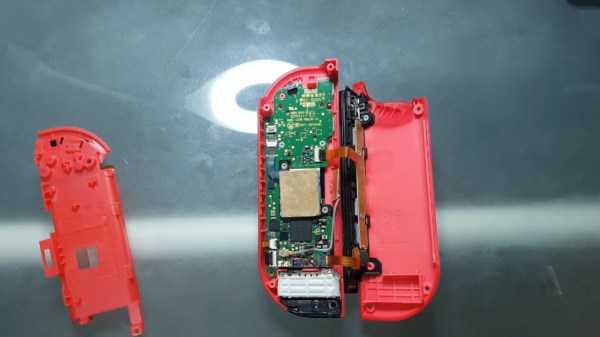
From its plywood body to the 3D-printed buttons, the supersized build looks solid. Docked inside the left Joy-Con is the actual console powering its big brother. Perhaps the biggest surprise, however, is that tiny (well, normal-sized) Joy-Cons are also hidden inside. These are manipulated via servos for the buttons and a direct pass-through setup for the joysticks to control games on the Switch.

While the Joy-Cons are unmodified and completely removable, [Michael] does recognize this isn’t necessarily the ideal solution. But he was certain it was a hack he could make work in the time he had, so he went for it. He’s looked into the controller emulation possible with Teensys and would probably use that solution for any giant Switch projects in the future. Of course, with this build, players can still pair regular Joy-Cons and pro controllers for more practical gaming.

Most Nintendo mods we see attempt to make the console smaller, not larger, so this is an eye-catching change of pace. Unfortunately, we don’t get to see the colossal console in action after it was installed, only some stills of hospital staff wheeling it in the front doors. But we can imagine that the children’s smiles are at least as big as ours were when we saw it.

Continue reading “Giant Nintendo Switch Is Actually Playable”

Bluetooth PS3 Controllers Modernize The Nintendo GameCube

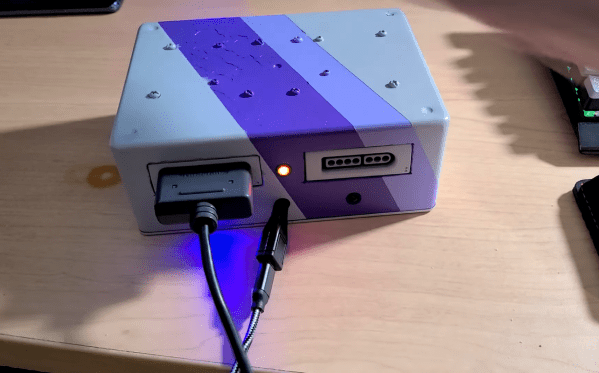
While the PlayStation 3 and Gamecube come from opposing sides of the aisle, and in fact aren’t even from the same generation of hardware, this DIY adapter built by [Jeannot] allows Nintendo’s console to use Sony’s Bluetooth controllers with surprisingly little fuss. This might seem unnecessary given the fact that Nintendo put out an official wireless controller for the system, but given how expensive they are on the second-hand market, you’d need to have pretty deep pockets for an untethered four-player session. Plus, there’s plenty of people who simply prefer the more traditional control layout offered by Sony’s pad.

The internals of the 3D printed adapter are actually quite straightforward, consisting of nothing more than an Arduino Nano wired to a MAX3421E USB host shield. A common USB Bluetooth adapter is plugged into the shield, and the enclosure has an opening so it can be swapped out easily; which is important since that’s what the PS3 controller is actually paired to.

A Gamecube controller extension cable must be sacrificed to source the male connector, though if you wanted to fully commit to using Bluetooth controllers, it seems like you could turn this into an internal modification fairly easily. That would let you solder right to the controller port’s pads on the PCB, cutting the bill of materials down ever further.

[Jeannot] says the firmware is the product of combining a few existing libraries with a fair amount of experimentation, but as demonstrated in the video below, it works well enough to navigate the console’s built-in menu system. Future enhancements include getting the stick sensitivity closer to the values for the Gamecube’s standard controller, and adapting the code to work with newer PS4 controllers.

We’ve seen a fair amount of projects dedicated to the Gamecube’s official wireless controller, the Wavebird. From reverse engineering its RF communications protocol to adapting it for use with Nintendo’s latest console. There’s little debate that the Wavebird is a fine piece of engineering, but with how cheap and plentiful PlayStation controllers are, they tend to be the one hackers reach for when they want a dual-stick interface for their latest creation.

Continue reading “Bluetooth PS3 Controllers Modernize The Nintendo GameCube”

Building The Dolphin Emulator In Ubuntu On A Nintendo Switch

[LOE TECH] has made a habit of trying out various emulation methods on his Nintendo Switch and recording the results for our benefit. Of that testing, some of the best performance he’s seen makes use of the Dolphin emulator running in Ubuntu Linux, and he has made a tutorial video documenting how to build the project, as well as how to make some performance tweaks to get the most out of the mod.

We love seeing Linux run on basically anything with a processor. It’s a classic hack at this point. Nintendo has traditionally kept its consoles fairly locked down, though, even in the face of some truly impressive efforts; so it’s always a treat to see the open-source OS run relatively smoothly on the console. This Ubuntu install is based on NVIDIA’s Linux for Tegra (L4T) package, which affords some performance gains over Android installations on the same hardware. As we’ve seen with those Android hacks, however, this software mod also makes use of the Switchroot project and, of course, it only works with specific, unpatched hardware. But if you’ve won the serial number lottery and you’re willing to risk your beloved console, [LOE TECH] also has a video detailing the process he used to get Ubuntu up and running.

Check out the video below for a medley of Gamecube game test runs. Some appear to run great, and others, well… not so much. But we truly appreciate how he doesn’t edit out the games that stutter and lag. This way, we get a more realistic, more comprehensive overview of unofficial emulation performance on the Switch. Plus, it’s almost fun to watch racing games go by in slow motion; almost, that is, if we couldn’t empathize with how frustrating it must have been to play.

Continue reading “Building The Dolphin Emulator In Ubuntu On A Nintendo Switch”

Arduino Micro Pushes Animal Crossing’s Buttons

Repetitive tasks in video games often find a way of pushing our buttons. [Facelesstech] got tired of mashing “A” while catching shooting stars in Animal Crossing, so he set out to automate his problem away. After briefly considering rigging up a servo to do the work for him, he recalled a previous effort that used an Arduino Teensy to automate a bowling mini-game in Zelda: Breath of the Wild and decided to use a microcontroller to catch stars for him.

[Facelesstech] programmed an Arduino Pro Micro to fake controller button presses. It starts with a couple of presses to identify itself to the Switch, before generating an endless stream of button presses that automatically catch every shooting star. Hooking it up is easy—an on-the-go adapter allows the Switch’s USB-C port to connect directly to the Arduino’s Micro-USB port, even supplying power!

[Facelesstech] also designed a compact 3D-printed case that packages up the Arduino Pro Micro along with an ISP header for easy updating. The case even lets the Arduino’s power LED shine through so you know that it’s working!

If you, too, need to automate video game button-pushing, [Facelesstech] has kindly uploaded the source code and 3D designs for you to try. If you’d prefer something a little more low-tech, perhaps you might try a mechanical button pusher.

Continue reading “Arduino Micro Pushes Animal Crossing’s Buttons”

RetroArch Open Hardware Aims For Plug-and-Play

At its core, the RetroArch project exists to make it easier to play classic games on more modern hardware. The streamlined front-end with its tailored collection of emulators helps take the confusion out of getting your favorite game from decades past running on whatever gadget you please, from your smartphone to the venerable Raspberry Pi. But there’s always room for improvement.

In a recent blog post, the folks behind RetroArch took the wraps off of an exciting hardware project that’s been in the works for about a year now. Referred to simply as “RetroArch Open Hardware”, the goal is to develop a fully open source cartridge adapter that will integrate seamlessly with the RetroArch software. Just plug in your original cartridge, and the game fires right up like back in the good old days.

Now to be clear, this isn’t exactly a new idea. But the team at RetroArch explain that previous devices that blurred the line between hardware and emulation have been expensive, hard to find, and worst of all, proprietary. By creating an open hardware project, they hope to truly unleash this capability on the community. Instead of having to deal with one vendor, multiple companies will be free to spin up their own clones and potentially even improve the core design. Should none of the ones on the market fit your particular needs, you’d even be free to build your own version,

What’s more, the gadget will also make it easier to create your own ROMs from cartridges you own. By appearing to the operating system as a USB Mass Storage device, users can literally drag and drop a game ROM to their computer’s desktop. No arcane software fired off from the command line; as much as we might enjoy such things, it’s not exactly intuitive for the gaming community at large. The same technique will also allow users to backup their saved progress before it’s inevitably lost to the ravages of time. The device demonstrated by the team currently only works on Nintendo 64 games, but presumably compatibility with be expanded to other cartridges in the future.

Over the years, we’ve seen a number of hombrew devices designed to read and copy game cartridges. We’ve even seen some rather polished examples that were released as open hardware. But those devices never had the public backing of such a well known group in the emulation scene, and we’re excited to see what kind of development and adoption can be spurred on by this level of legitimacy.

[Thanks to Nick for the tip.]

Hidden TV-Out On The Nintendo DS Lite

The DS Lite was one of Nintendo’s most popular handheld gaming consoles, but unbeknownst to all, it has a hidden feature that could have made it even more popular. Digging through the hardware and firmware, the [Lost Nintendo History] team discovered the System-on-Chip (SoC) in the DS Lite can output a composite video signal.

The SoC can output a 10-bit digital output running at 16.7 MHz, but it is disabled by the stock firmware early in the boot process, so custom firmware was required. It still needs to be converted to an analog signal, so a small adaptor board with a DAC (digital-analog converter) and op-amp is attached to the flex cable of the upper screen. A set of buttons on the board allow you to select which screen is displayed on the TV. The adaptor board is open source, and the Gerbers and schematics are available on GitHub.

The current version of the adaptor board disables the upper screen, but the [Lost Nintendo History] team is considering designing a pass-through board to eliminate this disadvantage. The TV-out mod can also be combined with the popular Macro mod, in which the upper screen is removed to turn it into a Game Boy Advance. The Nintendo DS is a popular hacking subject, and we’ve been covering them for well over a decade.