Wii Sensor Bar Projector

Having experienced quite a bit of trouble getting the Nintendo Wii remotes to work reliably with his home theater projector, [Sprite_TM] designed his own sensor bar replacement. If you’re not familiar, the Wii remotes have an infrared camera in the tip that sense two IR LEDs in the sensor bar that resides above or below your television. The problem is that if you’re too far away, the points of light are not where the remote expects them to be and the cursor will not perform as expected. Since this is a huge projected display it’s no surprise that the player is further away from the screen than the system was designed for.

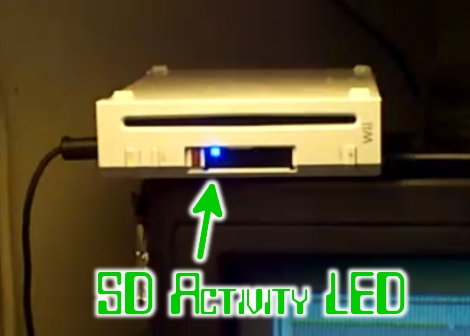
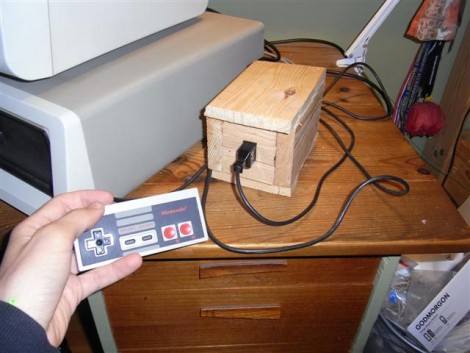
[Sprite_TM’s] solution was to build a projection system for the two IR points. The unit in the picture above is a driver circuit with two IR emitters mounted on a heat sink, each with its own reflector. The reflected beams are shined through a Fresnel lens and projected on the same wall as the TV image. The viewer will not be able to see this light as it’s in a longer wavelength than the visible spectrum. But the Wii remote performs beautifully now and the replacement sensor bar is happily mounted out of sight above the projector.

Using An NES Controller On An Android Phone

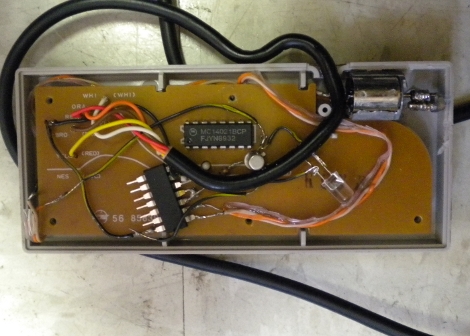
[Sk3tch] rigged up a way to use an original NES controller with Android. He bought the controller and a breakout board for it at DEFCON. By combining the controller, an Arduino, and a blueSMIRF BlueTooth module the controller can be used as a keyboard on his Android device. In the video after the break he demonstrates pairing the devices and playing Super Mario Bros. 3 in an emulator.

He calls this Alpha quality but it certainly looks like it works well. In the beta version we’d love to see all of the extra electronics inside the controller case like those USB mods.

Continue reading “Using An NES Controller On An Android Phone”

GameBoy Analog Meter

Boring game.

Here’s an interesting setup using a GameBoy Advance as an interface and power supply for a PIC microprocessor. He’s got the PIC connected to the serial port of the GameBoy Advance and is able to pass and retrieve data for display on the screen. You can see above that he is showing two analog values from the pic. You can download the schematic and source code and see a few more pictures, but that’s about it.

[via HackedGadgets]

EyeMario, Play Mario With Your Eye Movements

[youtube=http://www.youtube.com/watch?v=4j2kw5MJK24]

The folks at Waterloo Labs have delivered a quite amusing project where they built a system to control Mario with eye movements. Unlike the other eye movement systems we’ve seen that use imaging to detect where you are looking, this one is using electrodes on muscles in your face. Not only do they supply a fairly amusing video, they also have a pretty good amount of detail on the project site. Be sure to click on the links in the “additional resources” section at the bottom if you want hardware and software details on the build. The last time we saw these folks, they were using real guns to control video games.

[via Procrastineering]

Handheld Plays SNES And NES Carts

[Lovable Chevy] finished her portable build, ending up with a handheld that takes both SNES and NES cartridges. We’ve got to say congratulations on reaching the finish line as her first build log post was in March of ’08. But it was worth the wait. The little device, which is a mash-up of the hardware from a Retro Duo along with a PSone screen and 4250 mAh battery, looks quite nice thanks to her skill and patience when building the case. Take a look at the obligatory demo video after the break. Continue reading “Handheld Plays SNES And NES Carts”

Super Simple Gaming Controller For Android Or IPhone

If you’ve got an iPhone or Android device that you use with a Wii remote when gaming, this quick hack will give you the third hand you need to manage all of that hardware. [Syanni85] mounted his Android phone to a Wii wheel for just a few dollars in parts. He ran across the wheel itself at the dollar store, and the phone is held in place using a universal mounting bracket. A small square pad sticks onto the back of any device and mates with a base. He cut off the unnecessary parts of the base and glued it to the back of the wheel.

If you haven’t tried using a Wii remote with your phone yet, find out how to do it with iPhone or with Android.

4-player SNES And More

[Mr.X] added support for four controllers to his Super Nintendo (Google translated) by internalizing the multi-player adapter. In the video after the break you’ll notice that he also added some bling to the case by positioning the power LED beneath the logo and adding a two-digit display. There is a switch on the back that allows him to choose PAL or NTSC standards with the current setting shown on that display. While most people are going with emulators, [Mr.X] ended up with a custom piece of hardware with a clean finish.

Continue reading “4-player SNES And More”