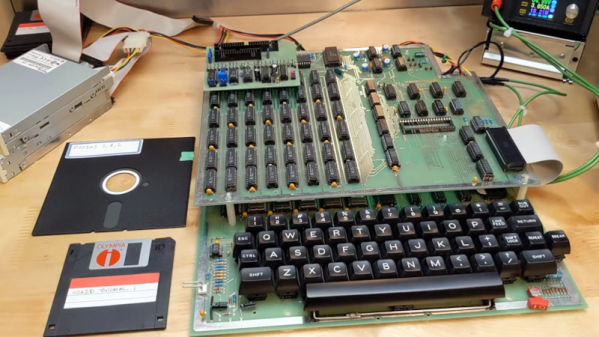
While our modern computer can easily emulate a lot of different old machines, there is something about having replica hardware that is even better. Not as nice as having the real thing, in some ways, although you don’t have to worry about wear and tear on a replica, either. [Jeff Tranter] has built a kit replica of an Ohio Scientific Superboard II, and it looks great, as you can see in the video below.
This was an inexpensive all-in-one 6502 computer with a keyboard and provision for TV or monitor output. If you had a 5V power supply, a cassette deck, and a TV you were in business for less money than most of the comparable alternatives. In fact, [Jeff] has the canceled check where his parents paid $486 Canadian for one in 1981. That was his introduction to computing, and we’d say that was a reasonable investment on the part of his parents.
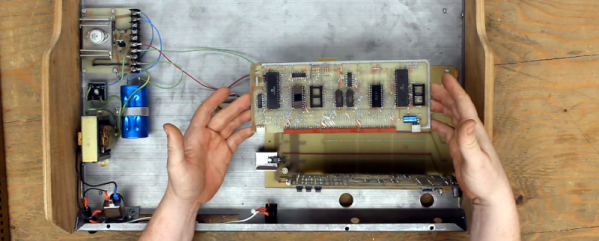
[CelGenStudios] has an impressive collection of vintage hardware. One that really struck us came from a thrift store in Canada, so the original provenance of it is unknown. It looks like someone’s handmade interpretation of a SOL-20. There’s a wooden and sheet metal box containing a keyboard looted from an old dedicated word processor (back when a word processor was a machine, not a piece of software). Inside? Some vintage-looking hand-drawn PC boards, including a backplane with two boards. One contains an RCA 1802 and a little bit of memory. There’s also a video card with more memory on it than the CPU.
We loved the 1802, and we disagree with [CelGenStudios] that it “wasn’t that popular.” It was super popular in some areas. The CMOS processor was popular in spacecraft and among homebrew builders. There were a few reasons for that. Unlike some early CPUs, you didn’t need much to bootstrap a system. It would run on 5V and had a “DMA” mode to key data in with just a few simple switches and buttons. You didn’t need a ROM-based monitor to get the system to work. In addition, the design could be low power, and the static design meant you could slow or stop the clock for very low power compared to many other systems of the day.
Do you know core memory? Our prehistoric predecessors would store data in the magnetic fields of ferrite rings, reading out the ones and zeroes by setting the magnetic field and detecting if a small current is induced in a sense wire, indicating that the bit flipped, or not detecting the current, in which case it didn’t. Core memory is non-volatile, rad hard, and involved a tremendous amount of wire weaving to fabricate. And it’s pretty cool.
[Andy Geppert] wants to get you hands-on with this anachronistic memory, and builds kits to demo how it works. [Tom Nardi] and [Bil Herd] caught up with him at the Vintage Computer Festival East last weekend, and got him to demo his Core64 project for them. (Video, embedded below.)
The design of Core64 displays its state in lights at all times. And this means that you can write to it using either the onboard Pi Pico, for a blinky light show, or with a magnetic stylus, setting each bit’s magnetic state by hand. This turns it into a magnetic memory tablet and is a sweet demonstration of the principles that make it all work. Or, if you pulse the lines at just the right frequency, you can make the cores spin!
Watch [Andy] explaining it in our interview here, and stay tuned for more coming from VCF East 2023 soon.
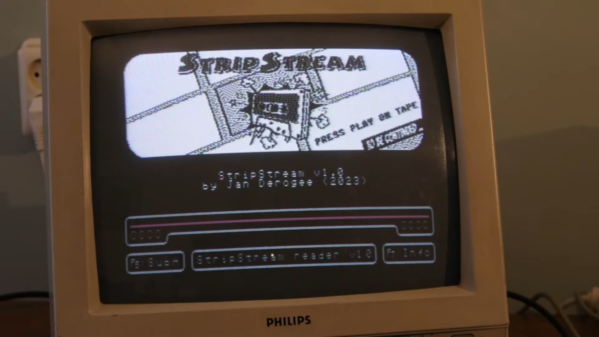
Comic books are traditionally printed on paper, either as regular saddle-bound issues or in hardcover compilations. If you wanted to read them on a low-resolution screen run by an 8-bit computer, you were usually out of luck. Until now! Enter StripStream, the comic book reader for the Commodore 64.
StripStream runs on a stock PAL C64 system, using the Datasette interface. A PC program is used to compose a comic into a suitable format for the C64. It then generates a .TAP file which can either be played in a C64 emulator, or recorded onto an audio tape for loading on real hardware.
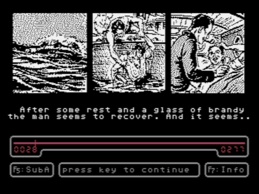
According to [janderogee], who created the software, just 34 minutes of tape can store over 300 images and 1200 lines of subtitle text. Cassettes were chosen for the storage method as standard 5 1/2″ C64 disks could only hold 165 kilobytes of data per side, meaning two whole double-sided disks would be needed to store the same amount of data. Plus, the linear nature of tape makes sense for a sequentially-read comic story. Just don’t get any ideas about doing a choose-your-adventure thing here, as StripStream isn’t built for random access.
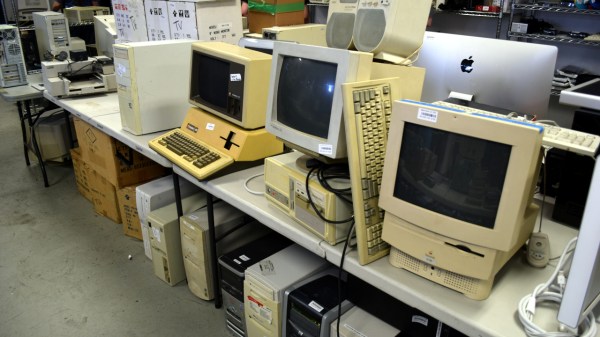
The Vintage Computer Festival East took place last weekend at the InfoAge Science and History Museum in New Jersey, and by any metric you care to use, it was a phenomenal success. Everyone you spoke with, from the the exhibitors and attendees, to the veteran volunteers who put this incredible show together, all said the same thing: they’d never seen a turnout like this before.
Of course, such success is not without cost. The exhibit rooms were so packed that moving through them was a challenge, the line to get food or browse the consignment area occasionally stretched outside the building, and at one point the event’s electronic payment system buckled under the pressure.
Some things are worth the wait.
Yet even the folks who waited the better part of an hour to rummage through boxes of dusty treasures, only to find themselves left standing with armfuls of heavy gear they couldn’t pay for until the technical issues were resolved couldn’t really complain. I should know, I was one of them. It would be like going to a concert and getting upset that the music was too loud — the event was advertised as a festival, and that’s exactly what it was.
No matter where you went, you’d find throngs of excited people who were eager to chat about the golden age of computing. So even if you were stuck in a long line, or had to step outside of the exhibit area to get some fresh air, you were always in excellent company. Seeing such a large and diverse number of people come out for what’s ultimately a niche event was exceptionally gratifying. At the end of the day, if the price we have to pay for this kind of community response is a few long lines and tight squeezes, it’s well worth it.
Each time I cover an event like this for Hackaday, I do so with the caveat that there’s really no substitute for being there in person. No matter how many articles you read and YouTube recaps you watch, you’ll never be able to see all the things you would have had you been able to walk the show floor yourself. It’s a bit like exploring the Moon or Mars: remotely controlled robots are capable of capturing terabytes of data and beaming it back to Earth, but even still, there’s the potential to learn so much more by putting boots on the ground.
The same is true of VCF East 2023 — what I bring you here is just the tip of the iceberg in terms of what was on display at this year’s event. On the other hand, you have the advantage of being able to peruse these images without having to stand in line. Is it worth the trade? Only you can be the judge of that. But for my money, I’ll gladly get back in line when VCF East 2024 rolls around.
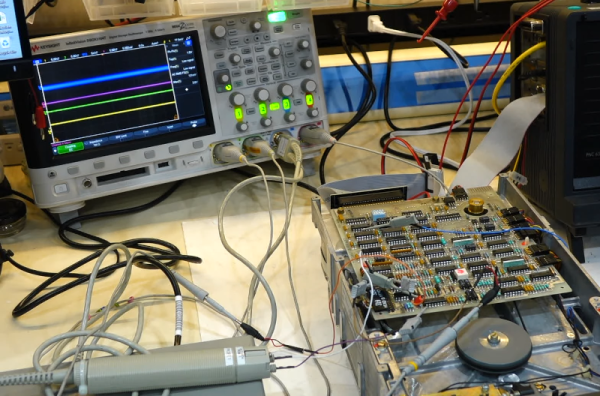
[CuriousMarc] has a pile of 8-inch drives, all marked bad. You can’t just pop over to the computer store and buy a new one these days, so it was off to the repair bench. Although the target drive would do a quick seek, once it was in use, it just kind of shut down. So [Marc] started sending low-level commands to the device to see if he could isolate the fault. You can watch the whole adventure in the video below.
Using a breakout board, he was able to monitor and exercise all the pins going into the floppy. A quick study of the schematics, and connection to the scope were all [Marc] needed to build some theories of what was happening.
One of the theories was that the head amplifier was disabled, but it turned out to be fine. After several other dead ends, he finally found a broken spring and came up with a creative repair for it. But there was still no clear reason why the drive wouldn’t work. By process of elimination, he started to suspect an array of diodes used for switching, but again, it was another dead end.
Luckily, he had one working drive, so he could compare things between them. He found a strange voltage difference. Turns out the old advice of checking power first might have paid off here. One of the voltage regulator ICs was dead. In all fairness, there are two 12V power supplies and he had checked one of them but had missed the second supply. This supply is only used for head bias which switches the diodes he had suspected earlier. There had also been a loose pin that might have been a contributor.
With a new power supply IC, the drive worked but needed an alignment. You may never need to repair an 8-inch floppy drive, but the logic in chasing down a problem like this will serve you well on any diagnostic task.
If you think the big drives won’t work with a modern PC, they will. On the other hand, if you need to read some badly enough, you could just use an oscilloscope.
Real-time flight data used to be something that was only available to air traffic controllers, hunched over radar scopes in darkened rooms watching the comings and goings of flights as glowing phosphor traces on their screens. But that was then; now, flight tracking is as simple as pulling up a web page. But where’s the fun in that?
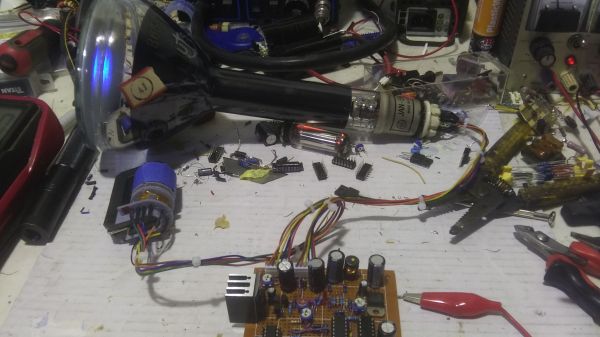
To bring some of that old-school feel to his flight tracking, [redacted] has been working on this ADS-B scope that uses a real radar CRT. As you can imagine, this project is pretty complex, starting with driving the 5FP7 CRT, a 5″ round-face tube with a long-persistence P7-type phosphor. The tube needs about 7 kV for the anode, which is delivered via a homebrew power supply complete with a custom flyback transformer. There’s also a lot going on with the X-Y deflection amps and beam intensity control.
The software side has a lot going on as well. ADS-B data comes from an SDR dongle using dump1090 running on a Raspberry Pi 3B. The latitude and longitude of each plane within range — about 5 nautical miles — is translated to vector coordinates, and as the “radar” sweeps past the location, a pip lights up on the scope. And no, you’re not seeing things if you see two colors in the video below; as [TubeTime] helpfully explains, P7 is a cascade phosphor that initially emits a bright-blue light with some UV in it, which then charges up a long-persistence green phosphor.
Even though multicolored icons and satellite imagery may be more useful for flight tracking, we really like the simple retro look [redacted] has managed to pull off here, not to mention the hackery needed to do it.


 StripStream runs on a stock PAL C64 system, using the Datasette interface. A PC program is used to compose a comic into a suitable format for the C64. It then generates a .TAP file which can either be played in a C64 emulator, or recorded onto an audio tape for loading on real hardware.