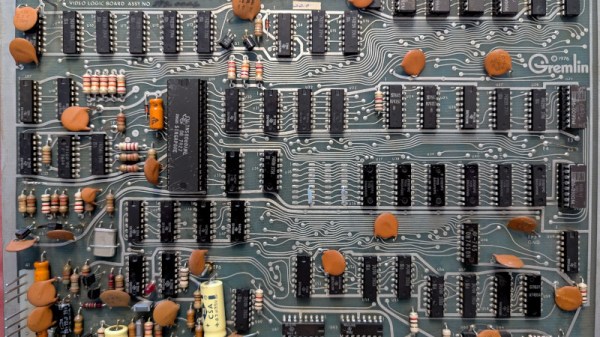
A Feast Of 1970s Gaming History, And An 8080 Arcade Board

Sometimes a write-up of a piece of retrocomputing hardware goes way beyond the hardware itself and into the industry that spawned it, and thus it is with [OldVCR]’s resurrection of a Blasto arcade board from 1978. It charts the history of Gremlin Industries, a largely forgotten American pioneer in the world of arcade games, and though it’s a long read it’s well worth it.

The board itself uses an Intel 8080, and is fairly typical of microcomputer systems from the late 1970s. Wiring it up requires a bit of detective work, particularly around triggering the 8080’s reset, but eventually it’s up and playing with a pair of Atari joysticks. The 8080 is a CPU we rarely see here.

The history of the company is fascinating, well researched, and entertaining. What started as an electronics business moved into wall games, early coin-op electronic games, and thence into the arcade segment with an 8080 based system that’s the precursor of the one here. They even released a rather impressive computer system based on the same hardware, but since it was built into a full-sized desk it didn’t sell well. For those of us new to Gremlin Industries the surprise comes at the end, they were bought by Sega and became that company’s American operation. In that sense they never went away, as their successor is very much still with us. Meanwhile if you have an interest in the 8080, we have been there for you.
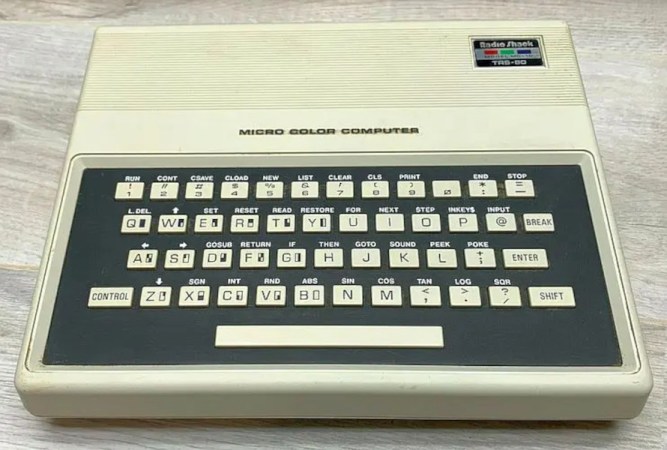
Behind RadioShack’s Cheapest Computer

In the 1980s, there was a truly staggering amount of choice for a consumer looking to purchase a home computer. On the high end, something like an Apple Lisa, a business-class IBM PC, or a workstation from Sun Microsystems could easily range from $6,000 to $20,000 (not adjusted for inflation). For the time, these mind-blowing prices might have been worth the cost, but for those not willing to mortgage their homes for their computing needs, there were also some entry-level options. One of these was the Sinclair ZX-80, which was priced at an astounding $100, which caused RadioShack to have a bit of a panic and release this version of the TRS-80 computer to compete with it.

As [David] explains in his deep dive into this somewhat obscure machine, the TRS-80 MC-10 was a commercial failure, although not for want of features. It had a color display, a chicklet keyboard, and 4K of RAM, which were all things that the ZX-80 lacked.

Unfortunately, it also had a number of drawbacks compared to some of its other contemporaries that made consumers turn away. Other offerings by Commodore, Atari, Texas Instruments, and even RadioShack themselves were only marginally more expensive and had many more features, including larger memory and better storage and peripheral options, so most people chose these options instead.

The TRS-80 MC-10 is largely a relic of the saturated 80s home computer market. It’s drop in price to below $50, and the price competition between other PC manufacturers at the time was part of the reason for the video game crash of the 1980s, and even led to Steve Jobs getting fired from Apple. There’s not a huge retro scene for these machines either, although there is at least one game developer you can see in the video below from [Spriteworx]. If you want to experiment with some of the standard TRS-80 software, there are emulators that have everything you need.

Thanks to [Stephen] for the tip!

Animal Crossing keyboard banner

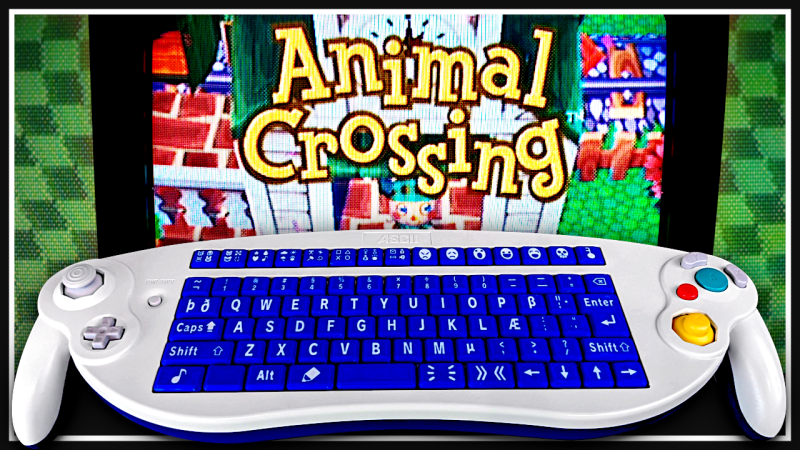
Making GameCube Keyboard Controller Work With Animal Crossing

[Hunter Irving] is a talented hacker with a wicked sense of humor, and he has written in to let us know about his latest project which is to make a GameCube keyboard controller work with Animal Crossing.

This project began simply enough but got very complicated in short order. Initially the goal was to get the GameCube keyboard controller integrated with the game Animal Crossing. The GameCube keyboard controller is a genuine part manufactured and sold by Nintendo but the game Animal Crossing isn’t compatible with this controller. Rather, Animal Crossing has an on-screen keyboard which players can use with a standard controller. [Hunter] found this frustrating to use so he created an adapter which would intercept the keyboard controller protocol and replace it with equivalent “keypresses” from an emulated standard controller.

Continue reading “Making GameCube Keyboard Controller Work With Animal Crossing” →

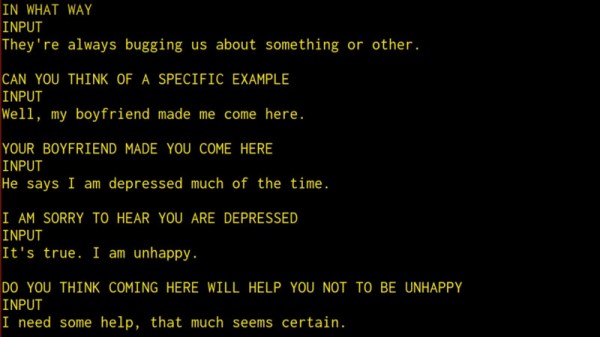
ELIZA Reanimated

The last time we checked in with the ELIZA archeology project, they had unearthed the earliest known copy of the code for the infamous computer psychiatrist written in MAD-SLIP. After a lot of work, that version is now running again, and there were a number of interesting surprises.

While chatbots are all the modern rage, [Joseph Weizenbaum] created what could be the first one, ELIZA, in the mid-1960s. Of course, it wasn’t as capable as what we have today, but it is a good example of how simple it is to ape human behavior.

The original host was an IBM 7094, and MAD-SLIP fell out of favor. Most versions known previously were in Lisp or even Basic. But once the original code was found, it wasn’t enough to simply understand it. They wanted to run it.

Continue reading “ELIZA Reanimated” →

Hand holding small speaker

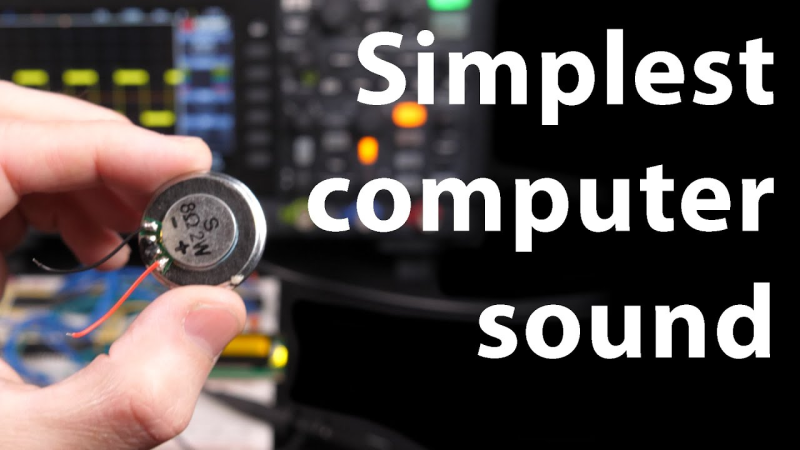
Ben Eater Makes Computer Noises

When [Ben Eater] talks, hackers everywhere listen. In his latest video [Ben] shows us how to make computer noises using square waves and a 6502 microprocessor.

[Ben] uses the timer in the W65C22 Versatile Interface Adapter to generate the square waves which generate a tone. He then adds support for a new BEEP command into his MS BASIC interpreter. We covered [Ben Eater]’s MS BASIC here at Hackaday back in April, so definitely check that out if you missed it.

Continue reading “Ben Eater Makes Computer Noises” →

Dead Amstrad Becomes Something New

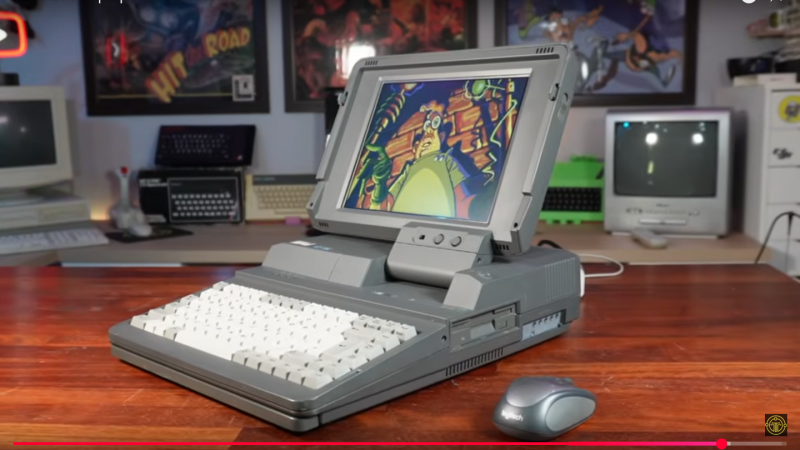
When you run into old hardware you cannot restore, what do you do? Toss it? Sell it for parts? If you’re [TME Retro], you hide a high-end mini PC inside an Amstrad-shaped sleeper build.

The donor  laptop is an Amstrad ALT-286 with glorious 80s styling that [TME Retro] tried to save in a previous video. Even with help from the community there was no saving this unit, so we can put away the pitchforks and torches. This restomod is perhaps the best afterlife the old Amstrad could have hoped for.

At first [TME Retro] was going to try and fit an iPad Pro screen, but it turned out those don’t have the driver-board ecosystem the smaller iPads do, so he went with a non-retina LCD panel from Amazon instead. Shoving an LCD where an LCD used to live and sticking an expensive mini-PC inside a bulky 80s case is not the most inspiring of hacks, but that’s not all [TME Retro] did.

Continue reading “Dead Amstrad Becomes Something New” →

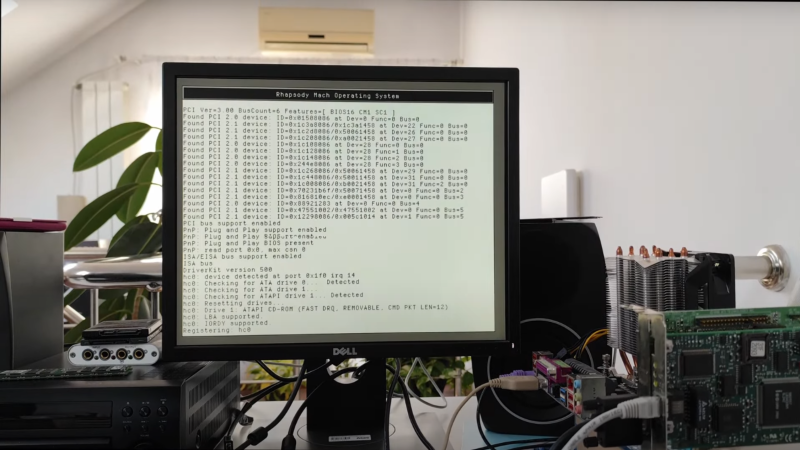
Rhapsody OS is shown in its boot sequence on a monitor; the edge of the motherboard running it is just visible in the right side of the image.

Bringing An Obscure Apple Operating System To Modern Hardware

During Apple’s late-90s struggles with profitability, it made a few overtures toward licensing its software to other computer manufacturers, while at the same time trying to modernize its operating system, which was threatening to slip behind Windows. While Apple eventually scrapped their licensing plans, an interesting product of the situation was Rhapsody OS. Although Apple was still building PowerPC computers, Rhapsody also had compatibility with Intel processors, which [Omores] put to good use by running it on a relatively modern i7-3770 CPU.

[Omores] selected a Gigabyte GA-Z68A-D3-B3 motherboard because it supports IDE emulation for SATA drives, a protocol which Rhapsody requires. The operating system installer needs to run from two floppy disks, one for boot and one for drivers. The Gigabyte motherboard doesn’t support a floppy disk drive, so [Omores] used an older Asus P5E motherboard with a floppy drive to install Rhapsody onto an SSD, then transferred the SSD to the Gigabyte board. The installation initially had a kernel panic during installation caused by finding too much memory available. Limiting the physical RAM available to the OS by setting the maxmem value solved this issue.

After this, the graphical installation went fairly smoothly. A serial mouse was essential here, since Rhapsody doesn’t support USB. It detected the video card immediately, and eventually worked with one of [Omores]’s ethernet cards. [Omores] also took a brief look at Rhapsody’s interface. By default, there were no graphical programs for web browsing, decompressing files, or installing programs, so some command line work was necessary to install applications. Of course, the highlight of the video was the installation of a Doom port (RhapsoDoom).

This isn’t the first obscure Apple operating system we’ve seen; some of them have even involved updates to Apple’s original releases. We’ve also seen people build Apple hardware.

Thanks to [Stephen Walters] for the tip!