Dissecting A Firmware Image

dissecting-a-firmware-image

[Leland Flynn] did a great job of picking apart the firmware image for a Westell 9100EM FiOS router. Unfortunately he didn’t actually find the information he was looking for. But he’s not quite done poking around yet either. If you have never tried to make sense of an embedded Linux firmware image this serves as a great beginner’s example of how it’s done.

He was turned on to the project after port scanning his external IP and finding a random login prompt which he certainly didn’t set up. Some searching led him to believe this is some kind of back door for Verizon to push automatic firmware updates to his router. He figured why not see if he could yank the credentials and poke around inside of the machine?

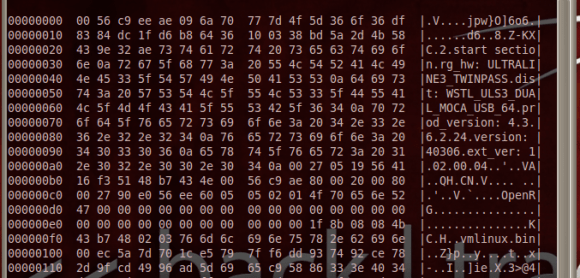
He started by downloading the latest firmware upgrade. Running ‘hexdump’ and ‘strings’ gives him confirmation that the image is based on Linux. He’s then able to pick apart the package, getting at just the filesystem portion. His persistence takes him through extracting and decompressing three different filesystems. Even though he now has access to all of those files, broken symlinks meant a dead-end on his login search.
Freezing Android To Crack The Encryption

frozen-phone-encryption-hacking

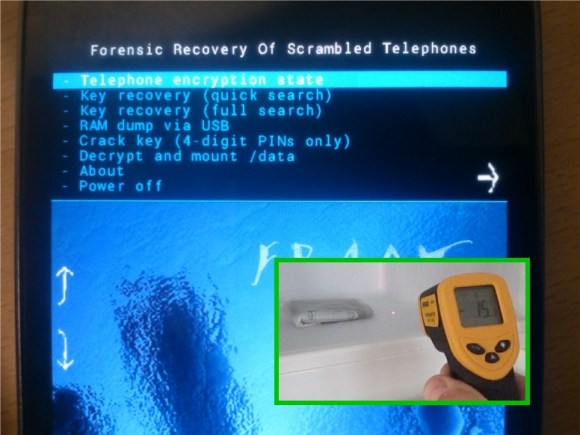
Build a better lock and someone will make a tool to open it without the key. Or in this case they’ve made a tool to discover the key using a trip to through the deep freeze. The Forensic Recovery of Scrambled Telephones — or FROST — uses cold temperatures and a custom recovery image to crack Android encryption keys.

Cold boot hacks go way back. They leverage use of low temperatures to slow down the RAM in a device. In this case, the target phone must already be powered on. Booting a phone that uses the encryption offered by Android 4.0 and newer requires the owner’s pass code to decrypt the user partition. But it then remains usable until the next power cycle. By freezing the phone, then very quickly disconnecting and reconnecting the battery, researchers were able to flash their own recovery image without having the encryption key cleared from RAM. As you can see above, that recovery package can snoop for the key in several different ways.

[Thanks Rob]

HDMI Breakout Lets You Sniff HDCP Crypto Keys

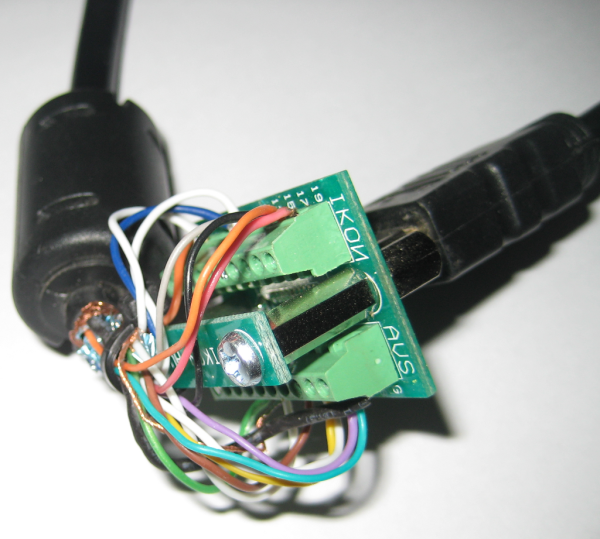
There’s two really useful parts to this hack which involves sniffing the HDMI protocol’s HDCP security keys. The first is just getting at the signals without disrupting communications between two HDCP capable devices. To do so [Adam Laurie] started by building an HDMI breakout cable that also serves as a pass-through. The board seen above is known as an HDMI screw terminal board. The image shows one cable connecting to itself during the fabrication process. What he did was cut one end off of an HDMI cable, then used a continuity tester to figure out which screw terminal connects with which bare wire. After all the wires are accounted for the end with the plug goes to his TV, with a second cable connecting between the board’s socket and his DVD player.

The rest of his post is dedicated to sniffing the security keys. His weapon of choice on this adventure turns out to be a Bus Pirate but it runs a little slow to capture all of the data. He switches to a tool of his own design, which runs on a 60MHz PIC32 demo board. With it he’s able to get the keys which make decrypting the protected data possible.

Turning An $8 RFID Reader Into Something Useful

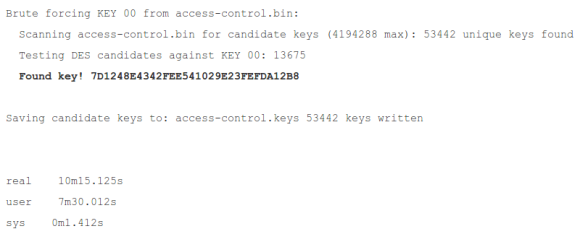
[Fabien] ran across a very, very inexpensive RFID reader on Deal Extreme a while ago and with money to burn, added it to his cart. When the USB RFID reader arrived, he noticed something fairly odd about it (French, Traduction). The RFID reader presented itself to his computer as a USB HID device that spit out characters into a text editor whenever an RFID card was waved above the coil. The only problem was these characters weren’t the hex values recorded on the RFID card. So what’s going on here?

As it turns out (Anglais), this random piece of Chinese electronica sends 10 bytes of data to the computer, just like this well-documented RFID reader. Apparently, both these RFID readers take the hex value of an RFID card, convert those bytes to base 10, and pass each digit through a lookup table. Exactly why it does this is anyone’s guess, but since [Fabien] figured out how it worked, he could also figure out how to reverse the process.

Unfortunately, the RFID reader in question is currently out of stock at Deal Extreme. Seeing as how most of the electronics available there are remarkably similar and differ only in the name printed on the enclosure, though, we wouldn’t be surprised if a nearly identical RFID reader was available elsewhere.

Raspberry Pi As A Plug-in Hash Harvester

plug-in-hash-harvesting

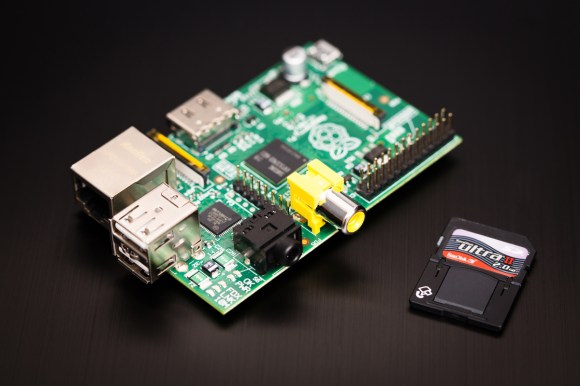
Plug in the power and Ethernet and this Raspberry Pi board will automatically collect Windows hashes from computers on the network. With a couple of RPi boards on hand [Travis] was searching for more hacks to try with them. This made a great little test to see how the board performs with the well established attack.

To start he booted into the standard Raspbian distribution. From there he loads the Metasploit framework which brings most of the necessary tools into play. It uses the Web Proxy Auto-Discovery Protocol (WPAD)  to request hashes from any Windows machines listening on the network. Some version of the OS respond with LM hashes, others don’t. The importance of this and the particulars of using rainbow tables to crack the hashes is explained in this article on the subject.

We wouldn’t mind having a little hardware hack that adds a couple of LEDs to the GPIO header so you know when the RPi is done collecting the data.

Cracking A SAM7XC Cryptographic Coprocessor

attacking-RFID-crypto-coprocessor

[Adam Laurie] spent time tearing into the security of the SAM7XC chip produced by Atmel. Even if he hadn’t found some glaring security holes just reading about his methodology is worth it.

The chip is used in a secure RFID system. The chip is added to the mix to do the heavy lifting required when using encryption. [Adam] grabbed a couple of open source libraries to put it to the test. The firmware is locked down pretty tight, but his explorations into the content of the RAM yield a treasure trove of bits. After investigating the sample code for the chip he’s shocked to learn that it uses RAM to store the keys at one point. The rest of his journey has him dumping the data and sifting through it until he gets to the “Master Diversification Key”. That’s the big daddy which will let him decrypt any of the tags used.

He reported his findings to Atmel in September of 2011. Their response is that they have no way of protecting RAM from exploit. [Adam] asserts that the problem is that the sample software wasn’t designed with the vulnerability of RAM in mind. The keys should never be stored there specifically because it is vulnerable to being dumped from a running system.

Turning The Belkin WeMo Into A Deathtrap

The Belkin WeMo is a small, WiFi connected outlet controlled by a mobile device that adds Internet control to a desk lamp, coffee maker, or, if you’re feeling daring, your home server. It’s an interesting device, but of course there are a few security implications of having your electric kettle connected to the Internet. [Daniel] was able to get root on his Belkin WeMo and with full control of his Internet-connected outlet was able to turn it into a deathtrap.

[Daniel] says his exploit could be developed into a virus that will scan for WeMo devices. Once these Internet-connected devices are found, it’s easy to turn these devices on and off really fast; something not too dangerous for a desk lamp, but potentially lethal if it’s plugged into a space heater.

In the video after the break, you can see [Daniel] exploiting the WeMo with a flaw in its UPnP implementation. There’s footage of his terminal hacking and of his desk lamp being turned on and off really fast, something that could be very dangerous for higher current devices.

Continue reading “Turning The Belkin WeMo Into A Deathtrap”