555 Inductance Meter

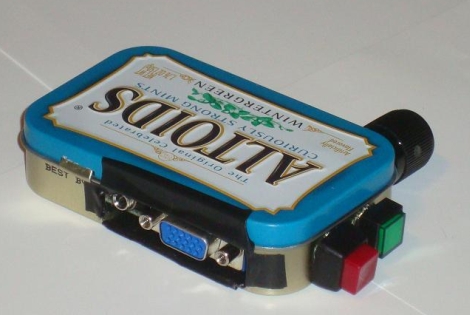
[Apexys] is performing some experiments with switched-mode power supplies and needed to compare the inductance of the coils he was using. His multimeter doesn’t have an inductance testing function, but he does have a 555 timer on hand. He put the 555 and some other parts together to create his own L meter. The writeup includes the theory behind this meter, with an incoming AC source converted to a voltage by an RC network.

Once he’d worked out the design it was time to build the circuit. Instead of printing a circuit board he created what he calls a DCB; Drawn Circuit Board. We’ve got to admit that this was way faster than using toner transfer or soldering point-to-point. We also like his use of an Erlenmeyer flask and a torch to heat the etchant. We don’t make PCBs in the winter because our Cupric Chloride is too cold to use outside but that may change now. The final piece in the puzzle is an analog meter which he pulled from an extra microamp meter he had on hand. Check out the demo after the break.

Continue reading “555 Inductance Meter”

Magnetic SMD Pick And Place

magnetic_pick_and_place

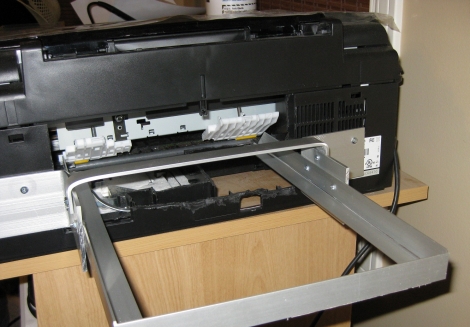
[svofski] sent us this pick and place robot (Google translation) that he found , and it’s quite unique. The majority of the components that make up this pick and place have been recycled from old computer equipment. The X-axis motion is accomplished using old printer parts, while an old CD-ROM drive was gutted to provide motion along the Y-axis. Floppy drive components were ultimately chosen to give the pick and place Z-axis motility.

What makes this pick and place unique however is the way in which components are moved. Most pick and place devices we have seen rely on suction in order to lift and carry components, but this one uses a magnet instead. The machine is used to build small circuit boards for a robotics platform offered on the builder’s web site, which primarily utilizes SMD parts. Once they realized that the majority of their small components were ferromagnetic, they built a hand-wound electromagnet to lift them. While the design limits the usage of the device to strictly ferromagnetic parts, they have a very specific need, which this fills perfectly.

Another unique aspect of this pick and place is the grooved table that sits under the workpiece. It is used to route up to four reels of SMD components, with the placement head providing all of the reel motion instead of relying on separate motors.

If you have a few minutes, be sure to check out the video of the pick and place at work.

Easy DIY Stroboscope

stroboscope_output

Looking for something to do in his downtime, [Mista Sparkle] decided that building a simple stroboscope was in order. He already had a set of six LEDs connected to his Arduino from a previous project, so he added a potentiometer to control the rate at which the LEDs flashed, and dug into the IDE.

During his build he discovered that using the Arduino millis() function at high speeds provides terrible resolution, while using the micros() function exclusively limits his low end measuring capabilities. He desired a better range of measurement, so his program was broken into main functions: One which measures the LED flashing frequency in milliseconds and another that measures the LED flashing frequency in microseconds. This allowed him to gauge rotational frequencies from 577 to 30,000 RPM.

[Mista Sparkle] admits that he is not yet well-versed in driving displays with the Arduino, so he views his readings over a serial connection on his PC. Hopefully we’ll see an updated version with those features in the near future.

Propeller Platform Logic Analzyer

[Wulfden’s] new gadget is a 28 channel 3.3 volt digital logic analyzer. Powered by a Parallax Propeller running at 100MHz (permitting a 10 nanosecond sampling rate), using all though hole parts, and open design so it is possible to whip up your own.

Data is collected and sent to a host computer running Propalyzer which looks to be a very nice logic analyzer front end, and sports all the needed features and a HP inspired design. The design of the board allows you to plug it on to any Propeller Platform board, and this is very handy for those who have other Propeller boards, though others will have to source a regulated 3.3 volt power supply, and serial converter.

Overall this looks to be a very handy tool to have around, whether you opt for the kit to use on your Propeller Platform boards or roll your own, the features and cost are very attractive if you need a logic analyzer.

Join us after the break for a quick introduction video by [Nick] (of Gadget Gangster)

Continue reading “Propeller Platform Logic Analzyer”

NintendOscope

[Craig] has taken his gameboy hackery to the next step, using an oscilloscope as an external display. Back in November of 2010 [Craig] showed us how to extract the video data from a classic gameboy’s screen, armed with that information, and a pretty powerful XMega128A1 controller it seems straightforward to process that data and output it onto a oscilloscope that is in XY(z) mode, especially since he has done all of the hard work for us.

Scopes that feature XY mode typically have a Z input on the back, X controls where the beam is positioned from left to right, Y controls the beam from top to bottom, and Z controls the intensity of the beam. By sweeping the X and Y to act as lines, and Z to control the shade of the beam, its fairly easy to reuse your typically vector display as a raster display similar to televisions or computer monitors (as long as you have your math and timing right), making scopes very useful as output displays for devices like the gameboy, which do not have “standards” friendly display systems.

Join us after the break for a short video, and also check out the scope terminal, or the VGA-to Sope converter for more examples of how to use your oscilloscope as a raster display.

Continue reading “NintendOscope”

Rechargeable Battery Capacity Tester

Rechargeable-Battery-Capacity-Tester

If you are like most people, you likely have a mixed pile of rechargeable batteries sitting around with no idea as to what kind of charge they can hold. You could watch a voltmeter for a few hours while you drain each and every battery, noting when it drops below its stated voltage – but then again, you have a life.  Instead of wasting away in front of his multimeter, [BrianH] decided he would build an automated battery capacity tester to do the job for him.

He created a simple circuit that drains any AA battery, NiMh or NiCd, and records its useful capacity in milliamp hours.  Since the ATMega168 microcontroller used has 6 analog/digital converters on board, he figured that he might as well design his tester to measure the capacity of three batteries simultaneously.  [BrianH] wired the meter up to an old Nokia LCD, then moved his project to a perfboarded ATMega, freeing up his Arduino for other tasks. Once he had things reassembled, he packed it all into a handsome wooden box.

His writeup is chock full of details and source code, so be sure to check it out.  We have video of the charger in action after the jump.

Continue reading “Rechargeable Battery Capacity Tester”

Multitool Alarm System

Here’s a way to make sure you don’t leave your Leatherman multitool somewhere. It’s an alarm system that will start a timer when the tool is removed from the holster. After five minutes the module beeps to remind you to put the tool back where it belongs. Annoying? Possibly, but if you’re not done with your work just press the reed leaf switch on the module to reset the timer. A PIC 12F683 handles the timing and generates the waveform for the piezo buzzer. Perhaps this could have been accomplished with a dual 555 chip like the LM556 (one timer for the countdown and another for the piezo waveform) but the PIC has power-down modes available that should make the button batteries last a long time.