Making VR A Little More Usable With A Pinch Gesture Ring

[Florian] wants to browse the web like an internet cowboy from a cyberpunk novel. Unfortunately, VR controllers are great for games but really incapacitate a hand for typing. A new input method was needed, one that would free his fingers for typing, but still give his hands detailed input into the virtual world.

Since VR goggles have… hopefully… already reached peak ridiculousness, his first idea was to glue a Leap Motion controller to the front of it. It couldn’t look any sillier after all.  The Leap controller was designed to track hands, and when combined with the IMU built into the VR contraption, did a pretty good job of putting his hands into the world. Unfortunately, the primary gesture used for a “click” was only registering 80% of the time.

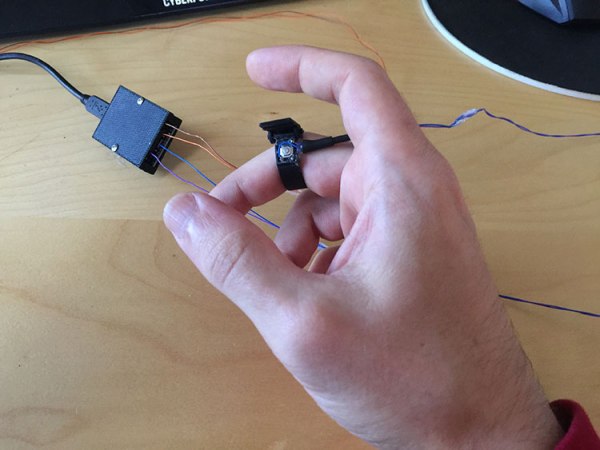
The gesture in question is a pinching motion, pushing the thumb and middle finger together. He couldn’t involve a big button without incapacitating his hands for typing. It took a few iterations, but he arrived at a compact ring design with a momentary switch on it. This is connected to an Arduino on his wrist, but was out of the way enough to allow him to type.

It’s yet another development marching us to usable VR. We personally can’t wait until we can use some technology straight out of  Stephenson or Gibson novel.

A Virtual Glimpse Into The Forest

Taking a stroll through the woods in the midst of autumn is a stunning visual experience. It does, however, require one to live nearby a forest. If you are one of those who does not, [Koen Hufkens] has recently launched the Virtual Forest project — a VR experience  that takes you though a day in a deciduous forest.

First off, you don’t need a VR apparatus to view the scenery. Web-browsers and most smart phones are capable of displaying the 360 degree images. The Raspberry Pi 2-controlled Ricoh Theta S camera is enclosed in a glass lamp cover and — with the help of some PVC pipe — mounted on a standard fence post. Power is delivered ingeniously via a Cat5e cable, and a surge protector has also been included in case of lightning strikes.  Depending on when you view the website, you could be confronted with a black screen, or a kaleidoscope of color.

Continue reading “A Virtual Glimpse Into The Forest”

3D Universe Theater

If you are an astronomy buff, there are plenty of star maps you can find in print or online (or even on your Smartphone). But if you are a science fiction fan (or writer), you probably find those maps frustrating because they are flat. Two stars next to each other on the map might be light years apart in the axis coming out of the page. A star 3.2 light years from Sol (our sun) looks the same on the map as a star 100 light years away.

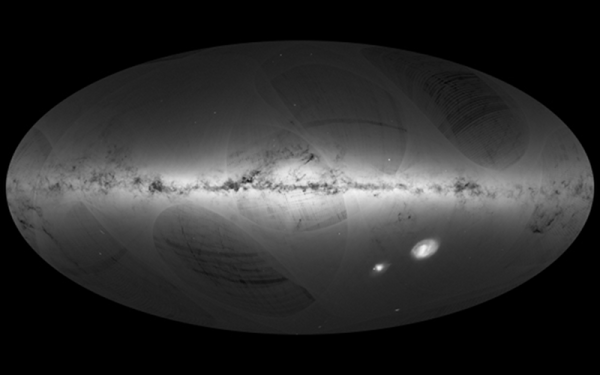
The Gaia satellite (an ESA project) orbits beyond the moon and is carefully mapping the 3D position of every point of light it sees. [Charlie Hoey] took the data for about 2 million stars and used WebGL to give you a 3D view of the data in your web browser.

Continue reading “3D Universe Theater”

Oculus Pi

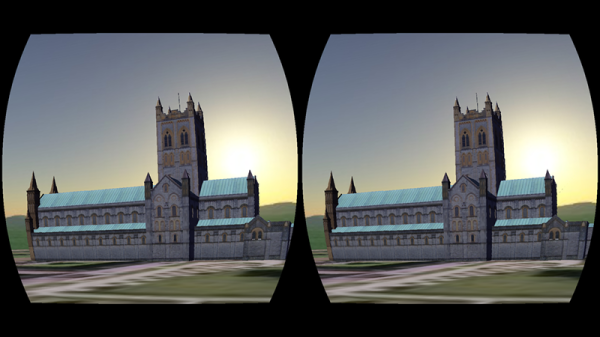
[WayneKeenan] wrote a proof-of-concept virtual reality system that used a Raspberry Pi and an Oculus Rift. It was about a thousand lines of Python and with a battery pack it was even portable. The problem was that the Pi was struggling to create the 3D views.

[Wayne] recently revisited the demo and found that just about everything has gotten better: the Pi 3 is faster, and the Python libraries have become better. He spent some time building a library — VR Zero — and then recreated the original demo in 80 more lines of Python. You can see a video, below.

Continue reading “Oculus Pi”

Absolute 3D Tracking With EM Fields

[Chris Gunawardena] is still holding his breath on Valve and Facebook surprising everyone by open sourcing their top secret VR prototypes. They have some really clever ways to track the exact location and orientation of the big black box they want people to strap to their faces. Until then, though, he decided to take his own stab at the 3D tracking problems they had to solve. 

While they used light to perform the localization, he wanted to experiment with using electromagnetic fields to perform the same function. Every phone these days has a magnetometer built in. It’s used to figure out which way is up, but it can also measure the local strength of magnetic fields.

Unfortunately to get really good range on a magnetic field there’s a pesky problem involving inverse square laws. Some 9V batteries in series solved the high current DC voltage source problem and left him with magnetic field powerful enough to be detected almost ten centimeters away by his iPhone’s magnetometer.

As small as this range seems, it ended up being enough for his purposes. Using the existing math and a small iOS app he was able to perform rudimentary localization using EM fields. Pretty cool. He’s not done yet and hopes that a more sensitive magnetometer and a higher voltage power supply with let him achieve greater distances and accuracy in a future iteration.

Dirt Cheap VR Gun With Tracking For $15 Of Added Hardware

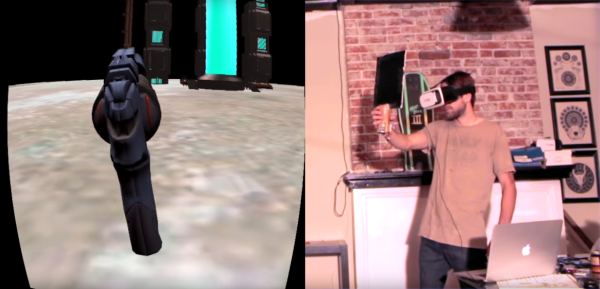
Virtual reality doesn’t feel very real if your head is the only thing receiving the virtual treatment. For truly immersive experiences you must be able to use your body, and even interact with virtual props, in an intuitive way. For instance, in a first-person shooter you want to be able to hold the gun and use it just as you would in real reality. That’s exactly what [matthewhallberg] managed to do for just a few bucks.

This project is an attempt to develop a VR shooting demo and the associated hardware on a budget, complete with tracking so that the gun can be aimed independent of the user’s view. [matthewhallberg] calls it The Oculus Cardboard Project, named for the combined approach of using a Google Cardboard headset for the VR part, and camera-based object tracking for the gun portion. The game was made in Unity 3D with the Vuforia augmented reality plugin. Not counting a smartphone and Google Cardboard headset, the added parts clocked in at only about $15.

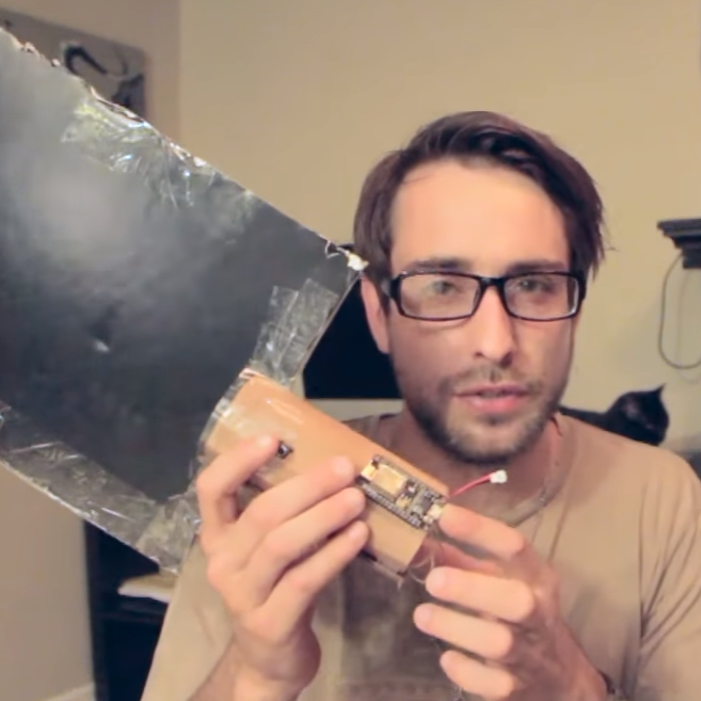
ESP8266 on FiducialUsing corrugated cardboard and a printout, [matthewhallberg] created a handheld paddle-like device with buttons that acts as both controller and large fiducial marker for the smartphone camera. Inside the handle is a battery and an ESP8266 microcontroller. The buttons on the paddle allow for “walk forward” as well as “shoot” triggers. The paddle represents the gun, and when you move it around, the smartphone’s camera tracks the orientation so it’s possible to move and point the gun independent of your point of view. You can see it in action in the video below.

Tracking a handheld paddle with a fiducial marker isn’t a brand new idea; We were able to find this project for example which also very cleverly simulates a trigger input by making a trigger physically alter the paddle shape when you squeeze it. The fiducial is altered by the squeeze, and the camera sees the change and registers it as an input. However, [matthewhallberg]’s approach of using hardware buttons does allow for a wider variety of reliable inputs (move and shoot instead of just move, for example). If you’re interesting in trying it out, the project page has all the required details and source code.

This isn’t [matthewhallberg]’s first attempt and getting the most out of an economical Google Cardboard setup. He used some of the ideas and parts from his earlier DIY Virtual Reality Snowboard project.

Continue reading “Dirt Cheap VR Gun With Tracking For $15 Of Added Hardware”

HoloLens NES Emulator For Augmented Retro Gaming

[Andrew Peterson] was looking for a way to indulge in his retro gaming passions in a more contemporary manner. His 3D NES emulator “N3S” for Windows brings Nintendo classics to the HoloLens, turning pixels into voxels, and Super Mario into an augmented reality gingerbread man.

To run NES games on the HoloLens, [Andrew’s] emulator uses the Nestopia libretro core. Since AR glasses cry for an augmentation of the game itself, the N3S re-emulates the NES’ picture processing unit (PPU), allowing it to interpret a Nintendo game’s graphics in a 3D space. [Andrew] also put together a comprehensive explanation of how the original Nintendo PPU works, and how he re-implemented it for the HoloLens.

The current version of the N3S PPU emulator automatically generates voxels by simply extruding the original pattern data from the game’s ROM, but [Andrew] is thinking about more features. Users could sculpt their own 3D versions of the original graphic elements in an inbuilt editor, and model sets could then be made available in an online database. From there, players would just download 3D mods for their favorite games and play them on the HoloLens.

According to [Andrew], the emulator reaches the limits of what the current pre-production version of the HoloLens can render fluently, so the future of this project may depend on future hardware generations. Nevertheless, the HoloLens screen capture [Andrew] recorded makes us crave for more augmented retro gaming. Enjoy the video!