Trying To Fix A GoPro Hero 10 With A No Camera Input Issue

In the search for more exciting broken electronics to repair, [Hugh Jeffreys] bought a GoPro Hero 10 for US$100 with an apparently rather common issue of no camera input, along with a cracked display. This particular camera issue is rather obvious, with just darkness where the camera’s input should appear on the display. Since [Hugh] already needed a spare display, he figured that he might as well get an even more broken GoPro Hero 10 for parts.

Another US$40 later, [Hugh] found himself the proud owner of a second GoPro, this one being water damaged and no longer turning on. Getting to the internals requires removing the glued-in display, which is even trickier than with a smartphone. By inserting a thin blade, adding solvents and not prying, you can slowly work it loose.

With two disassembled GoPros it was now possible to swap modules. After a factory reset and firmware update had failed to fix the first GoPro, the camera module from the donor unit was inserted, but this made no difference. Amusingly, after cleaning the water-damaged unit’s PCBs, it was found to be in good working condition, so ultimately the second GoPro was repaired, leaving the ‘no camera input’ issue undiagnosed.

It’s possible that a board-level repair on the first unit can address the original issue, but without schematics this would likely entail a lot of blindly poking around, in the hope of finding a damaged MLCC or other obvious fault. There is also the possibility that this is a firmware issue, with some reporting luck mashing the record button, but others disagree.

Since [Hugh] did do the firmware reset and updating steps, and even inserted a whole new working camera module, it would seem to narrow the problem down to a board-level issue. Whatever the case may be, it’s a frustrating issue with a rather expensive device.

Continue reading “Trying To Fix A GoPro Hero 10 With A No Camera Input Issue”
A Look Through The Eye Of A Bowling Ball

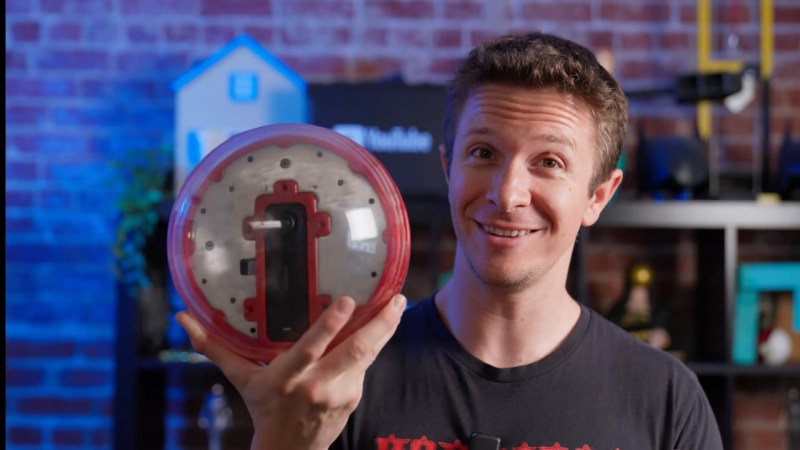
If you are anything like us, last time you went bowling, you thought more about how the ball came back to you than actually knocking down the pin. Perhaps you even wondered what it would be like to be a bowling ball making its way back through mysterious and hidden machines. [Wren] and [Erik Beck] did as well, so they set out to make a bowling ball camera to find out.

At the heart of the contraption is an Insta360 X5 camera nestled between water-jet cut metal plates. Because each lens of the camera has a 200 degree field of view, anything in the overlap of the two lenses simply does not appear, so the two metal plates likewise, do not appear. This does leave a somewhat noticeable seam down the middle of the footage, but overall worked out very well. To prevent vibrations in the bowling ball, it can only be rolled along the plate line, making said seam appear in all the footage. Because the stabilization is happening purely digitally, and the camera itself is spinning with the ball, motion blur became an issue immediately. Fortunately increasing the shutter speed fixed the issue, along with an increase in ISO to compensate for the decreased exposure.

Continue reading “A Look Through The Eye Of A Bowling Ball”

Copper Bling Keeps Camera Chill

Every action camera these days seems prone to overheating and sudden shutdowns after mere minutes of continuous operation. It can be a real pain, especially when the only heat problem a photographer might face back in the day was fogged film from storing a camera in a hot car. Then again, the things a digital camera can do while it’s not overheated are pretty amazing compared to analog cameras. Win some, lose some, right?

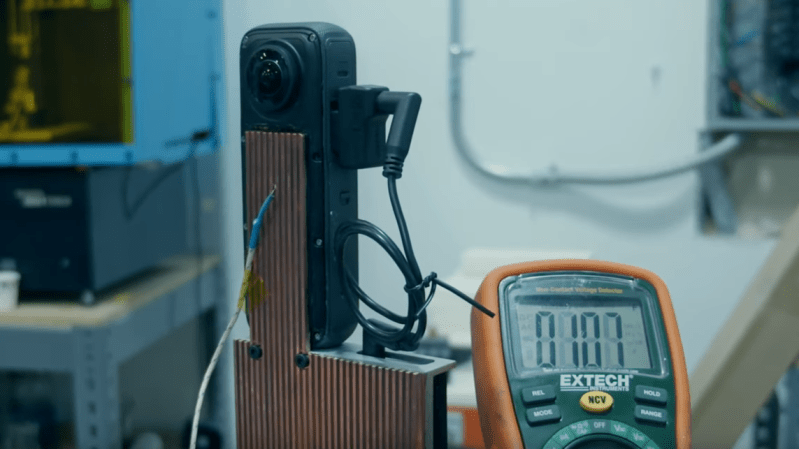
Maybe not. [Zachary Tong], having recently acquired an Insta360 digital camera, went to extremes to solve its overheating problem with this slick external heat sink project. The camera sports two image sensor assemblies back-to-back with fisheye lenses, allowing it to capture 360° images, but at the cost of rapidly overheating. [Zach]’s teardown revealed a pretty sophisticated thermal design that at least attempts to deal with the excess heat, including an aluminum heat spreader built into the case, which would be the target of the mod.

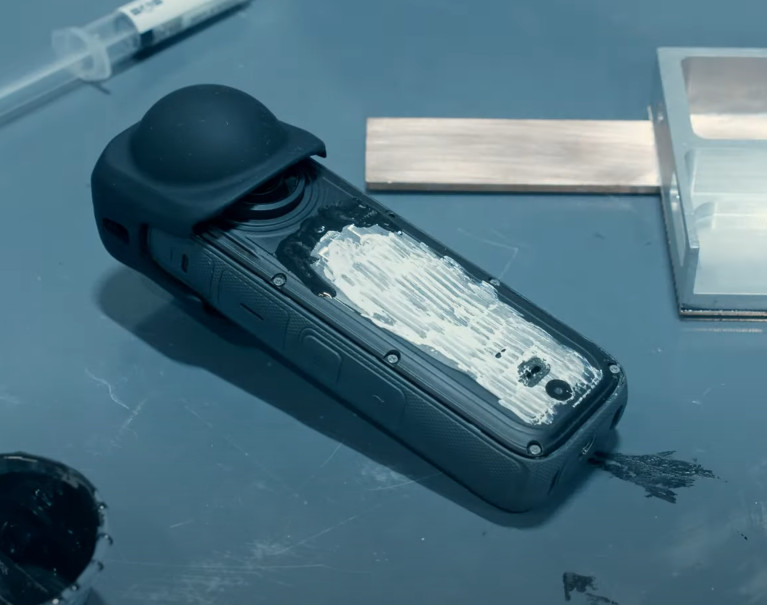
He attached a custom copper heatsink to a section of the heat spreader, which had been carefully milled flat to provide the best thermal contact. [Zach] used a fancy boron nitride heat transfer paste and attached the heat sink to the spreader with epoxy. A separate aluminum enclosure was bonded to the copper heat sink, giving [Zach] a place to mount his audio sync and timecode recorder and providing extra thermal mass.

Does it help? It sure seems to; where [Zach] was previously getting about twenty minutes before thermal shutdown with both cameras running, the heatsink-adorned rig was able to run about six times longer, with the battery giving out first. True, the heatsink takes away from the original sleek lines of the camera and might make it tough to use while snowboarding or surfing, but it’s still more portable than some external camera heatsinks we’ve seen. And besides, the copper is pretty gorgeous. Continue reading “Copper Bling Keeps Camera Chill”

Reverse Engineering The Web API Of An Akaso EK7000 Action Camera

Recently, [Richard Audette] bought an Akaso EK7000 action camera for his daughter’s no-smartphones-allowed summer camp, which meant that after his daughter returned from said camp, he was free to tinker with this new toy. Although he was not interested in peeling open the camera to ogle its innards, [Richard] was very much into using the WiFi-based remote control without being forced into using the ‘Akaso Go’ smartphone app. To do this, he had to figure out the details of what the Android app does so that it could be replicated. He provided a fake camera WiFi hotspot for the app in order to learn its secrets.

Normally, the camera creates a WiFi hotspot with a specific SSID (iCam-AKASO_C_1e96) and password (1234567890) which the Android app connects to before contacting the camera’s IP address at 192.72.1.1. The app then shows a live view and allows you to copy over snapshots and videos. Initially, [Richard] tried to decompile the Android app using JADX, but the decompiled code contained so many URLs that it was hard to make heads or tails of it. In addition, the app supports many different Akaso camera models, making it harder to focus on the part for this particular camera.

Continue reading “Reverse Engineering The Web API Of An Akaso EK7000 Action Camera”

RC Car Becomes Cable Cam

The prevalence of drones has made airborne photography much more widespread, especially among hobby photographers and videographers. However, drone photos aren’t without their problems. You have to deal with making the drone follow the shot which can be difficult unless you have a very expensive one. Worse, you can’t really fly a drone through heavily wooded or otherwise obstructed terrain.

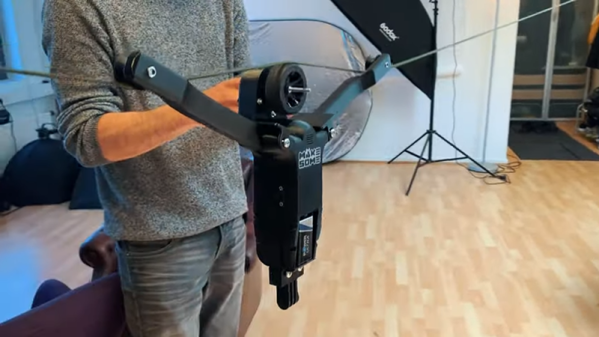
[Makesome’s] friend faced these issues and wanted to buy a cable cam — a mount for the camera that could go back and forth on a cable strung between two trees or other structures. Instead of a design from scratch, they decided to cannibalize a cheap RC car along with an HP printer and the effect — as you can see in the video below — is pretty good.

Repurposing toys is an honored tradition and, after all, what do you need but a motor that goes forward and reverses? We can’t help but notice though that toy hacking is much easier now that you can 3D print custom widgets to connect everything together.

Continue reading “RC Car Becomes Cable Cam”

External Battery Mod For Action Camera Does It Non-destructively

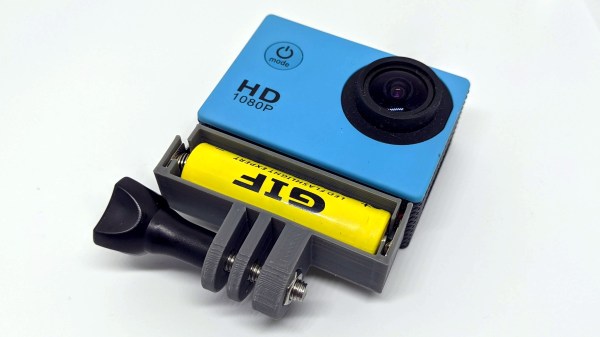
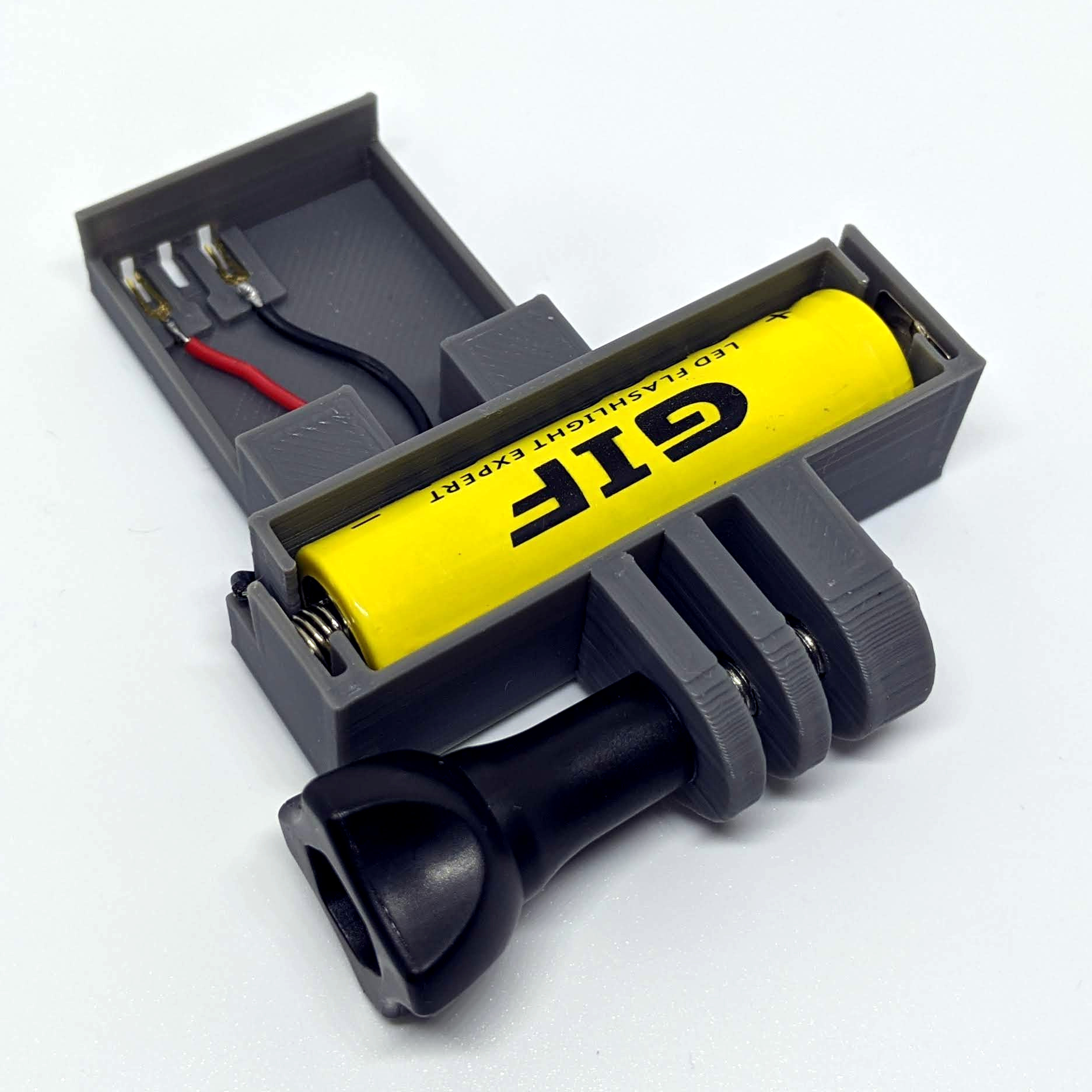
[Facelesstech] owns an SJCAM SJ4000 action camera, but the internal battery was no longer functional. Not wishing to buy a replacement and unwilling to hook up an ungainly USB cable to feed power, the solution was to design and 3D print an adapter to power the camera from a single rechargeable 14500 sized battery (which is the same size as an AA cell, and a good match for the width of the camera.)

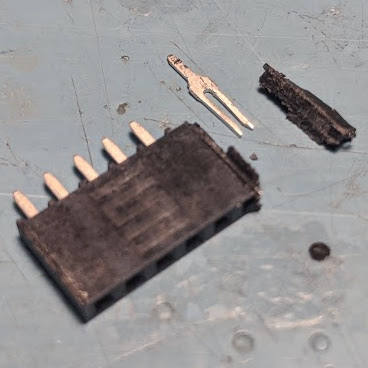
The adapter works by mimicking the original battery, so the camera never knows the difference. A 3D-printed holder for the 14500 battery (which doubles as a GoPro compatible mount) has an extension the same size and shape of the camera’s original internal battery. The tricky part was interfacing to the power connectors buried inside the camera’s battery bay. For a solution, [Facelesstech] eventually settled on the small connectors harvested from inside a female header, using them to connect to the small blades inside the camera. We broke open a spare female 0.1″ header, shown here, to make it clear where these little pieces come from. The only other battery hardware needed are the contacts for an AA cell, but those are also easy to harvest and reuse.

The GitHub repository for the project includes STL files as well as the FreeCAD files for the parts. A video overview is embedded below.

Continue reading “External Battery Mod For Action Camera Does It Non-destructively”

Hacking An External Mic Port Onto A Camera

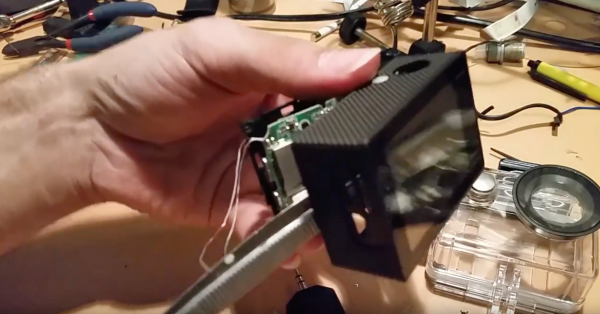
A sub-$100 camera competing in the 4K market, the Akaso EK7000 has a few features typical for the range: wifi, 12MP photos at 30 frames per second, and the like. [Foxx D’Gamma] wanted to add an external mic jack to his camera, replacing the internal mic, which featured poor sound pickup due to being buried in the heart of the camera. [Foxx] spent a considerable amount of effort getting the enclosure apart, working gingerly to avoid damaging the display’s ribbon cable, which can’t be disconnected. He also had to deal with the button covers falling out when the case was opened.

[Foxx] desoldered the button mic and added the jack’s wires, and the next challenge presented itself: getting it back together again with the mic port looking good. He had to make sure the jack projected just the right amount from the housing, to ensure the external mic could plug in. Check out both videos below the break.

We’ve featured several cheap camera hacks recently on Hackaday: the ruggedized cheap camera, the cheap 360 degree camera, and the full-spectrum camera all come to mind. It’s a fertile field for not a lot of money!

Continue reading “Hacking An External Mic Port Onto A Camera”