Michael Ossmann Makes You An RF Design Hero

To a lot of people, radio-frequency (RF) design is black magic. Even if you’ve built a number of RF projects, and worked your way through the low-lying gotchas, you’ve probably still got a healthy respect for the gremlins lying in wait around every dimly-lit corner. Well, [Michael Ossmann] gave a super workshop at the Hackaday Superconference to give you a guided tour of the better-illuminated spaces in RF design.

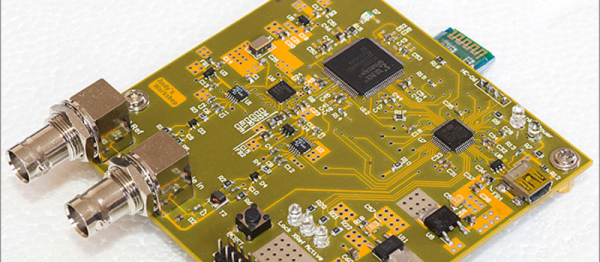
five_rules[Michael] is a hacker-designer, and his insights into RF circuit design are hard-won, by making stuff. The HackRF One is probably his most famous (and complex) project, but he’s also designed and built a number of simpler RF devices. And the main point of his talk is that there’s a large range of interesting projects that are possible without getting yourself into the fringes of RF design (which require expensive test equipment, serious modelling, or a Ph.D. in electro-wavey-things).

You should watch [Mike]’s workshop which is embedded below. That said, here’s the spoilers. [Mike] suggests five rules that’ll keep your RF design on the green, rather than off in the rough.

Continue reading “Michael Ossmann Makes You An RF Design Hero”

Presenting The Internet Of Trash Cans !

This was gonna happen – sooner or later. [matthewhallberg] built a “Smart” trash can that is connected to the Internet and can be controlled by its own Android App. We’re not sure if the world needs it, but he wanted one and so built it. He started it out on a serious note, but quickly realized the fun part of this build – check out his funny Infomercial style video after the break.

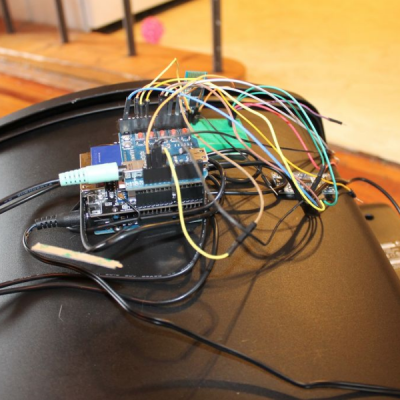
trash_can_02The build itself is uncomplicated and can be replicated with ease. A servo motor helps flip the lid open and close. This is triggered by an ultrasonic ping sensor, which responds when someone waves a hand in front of the trash can. A second ping sensor helps inform the user when it is full and needs to be emptied. A Leonardo with the Idunio Yun shield helps connect the trash can to the internet. An mp3 shield connected to a set of powered computer speakers adds voice capability to the trash can, allowing it to play back pre-recorded sound clips. Finally, a Bluetooth module lets him connect it to an Android phone and the companion app controls the trash can remotely.

For the IoT side of things, [matthewhallberg] uses a Temboo account to send an email to the user when the trash can is full. The Arduino sketch, a header file to configure the Temboo account, and the Android application can all be downloaded from his blog. If this project inspires you, try building this awesome Robotic trash can which catches anything that you throw near it  or read the barcodes off the trash being thrown out and update the grocery list.

Continue reading “Presenting The Internet Of Trash Cans !”

Hacking Hearing With A Bone Conduction Bluetooth Speaker

When a hacker finds himself with a metal disc and magnet surgically implanted in his skull, chances are pretty good that something interesting will come from it. [Eric Cherry]’s implant, designed to anchor a bone-conduction hear aid, turned out to be a great place to mount a low-cost Bluetooth speaker for his phone – at least when he’s not storing paperclips behind his ear.

With single-sided deafness, [Eric]’s implant allows him to attach his bone-anchored hearing aid (BAHA), which actually uses the skull itself as a resonator to bypass the outer ear canal and the bones of the middle ear and send vibrations directly to the cochlea. As you can imagine, a BAHA device is a pretty pricey bit of gear, and being held on by just a magnet can be tense in some situations. [Eric] decided to hack a tiny Bluetooth speaker to attach to his implant and see if it would work with his phone. A quick teardown and replacement of the stock speaker with a bone-conduction transducer from Adafruit took care of the electronics, which were installed in a 3D printed enclosure compatible with the implant. After pairing with his phone he found that sound quality was more than good enough to enjoy music without risking his implant. And all for only $22 out-of-pocket. While only a Bluetooth speaker in its current form, we can see how the microphone in the speakerphone might be used to build a complete hearing aid on the cheap.

We think this is a great hack that really opens up some possibilities for the hearing impaired. Of course it’s not suitable for all types of hearing loss; for more traditional hearing aid users, this Bluetooth-enabled adapter might be a better choice for listening to music.

This Car Lets You Fistbump To Unlock

In the dark ages, you had to use a key to lock and unlock your car doors. Just about every car now has a remote control on the key that lets you unlock or lock with the push of a button. But many modern cars don’t even need that. They sense the key on your person and usually use a button to do the lock or unlock function. That button does nothing if the key isn’t nearby.

[Pierre Charlier] wanted that easy locking and unlocking, so he refitted his car with a Keyduino to allow entry with an NFC ring. What results is a very cool fistbump which convinces your car to unlock the door.

Keyduinio is [Pierre’s] NFC-enabled project, but you can also use a more conventional Arduino with an NFC and relay shield. The demo also works with a smartphone if you’re not one for wearing an NFC ring. Going this round, he even shows how to make it work with Bluetooth Low Energy (BLE).

Continue reading “This Car Lets You Fistbump To Unlock”

Learn Bluetooth Or Die Tryin

Implementing a Bluetooth Low Energy (BLE) device from scratch can be a daunting task. If you’re looking for an incredibly detailed walkthrough of developing a BLE project from essentially the ground up, you’ve now got a lot of reading to do: [Jocelyn Masserot] takes you through all the steps using the ARM-Cortex-M0-plus-BLE nRF51822 chip.

The blog does what blogs do: stacks up in reverse-chronological order. So it’s best that you roll on down to the first post at the bottom and start there. [Jocelyn] walks you through everything from setting up the ARM compiler toolchain through building up a linker script, blinking an LED, flashing the chip, and finally to advertising your device to your cell phone. It’s a lot of detail, but if you’re doing something like this yourself, you’re sure to appreciate it.

Of course, all the code is available for you to crib peruse on [Jocelyn]’s GitHub. And for yet more background reading on BLE, check out the Hackaday Dictionary.

Robotic Suitcase Follows You Around

I have something that follows me around all the time: my dog Jasper. His cargo-carrying capability is limited, though, and he requires occasional treats. Not so this robotic suitcase. All it needs, the designers claim, is an occasional charge and a Bluetooth device to follow.

Designed by NUA Robotics, this suitcase is equipped with powered wheels and a certain amount of smarts: enough to figure out the direction of a Bluetooth signal such as your cell phone and follow it. This is also accompanied by proximity sensors so it doesn’t bump into you or other people. When the built-in battery runs out, just pop put the handle and pull it yourself, and the regenerative motors will recharge the battery. There’s no indication on price, battery life or how much space is left to actually carry stuff yet, but the designers claim it could be out within the year. As someone who uses a walking stick, this sounds like a great idea. And if they can work out how to get it to walk the dog for me, that would be even better.

Now, who will be the first to build a clone of this in their basement? Bonus points if it’s a two-wheeled self-balancer.

Continue reading “Robotic Suitcase Follows You Around”

The Stork Looks Different Than We Thought

What the Internet of Things really needs is more things, and the more ridiculous the better. At least, that’s the opinion of [Eric] who has created a tongue-in-cheek gadget to add to the growing list of connected devices. It’s a Bluetooth-enabled pregnancy test that automatically releases the results to the world. Feeling lucky?

The theory of operation is fairly straightforward. A Bluetooth low-energy module is integrated into the end of a digital pregnancy test. These tests have a set of photo detectors to read the chemical strip after the test is conducted. If the test is positive, the module sends a signal to a Raspberry Pi which tweets the results out for the world to see. It also has an option to send a text message to your mom right away!

[Eric]’s project to live-tweet a pregnancy test also resulted in a detailed teardown of a digital pregnancy test, so if you need any technical specifications for pregnancy tests (for whatever reason) his project site has a wealth of information. He does note that his device can be used on other similar devices with directly driven LCD screens, too. The fun doesn’t end there, though! Once the pregnancy is a little further along you’ll be able to get the baby on Twitter, too.

Continue reading “The Stork Looks Different Than We Thought”