A Cheap And Easy Control Screen For Home Assistant

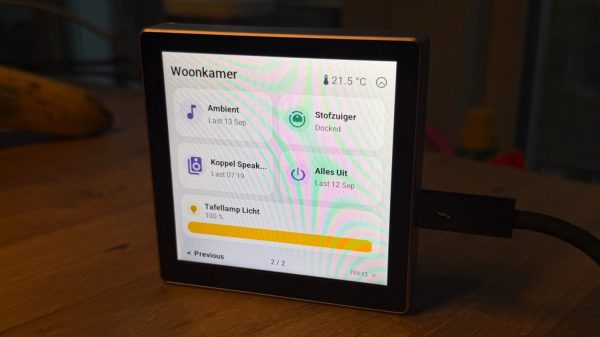
Home Assistant is a great way to rig up and manage your smart home and its many and varied devices. You can of course control the system from your smartphone or a computer, but you might like to have a dedicated interface too. In that regard, [Max Gramser]’s project may come in handy.

At heart, it’s a Home Assistant control screen that you can lay out yourself. It’s intended to run on ESP32 hardware. Most specifically, it’s built to run on the Cheap Yellow Display which combines an ILI9341 display with an XPT2046 resistive touchscreen, or a Guition ESP32-S3-4848S040, which has a ST7701S RGB display combined with a capacitive GT911 touchscreen. You merely need to load the firmware on to one of these units, and you’ll have a configurable and customizable touchscreen interface for your own Home Assistant setup.

The GUI used is clean, attractive, and flexible. You can have it display weather, time, and date widgets, populate the screen with buttons for activating lights and appliances, or even command a compatible robot vacuum. Whatever you might want to do with Home Assistant, you can almost certainly create a quick control for it on the display so it’s always on the wall, ready to go when you need it.

If you’ve always dreamed of your house having a futuristic control panel like we used to dream of in the 1980s, well… now it’s a reality. You just need to drop a few bucks on a touchscreen ESP32 rig and you’re ready to go. There’s plenty more you can do with a Cheap Yellow Display, too, so don’t hesitate to check out some of the previous builds we’ve featured with it!


Dramatically Increasing Usable Closet Space

As any science YouTuber or first-year physics student is quick to point out, the universe is mostly empty space. Not just space itself, but the amount of “empty” space between nuclei and their electrons is also huge. Getting rid of this empty space results in all kinds of interesting phenomena like degenerate matter and black holes. But the concept can be extrapolated into our daily lives as well; many things are so filled with air that we can get a lot more usable storage space by compressing them down a little bit. [Super Valid Designs] took this concept to a coat closet, building one that can hold an impressive number of coats.

He started by looking at an existing closet, which could hold around 21 coats but only if someone used two hands to cram the coats into the space. After a trip to a store which sells rugs, he saw a much better design that lets all the rugs pivot like the pages on a book, and took this idea to his closet using a similar mechanism designed for storing large blueprints instead of rugs. The closet he built around this mechanism has two hinged doors which allow a person easy access to the coats, and when opened the blueprint hangers pivot out like a book, allowing the coats to not only be easily accessed without disrupting the other coats, but also allow them to be compressed down by the closet door for storage.

For comparison, the original closet could only hold 10 coats when restricted to single-hand operation and 21 when using both. The new closet design is smaller, and can hold 24 coats with a single hand and over 30 when using both, a dramatic improvement of closet efficiency. To top it off, a set of cupboards on top and bottom allow for storing shoes and hats as well, and there’s even a garage for a robotic vacuum cleaner. Surprisingly, we don’t see many closet optimization builds around here. The closest we can come is another traditionally small space, a college dorm.

Continue reading “Dramatically Increasing Usable Closet Space” →

Smart Home Gets A Custom Keypad Controller

Voice assistants and smartphones are often the go-to interfaces for modern smart home systems. However, if you fancy more direct physical controls, you can go that route as well. To that end, [Salim Benbouziyane] whipped up a nifty keypad to work with his Home Assistant setup.

The build is based on an ESP32 microcontroller, which has wireless hardware onboard to communicate with the rest of [Salim’s] Home Assistant setup. Using the ESPHome firmware framework as a base, the microcontroller is connected to a four-by-three button keypad array, built using nice clicky key switches. There’s also an indicator light on top as a system status indicator. A fingerprint scanner provides an easy way for users to authenticate when disarming the alarm.

Security and speed were the push for [Salim] to whip up this system. He found it difficult to disarm his alarm in a hurry when fumbling with his phone, and the direct keypad entry method was far more desirable.

Sometimes, the easiest route to the smart home of your dreams is to just build the exact solutions you need. Video after the break.

Continue reading “Smart Home Gets A Custom Keypad Controller” →

Interfacing Old Burglar Alarm Sensors Into HomeAssistant

The annoying thing about commercial smart home gear is its lack of interoperability. HomeAssistant is very flexible though, and it’s easy to use all kinds of gear—even stuff you bodge together yourself. [Jeff Sandberg] demonstrates that ably with his project to use ancient 1990s burglar alarm sensors in his modern smarthome setup.

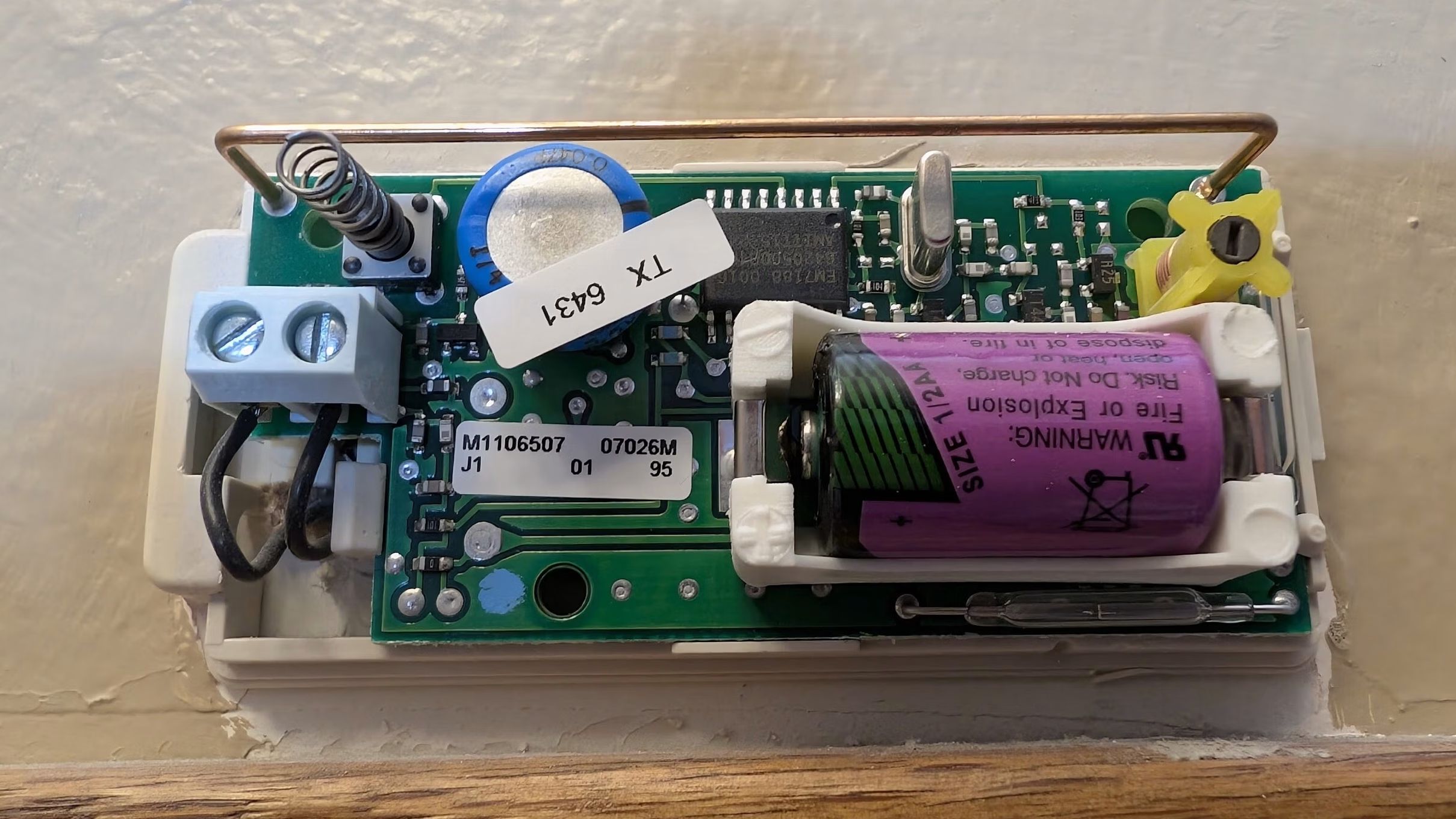
The sensors in question are from an old GM Interlogix security system. The sensors themselves sit on doors or windows. They use magnets and a reed switch to sense if the door or window is opened. If so, they send out a radio message saying as much. All [Jeff] had to do was catch those messages and translate them for HomeAssistant.

To listen in on the sensors, [Jeff] employed a Nooelec NESDR—a software defined radio that could pick up the 319.5 MHz signals. The NESDR runs a tool called RTL_433, which can decode the sensor signals, and spit out MQTT messages to interface with HomeAssistant.

Much of the hard work was done already for [Jeff]—he just had to lace together the components. This is just a testament to the hard work by people in the HomeAssistant and SDR communities for figuring all this out and putting the tools online.

We’ve seen some neat HomeAssistant builds before, like this neat home control terminal. If you’re cooking up your own smarthome hacks, don’t hesitate to let us know!

Hackaday Prize 2023: AutoDuct Smart Air Duct

Modern building techniques are relying more and more on passive elements to improve heating and cooling efficiencies, from placing windows in ways to either absorb sunlight or shade it out to using high R-value insulation to completely sealing the living space to prevent airflow in or out of the structure. One downside of sealing the space in this fashion, though, is the new problem of venting the space to provide fresh air to the occupants. This 3D printed vent system looks to improve things.

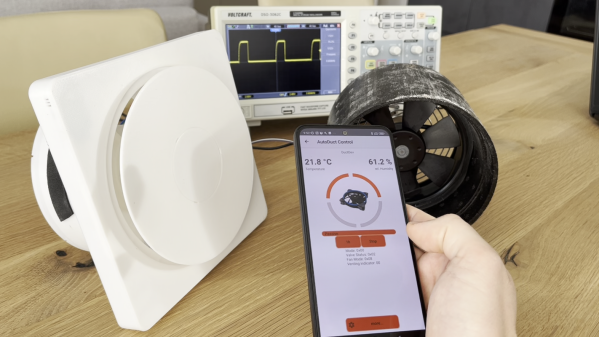
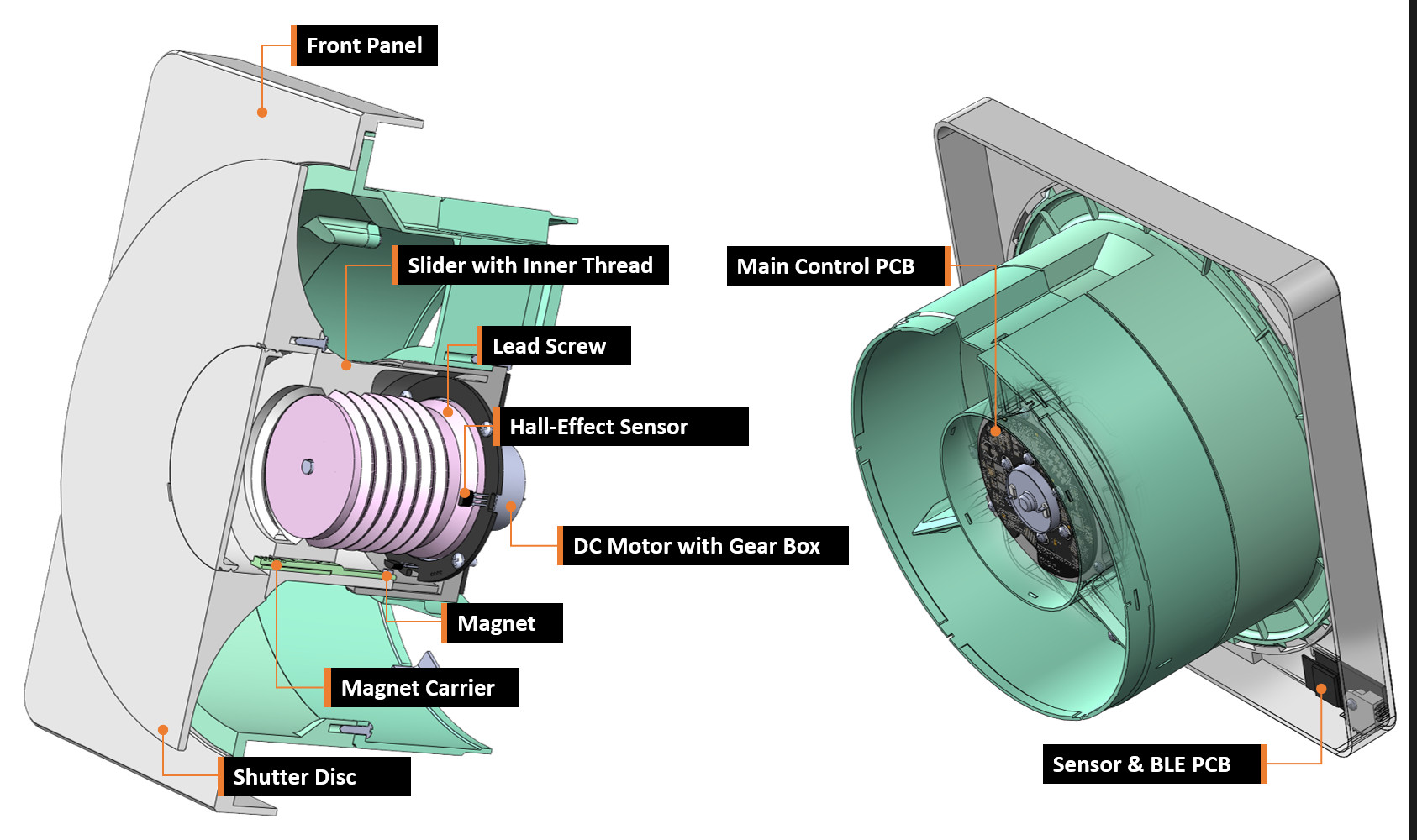
Known as the AutoDuct, the shutter and fan combination is designed to help vent apartments with decentralized systems. It can automatically control airflow and also reduces external noise passing through the system using a printed shutter mechanism which is also designed to keep out cold air on windy days.

A control system enables features like scheduling and automatic humidity control. A mobile app is available for more direct control if needed. The system itself can also integrate into various home automation systems like Apple’s HomeKit.

A 100% passive house that’s also as energy-efficient as possible might be an unobtainable ideal, but the closer we can get, the better. Some other projects we’ve seen lately to help climate control systems include this heat pump control system and this automatic HVAC duct booster fan system.

Smart Powermeter Uses E-Paper Display

In most places around the world, electricity is getting ever more expensive. Cutting back on your usage is one of the easier ways to escape this pain. This smart powermeter from [JGAguagdo] may prove a useful tool to achieve that goal.

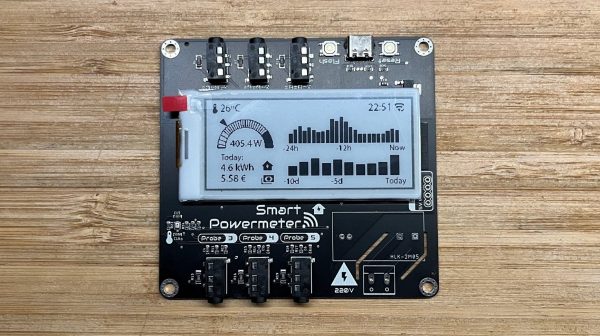
The project uses an ESP32-S2 as the brains of the operation. It’s capable of reading up to six current-transformer clamps for measuring current draw in AC devices. It also features an embedded BMP280 temperature and air pressure sensor. Live data is displayed on a 2.9-inch e-Paper display, making it clear and easy to read under normal lighting conditions. By default, it’s set up to display graphs of power usage both over the last 24 hours, and the last ten days. It can even be set up with the prevailing energy rates in your area to display a realistic figure for what you’ll pay for your daily usage.

It can even be set up to work with Home Assistant for more logging and control options. We can imagine that, with a little work, you could even do some fancy plotting of energy use versus temperature to determine the performance and cost of your home HVAC setup.

If you want one with a minimum of fuss, you can score one on Tindie. Alternatively, design files are available on GitHub, too. We’ve featured some other great power meters over the years, and if you’re cooking up your own smart designs, don’t hesitate to let us know!

Tiny Microcontroller Uses Real-Time Operating System

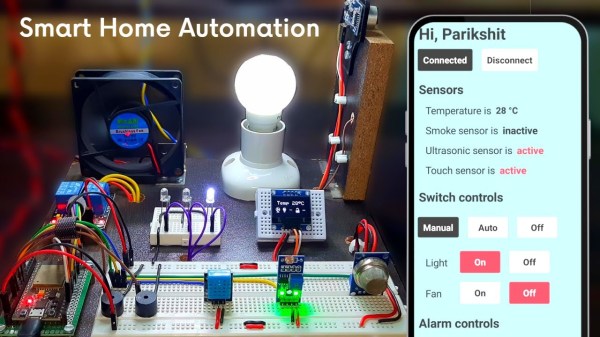
Most of the computers we interact with on a day-to-day basis use an operating system designed for flexibility. While these are great tools for getting work done or scrolling your favorite sites, they have a weakness when it comes to interacting quickly with a real-world environment. For these kinds of low-latency, high-reliability systems you may want to turn to something like freeRTOS which is optimized for this kind of application and which [Parikshit Pagare] has used to build his home automation system.

This build is based around an ESP32 for which freeRTOS, designed specifically for embedded systems, is uniquely suited. There are several channels built in capable of monitoring temperature, functioning as a smoke alarm, and sensing whether someone is at the front door. All of these are reported to a small OLED screen but are also updated on an Android app as well, which happens nearly instantaneously thanks to the real-time operating system. There are a number of user-controllable switches as well that are capable of turning lights or fans on and off.

For a home automation system, it’s one of the most low-cost and fully-featured we’ve seen and if you’re still having trouble coming across a Raspberry Pi as they sort out supply issues, something like this might make an excellent substitute at a fraction of the price. If you’re looking to expand even beyond this build, one of the gold standards for ESP32-based automation design is this build from [Marcus] which not only demonstrates how to build a system like this but goes into great detail on the ESPHome environment.

Continue reading “Tiny Microcontroller Uses Real-Time Operating System” →