[riskable]'s clacky magnetic switches

Mag-Lev Switches Are The Future Of Clacking

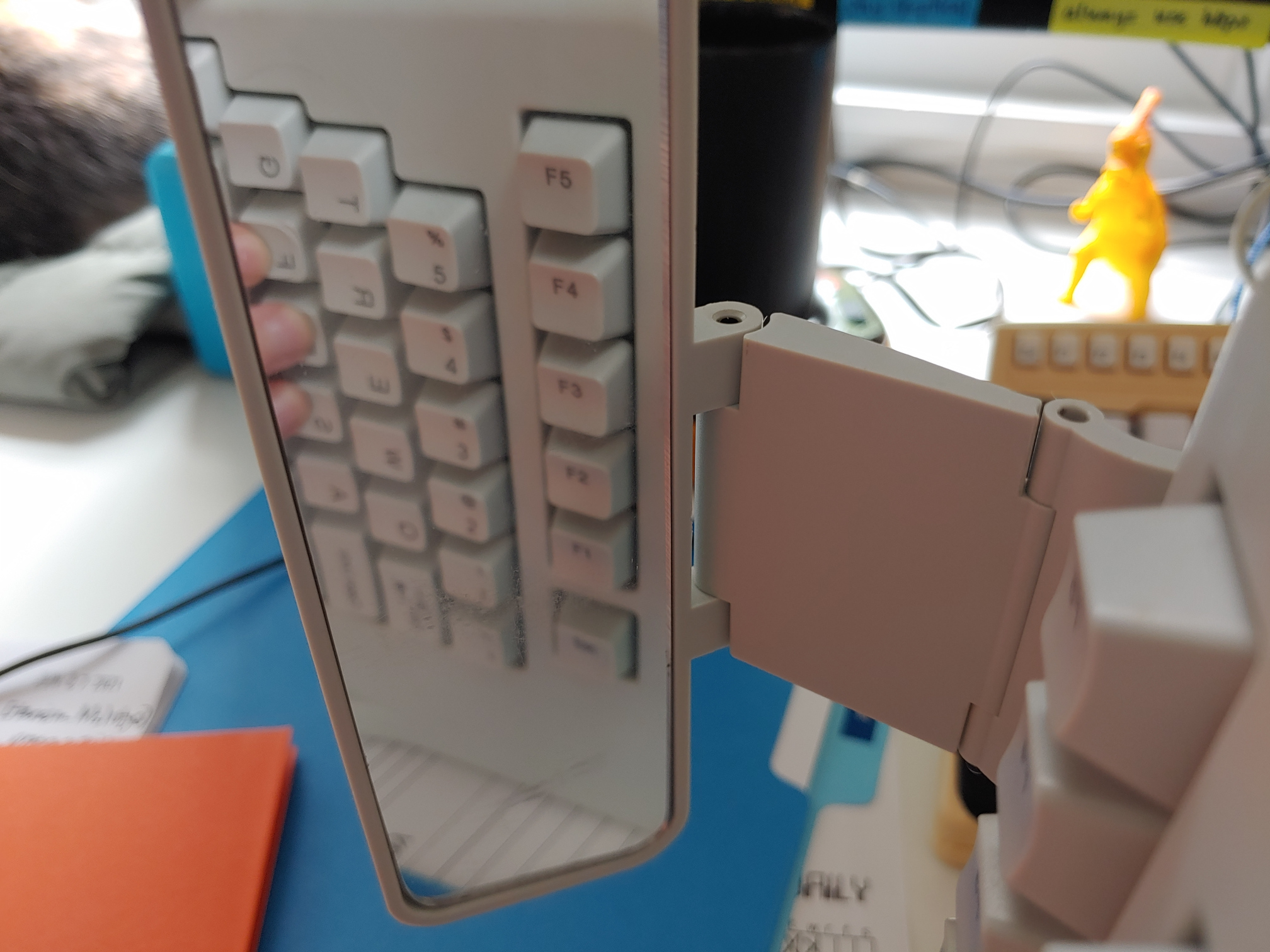
While there’s probably a Cherry MX clone born every year or so, it’s not often that such a radically different type of switch comes along. These “Void” switches are Hall-effect magnetic levitation numbers devised by keyboard connoisseur and designer [riskable]. Can you imagine how satisfying it is to clack on switches that actuate with magnets? They have adjustable tactility and travel thanks to even more tiny magnets. But you won’t be able to get these in a group buy or anything. If you want some of these babies, [riskable] says you’ll have to print and assemble ’em yourself.

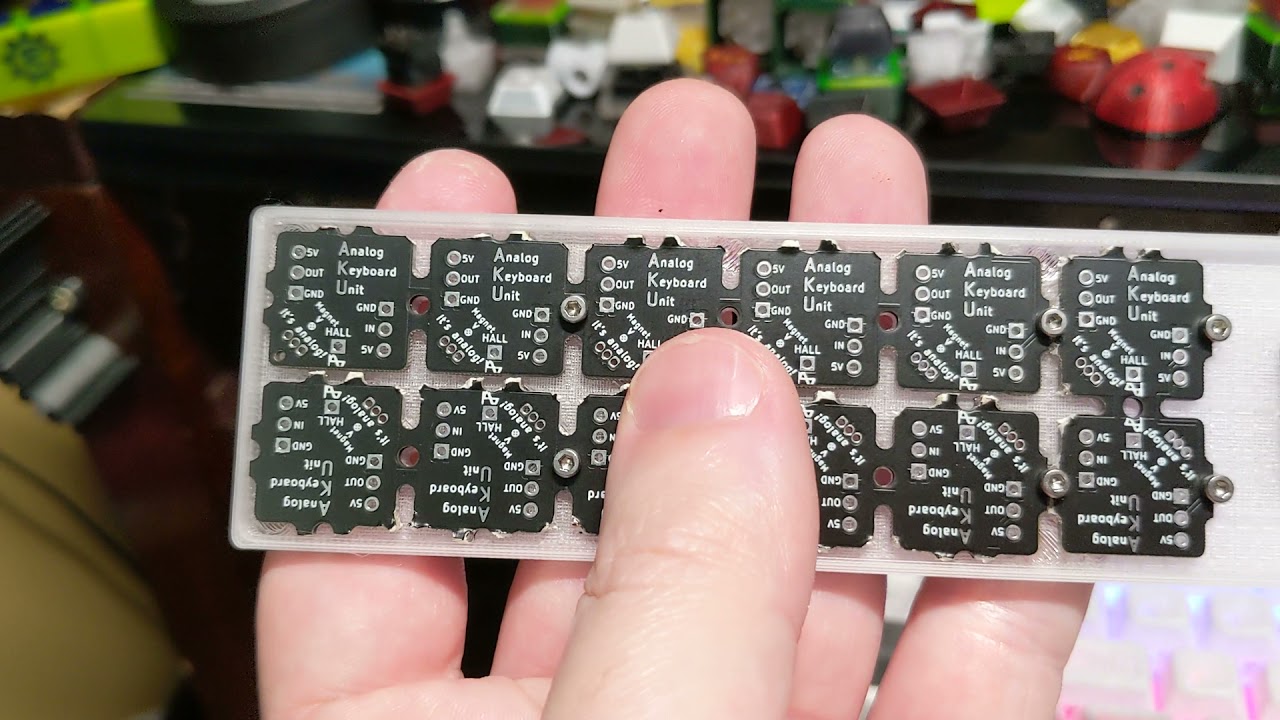
These attractive switches don’t have a Cherry MX footprint, either, so you’ll need some of [riskable]’s AKUs, or Analog Keyboard Units (YouTube) to actually use them. [riskable] predicts that unlike the switches, the AKUs will likely be available to buy at some point in the future. (Okay good, because we really would love to know what these feel like in a keyboard!)

So, how do they work? As explained in the first video embedded below, there is one magnet in the slider and another in the housing. These two are attracted to each other, so actuating the switch separates them, which is where the Hall effect comes in. A third magnet in the keycap acts as the levitator to help return the switch to open position. The tactility of these switches is determined by the thickness of the plastic between the two lovebird magnets, so you could totally dial that in to whatever you want, in addition to all the other customization that 3D printing affords.

Tour and Teardown

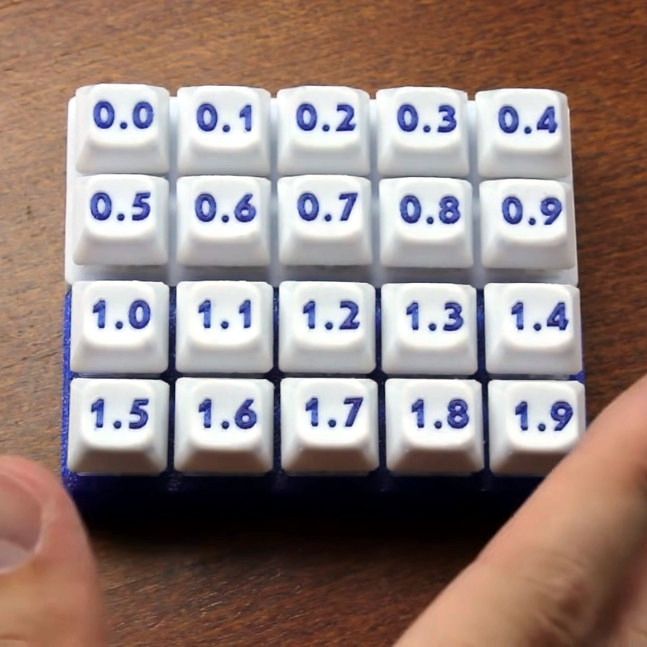
The inimitable [Chyrosran22] featured these mag-nificent switches in one of his teardown videos, which is embedded below. One of the things [riskable] sent was a tactility sampler that ranges from an unimaginably tactile 0.0 mm of plastic in between them to not quite 2 mm.

In case you’re wondering, the video is remarkably safe-for-work, which is surprising given the content creator’s propensity for long strings of creative and hyphenated curses. We suppose [Chyrosran22] saves that stuff for the bad keyboards, then.

Stick around after the rightfully glowing review for [riskable]’s tour of a hand-wired analog macro pad using these switches. When you have a few extra minutes, check out the video build journey of these switches on [riskable]’s YouTube channel.

So, would these switches make the clickiest keyboard ever? Maybe, but consider this striking solenoid setup.

Continue reading “Mag-Lev Switches Are The Future Of Clacking”

Python Your Keyboard Hack Chat With Adafruit

Join us on Wednesday, July 21 at noon Pacific for the Python Your Keyboard Hack Chat with the Adafruit crew!

Especially over the last year and a half, most of us have gotten the feeling that there’s precious little distinction between our computers and ourselves. We seem welded together, inseparable even, attached as we are day and night to our machines as work life and home life blend into one gray, featureless landscape where time passes unmarked except by the accumulation of food wrappers and drink cans around our work areas. Or maybe it just seems that way.

Regardless, there actually is a fine line between machine and operator, and in most instances it’s that electromechanical accessory that we all love to hate: the keyboard. If you buy off the shelf, it’s never quite right — too clicky, not clicky enough, wrong spacing, bad ergonomics, or just plain ugly design. The only real way around these limitations is to join the DIY keyboard crowd and roll your own, specifically customized to your fingers and your needs — at least until you realize that it’s not quite perfect, and need to modify it again.

Hitting this moving target is often as much a software problem as it is a hardware issue, but as is increasingly the case these days, Python is ready to help. To go into depth on how Python can be leveraged for the custom keyboard builder, our good friends at Adafruit, including Limor “Ladyada” Fried, Phillip Torrone, Dan HalbertKattni Rembor, and Scott Shawcroft will stop by the Hack Chat. We suspect they’ll have some cool stuff to show off, in addition to sharing their tips and tricks for making DIY keyboards just right. If you’re building custom keebs, or even if you’re just “keyboard curious”, you won’t want to miss this one.

join-hack-chatOur Hack Chats are live community events in the Hackaday.io Hack Chat group messaging. This week we’ll be sitting down on Wednesday, July 21 at 12:00 PM Pacific time. If time zones have you tied up, we have a handy time zone converter.

Breaking Down The USB Keyboard Interface With Old-Fashioned Pen And Paper

What is better for gaming, old PS/2 style keyboards, or modern USB devices? [Ben Eater] sets out to answer this question, but along the way he ends up breaking down the entire USB keyboard interface.

It turns out that PS/2 and USB are very, very different. A PS/2 keyboard sends your keystroke every time you press a key, as long as it has power. A USB keyboard is more polite, it won’t send your keystrokes to the PC until it asks for them.

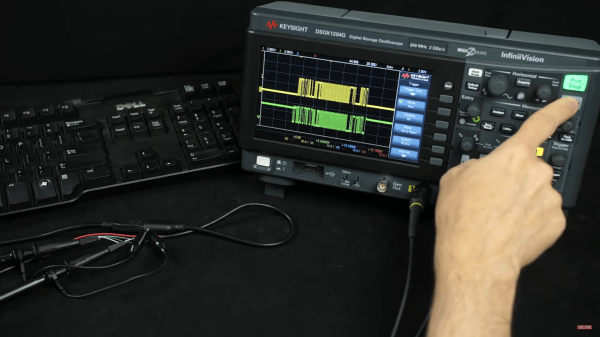
To help us make sense of USB’s more complicated transactions, [Ben] prints out the oscilloscope trace of a USB exchange between a PC and keyboard and deciphers it using just a pen and the USB specification. We were surprised to see that USB D+ and D- lines are not just a differential pair but also have more complicated signaling behavior. To investigate how USB handles multi-key rollover, [Ben] even borrowed a fancy oscilloscope that automatically decodes the USB data packets.

It turns out that newer isn’t always better—the cheap low-speed USB keyboard [Ben] tested is much slower than his trusty PS/2 model, and even a much nicer keyboard that uses the faster full-speed USB protocol is still only just about as fast as PS/2.

If you’d like to delve deeper into keyboard protocols, check out [Ben]’s guide to the PS/2 keyboard interface, complete with a breadboarded hardware decoder. If these keyboards have too many keys for your taste, you might consider this USB Morse code keyboard. Thanks to Peter Martin for the Tip!

A Tidy Octave Mod For The Casio SK-1

1985 saw the release of the Casio SK-1, a compact sampling keyboard that brought the technology to a lower price point than ever before. However, one drawback of this was that it comes stock with only a 2.5 octave keyboard. [Jonas Karlsson] wanted a little more range out of the instrument, so set about hacking in his own octave mod.

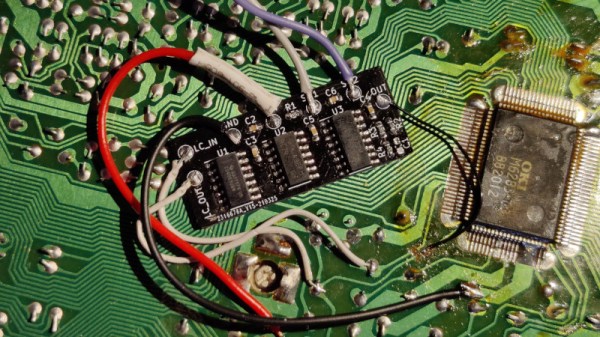
The build consists of fiddling with the SK-1’s microprocessor clock to change the pitch of the notes generated by the instrument. The original clock is generated by a simple LC circuit, which in this mod is fed to an inverter, and then a pair of flip-flops to divide the clock by four. The original clock and the divided version are then both sent to a mux chip. With the flick of the switch, either the original or downshifted clock can be sent to the microprocessor.

With the slower clock feeding the microprocessor, all the notes are downshifted an octave. The resulting sound, which you can listen to on Soundcloud, is similar to what you get when chopping down sample rates. It bears noting, however, that as this mod changes the master clock, other features such as rhythms are also effected.

It’s a great mod which gives the instrument a gloomier, grittier sound on demand. The Casio SK-1 has long been prized for its hackability; we’ve seen them completely worked over in previous mods. If you’ve got your own twisted audio experiments cooking up in the workshop, be sure to drop us a line.

The Ridiculous GameCube Keyboard Controller Gets Modded

Believe it or not, there was a keyboard peripheral sold for the original GameCube, and it was built into the middle of a controller. Designed for the Phantasy Star Online games, it allowed players to easily communicate with others via chat. [peachewire] got their hands on one, and set about modifying it in the way only a true keyboard fanatic could.

The result is a gloriously colorful keyboard and controller set up to work with a PC. The stock membrane keyboard was removed entirely, which is possible without interfering with the gamepad hardware inside the controller shell. It was replaced with a Preonic keyboard PCB, fitted with Lubed Glorious Panda switches and those wonderful pastel DSA Vilebloom keycaps. The keyboard also features a Durock screw-in stabilizer to make sure the  space key has a nice smooth action. The controller itself received a set of colored buttons to match the theme, setting off the aesthetic. It’s still fully functional, and can be used with an adapter to play games on the attached PC.

Overall, it’s a tidy controller casemod and one hell of a conversation starter when the crew are scoping out your battlestation. The added weight might make it a little straining for long gaming sessions in controller mode, but it looks so pretty we’re sure we wouldn’t notice.

We’ve seen keyboards and Nintendo mashed up before; this Smash Bros. controller makes excellent use of high quality keyswitches. Video after the break.

Continue reading “The Ridiculous GameCube Keyboard Controller Gets Modded”

Tiny Mechanical Keyboard, Powered By Pi Pico

For some applications, smaller is better and that is precisely the thinking behind a diminutive keyboard like the PiPi Gherkin, which is designed to use the Raspberry Pi Pico as its controller. This keyboard may have only 30 keys in total, but they are full-sized for comfort and don’t let the scant layout mislead you. It has more functionality than it would seem to at first glance; the entire bottom row acts as dual function tap/hold keys, allowing the keyboard to shift layers on the fly.

This keyboard definitely has a a thoughtful layout, and we’re not just talking about the tap/shift functionality. We especially like the way the Pi Pico is tucked neatly underneath the main PCB, taking up very little room while exposing its USB connector between two standoffs for easy access without requiring an adapter, or wiring a separate plug.

If the Gherkin sounds familiar, we’ve seen it before as part of this lunchbox cyberdeck build, where the small size allowed it to take up impressively little room. The shifting might take a little getting used to, but it’s a clean design that uses full sized keys, so when it comes to small keyboards one could certainly do worse.

Miss The Predictive Text From Your Old Nokia? Build Your Own T9 Keypad

Do you miss the mind-blowing typing speed of your old Nokia brick with predictive text turned on? Well, so did [Guy Dupont], so he created a USB keypad with T9 predictive text built-in to turn typing into a one-handed affair. Video after the break.

T9 was the first predictive text technology to gain widespread use in the late ’90s and early 2000s. The goal was to minimize the number of keypresses required for typing on multi-press keypads by matching key sequences to a dictionary of the possible words. It prioritizes words based on the frequency of use and can adapt to user preferences. [Guy] implemented T9 in Circuit Python, mainly for the RP2040 microcontroller used on the Raspberry Pi Pico, which will appear as a normal USB keyboard when plugged into any device. The dictionary is stored in the flash memory and can be updated using a tool also created by [Guy]. It can also change modes for old multi-press typing, numeric pad, or macro pad.

We would be interested to see just how fast it’s possible to type one handed with T9, and what application our readers can imagine. It doesn’t look like this implementation can learn the user’s preferences, which we think would be a worthy feature to add.

We’ve covered several unique custom keyboards recently, some more practical than others. On the silly side, these include a grenade-shaped function pad, a five-button chording keyboard, and a tiny two-key keyboard. Continue reading “Miss The Predictive Text From Your Old Nokia? Build Your Own T9 Keypad”