DJ Controller Modded For Better Scratching

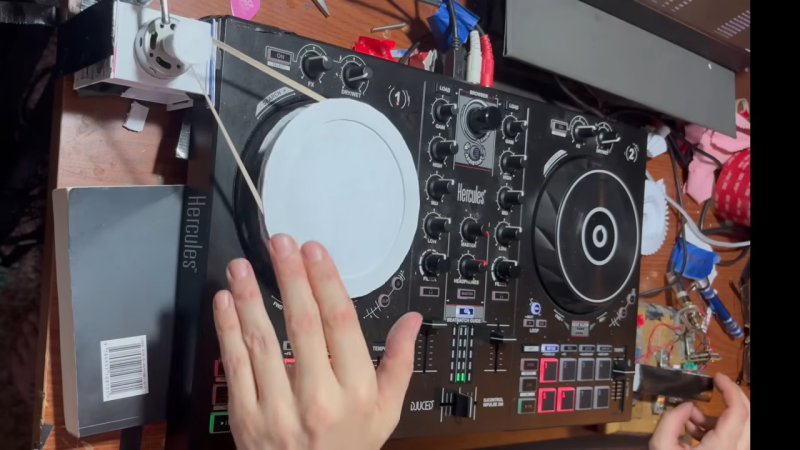
[Jeremy Bell] loves scratching, but he had a problem. His Hercules DJ controller wasn’t really doing a great job at emulating the kind of action one would get with a real turntable. The solution was both mechanical and electronic in nature!

As stock, the Hercules MIDI rig lets you scratch in a relatively simplistic way. When it detects a finger touching the rotary control, it lets you scratch back and forth with great motion tracking. However, when you let go, playback resumes at regular speed instantaneously, which creates a somewhat inorganic sound.

The fix was to make some mechanical mods to the MIDI controller. [Jeremy] tried out a variety of different methods of using a motor to spin the rotary control continuously, from geared rigs to belt-driven setups. It was then possible to scratch on the controller, and then let it return to normal rotational speed, creating much smoother  auditory transitions. However, this was imperfect, as for whatever reason, the Hercules rig would stop tracking the rotary control accurately unless it detected a finger was touching it. [Jeremy] worked around this by whipping up a slip-ring-like setup to keep his body permanently in contact with the rotary control even while spinning.

The results are pretty great—they’re both mechanically janky and fantastically satisfying to listen to. We’ve featured some other great DJ controller hacks over the years, like this sweet Pioneer UI upgrade.

Continue reading “DJ Controller Modded For Better Scratching”
Wireless MIDI Controller Has Lots Of Knobs

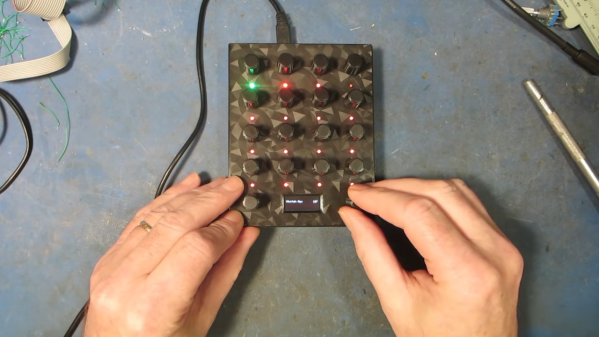
We live in a golden age for MIDI controllers. [rheslip]’s contribution to the milieu is a twisty take on the format, in that it’s covered in an array of knobs. Thus the name—Twisty 2. 

The controller can be built using the Raspberry Pi Pico or Pico 2. It’s set up to read a 4×4 array of clickable encoders, plus two bonus control knobs to make 18 in total, which are read via a 74HC4067 analog mux chip. There’s also an SK6812 RGB LED for each encoder, and an OLED display for showing status information. MIDI output is via USB, or, if you purchased the W variant of the Pi Pico/Pico 2, it can operate wirelessly over Bluetooth MIDI instead. The controller is set up to send MIDI CC messages, program changes, or note on/off messages depending on its configuration. Flipping through different modes is handled with the bottom set of encoders and the OLED display.

Few musicians we’ve ever met have told us they learned how to play the encoders, and yet. The cool thing about building your own MIDI controller is you can tune it to suit whatever method of performance strikes your fancy. If the name of this build alone has you inspired, you could always whip up a MIDI controller out of a Twister mat.

Continue reading “Wireless MIDI Controller Has Lots Of Knobs”

DIY Synth Takes Inspiration From Fretted Instruments

There are a million and one MIDI controllers and synths on the market, but sometimes it’s just more satisfying to make your own. [Turi Scandurra] very much went his own way when he put together his Diapasonix instrument.

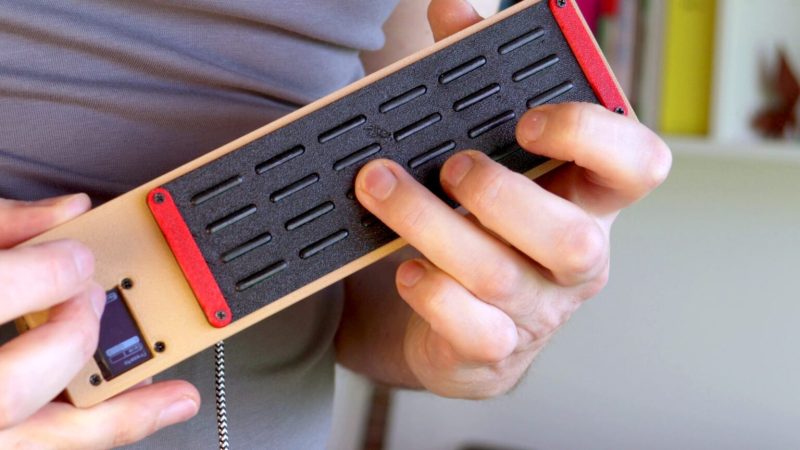
Right away, the build is somewhat reminiscent of a stringed instrument, what with its buttons laid out in four “strings” of six “frets” each. Only, they’re not so much buttons, as individual sections of a capacitive touch controller. A Raspberry Pi Pico 2 is responsible for reading the 24 pads, with the aid of two MPR121 capacitive touch ICs.

The Diapasonix can be played as an instrument in its own right, using the AMY synthesis engine. This provides a huge range of patches from the Juno 6 and DX7 synthesizers of old. Onboard effects like delay and reverb can be used to alter the sound. Alternatively, it can be used as a MIDI controller, feeding its data to a PC attached over USB. It can be played in multiple modes, with either direct note triggers or with a “strumming” method instead.

We’ve featured a great many MIDI controllers over the years, from the artistic to the compact. Video after the break. Continue reading “DIY Synth Takes Inspiration From Fretted Instruments”

A Touchscreen MIDI Controller For The DIY Set

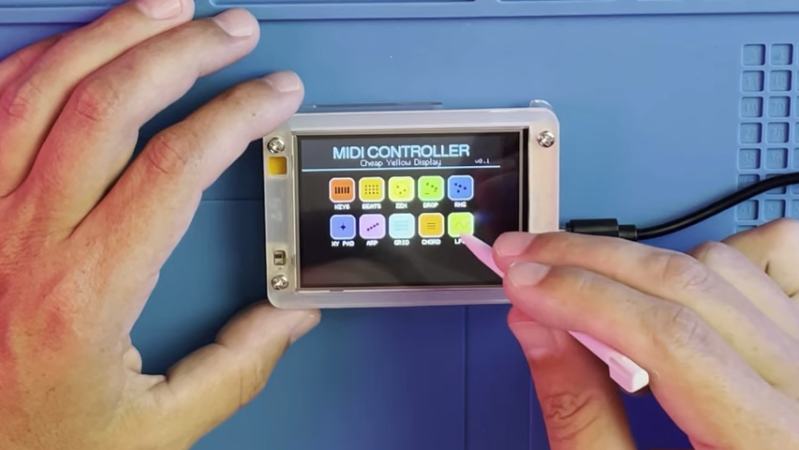
MIDI controllers are easy to come by these days. Many modern keyboards have USB functionality in this regard, and there are all kinds of pads and gadgets that will spit out MIDI, too. But you might also like to build your own, like this touchscreen design from [Nick Culbertson].

The build takes advantage of a device colloquially called the Cheap Yellow Display. It consists of a 320 x 240 TFT touchscreen combined with a built-in ESP32-WROOM-32, available under the part number ESP32-2432S028R.

Continue reading “A Touchscreen MIDI Controller For The DIY Set”

Theremin-Style MIDI Controller Does It With Lasers

Strictly speaking, a Theremin uses a pair of antennae that act as capacitors in a specific R/C circuit. Looking at [aritrakdebnath2003]’s MIDI THEREMIN, we see it works differently, but it does play in the manner of the exotic radio instrument, so we suppose it can use the name.

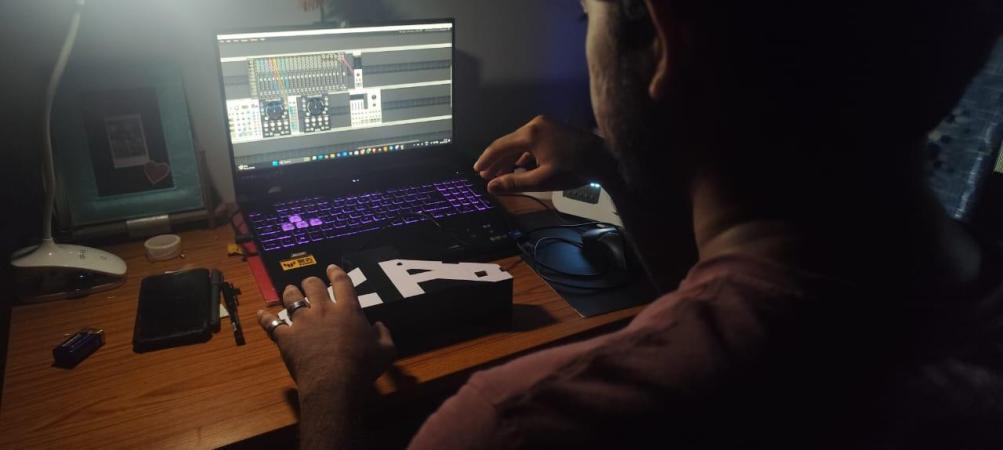
The MIDI THEREMIN is purely a MIDI controller. It sends note data to a computer or synthesizer, and from there, you can get whatever sound at whatever volume you desire. The device’s brain is an Arduino Uno, and MIDI-out for the Arduino has been a solved problem for a long while now.

Continue reading “Theremin-Style MIDI Controller Does It With Lasers”

OpenMIDIStomper Makes Sure Your Gear Does What Your Foot Says

If you’re a solo musician, you probably have lots of gear you’d like to control, but you don’t have enough hands. You can enlist your feet, but your gear might not have foot-suitable interfaces as standard. For situations like these, [Nerd Musician] created the OpenMIDIStomper.

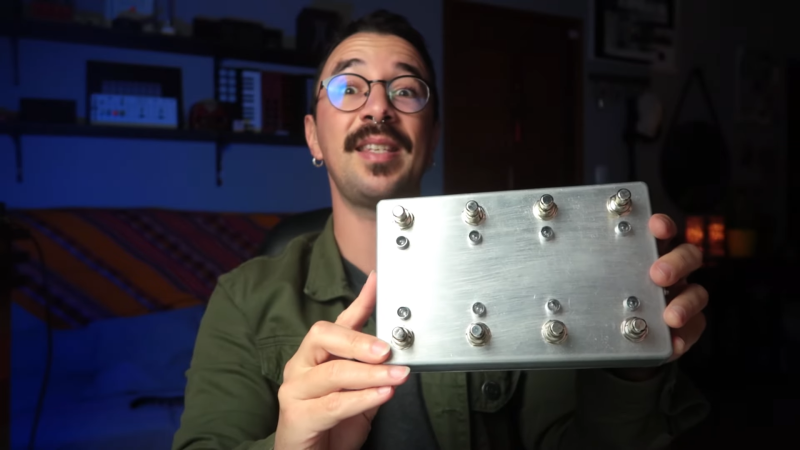
The concept is simple enough—the hardy Hammond enclosure contains a bunch of foot switches and ports for external expression pedals. These are all read by an Arduino Pro Micro, which is responsible for turning these inputs into distinct MIDI outputs to control outboard gear or software. It handles this via MIDI over USB. The MIDI commands sent for each button can be configured via a webpage. Once you’ve defined all the messages you want to send, you can export your configuration from the webpage by cutting and pasting it into the Arduino IDE and flashing it to the device itself.

We’ve featured some great MIDI controllers over the years, like this impressive parts bin build.

Continue reading “OpenMIDIStomper Makes Sure Your Gear Does What Your Foot Says”

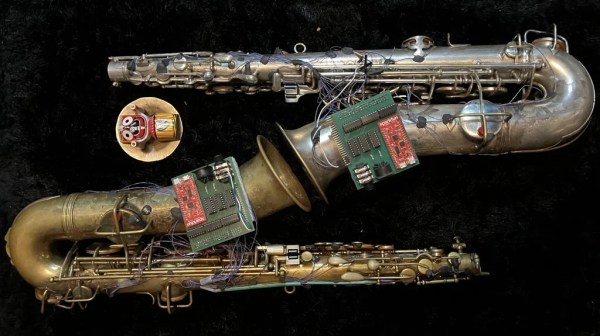
Turning A Saxophone Into A MIDI Controller

Most of the time, if you’re looking for a MIDI controller, you’re going to end up with some kind of keyboard or a fancy button pad. The saxophone is an altogether more beguiling instrument that makes for one hell of an interface, but there’s a problem: they’re seldom MIDI-compatible. This build from [AndrewChi] changes all that.

This digitized sax relies on a SparkFun ESP32 Thing as the brains of the operation. It uses Hall effect sensors, the digital switch type, to detect the action of the keys of the sax. Choosing parts that are quick to respond is key for musical use, so [AndrewChi] selected the Texas Instruments DRV5023 for its unipolar operation, short output delay and fast rise time. Beyond setting up the basic keys to send MIDI notes, the instrument also received additional octave controls for greater range. With sensors and magnets attached to the saxophone and keys with Sugru, the instrument is ready to serve as a capable MIDI controller. Thanks to the ESP32, it’s capable of sending MIDI data wirelessly over Bluetooth for the maximum freedom of performance.

It’s a nifty build, and a great way for wind players to get into the world of controlling digital synthesizers in an intuitive fashion. We’ve seen some great MIDI controller builds before, too.

Continue reading “Turning A Saxophone Into A MIDI Controller”