A Doorbell Loud Enough To Wake The Dead

really_loud_doorbell

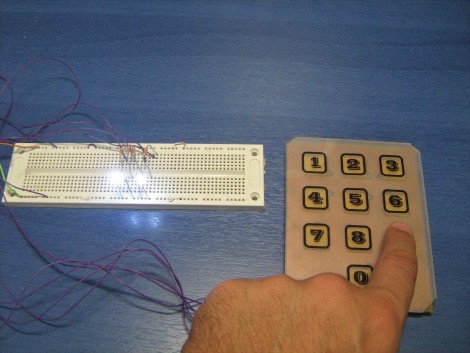
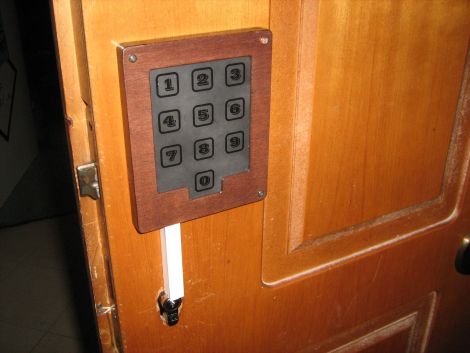
[Ed Nauman] runs a machine shop, which we imagine can be quite loud at times. Sick of never hearing the doorbell when he was busy working on things, he decided that the solution to his problem was a new doorbell…an incredibly loud doorbell.

His Really Loud Doorbell (RLD for short) is actually a pretty simple device. We imagine he could have wired up an old alarm bell instead, but where’s the fun in that? The doorbell was built using a PIC16F876 uC, which is used to control the air flow through a pneumatic valve. When someone rings his doorbell, the pneumatic actuator pulses up and down, rapidly striking a piece of 1/4” thick steel pipe. As you can see in the video below, it is quite loud and likely to cut through any shop noise without much trouble.

We have seen some extremely loud doorbells before, but we figured that at least a handful of you work in similar environments – have you implemented any inventive ‘notification’ systems in your workspace? Let us know in the comments.

[via Adafruit Blog]

Continue reading “A Doorbell Loud Enough To Wake The Dead”

[Bunnie’s] Archives: Unlocking Protected Microcontrollers

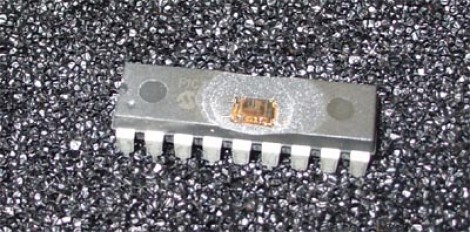
A few years back [Bunnie] took a crack at cracking the security fuses on a PIC microcontroller. Like most of the common 8-bit microcontrollers kicking around these days, the 18F1320 that he’s working with has a set of security fuses which prevent read back of the flash memory and EEPROM inside. The only way to reset those security fuses is by erasing the entire chip, which also means the data you sought in the first place would be wiped out. That is, if you were limited to using orthodox methods.

[Bunnie] had a set of the chips professionally uncapped, removing the plastic case without damaging the silicon die inside. He set to work inspecting the goodies inside with an electron microscope and managed to hammer out a rudimentary map of the layout. Turns out that flash memory can be erased with ultraviolet light, just like old EPROM chips. Microchip thought of that and placed some shielding over the security fuses to prevent them being reset in this manner. But [Bunnie] managed to do so anyway, creating an electrical tape mask to protect the rest of the data stored in the chip while bouncing UV light underneath the shielding at an angle.

Want to uncap some chips of your own without enlisting the help of others? Give this method a try.

[via Dangerous Prototypes]

XBMC Controller Is An All-in-one Usb Solution For HTPCs

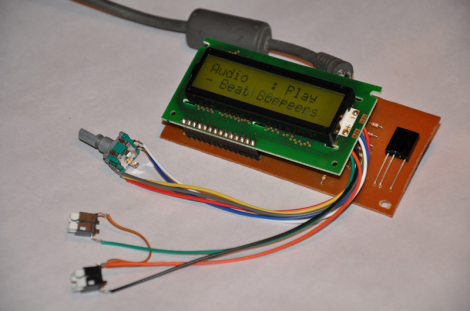
On the original Xbox, XBMC was a software-only solution (assuming you had a chipped or soft-modded console). That’s because the Xbox was already meant to connect to a television and work with an IR remote control. Now that the XBMC software has transitioned to focus on a wider range of hardware, it may be more complicated to get the same functionality on an HTPC. Realizing this, [Dilshan] developed a USB connected XBMC controller that features an IR receiver, character LCD, and a rotary encoder with two buttons.

As long as your HTPC has a way to connect to the audio and video inputs on your TV, this should take care of the rest of the presentation. LCD screens were popular with XBMC from very early on because modchips included an interface. Because of this, XBMC is already setup to provide navigation and media information this way. So you can use XBMC for audio playback without needed to have your TV turned on. Add to that the ability to control your box with either  a remote control or the navigation tools on the front bezel and you’ve got a winning solution.

You can download an archive that includes all the info about this device over at the project repository. For your convenience we’ve embedded the schematic and PDF description of the project, which we found in that package, after the break.

Continue reading “XBMC Controller Is An All-in-one Usb Solution For HTPCs”

Keeping Tabs On Your Pets’ Busy Lives

mouse_wheel_tracking

[Stephen’s] daughter has a pair of mice she keeps as pets, who happen to be quite active at night. After they kept her awake for an entire evening by running like mad in their treadmill, they were moved from her bedroom. Since they were so active in the treadmill, [Stephen] thought it would be cool to try measuring how much the mice actually ran each night.

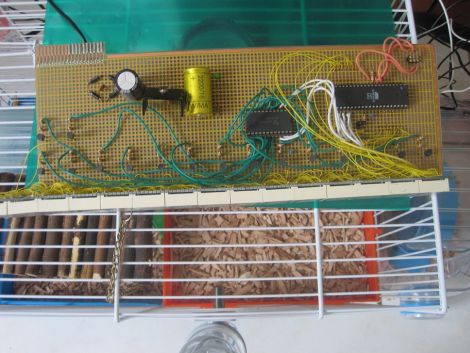
To keep track of their activity, he built a simple circuit that records how many rotations the treadmill makes. He fitted it with a rare earth magnet, installing a reed switch on the outside of case that ticks off each spin of the wheel. Any time the wheel starts moving, his PIC begins counting the rotations, displaying them on a 7-segment LED display. To mitigate data loss in the event of a power outage, the PIC stores the current number of rotations in its EEPROM every 10 seconds or so.

The counter keeps track of the total number of rounds the mice have completed, which his daughter uses to manually calculate their running sessions. Since they started tracking the mice, they have run over 700,000 rounds, sometimes completing as many as 20,000 in an evening.

We think it’s a pretty cool project, especially since it makes it fun for his daughter to stay involved in her pets’ lives.

Use FPGAs The Easy Way With Alien Cortex AV

alien_cortex_av_fpga_board

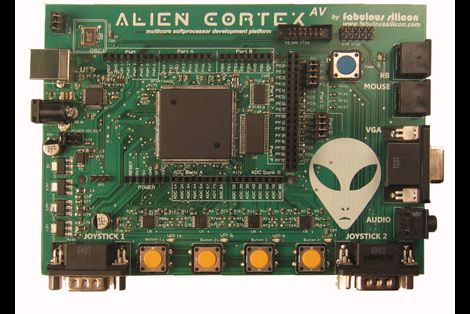
Hackaday reader [Louis] wrote in to call our attention to a neat project over at Kickstarter that he thought would interest his fellow readers. The AlienCortex AV is a pre-built FPGA board from [Bryan Pape] with gobs of ports and a ton of potential. At the heart of the board is an Xilinx PQ208 Spartan 3e 500k FPGA, which can be configured to perform any number of functions. The board sports a healthy dose of analog and digital I/O pins as you would expect, along with PS/2 inputs, VGA outputs, and even a pair of Atari-compatible joystick ports.

The AlienCortex software package allows users to easily load projects into the FPGA, which can run up to four different emulated microcontrollers at once. The software comes with half a dozen pre-configured cores out of the box, with others available for download as they are built. The default set of cores includes everything from a 32-channel logic analyzer, to a quad processor Arduino-sketch compatible machine.

Now, before you cry foul at the fact that he’s emulating Arduinos on a powerful and expensive FPGA, there’s nothing stopping you from creating an army of whatever microcontrollers you happen to prefer instead. We’re guessing that if you can run four Arduinos on this board at once, a good number of PICs could be emulated simultaneously alongside whatever other uC you might need in your next robotics project. A single board incorporating several different microcontrollers at once doesn’t sound half bad to us.

Keypad Uses A PIC’s Built In Capacitance Functionality

[Giorgos Lazaridis’] most recent project was to build a capacitive touch pad. Since he’s using a PIC 16F1937 it will be relatively easy. That’s because it has a 16 channel capacitance sensing module built right in. But there are still some design considerations that make the development a bit touching.

This isn’t the first time he’s worked with capacitance sensing. Through past experience he has found that it is very important to position the microcontroller as close to the button pads as possible. Because of this, the chip is soldered on the back of the PCB used for the keypad itself. Because he’s hand soldering vias, he also used some foam tape to raise the button pads just a bit. This way they will be flush with the acrylic overlay, which cannot sit flat on the board due the via solder joints.

Check out the video after the break to hear [Giorgos] walk us through the project.

Continue reading “Keypad Uses A PIC’s Built In Capacitance Functionality”

Simple Clock Uses RTC Chip And Character Display

[Giorgos Lazaridis] just finished building a simple clock on a breadboard. It uses a common real time clock chip, the DS1307. This is less expensive that its full-featured older brother, the DS3232. The difference between the two is that the 1307 requires an external 32.768 kHz crystal and it is not temperature compensated. This means it will not be quite as accurate over the long-haul (it may wander as much as one minute per month), but it still blows the accuracy of using a microcontroller as an RTC out of the water and includes a backup battery which will keep time when the rest of the circuit is switched off.

This design uses a PIC 16F1937 to display the time and date on a 16×2 character LCD screen. Six buttons are dedicated to incrementing one specific chunk of data (ie: one button changes the year, another the day, etc.). A seventh button can be held down when using the other six in order to decrement the setting. We’re always interested in how the button code is written. [Giorgos] did share his code, but he wrote it in assembly so it’s of little use to us as we tend to stick to C code.

See the walk through video after the break.

Continue reading “Simple Clock Uses RTC Chip And Character Display”