Turning The Pi Zero Into A USB Gadget

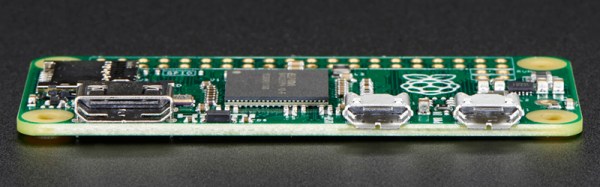
The Raspberry Pi Zero is limited, or so everyone says, and everyone is trying to cram a USB hub and WiFi adapter on this tiny, tiny board. One thing a lot of people haven’t realized is that the Raspberry Pi Zero comes with a USB OTG port, meaning it can function as a USB device rather than a USB host. This means the Raspi can become a serial device with just a USB cable, an Ethernet device, MIDI device, camera, or just about anything else you can plug into a USB port. Adafruit has your back with a tutorial for using the USB OTG port as a serial and Ethernet interface, and the possible applications are extremely interesting.

The only requirement for using the USB OTG port for device applications is an update to the kernel. This is easily installed by dumping a few files on an SD card and a employing bit of command line wizardry. The simplest example is setting up the Pi Zero as a USB serial device, allowing anyone to log into a serial console on the Pi with just a USB cable.

A slightly more interesting application is setting up the Pi as an Ethernet gadget. This effectively tunnels all the networking on the Pi Zero through a USB cable and a separate computer. The instructions are extremely OS-specific, but the end result is the same: you can apt-get on a Pi Zero to your heart’s desire with a new kernel loaded onto the SD card and a USB cable.

This experimentation is just scratching the surface of what is possible with the OTG port on the Pi Zero. MIDI devices are easy, and with a ton of GPIOs, the Pi Zero itself could become a very interesting musical instrument. Want the Pi Zero to be a storage device? That’s easy too. The USB Gadget will end up being one of the most exciting uses for the Pi Zero, and we can’t wait to see what everyone will come up with next.

Yet Another Pi Zero USB Hub

It’s quite fascinating to see the world of hackers rise up and start messing around with new hardware as soon as it’s released. As everyone knows, the Raspberry Pi Zero only has two micro USB ports… a bit lacking for any computer — even one the size of a credit card. While there will probably be an official USB hub coming out someday, we’ve already seen a few home-made versions — though we think this might be the nicest layout so far!

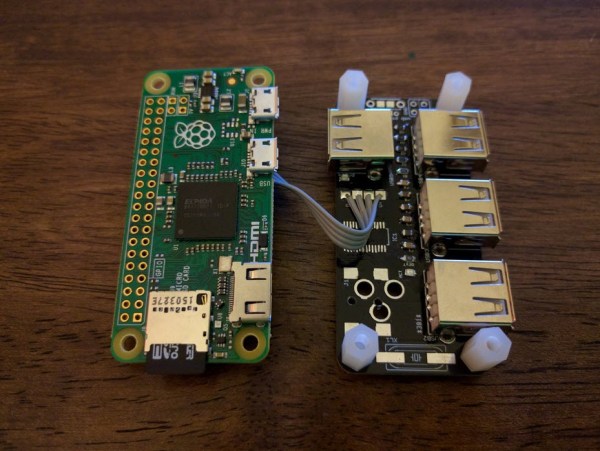
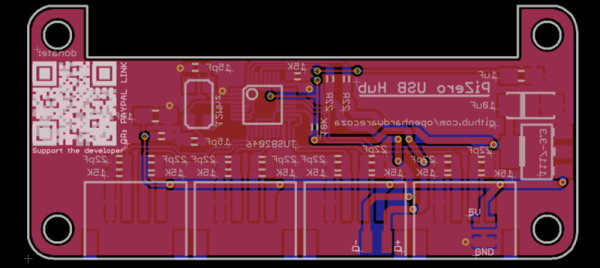
[Richard Hawthorn] threw this PCB design together to give the Pi Zero four USB 2.0 ports. It can be attached by either a USB connector, or by soldering 4 pins between the two boards. It can either be powered off of the Pi Zero, or with an external power connector jack. In a future design he hopes to add pogo pins so it can just be attached and detached whenever you need it.

It’s a bit more involved than simply strapping a mini USB hub to the back of your Pi, but if you’re interested in a more sleek solution, [Richard’s] got all the details on his GitHub.

Solder More USB Ports To The Raspberry Pi Zero

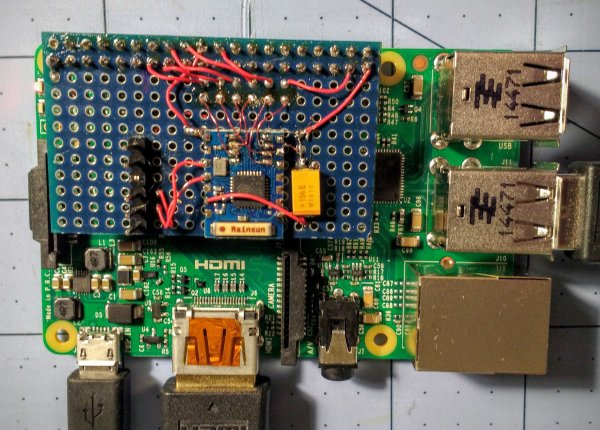
Slowly, Raspberry Pi Zeros are falling into the hands of everyone who wants one. Quickly, though, it was realized that one USB port wasn’t enough, and having a single USB OTG port was only just the most economical solution. The Pi Zero does have a lot of test points exposed on the back, and [Peter van der Walt] is clever enough to come up with a 4-port hub you can solder directly to the Pi Zero.

[Peter] has a bit of experience with USB ports on the Pi, and the test points available on the bottom of this cheap and wonderful board provide everything you need to break out the single USB OTG port to a USB hub. We’ve seen this done before with a few tenuous solder connections between the Zero and an off-the-shelf USB hub. [Peter]’s build does it by soldering a USB hub directly to the Pi through these test points. It’s the first purpose built bit of hardware designed for the express purpose of giving the Pi four USB ports while only making it a sliver thicker.

The chip [Peter] is using for the build is the TI TUSB2046B, a device that turns a single USB port into a 4-port hub. This is a part that only costs about $2 in quantity, and the USB connectors themselves are only about $0.60 if you want to build a thousand of these solderable USB hubs. Now you see why the Pi Foundation didn’t include a whole host of ports on the Pi Zero, but it does mean you should be able to pick this board up for under $10 when it’s inevitably cloned in China.

[Peter] doesn’t have this board working yet. In fact, he’s only just sent the Gerbers off to the PCB fab. There will be an update once [Peter] gets the boards back and solders up the tiny but tolerable 0603 parts.

Audio Streaming On The Cheap With An RPi Zero

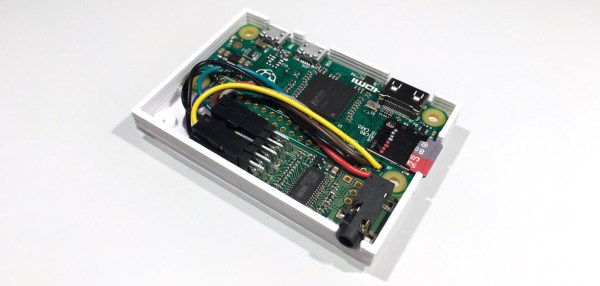
The minuscule size of the Raspberry Pi Zero makes it perfect for hacks where size is a factor. For example, a small, standalone device for getting streaming audio into your speakers. The RPi Zero doesn’t have an audio output on board, so PolyVection paired it up with their PlainDAC to build a minimal audio streaming device.

Their build uses a few lines from the GPIO header to drive an I2S digital to analog converter. The DAC is a PCM5142 from Texas Instruments that provides high quality sound output, and contains a built in programmable DSP.

The hardware fits into a 3D printed case, coming in at 68 mm by 48 mm. There’s no WiFi inside, but this can be added with an external USB device for wireless streaming. The DAC used is supported by the Linux kernel, so a simple configuration is all that’s needed to pipe audio out.

Once you have a device like this assembled, you can install a server like Music Player Daemon to remotely control the device and cue up internet radio channels.

Raspberry Pi $2 WiFi Through Epic SDIO Hack

These are the times that we live in: the Raspberry Pi Zero comes out — a full freaking Linux computer on a chip for $5 — and people complain that it doesn’t have this or that. Top place on the list of desiderata is probably a tie between audio out and WiFi connectivity. USB is a solution for both of these, but with one USB port it’s going to be a scarce commodity, so any help is welcome.

Hackaday.io hacker [ajlitt] is looking for a way out of the WiFi bind. His solution? The Raspberry Pi series of chips has a special function on a bunch of the GPIO pins that make it easier to talk to SDIO devices. SDIO is an extension of the SPI-like protocol that’s used with SD memory cards. The idea with SDIO was that you could plug a GPS or something into your PDA’s SD card slot. We don’t have PDAs anymore, but the SDIO spec remains.

[ajlitt] dug up an SDIO driver for the ESP8089 chip, and found that you can liberate the ESP8266’s SPI bus by removing a flash memory chip that’s taking up the SPI lines. Connect the SPI lines on the ESP8266 to the SDIO lines on the Raspberry Pi, and the rest is taken care of by the drivers. “The rest”, by the way, includes bringing the ESP’s processor up, dumping new firmware into it over the SPI/SDIO lines to convince it to act as an SDIO WiFi adapter, and all the rest of the hardware communication stuff that drivers do.

The result is WiFi connectivity without USB, requiring only some reasonably fine-pitch soldering, and unlike this hack you don’t have to worry about USB bus contention. So now you can add a $2 WiFi board to you $5 computer and you’ve still got the USB free. It’s not as fast as a dedicated WiFi dongle, but it gets the job done. Take that, Hackaday’s own [Rud Merriam]!

Thanks [J0z0r] for the tip!

Pi Zero Ethernet The Hard Way

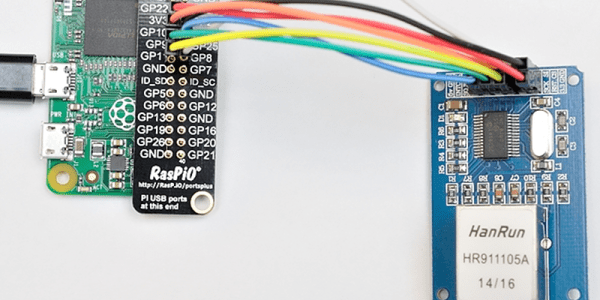
[Alex@Raspi.tv] had the misfortune of blowing the USB hub and Ethernet port on a Raspberry Pi B+. He thought about using a cheap SPI to Ethernet board to rescue it, and while he bought the board, he never got around to interfacing it to the broken Pi. However, when he saw the Raspberry Pi Zero arrive and noticed that everyone wanted to connect it to the network, he remembered the SPI board, rescued it from his junk box, and a few hours later had Ethernet via Raspberry Pi GPIO working.

Continue reading “Pi Zero Ethernet The Hard Way”

Swapping GPIO Pins On The Pi Zero For Audio

The new Raspberry Pi Zero is generating a lot of discussion, especially along the lines of “why didn’t they include…?” One specific complaint has been that audio is only available through the HDMI port. That’s not entirely true as pointed out by Lady Ada over at Adafruit.

Something to remember about the entire Pi family is the pins on the Broadcom processors are multipurpose. Does it increase the confusion or the capabilities? Take your pick. But the key benefit is that different pins can handle the same purpose. For audio the Greater Than Zero Pis (GTZPi) use PWM0_OUT and PWM1_OUT on the processor’s GPIO pins 40 and 45. On the GRZPis these feed a diode, resistor and capacitor network that ends at the audio output jack. They don’t appear on the GPIO connector so cannot be used on the Zero.

The multi-pin, multi-purpose capability of the Broadcom processor allows you to switch PWM0_OUT to GPIO 18 and PWM1_OUT to GPIO 13 or 19. Add the network from the Adafruit note, or check this schematic from the Raspberry Pi site – look at the lower right on the second page.

raspberry_pi_audiofilter

While you’re checking out the audio hack at Adafruit, read through the entirety of Introducing the Raspberry Pi Zero. Lady Ada provides a great description of the Zero and what is needed to start using it.

If you’re looking for Zero hacking ideas you might check the comments in our announcement about the Zero or article on the first hack we received. There is a lot of grist for the hacking mill in them.