The 2026 EMF Badge Arrives, With An Add-On. As Expected, It’s Familiar

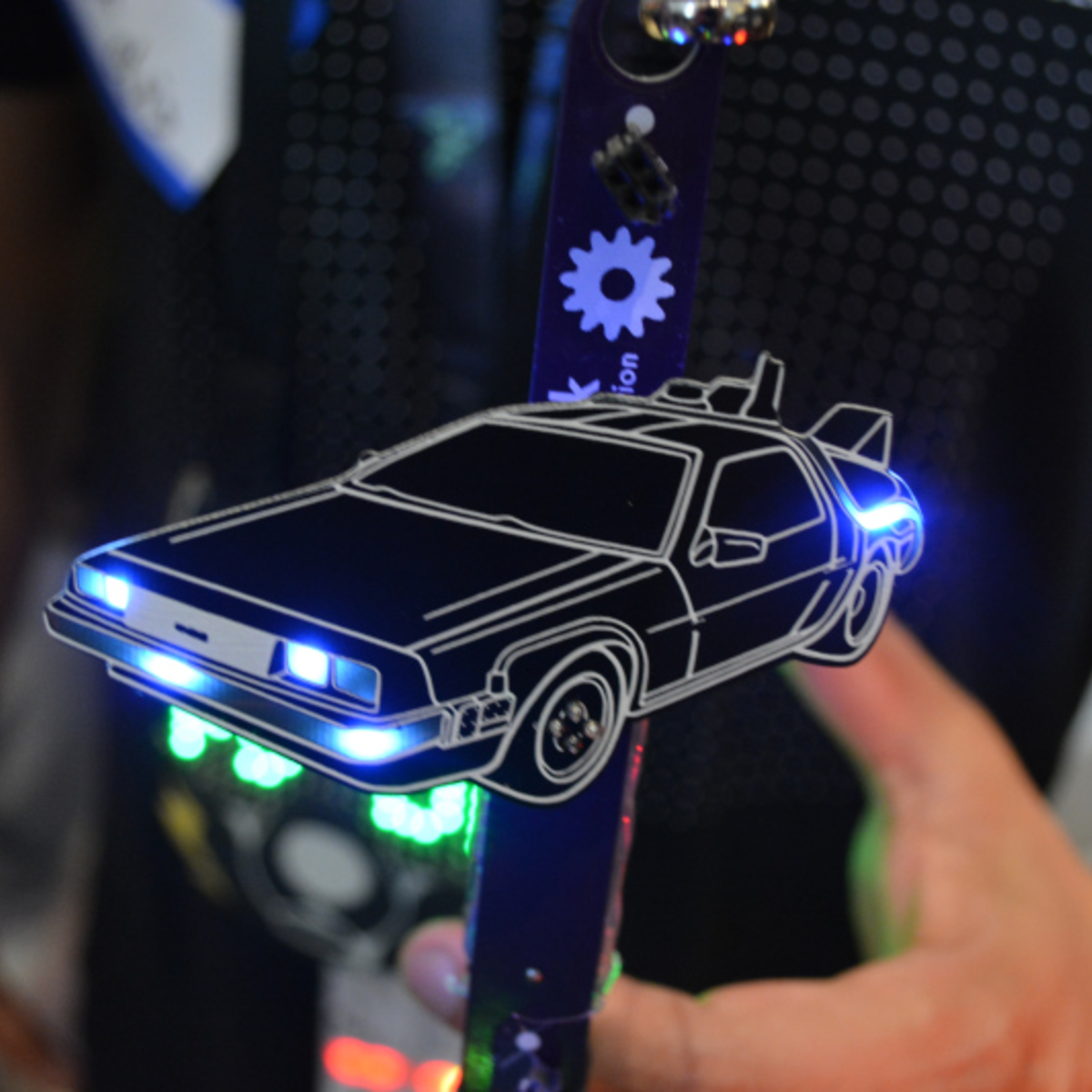
Two years ago the EMF hacker camp in the UK released a new kind of event badge. The Tildagon was designed to be a recurring event badge, useful for the next EMF rather than destined to be e-waste. With the 2026 event coming up there’s a new Tildagon called the Spaceagon, and as you might expect it’s very familiar indeed.

Tildagon owners can update their badge with the Spaceagon front panel, while those without one can buy the new badge. It has a few minor updates from its predecessor, including better buttons, LEDs, and display mounting, and there’s a compass, a joystick, and touch sensitive areas.

The Tildagon introduced its own add-on format, the Hexpansion. This year there’s the first official Hexpansion, a keyboard, using the same rubber moulding we see on quite a few maker projects. We like the Hexpansion idea because it uses an edge connector rather than a set of pins on the device, but at the cost of more expensive badge parts.

If you’re going to EMF you should be able to order yourself a Spaceagon, or an upgrade kit if you already own a Tildagon. Meanwhile we covered the 2024 version back when it arrived, and surprisingly this isn’t the first keyboard add-on for it either.

Linux Fu: Taming Strace

While many operating systems seem to try to prevent you from peeking under the hood, Unix and Linux positively encourage it. One great tool that we’ve looked at before is strace. Using this tool, you can see details about every system call a program makes. As you might imagine, for any significant program, the output from strace can be huge.

While I’m not always a fan of GUIs, this is one of those cases where making the data easier to browse is a great idea. Enter strace-tui, a text-based GUI for strace from [Rodrigodd]. The program can parse output from strace or manage the strace execution itself, and either way, display the data in a useful way.

I started out looking at [janestreet’s] strace_ui, but the OCaml setup was throwing errors for me, so I just gave up. The strace-tui installs like many Rust programs, using cargo, and it went smoothly.

Continue reading “Linux Fu: Taming Strace”

STM32 Handheld Has OpenGL And All The Classics

We do sometimes go on about how absurdly powerful microcontrollers are these days, but this time it’s technically a microprocessor, not a microcontroller, at the heart of the build — specifically, an STM32MP2. Still, you know you’re living in the future when an STM32 of any sort can not only run [John Cronin]’s gk handheld game console, but provide 3D acceleration to boot.

Full disclosure: you’ve seen this handheld here before — sorta. That was version 3, which was an STM32-based handheld.  V3 used the much less powerful STM32H7S7L8, with a single Cortex-M7 clocked at 600 MHz and a 2D NeoChrom GPU. The STM32MP2, by contrast, has dual Cortex-A35 cores running 1.5 GHz and a bonus Cortex-M33. It’s running a custom OS called gkos, which is mostly POSIX-compliant and boasts nigh-instantaneous boot times.

As with the last version, you can run a bevy of emulators from the 8-bit to the 32-bit era, but the added power and OpenGL support mean this handheld also runs N64 games via a fork of mupen64. There are also emulators for ‘real’ computers, namely Atari ST and XL, and a little-known thing known as a “PC”. DOSBox gets the equivalent performance of a 50 MHz 486, which means you can run all the classics, including DOOM, though that will be more performant running the native-running port of sdl-DOOM.

You also get extra inputs to play with and a bigger screen compared to the last version. Oh, and WiFi. There are accelerometers for tilt control, and did we mention the screen’s touch input is supported? If it weren’t for the form-factor, we’d call this a capable little computer. The GK handheld looks like an awesome handheld console, check it out in the demo video below.

Continue reading “STM32 Handheld Has OpenGL And All The Classics”

Jenny’s Daily Drivers: Microsoft Windows 11

In our search for the unusual or interesting among the world of operating systems, it might seem unexpected that today’s choice for a Daily Driver is the latest version of Microsoft Windows. Aside from Hackaday perhaps having a larger than average percentage of viewers using Linux based operating systems and generally catering to open source enthusiasts, there’s hardly anything special about Windows, is there?

Oddly for me there is — because while it’s a common enough OS for the masses, the last time I had a Windows computer it ran XP. That venerable OS is a world away from today’s Windows 11, and thus as someone who’s exclusively sat in front of a GNOME desktop for much of the last two decades, it’s an entirely new operating system.

There’s no doubt that it will make a Daily Driver, because of course I’ll be able to do my work on it. Where the interest lies is in seeing what Windows has become. Is it still a useful general purpose operating system, or has it become the locked-down walled garden of crapware that its detractors warn you about? Time to dive in.

Continue reading “Jenny’s Daily Drivers: Microsoft Windows 11”

Using A Mirror To 3D Scan Both Sides Of An Object At Once

Photogrammetry is the process of 3D scanning an object by taking a lot of photographs, then using software to turn those into a 3D model. But the process can only scan what the camera can see, and one can’t always get a good view of every part of an object. To solve this, [Thomas Megel] shared an experiment in using a mirror to capture the underside of an object simultaneously with its top. The results were encouraging!

Using a mirror as the turntable allows the camera to image the underside at the same time.

To do this he perched a small tabletop gaming mini on a mirror serving as a turntable platform in his self-designed OpenScan Mini machine, which is designed to take highly structured photos of small objects for scanning purposes. This produced a single scan with two objects, the original and its mirror image, together in one file.

Aligning separate models and combining them into one is a common way to deal with partial or incomplete scans. The idea here is to get two scans at once, instead of separately with a reposition of the object in between. Additionally, it should be possible for the software to automatically separate, align, and combine the two since it is known exactly where the mirror plane is.

As far as a proof of concept, it’s encouraging. [Thomas] is still playing with the idea and looking for suggestions, so if you have any insights be sure to share them.

3D scanning can be a very useful tool, and while photogrammetry can be done with little more than your mobile phone’s camera, in some ways the concept is over a hundred years old.

Cookies, Baked The 3D Printer Way

Imagine for a moment that the Cookie Monster is going to visit, but all the cookie baking utensils in your house have been mislaid. The horror! Fortunately [Startup Chuck] is here with a video showing the process of baking cookies in a 3D printer, and as an extra treat he’s using entirely 3D printed utensils too.

The utensils are comprehensive array of all you’d need for serious cookie production, even going as far as to print a mixing bowl and beater for a KitchenAid mixer. There are scoops aplenty, and something we’re particularly impressed with, a spatula with a TPU blade. We’re guessing that FDM prints might not be the best for cooking because all manner of food could get caught in those layer lines and go off, but let’s face it, this is a bit of fun rather than a forever cooking project. We like the AI generated spork for its near-flatness, reminding us of our AI-generated breakfast. Finally he even prints a cookie baking sheet using nylon filament.

An enclosed 3D printer makes a surprisingly effective low-temperature oven, with the heated bed as the element. It works, and makes recognizable cookies, though they’re not browned. As entertaining as this experiment may be, we can’t recommend following his example — at the very least, moisture and food ingredients in your printer probably aren’t conducive to good future printing.

Continue reading “Cookies, Baked The 3D Printer Way”

Restoring Apple’s Terrible But Awesome IBook Laptop

Before the Apple MacBook there was the Apple iBook, fruity 1999 colors included. These PowerPC-based laptops targeted low-cost PC-compatible laptops much like the iMac did, albeit it the latter with more success. That said, these laptops are said to be a nightmare to repair, so when [This Does Not Compute] got his hands on a shiny first generation, 300 MHz PowerPC powered, tangerine-colored one, he somewhat dreaded trying to fix it.

Aside from some relatively minor cosmetic issues such as typical cracks in the plastic and a missing optical drive door it seemed in good condition. The first issue came on boot, when MacOS 9.0 would throw up an error message about an issue with cache memory. After booting into the OS this cache memory did indeed show up as missing. Next issue was the optical drive doing absolutely nothing and restarting leading to the system locking up and not starting until plugging in the power adapter.

Fortunately the optical drive started working after addressing a software issue, but the power and cache issues were concerning. Cue a long troubleshooting and repair session that involved purchasing a ‘parts unit’ from Japan to merge both into a single iBook with hopefully a working system at the end.

Along the way the reason why people dislike maintaining these systems, as to do something like getting to the hard drive requires removing the entire display. The cause for the first iBook’s problems also seemed to be due to a liquid spill of some type, as on boot there was no chime either, indicating a wider board-level issue. Unfortunately this was left further undiagnosed and the Japanese mainboard used instead. It’d be interesting to see the deeper cause, but most likely the mainboard will be used for components.

Continue reading “Restoring Apple’s Terrible But Awesome IBook Laptop”