Add Slots And Tabs To Your Boxes In FreeCAD

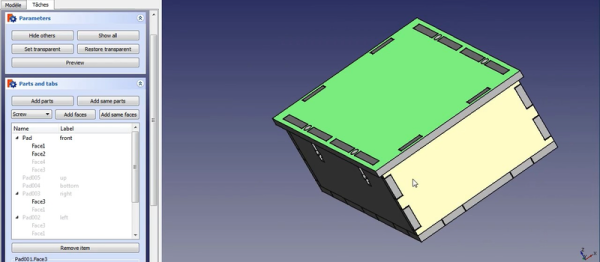
FreeCAD is a fairly sophisticated, open-source, parametric 3D modeler. The open-source part means that you can bend it to your will. [Alexandre] is working on a module that lets him easily add tabs, finger joints, and t-slots to models (YouTube link, embedded down under).

Right now the plugin is still experimental, but it looks usable. In the video demo, [Alexandre] builds up a simple box, and then adds all manner of physical connective pieces to it. You’ll note that the tabs look like they’re pieces added on to the main face — that’s because they are! He then exports the outlines to SVG and erases the lines that separate the tabs from the sides, and hands these files off to his laser cutter. Voilà! A perfect tab-and-t-slot box, with only a little bit of hand-work. ([Alexandre] mentions that it’s all still very experimental and that you should check out your design before sending it to the laser.)

Continue reading “Add Slots And Tabs To Your Boxes In FreeCAD”

Physical Kill Switch For Rogue Applications

Necessity is the mother of invention, but sometimes frustration is as good a motivator. [Maciej] does a bunch of statistics in his day job using SPSS. silaczLike most complicated pieces of software, it can get hung, and the only way to stop it is to manually kill the running processes. Apparently, that happened one time too many for [Maciej].

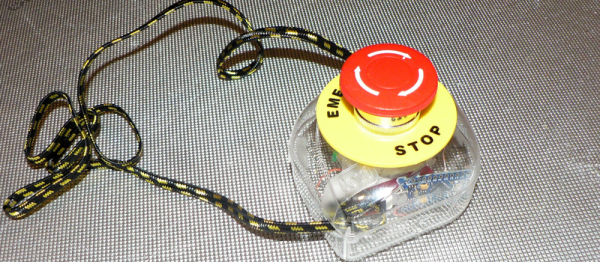
He took matters into his own hands, repurposing a big red emergency-stop button for the task. It’s mounted on a jar, and the microcontroller inside is configured as a USB keyboard. When he mashes the button, it opens the “Run…” menu and types out taskkill spssengine.exe for him.

We can totally see the therapeutic value of such a device. Plus, in case SPSS is gobbling up his system memory and everything’s approaching standstill, the vital seconds saved by the microcontroller’s quick-typing fingers could be a lifesaver.

Neural Network Targets Cats With A Sprinkler System

It’s overkill, but it’s really cool. [Bob Bond] took an NVIDIA Jetson TX1 single-board computer and a webcam and wirelessly combined them with his lawn sprinklers. Now, when his neighbors’ cats come to poop in his yard, a carefully trained neural network detects them and gets them wet.

It is absolutely the case that this could have been done with a simple motion sensor, but if the neural network discriminates sufficiently well between cats and (for instance) his wife, this is an improved solution for sure. Because the single-board computer he’s chosen for the project has a ridiculous amount of horsepower, he can afford to do a lot of image processing, so there’s a chance that everyone on two legs will stay dry. And the code is up on GitHub for you to see, if you’re interested.

[Bob] promises more detail about the neural network in the future. We can’t wait. (And we’d love to see a sentry-turret style build in the future. Think of the water savings!)

Via the NVIDIA blog, and thanks [Jaqen] for the tip!

Smallest BASIC Computer?

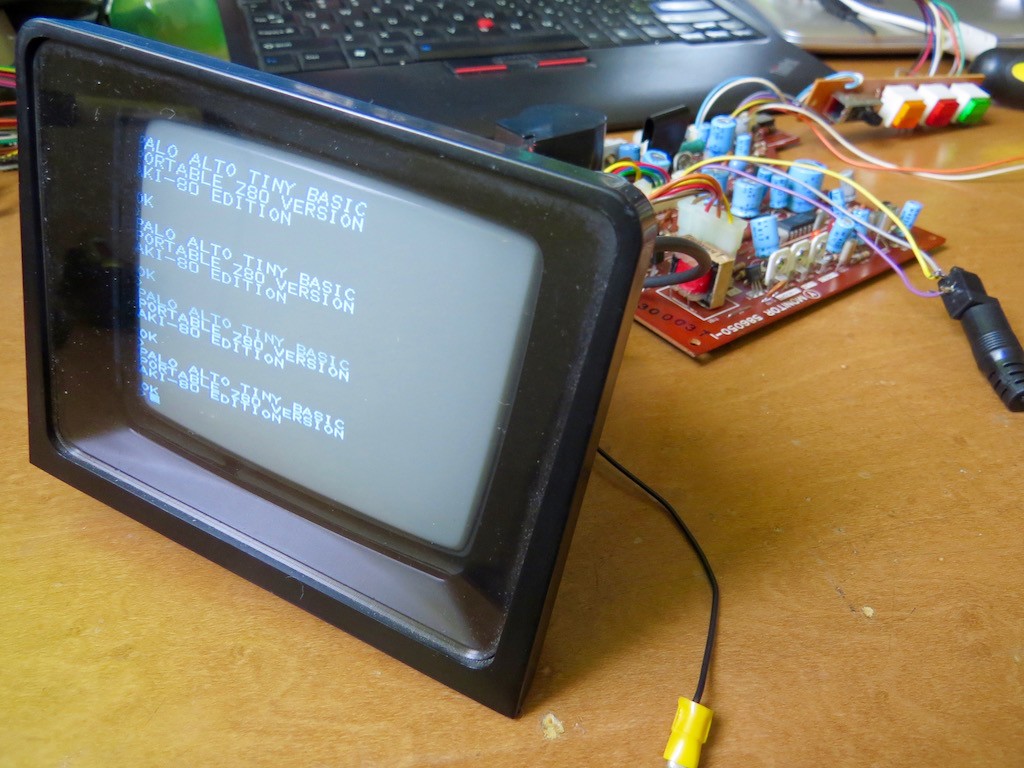
This may be the most minimal computer that we’ve ever seen running BASIC. Hackaday.io user [Kodera2t] has been working through the history of computing, so after his 4-bit CPU, he stepped up his game to eight bits. It’s amazing how much can be done with so little. It’s basically a Z80 on a single PCB.

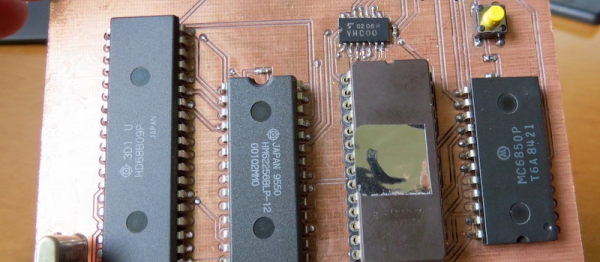
[Kodera2t] is careful to give credit where credit is due: the design of this computer is by [Grant Searle]. It’s amazing what you can do with an old CPU (6809), some SRAM, a controller-interface chip, and an EPROM for your BASIC. Check out the GitHub for the computer’s PCB files if you want to make your own — it’s a very hobbyist-friendly two-layer board with fat traces. Or you could put it all together on a breadboard. It’s that non-critical.

9767261466906678330

The other sweet touch is this monochrome CRT build that pairs up with the tiny computer.

[Kodera2t] is doing some really clever retro and minimalistic hacks, and putting them all up on Hackaday.io. You should really give his whole portfolio a look. We recently wrote up his experimentations with the Atmel ATtiny10 if you’re in the mood for something more modern.

Cute USART Trick Brings PWM To IR LEDs

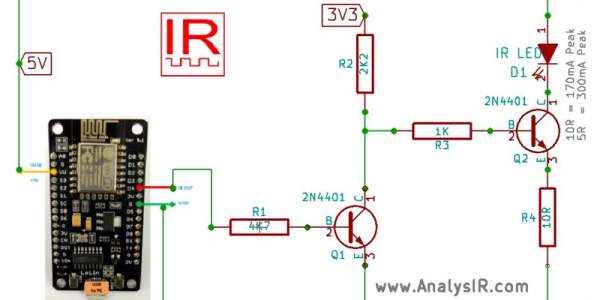
We love little tricks like this. Suppose that you want to generate an IR remote’s signal. It’s easy, because most of the codes are known. But it can be slightly harder because most IR remotes and receivers modulate the on pulses with a square wave at roughly 38 kHz for background lighting immunity.

With a competent PWM generator on a microcontroller, you can create this carrier modulation easily enough yourself. Set the PWM frequency to 38 kHz and the duty cycle somewhere in the 33%-50% range, and you’re set. But what if you don’t have a competent PWM generator? Such was the case that prompted [AnalysIR Blog] to fake it, with USART.

Here’s the trick. You set up the serial port to communicate at ten times the desired carrier frequency, and then transmit “special” data. (The number ten comes from eight bits of data plus a start and a stop bit.) If you want a 50% duty cycle, you simply send 0b11110000, as fast as the microcontroller will allow, for a mark and nothing for a space.

There’s some extra detail with inverting the signal if, as most do, your USART idles high. But that’s really it. It’s a cute trick for when you’re desperate enough to need it. And if you’d like to brush up some more on your asynchronous serial skills, check out our guide on troubleshooting USART, and the great comments that ensued.

Dumbing Down A Smart Switch

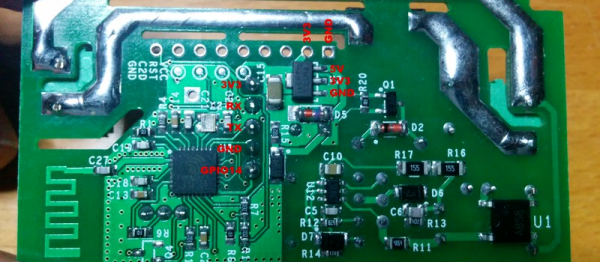
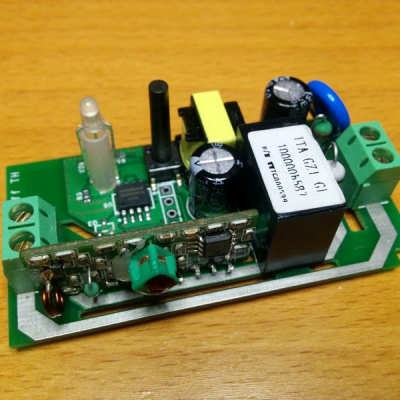
Internet of Everything is the way to go for home automation these days. ITEAD makes an ESP-8266 switch that IoT-ifies your appliances. If you still have an ancient, 433 MHz style radio switch system, they even make one that does WiFi and 433 MHz. But if you’re too cheap to shell out for the dual-mode version, you can always add a $1 433 MHz radio yourself. Or at least, that’s what [Tinkerman] did.

IMG_20160522_163814x_thumbnailAside from the teardown and reverse-engineering of the WiFi-enabled switch, [Tinkerman] also flashed custom firmware into the switch’s ESP-8266, and worked it all into his existing home Node-RED framework. Now he’s got more possible ways to turn on his living-room lights than any person could possibly hope for!

If you want to get into this whole WiFi-based home automation game, you could do worse than to have a look at the series we ran on MQTT just a little while ago. Seeing [Tinkerman]’s Node-RED demo makes us think that we’ll have to give that a look for our home system as well.

LuaRadio Brings More Options To SDR

GNURadio is the swiss-army-knife of software-defined radio suites: it does everything and anything. It has a great GUI overlayer that makes creating radio flows fairly simple. There are only two areas where we could quibble with the whole system — it’s a gigantic suite of software, and it’s a lot harder to code up in Python than it is to use the GUI.

[Vanya Sergeev] started up his LuaRadio project to deal with these shortcomings. If you’re looking for the full-GUI experience, you’re barking up the wrong tree here. LuaRadio is aimed at keeping things easy to code and keeping the codebase small and tidy.

That doesn’t mean that it departs entirely from GNURadio’s very successful flow-graph programming paradigm, however, and if you’re comfortable with the procedure of hooking up a signal source to a filter block to an output, you’ll be doing fine here as well. Check out the obligatory FM radio demo — the “hello world” of SDR — and you’ll see how it works: instantiate the various blocks in code, and then issue “connect” commands to link them together.

LuaRadio’s main selling points are its size and the ease of programming it by hand. It’s got great documentation to boot. It’s written as a library that’s embeddable in your C code, so that you can write standalone programs that make use of its functionality.

LuaRadio is a new project and it doesn’t have a GUI either. It may not be the ideal introduction to SDR if you’re afraid of typing. (If you are new to SDR, start here.) But if you want to code up your SDR by coding, or run your radio on smaller devices, it’s probably worth a look. It’s at v0.1.1, so we’re looking forward to hearing more from LuaRadio in the future. Any of you out there use it? We’d love to hear in the comments.