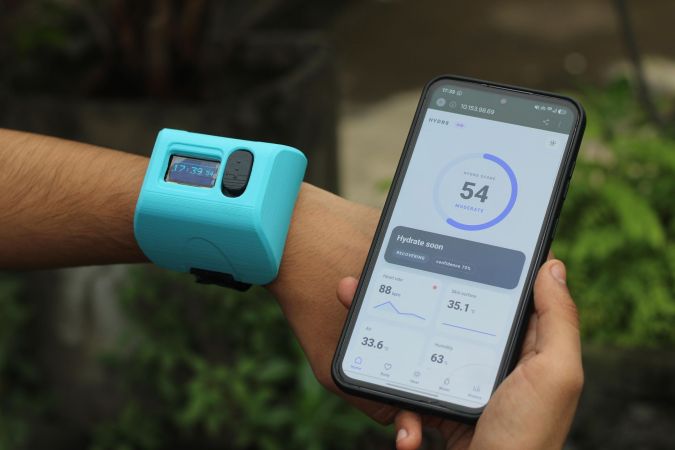
An arm and a hand: on the arm is a chunky blue box, and in the hand is a phone showing a dashboard.

HYDR8 Will Lead You To Water, But Will You Drink?

[Ayushmaan] states up front that most of his free time is spent “building things that probably didn’t need to exist”. Well, this one might be an anomaly, because it seems pretty useful to us.

HYDR8, as it says on the tin, is a wearable that knows when it’s time to hydrate. The impetus for this one was something we all chase: the flow state. [Ayushmaan] would sit down, get deep into work, and look up hours later to to find that he had a headache and a full water bottle. Phone reminders were soon swiped away in annoyance.

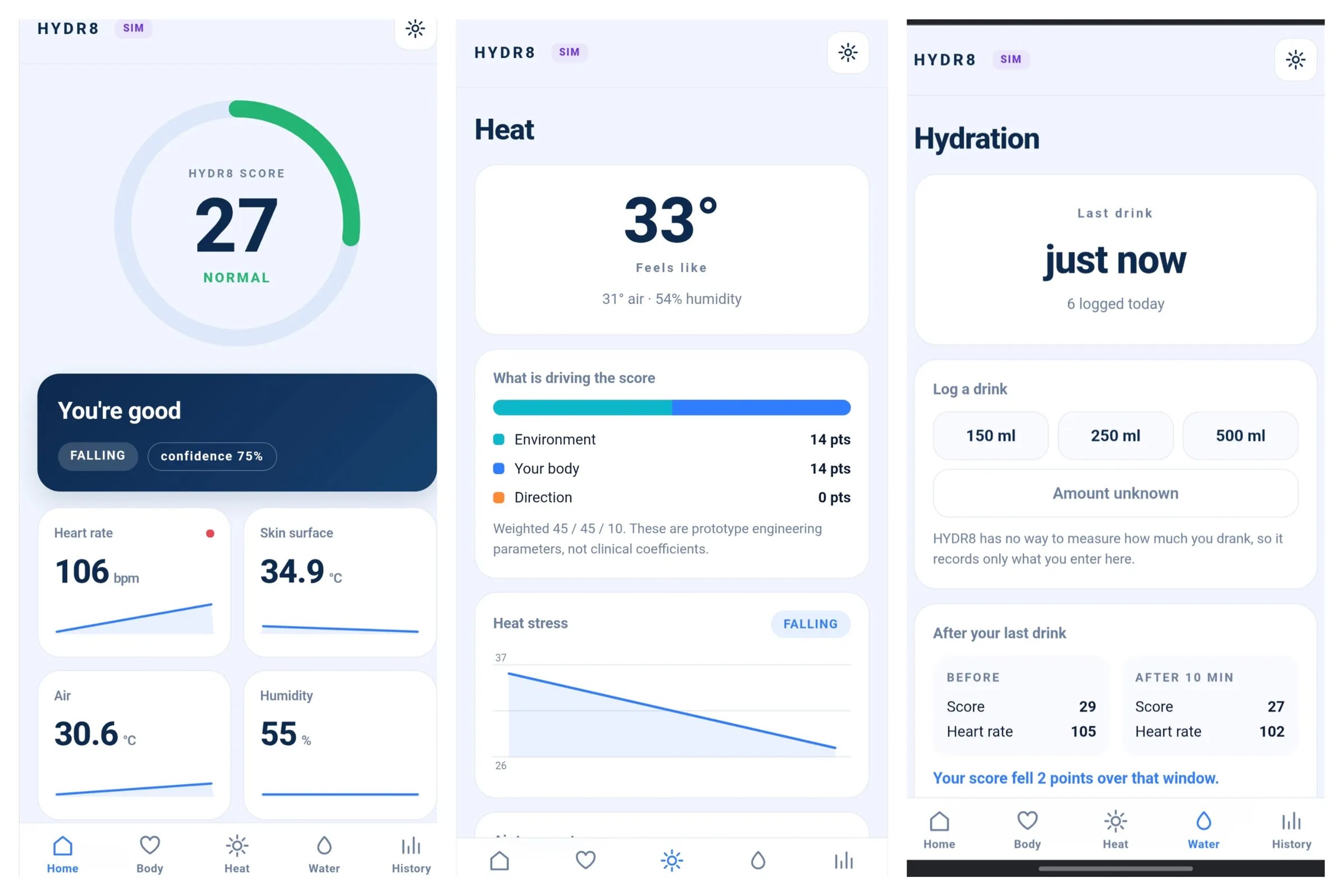
A triptych of screenshots showing the HYDR8 dashboard.This wearable is based on a XIAO ESP32-C3. It reads heart rate, oxygenation, skin temperature, and both the ambient temperature and humidity. It also learns your personal resting numbers range.

Taking all of this into consideration, it generates a heat/hydration stress score between 0-100. The thing is, HYDR8 tells you specifically what to do; sometimes it’s ‘drink water’ and other times, it’s ‘find shade’.

The wearable itself, while somewhat chunky, is pretty simple: it only shows the time and a message when it matters. The ESP32 hosts a full dashboard on your phone.

Keep in mind that this is not a medical device, it’s an experiment, a prototype. It can’t measure how hydrated you are. Instead, it measure hydration stress.

If you don’t want to wear anything, here’s a smart straw that uses a tiny turbine flowmeter and a Hall effect sensor to record the volume sipped, and detect whether the sipper is low on fluids. And if you find yourself under the hot lights of a wet bulb event, here’s how to survive it.

Making A Locked Down Wearable Work Without A Subscription

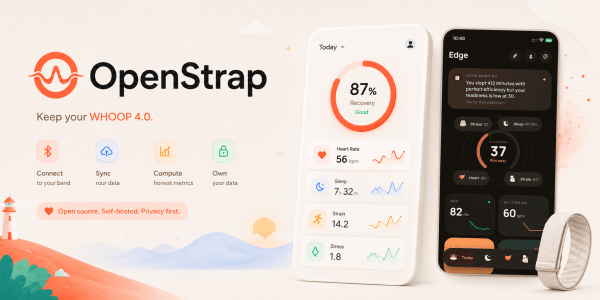
WHOOP does not have the presence in the wearable space as other brands, but in certain circles, it’s a household name. Their business model requires you to have a yearly app subscription to use their fitness tracker, but here at Hackaday, we are big fans of actually owning the devices you buy — which is why we were happy to hear about an open source and subscription free WHOOP compatible app!

The goal of the so-called OpenStrap project is not to re-create the WHOOP app. Rather, the algorithms and processing methods are developed from scratch, based on public research. It’s all calculated locally on a 1 Hz interval, based on the data the WHOOP 4.0 device feeds the app. As such, the health data collected from the watch, never leaves the phone. While not the main goal of the project, the privacy improvement of the app’s serverless nature cannot be overstated. However, to display metrics, you first need to get data off the WHOOP to begin with.

The crux of the issue with making the WHOOP 4.0 work without the official app is the reliance on proprietary Bluetooth protocols. Fortunately, the protocol itself ended up being relatively simple. The WHOOP 4.0 amounts to little more than a series of sensors that sit on the user’s wrist. As such, the app can subscribe to the Bluetooth feed and decode the data, right? Well, the devil is always in the details with such things, and the protocol came with its fair share of quirks. The hardware clock needs to be synchronized, or it simply defaults to zero Unix time. Moreover, the analog sensors like, ambient temperature are given in relative ADC values, and are not terribly useful without calibration. Regardless, the result of the reverse engineering effort speaks for itself with the OpenStrap app able to recreate much of the functionality in WHOOP’s official app.

Quite often, devices reliant on proprietary apps are little more than manufactured e-waste. While we don’t expect many of you to actually own a WHOOP 4.0, we do hope to see the OpenStrap project keep at least a few out of the landfill in the future.

Wearable MIDI Controller Built With Raspberry Pi

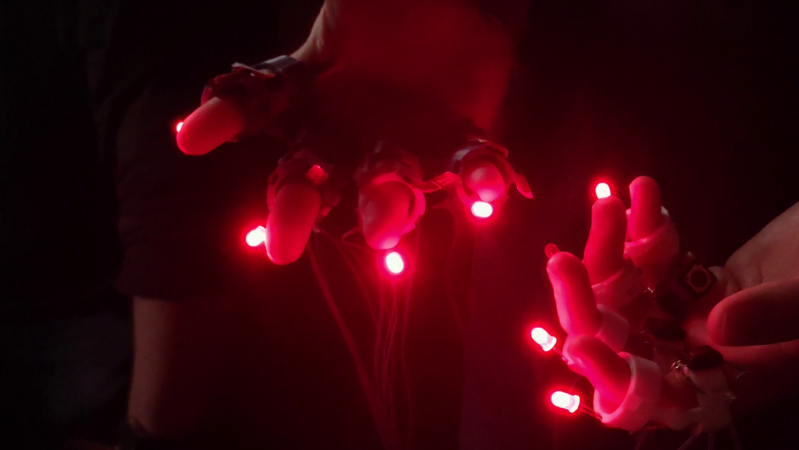
Most synths happily get by with keyboard or pad inputs and make lovely sounds in response. [Becky Clarke] and her fellow collaborators are building a synth that works rather differently. DigitSynth is a wearable controller that’s rather fun to interact with.

The heart of the build is a Raspberry Pi 5. It’s set up to talk to a TI ADS1115 ADC chip that lets it read a bunch of analog flex sensors embedded in a right-hand glove, while the Pi can also read a bunch of tactile buttons activated by the left hand. The flex sensors are used to control synth parameters like LFO rate and filter cutoffs, while the buttons control chord changes. The Raspberry Pi runs custom code to read these devices and generate the requisite MIDI commands to send to a Roland JD-Xi synth which is responsible for actually making the sound. Both sets of fingers are also dotted with LEDs for visual feedback, controlled via a TLC59711 PWM driver.

It’s a fun build that creates some ethereal sounds in an intuitive way, thanks to the nature of the interface. We’ve featured some similar builds before, using the flexure of the hand to create musical soundscapes. Video after the break.

Continue reading “Wearable MIDI Controller Built With Raspberry Pi”

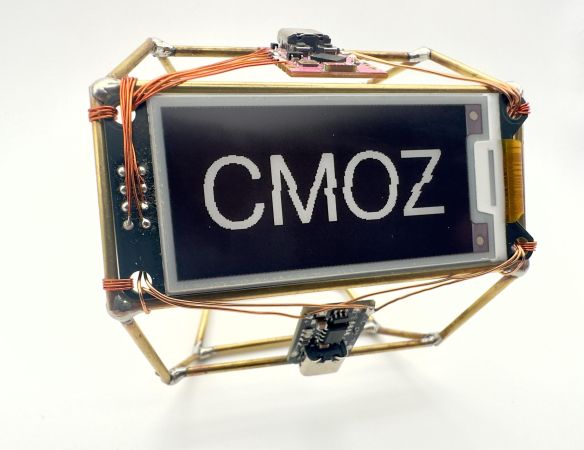
A wearable circuit sculpture in the form of a smart bracelet that shows daily to-dos.

Wearable Circuit Sculpture Is One Smart Bracelet

Well, this might just be a Hackaday first. Certainly not the circuit sculpture part, nor the wearable aspect, but the glorious combination of the two. Behold [CMoz]’s Fashionably on Task: a Smart Bracelet for Forgetfulness. The name may be long, but the intent is concise: to showcase your top five must-dos for the day.

This lovely bracelet uses a tri-color e-paper display, and it’s WiFi enabled in order to receive input from the corresponding phone app. Although the cute pink ESP32-C3 is programmed in PlatformIO, the code will work with the Arduino IDE as well.

To get down to business, just power on the bracelet. If it can’t connect to the network you’ve hard-coded, it will broadcast it’s own access point. Connect with your phone to the custom web page, and Bob’s your uncle. From here, you can enter the tasks, change the colors around, mark tasks as complete, and remove tasks or reset recurring reminders.

The nifty part is that e-paper screen, since it will of course continue to display your list once powered down. Here’s the full code. Then you can deep-dive into the graph theory of circuit sculptures.

A person's hand wearing a black glove is shown in the right part of the image, making a series of gestures. A representation of a hand mimics those motions on a laptop screen.

Weaving Circuits From Electronic Threads

Though threading is a old concept in computer science, and fabric computing has been a term for about thirty years, the terminology has so far been more metaphorical than strictly descriptive. [Cedric Honnet]’s FiberCircuits project, on the other hand, takes a much more literal to weaving technology “into the fabric of everyday life,” to borrow the phrase from [Mark Weiser]’s vision of computing which inspired this project. [Cedric] realized that some microcontrollers are small enough to fit into fibers no thicker than a strand of yarn, and used them to design these open-source threads of electronics (open-access paper).

The physical design of the FiberCircuits was inspired by LED filaments: a flexible PCB wrapped in a protective silicone coating, optionally with a protective layer of braiding surrounding it. There are two kinds of fiber: the main fiber and display fibers. The main fiber (1.5 mm wide) holds an STM32 microcontroller, a magnetometer, an accelerometer, and a GPIO pin to interface with external sensors or other fibers. The display fibers are thinner at only one millimeter, and hold an array of addressable LEDs. In testing, the fibers could withstand six Newtons of force and be bent ten thousand times without damage; fibers protected by braiding even survived 40 cycles in a washing machine without any damage. [Cedrik] notes that finding a PCB manufacturer that will make the thin traces required for this circuit board is a bit difficult, but if you’d like to give it a try, the design files are on GitHub.

[Cedrik] also showed off a few interesting applications of the thread, including a cyclist’s beanie with automatic integrated turn signals, a woven fitness tracker, and a glove that senses the wearer’s hand position; we’re sure the community can find many more uses. The fibers could be embroidered onto clothing, or embedded into woven or knitted fabrics. On the programming side, [Cedrik] ported support for this specific STM32 core to the Arduino ecosystem, and it’s now maintained upstream by the STM32duino project, which should make integration (metaphorically) seamless.

One area for future improvement is in power, which is currently supplied by small lithium batteries; it would be interesting to see an integration of this with power over skin. This might be a bit more robust, but it isn’t first knitted piece of electronics we’ve seen. Of course, rather than making wearables more unobtrusive, you can go in the opposite direction. Continue reading “Weaving Circuits From Electronic Threads”

Make DIY Conductive, Biodegradable String Right In Your Kitchen

[ombates] shares a step-by-step method for making a conductive bio-string from scratch, no fancy equipment required. She demonstrates using it to create a decorative top with touch-sensitive parts, controlling animations on an RGB LED pendant. To top it off, it’s even biodegradable!

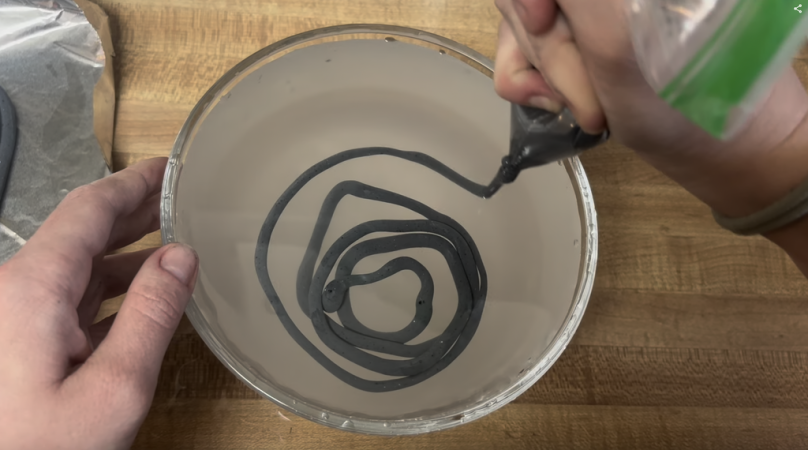
The string is an alginate-based bioplastic that can be made at home and is shaped in a way that it can be woven or knitted. Alginate comes primarily from seaweed, and it gels in the presence of calcium ions. [ombates] relies on this to make a goopy mixture that, once extruded into a calcium chloride bath, forms a thin rubbery length that can be dried into the strings you see here. By adding carbon to the mixture, the resulting string is darkened in color and also conductive.

There’s no details on what the actual resistance of a segment of this string can be expected to measure, but while it might not be suitable to use as wiring it is certainly conductive enough to act as a touch sensor in a manner similar to the banana synthesizer. It would similarly be compatible with a Makey Makey (the original and incredibly popular hardware board for turning household objects into touch sensors.)

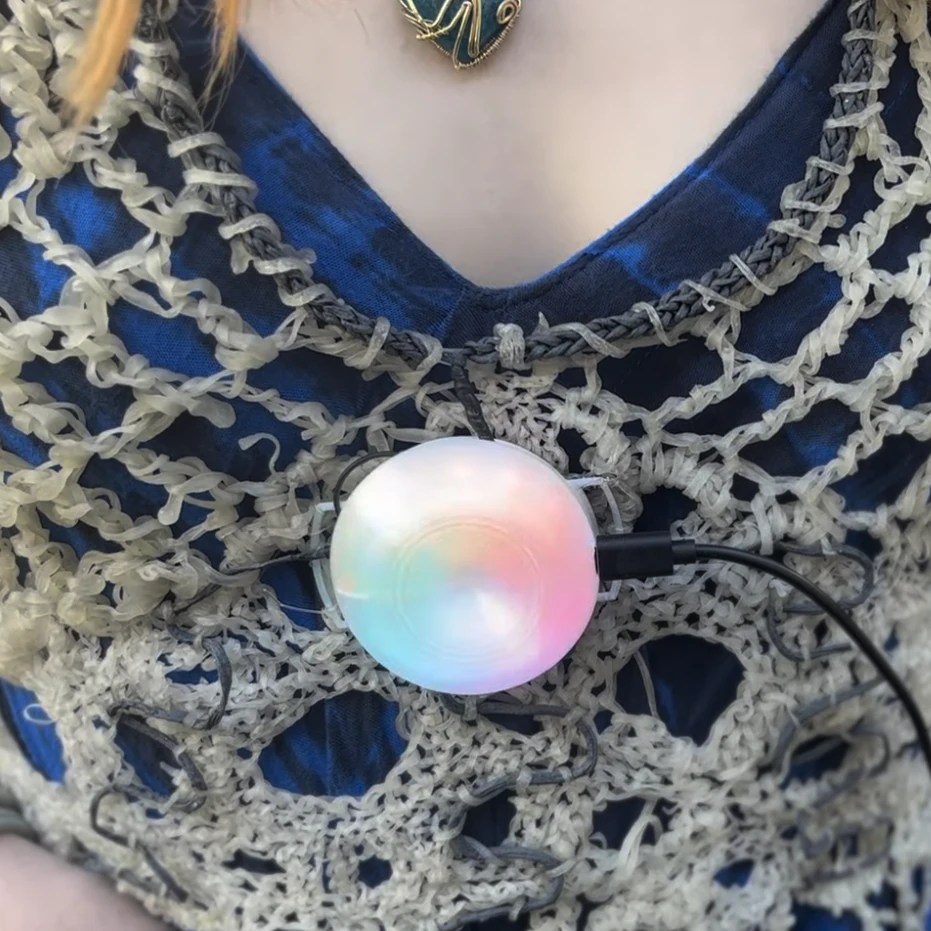
What you see here is [ombates]’ wearable demonstration, using the white (non-conductive) string interwoven with dark (conductive) portions connected to an Adafruit Circuit Playground board mounted as an LED pendant, with the conductive parts used as touch sensors.

Alginate is sometimes used to make dental molds and while alginate molds lose their dimensional accuracy as they dry out, for this string that’s not really a concern. If you give it a try, visit our tip line to let us know how it turned out!

Pick Up A Pebble Again

A decade ago, smartwatches were an unexplored avenue full of exotic promise. There were bleeding-edge and eye-wateringly expensive platforms from the likes of Samsung or Apple, but for the more experimental among technophiles there was the Pebble. Based on a microcontroller and with a relatively low-resolution display, it was the subject of a successful crowdfunding campaign and became quite the thing to have. Now long gone, it has survived in open-source form, and now if you’re a Pebble die-hard you can even buy a new Pebble. We’re not sure about their choice of name though, we think calling something the “Core 2 Duo” might attract the attention of Intel’s lawyers.

The idea is broadly the same as the original, and remains compatible with software from back in the day. New are some extra sensors, longer battery life, and an nRF52840 BLE microcontroller running the show. It certainly captures the original well, however we’re left wondering whether a 2013 experience still cuts it in 2025 at that price. We suspect in that vein it would be the ideal compliment to your game controller when playing Grand Theft Auto V, another evergreen 2013 hit.

We look forward to seeing where this goes, and we reported on the OS becoming open source earlier this year. Perhaps someone might produce a piece of open source hardware to do the same job?