The EAGLE Has Landed: At Autodesk!

The selloffs continue at Farnell! We’d previously reported that the UK distributor of electronics parts was being sold to a Swiss distributor of electronics parts. Now it looks like they’re getting rid of some of their non-core businesses, and in this case that means CadSoft EAGLE, a popular free-for-limited-use PCB layout suite.

But that’s not the interesting part: they sold EAGLE to Autodesk!

Autodesk had a great portfolio of professional 3D-modeling tools, and has free versions of a good number of their products. (Free as in beer. You don’t get to see the code or change it.) By all accounts, the professional versions of their tools are very professional if you can afford them, and the trial versions are still useful. This makes EAGLE slot very nicely into their business model, filling a hole (PCB design) in their toolchain.

What does this mean for those of you out there still using EAGLE instead of open-source alternatives? (We haven’t used EAGLE since KiCAD got good a couple years back.) Beats us! Care to speculate wildly? That’s why we have a comments section. Go! In the mean time we hope to have more info for you directly from Autodesk soon so stay tuned to the front page.
E Pluribus Unix, QR-Style

It’s been a long time since we’ve logged into a UNIX mainframe (other than our laptop) but one of our fond memories is the daily fortune: small, quirky, sometimes cryptic sayings that would pop up on the login screen if your system administrator had any sense of humor.

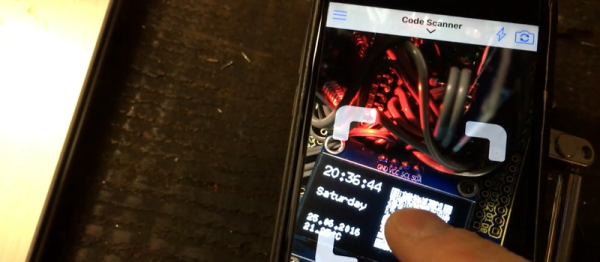
Apparently, we’re not alone. [Alastair] made his own fortune clock which gives you a new “fortune” every second instead of every login. There’s a catch, of course. It’s a QR clock — the fortune is encoded in a QR code instead of being displayed in human-readable form. You have to take a picture of the tiny OLED screen to know what it says. (Watch it sending him Shakespeare sonnets in the video below.)

You probably know QR codes are good for conveying URLs, but their use as general-purpose text containers is underappreciated in our book, so we’re glad to see this example. Now, we’ve seen QR clocks before (here, and here), and this version does have the disadvantage that you can actually tell what time it is. But we’re grateful for the trip down memory lane.

Continue reading “E Pluribus Unix, QR-Style”

AVR Vs PIC, Round 223: Fight!

Get ready to rumble! [Thierry] made the exact same Hello-World-esque project with two microcontrollers (that are now technically produced by the same firm!) to see how the experience went.

It’s not just an LED-blinker, though. He added in a light-detection function so that it only switches on at night. It uses the Forest Mims trick of reverse-biasing the LED and waiting for it to discharge its internal capacitance. The point is, however, that it gives the chip something to do instead of simply sleeping.

Although he’s an AVR user by habit, [Thierry] finds in favor of the PIC because it’s got a lower power draw both when idling and when awake and doing some computation. This is largely because the PIC has an onboard low-power oscillator that lets it limp along at 32 kHz, but also because the chip has a lower power consumption in general. In the end, it’s probably a 10% advantage to the PIC on power.

If you’re competent with one of the two chips, but not the other, his two versions of the same code would be a great way to start familiarizing yourself with the other. We really like his isDarkerThan() function which makes extensive use of sleep modes on both chips during the LED’s discharge period. And honestly, at this level the code for the two is more similar than different.

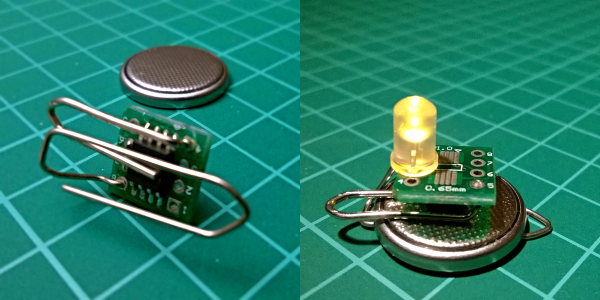
(Oh, and did you notice [Thierry]’s use of a paper clip as a coin-cell holder? It’s a hack!)

Surprisingly, we’ve managed to avoid taking a stray bullet from the crossfire that occasionally breaks out between the PIC and AVR fans. We have covered a “shootout” before, and PIC won that round too, although it was similarly close. Will the Microchip purchase of Atmel calm the flames? Let’s find out in the comment section. We have our popcorn ready!

Taking Killer Robots Seriously

Killer robots are a mainstay of science fiction. But unlike teleportation and flying cars, they are something that we are likely to see within our lifetime. The only thing that’s stopping countries like the USA, South Korea, the UK, or France from deploying autonomous killing machine in the very near term is that they’re likely to be illegal under current international humanitarian law (IHL) — the rules of war.

But if you just sighed in relief that the fate of humanity is safe, think again. The reason that autonomous killing machines are illegal is essentially a technicality, and worse, it’s a technicality that’s based on the current state of technology. The short version of the story, as it stands right now, is that the only thing making autonomous robotic killing weapons illegal is that it’s difficult for a robot to tell a friend from an enemy. When technology catches up with human judgement, all bets are off.

Think I’m insane? The United Nations Office at Geneva (UNOG), the folks who bring you the rules of warfare, started up a working group on killer robots three years ago, and the report from their 2016 meeting just came out. Now’s as good a time as any to start taking killer robots seriously.

Continue reading “Taking Killer Robots Seriously”

Voja’s EEPROM Emulator From 1991

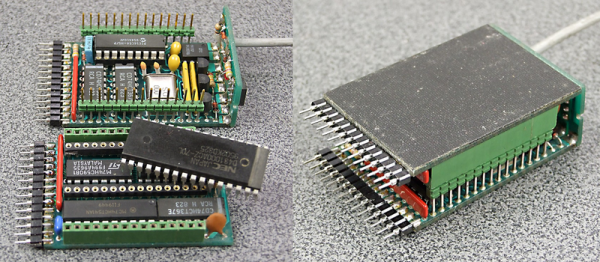
We’re glad we’re not the only hacker-packrats out there! [Voja Antonic] recently stumbled on an EPROM emulator that he’d made way back in 1991. It’s a sweet build, so take your mind back 25 years if you can. Put on “Nevermind” and dig into a nicely done retro project.

The emulator is basically a PIC 16C54 microcontroller and some memory, with some buffers for input and output. On one side, it’s a plug-in replacement for an EPROM — the flash memory of a bygone era. On the other side, it connects via serial port to a PC. Instead of going through the tedious process of pulling the EPROM, erasing and reprogramming it, this device uploads new code in a jiffy.

722351466362213815

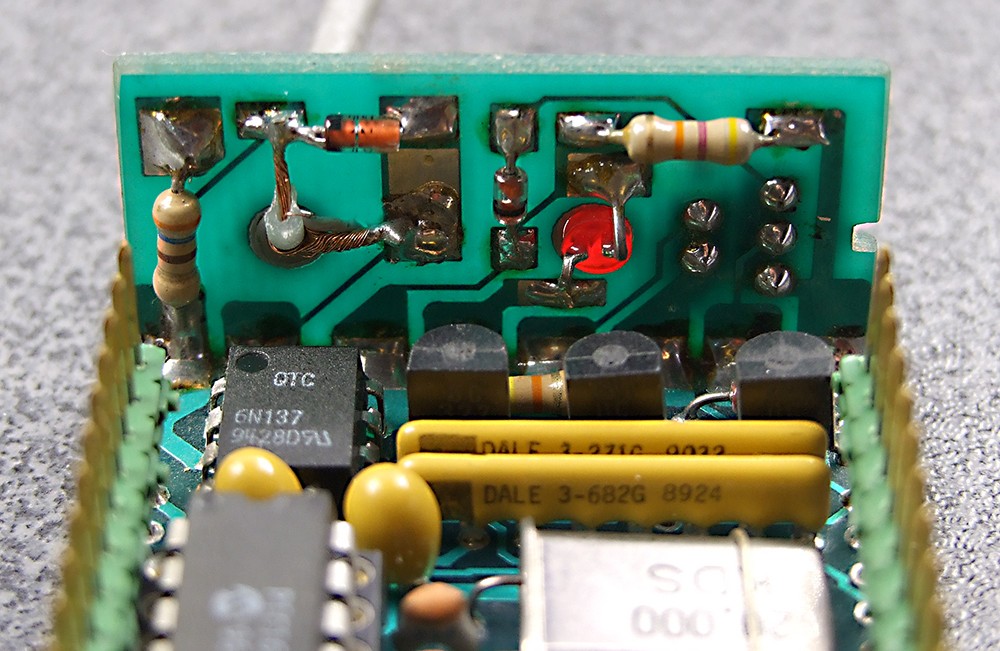
No need to emulate ancient EPROMS? You should still check out this build — the mechanics are great! We love the serial-port backplane that is soldered on at a 90° angle. The joint is a card-edge connector electrically, but also into a nice little box, reminiscent of [Voja]’s other FR4 fabrication tricks. The drilled hole with the LED poking out is classy. We’re never going to make an EPROM emulator, but we’re absolutely going to steal some of the fabrication techniques.

[Voja] is a Hackaday contributor, badge-designer, mad hacker, inspired clock-builder, and developer of (then) Yugoslavia’s first DIY PC.

“I Can Reflow” Merit Badge

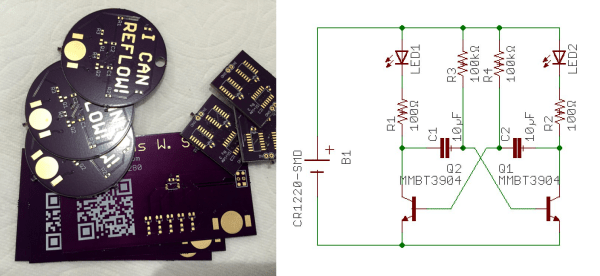
[Nick Sayer] can reflow, and he can prove it. He designed a simple blinking-LED circuit that uses SMD parts to, well, blink LEDs. That’s not the point, though. It’s designed to be a test platform for reflow soldering, and to use a minimum number of valuable parts. Plus, it says “I can reflow!” in exposed copper. What else do you want?

OK, as far as “proving it” goes, the badge isn’t 100% reliable — we hand-solder 0805 components all day long. But still, if you want to try your hand at reflowing a circuit board, and you don’t want to ruin a lot of expensive parts if you fail, something like this is a good idea.

The design is open, and it’s really the idea that’s the point here anyway. How about something that would be really onerous to hand-solder, but still cheap? We’re thinking a matrix of tiny LEDs and a shift register or something.

We just ran an article on a hand-soldering challenge board, this seems the perfect complement. Display both proudly on your desk and confound and amaze your coworkers!

Restoring The Groundbreaking Xerox Alto

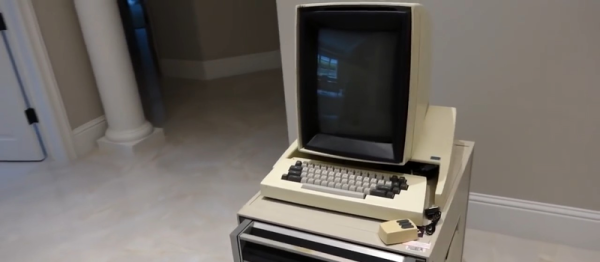
The Xerox Alto was a minicomputer that had a lot of firsts to its name: first GUI, first Ethernet connection, and first computer to use a laser printer. This is the computer that inspired Steve Jobs to build the Lisa. And this was built all back in 1973! So when [Ken Shirriff] and a team of other old-computer aficionados got their hands on one, you know they’d get to work.

[Ken]’s blog describes the start of what’s sure to be a long journey. It mostly describes the Alto system and locates its place in computer history, but there are some interesting sidelines as well — like how [Alan Kay] also basically outlined all of the functionality of the modern laptop / tablet along the way to the Alto; it was supposed to be an interim Dynabook.

Work on this grandfather-of-modern-computers is just getting started, and [Ken] and crew are dusting off the power supplies and cataloguing memory boards. You can be sure that we’ll follow along with this restoration project, and keep you informed.