When the ESP32 microcontroller first appeared on the market it’s a fair certainty that somewhere in a long-forgotten corner of the Internet a person said: “Imagine a Beowulf cluster of those things!”.
Someone had to do it, and it seems that the someone in question was [Kodera2t], who has made a mini-cluster of 4 ESP32 modules on a custom PCB. They might not be the boxed computers that would come to mind from a traditional cluster, but an ESP32 module is a little standalone computer with processing power that wouldn’t have looked too bad on your desktop only in the last decade. The WiFi on an ESP32 would impose an unacceptable overhead for communication between processors, and ESP32s are not blessed with wired Ethernet, so instead the board has a parallel bus formed by linking together a group of GPIO lines. There is also a shared SPI SRAM chip with a bus switchable between the four units by one of the ESp32s acting as the controller.
You might ask what the point is of such an exercise, and indeed as it is made clear, there is no point beyond interest and edification. It’s unclear what software will run upon this mini-cluster as it has so far only just reached the point of a first hardware implementation, but since ESP32 clusters aren’t exactly mainstream it will have to be something written especially for the platform.
Keeping animals from tropical regions of the world in a cold climate is an expensive business, they need a warm environment in their pens and sleeping areas. Marwell Zoo was spending a small fortune keeping its herd of nyalas (an antelope, not as the title suggests a deer, native to Southern Africa) warm with electric heating, so they went looking for a technology that could reduce their costs by only heating while an animal was in its pen.
One might expect that a passive IR sensor would solve the problem, but a sleeping nyala too soon becomes part of the background heat for these devices, and as a result, the heaters would not operate for long enough to keep the animals warm. The solution came from an unlikely source, a coffee queue monitoring project at the IBM Watson headquarters in Munich, that used an array of infra-red sensors to monitor the changing heat patterns and thus gauge the likelihood of a lengthy wait for a beverage.
In the zoo application, an array of thermal sensors hooked up to ESP8266 boards talk back to a Raspberry Pi that aggregates the readings and sends them to the IBM Watson cloud where they are analyzed by a neural net. The decision is then made whether or not a nyala is in the field of view, and the animal is toasted accordingly.
Hands up if you’ve had the misfortune to work in an office with a fondness for following the latest fads. Paperless office, how long did that last? Or moving from physical telephones to a flaky VOIP application on your Windows computer, that’s sure to be a resounding success! We’ve all been there at some point, haven’t we?
[Joshua Wise] found himself in that unenviable situation of the VOIP app move, and since he is a habitual headphone music listener the prospect of wearing his company-supplied headset was not appealing. His solution was to take his HeadRoom BitHead amplifier and plumb into it a microphone channel, and though he went through quite some work to reach that point the quality of his final work is very high.
He was in luck with the headphone amplifier, because the USB audio codec turns out to have an unused audio-in function as well as some HID input lines. His headset has a set of buttons as well as the microphone, which switch in and out a set of resistors to indicate which of them is pressed. Some work with a microcontroller to detect this resulted in a working interface, which he put along with the microphone circuitry on a beautifully done piece of protoboard.
Most constructors would have been happy at this point, but not [Joshua]. He proceeded to design a PCB to fit into the space around the headset socket, to contain the circuitry and better fit within the case. The result is an exceptionally high quality piece of work which he admits consumed a huge amount of resources but for which we applaud him.
So [Joshua] has a cool headset. But is it solar powered?
Our better-traveled colleagues having provided ample coverage of the 34C3 event in Leipzig just after Christmas, it is left to the rest of us to pick over the carcass as though it was the last remnant of a once-magnificent Christmas turkey. There are plenty of talks to sit and watch online, and of course the odd gem that passed the others by.
It probably doesn’t get much worse than nuclear conflagration, when it comes to risks facing the planet. Countries nervously peering at each other, each jealously guarding their stocks of warheads. It seems an unlikely place to find a 34C3 talk about 6502 microprocessors, but that’s what [Moritz Kütt] and [Alex Glaser] managed to deliver.
Policing any peace treaty is a tricky business, and one involving nuclear disarmament is especially so. There is a problem of trust, with so much at stake no party is anxious to reveal all but the most basic information about their arsenals and neither do they trust verification instruments manufactured by a state agency from another player. Thus the instruments used by the inspectors are unable to harvest too much information on what they are inspecting and can only store something analogous to a hash of the data they do acquire, and they must be of a design open enough to be verified. This last point becomes especially difficult when the hardware in question is a modern high-performance microprocessor board, an object of such complexity could easily have been compromised by a nuclear player attempting to game the system.
We are taken through the design of a nuclear weapon verification instrument in detail, with some examples and the design problems they highlight. Something as innocuous as an ATtiny microcontroller seeing to the timing of an analogue board takes on a sinister possibility, as it becomes evident that with compromised code it could store unauthorised information or try to fool the inspectors. They show us their first model of detector using a Red Pitaya FPGA board, but make the point that this has a level of complexity that makes it unverifiable.
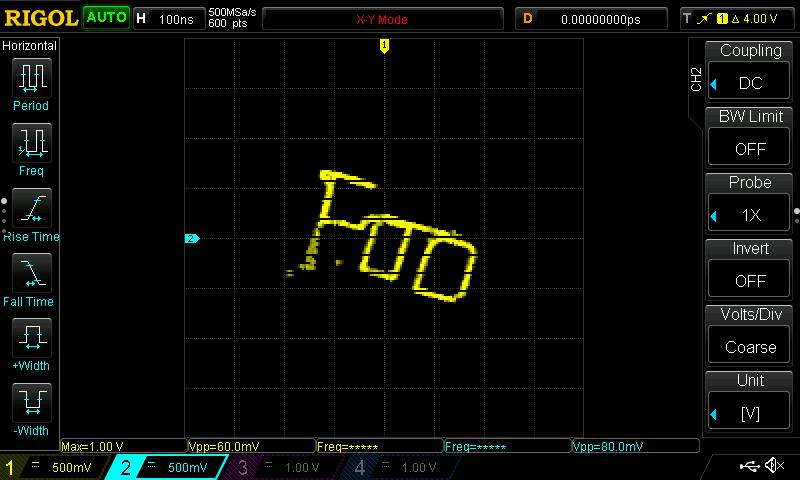
The gamma ray energy spectrum of a cobalt-60 source as seen from an Apple II.
Then comes the radical idea, if the technology used in this field is too complex for its integrity to be verified, what technology exists at a level that can be verified? Their answer brings us to the 6502, a processor in continuous production for over 40 years and whose internal structures are so well understood as to be de facto in the public domain. In particular they settle upon the Apple II home computer as a 6502 platform, because of its ready availability and the expandability of [Steve Wozniak]’s original design. All parties can both source and inspect the instruments involved.
If you’ve never examined a nuclear warhead verification device, the details of the system are fascinating. We’re shown the scintillation detector for measuring the energies present in the incident radiation, and the custom Apple II ADC board which uses only op-amps, an Analog Devices flash ADC chip, and easily verifiable 74-series logic. It’s not intentional but pleasing from a retro computing perspective that everything except perhaps the blue LED indicator could well have been bought for an Apple II peripheral back in the 1980s. They then wrap up the talk with an examination of ways a genuine 6502 system could be made verifiable through non-destructive means.
It is not likely that nuclear inspectors will turn up to the silos with an Apple II in hand, but this does show a solution to some of the problems facing them in their work and might provide pointers towards future instruments. You can read more about their work on their web site.
What do you do, when you need a random number in your programming? The chances are that you reach for your environment’s function to do the job, usually something like rand() or similar. This returns the required number, and you go happily on your way.
A shift register configured as a pseudo-random number generator. [by KCAuXy4p CC0 1.0]Except of course the reality isn’t quite that simple, and as many of you will know it all comes down to the level of randomness that you require. The simplest way to generate a random number in software is through a pseudo-random number generator, or PRNG. If you prefer to think in hardware terms, the most elementary PRNG is a shift register with a feedback loop from two of its cells through an XOR gate. While it provides a steady stream of bits it suffers from the fatal flaw that the stream is an endlessly repeating sequence rather than truly random. A PRNG is random enough to provide a level of chance in a computer game, but that predictability would make it entirely unsuitable to be used in cryptographic security for a financial transaction.
There is a handy way to deal with the PRNG predictability problem, and it lies in ensuring that its random number generation starts at a random point. Imagine the shift register in the previous paragraph being initialised with a random number rather than a string of zeros. This random point is referred to as the seed, and if a PRNG algorithm can be started with a seed derived from a truly unpredictable source, then its output becomes no longer predictable.
Selecting Unpredictable Seeds
Computer systems that use a PRNG will therefore often have some form of seed() function alongside their rand() function. Sometimes this will take a number as an argument allowing the user to provide their own random number, at other times they will take a random number from some source of their own. The Sinclair 8-bit home computers for example took their seed from a count of the number of TV frames since switch-on.
The not-very-random result of a thousand analogRead() calls.
The Arduino Uno has a random() function that returns a random number from a PRNG, and as you might expect it also has a randomSeed() function to ensure that the PRNG is seeded with something that will underpin its randomness. All well and good, you might think, but sadly the Atmel processor on which it depends has no hardware entropy source from which to derive that seed. The user is left to search for a random number of their own, and sadly as we were alerted by a Twitter conversation between @scanlime and @cybergibbons, this is the point at which matters start to go awry. The documentation for randomSeed() suggests reading the random noise on an unused pin via analogRead(), and using that figure does not return anything like the required level of entropy. A very quick test using the Arduino Graph example yields a stream of readings from a pin, and aggregating several thousand of them into a spreadsheet shows an extremely narrow distribution. Clearly a better source is called for.
Noisy Hardware or a Jittery Clock
As a slightly old-school electronic engineer, my thoughts turn straight to a piece of hardware. Source a nice and noisy germanium diode, give it a couple of op-amps to amplify and filter the noise before feeding it to that Arduino pin. Maybe you were thinking about radioactive decay and Geiger counters at that point, or even bouncing balls. Unfortunately though, even if they scratch the urge to make an interesting piece of engineering, these pieces of hardware run the risk of becoming overcomplex and perhaps a bit messy.
The significantly more random result of a thousand Arduino Entropy Library calls.
The best of the suggestions in the Twitter thread brings us to the Arduino Entropy Library, which uses jitter in the microcontroller clock to generate truly random numbers that can be used as seeds. Lifting code from the library’s random number example gave us a continuous stream of numbers, and taking a thousand of them for the same spreadsheet treatment shows a much more even distribution. The library performs as it should, though it should be noted that it’s not a particularly fast way to generate a random number.
So should you ever need a truly random number in your Arduino sketch rather than one that appears random enough for some purposes, you now know that you can safely disregard the documentation for a random seed and use the entropy library instead. Of course this comes at the expense of adding an extra library to the overhead of your sketch, but if space is at a premium you still have the option of some form of hardware noise generator. Meanwhile perhaps it is time for the Arduino folks to re-appraise their documentation.
We recently featured an entertaining project here, a digital clock with a variety of different retro display technologies forming its numerals. Among those was an extremely unusual device, a rear-projection display with an array of bulbs each able to shine through a different letter or numeral slide. There was such interest in this device that its owner [Suedbunker] subjected one to a teardown for all to see.
The displays came from an organ which he suggests may have been manufactured around 1900. We suspect that may be a rather early estimate due to its use of a printed circuit board, but it is no less a fascinating device for it. A rectangular enclosure secured by twist-tabs opens to reveal a matrix of small filament bulbs on a PCB and supported by a stack of resin boards, in front of which was placed a slide with a letter or number for each one. Before that lies a sheet of glass, and then a molded plastic lens assembly which provides an individual lens for each of the 12 bulbs. When a bulb is illuminated with these in place, the letter or number is projected on the screen at the front of the unit.
It has the advantage of simplicity, no need for a high voltage, and high-quality characters and flexibility in displaying alternatives through different slides, though at the expense of quite a bulky package. The bulbs are quite energy-sapping, so for his clock he replaced them with LEDs. We like it as one of the more practical retro numeric displays, but its size means we probably won’t see a comeback.
While browsing Thingiverse, [Dushyant Ahuja] found a rather pleasing wave lamp, and since a mere lamp on its own would not quite be enough, he added a means by which his lamp could provide weather alerts by means of changing its color.
It’s fair to say that the wave lamp is not a print for the faint-hearted, and it took him 30 hours to complete. However, it has the interesting feature of not requiring a support or raft. There is also a base for the lamp designed to take a strip of addressable LEDs, and he modified its design to mount a small PCB containing an ESP8266 module and a level shifter chip. The code for the ESP relies on the OpenWeatherMap API, and changes the LED color based on the rainfall forecast.
Casting our minds back a decade, this lamp is reminiscent of the long-departed Nabaztag product, best described as an internet-connected plastic anthropomorphic rabbit that could keep you updated with information such as weather or stock market trends through lighting up and the movement of its ears. It was an overpriced idea tied into a proprietary online back end that was probably well before its time back in 2004. Perhaps repackaged for 2017 with a commodity microcontroller board Nabaztag has finally found its application.
There is a short video showing the color change and an LED animation, which we’ve put below the break.